
Tool Tip Tuesday for Adobe Premiere Pro: The best of Scott’s 2025 Tips – picked by Jeff
Welcome to Tool Tip Tuesday for Adobe Premiere Pro on ProVideo Coalition Whether or not you’re a frequent reader,...
Tool Tip Tuesday for Adobe Premiere Pro: Timed Replace Edit (Sync Point version)
Welcome to Tool Tip Tuesday for Adobe Premiere Pro on ProVideo Coalition We’ve been looking at Replace Edit for...

Tool Tip Tuesday for Adobe Premiere Pro: Replace from Source
Welcome to Tool Tip Tuesday for Adobe Premiere Pro on ProVideo Coalition I love overlooked features. Replace from Source looks...

Tool Tip Tuesday for Adobe Premiere Pro: Toggle Visibility/Mute/Solo from the keyboard
Welcome to Tool Tip Tuesday for Adobe Premiere Pro on ProVideo Coalition I’m always adjusting the visibility or solo...

Tool Tip Tuesday for Adobe Premiere Pro: Precision Timeline Target Tracks
Welcome to Tool Tip Tuesday for Adobe Premiere Pro on ProVideo Coalition I’m talking about the V or A...

Tool Tip Tuesday for Adobe Premiere Pro: Source vs Timeline Labels
Welcome to Tool Tip Tuesday for Adobe Premiere Pro on ProVideo Coalition Strong editors are made by their ability...
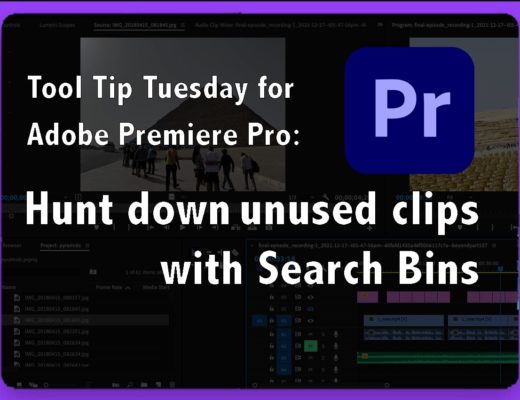
Tool Tip Tuesday for Adobe Premiere Pro: Hunt Down Unused Clips
Welcome to Tool Tip Tuesday for Adobe Premiere Pro on ProVideo Coalition The String-Out Problem Most editors I work...

In-Depth: Suite Studios
When I was at NAB this year, I was there looking for a couple of very specific things. Cloud...

Tool Tip Tuesday for Adobe Premiere Pro: Stop Fighting with Audio Channels on the timeline
Welcome to Tool Tip Tuesday for Adobe Premiere Pro on ProVideo Coalition I was working with a skilled editor...

Tool Tip Tuesday for Adobe Premiere Pro: Shift to the Panel you want
Welcome to Tool Tip Tuesday for Adobe Premiere Pro on ProVideo Coalition Recently, Scott mentioned mapping a keyboard choice...



Latest

Post Production