

Filmtools
Filmmakers go-to destination for pre-production, production & post production equipment!
Shop NowOlder articles can still be good articles… a shortcut to loads of After Effects information

I started writing articles for the ProVideo Coalition back in 2009. However I’m a working VFX artist and the PVC is just something I do for fun. I don’t have a YouTube channel, I’m not on Patreon or selling After Effects courses, and I’m definitely not going to ask you to “hit subscribe”. I generally try to publish something every month, but that’s not always possible.
So although I don’t publish a huge amount of After Effects content, it still adds up when you’ve been doing it for more than 15 years (actually I published my first tutorial on the Creative Cow in 2002!). However sometimes it feels like older content gets forgotten and overlooked. But just because a video wasn’t made last week, it doesn’t mean it’s not relevant.
Collected here (in 2026) are a selection of articles I’ve written that are still a valuable resource for anyone using After Effects.
After Effects and Performance is an in-depth series that looks at exactly what After Effects does, and how it does it. Originally planned as a single article to explain why it is difficult to recommend CPUs and GPUs, it expanded to cover all aspects of performance and how to improve it. It includes interviews with software developers and ends with an interview with Adobe’s Sean Jenkin. Although it’s several years old now, most of it is still relevant and serves as a valuable resource for anyone starting out with After Effects.
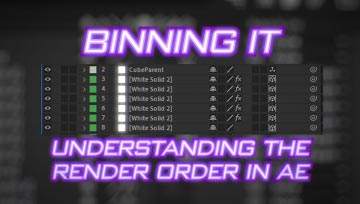
After Effects is, by definition, a timeline-based compositing application. However understanding the timeline, and how it relates to the rendered output, is not always that simple. This video looks at the rendering order in After Effects, and advanced topics like collapse-transformations, and 3D bins. Understanding the rendering order in After Effects is the key to understanding After Effects itself.
Nothing says VFX like a greenscreen, and chromakey is one of the foundations of visual effects. This 5-part series looks at advanced chromakey in After Effects, beginning with how different keyers work, and covering many advanced techniques to improve your results.
This series on Colour Management spans 27 videos and over 12 hours of training. As the first video says, “the honeymoon is over” and professional artists can no longer simply ignore colour management. After working through various colour topics, this series focusses on ACES – the industry standard for colour management with visual effects. The final part in the series (linked here) is a crash course in colour managed workflows in After Effects, but go back to the start when you’re ready for all the fine details.

If you’ve ever wondered what the difference is between a straight and a pre-multiplied alpha channel is, then this is the video for you. And if you didn’t even know that there were different types of alpha channels, then you should definitely get up to speed! Mixing up straight & pre-multiplied alpha channels will cause colour fringing and other artefacts in your comps. so you want to get it right.
Quality can be a subjective term, but it also has a technical element to it as well. This article looks at various settings in After Effects that can improve the quality of your renders.

Screen Replacements are a common visual effect and make up the bread & butter work for many vfx artists. While After Effects comes with Mocha, a powerful planar tracker that’s ideally suited for screen replacements, I also use Syntheyes – a 3D camera tracker. This tutorial demonstrates how I use Syntheyes for screen replacements in After Effects.
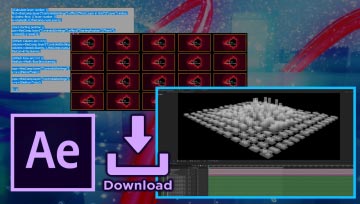
Arranging lots of elements into a grid is a common task for designers. This video looks at how to do it automatically using expressions, with increasing levels of sophistication. The article includes a link to a project download with various methods for arranging images in a grid.

Expressions are a great way to automatically animate elements in a composition. However from a programming perspective, there’s a hitch – After Effects expressions can’t carry over variables from one frame to the next, so you can’t iterate over time. Instead, you need to use time as the basis for automatic animation. This article explains it all.
Expressions are a powerful tool within After Effects, but working with complex expressions can be tedious. If you’re using one expression to calculate multiple properties, for example position, scale & rotation, then it can get messy when you have to paste the same expression multiple times. This article demonstrates how to use one text layer as the source for multiple properties.
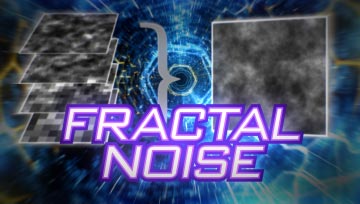
Fractal Noise is an amazingly powerful effect. This article dives deep into how it works, what you can use it for, and what all those controls in the effects palette actually do.
Following on from my series on Performance is another article that demonstrates how layer sizes are responsible for overall rendering times. The overall size of your composition, and the number of layers in it, will obviously affect the time it takes for the composition to render. But the size of each layer is even more important – and understanding that can result in much faster renders.
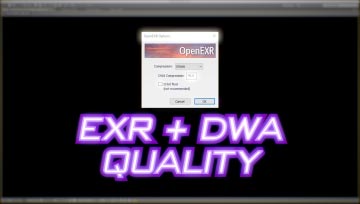
There are many different file formats, all of which were created for specific reasons. While old habits can die hard, this article looks at EXR files, why I use them, and why you should too.
Working with 32 bit mode in After Effects allows us to work with High Dynamic Range video, but it also introduces the risk of NaNs – literally “Not a Number”. A single rogue pixel can destroy your composition! Learn how to recognise NaNs, and how to fix them. I really, really hate Nans…
Scaling an entire composition poses as few problems when you’re working with 3D layers. This tutorial looks at how to scale a 3D composition while retaining the camera settings needed to match the original layout.
If you’ve been using After Effects for as long as I have, then you’ll have heard people claim that Adobe should just “rewrite After Effects from scratch”. While that might sound like a good idea, it’s much more complicated than you might think. In this unscripted reaction video, I look at the broader implications of re-writing After Effects.
…and there’s more! I’ve recently started a new series called “Guru Meditations”, where I reflect on After Effects posts I see online. There’s a few videos in the series already, including a look at reverse stabilization, and the difference between track mattes and the set matte effect. If you’ve found yourself here from another link, please take the time to check out my main page. for all the latest articles & tutorials.