

Filmtools
Filmmakers go-to destination for pre-production, production & post production equipment!
Shop NowLumaTouch announced the release of LumaFusion for iOS version 5.3 with a host of new workflow enhancing features, as well as introducing a newly-developed, custom plugin architecture.

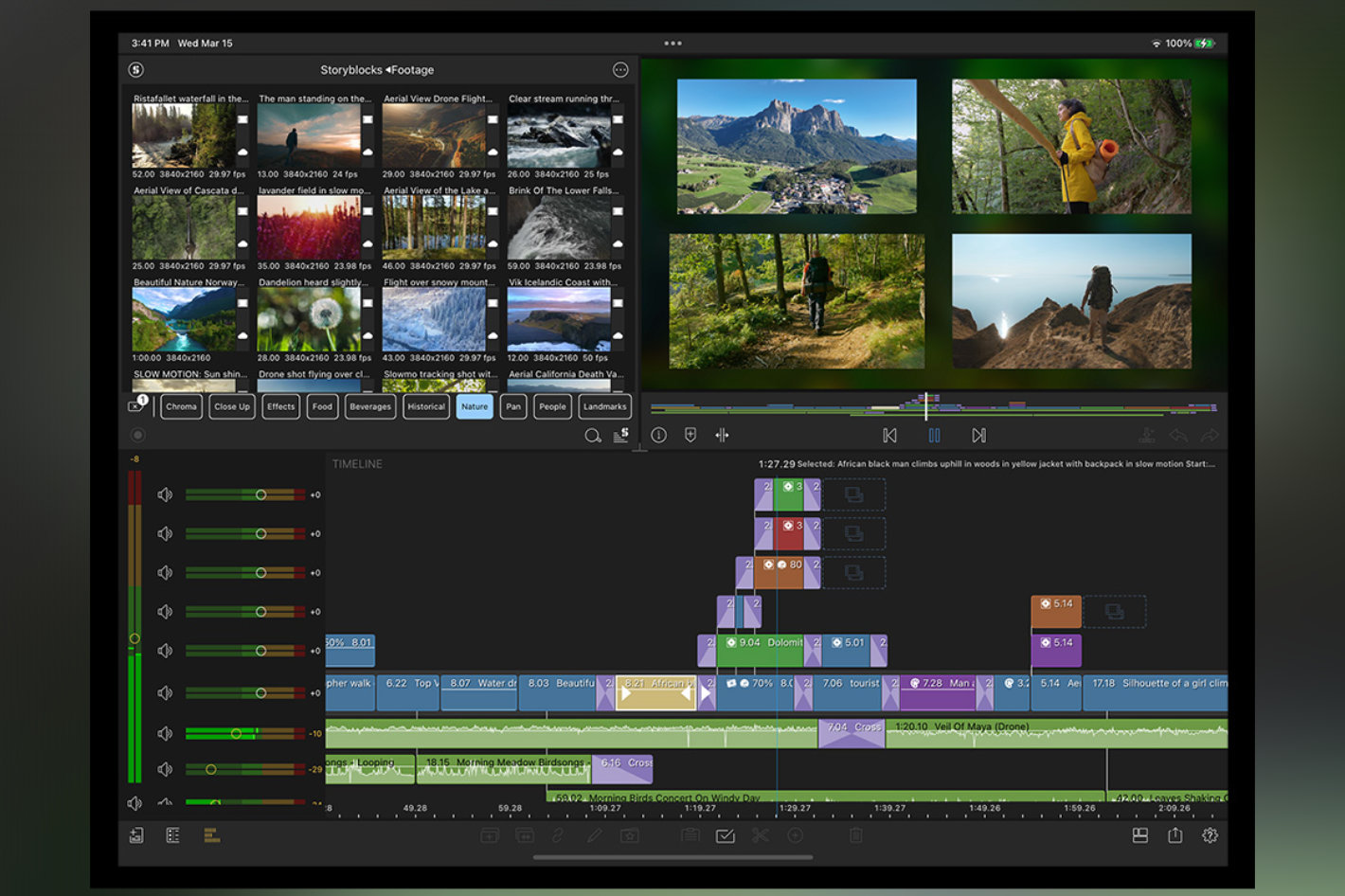 The custom plugin architecture introduced with this version enables — for the first time – support for 3rd party editing and VFX plugins in LumaFusion for iOS. First plugin available is Paint X, from CoreMelt.
The LumaTouch team has been paying close attention to user feedback and have included in this version a number of workflow-enhancing features designed to make the LumaFusion editing experience that much more enjoyable. . LumaFusion for iOS v5.3 includes a number of free updates and improvements for existing LumaFusion users, including:
- One of the most requested features in LumaFusion for iOS v5.3 is the ability for editors add any transition to multiple selected timeline clips, simply by double-tapping on the transition in the Library;
- Blurs, Styles, and Distortions are now combined into one button in the Color and Effects Editor Presets Library to accommodate the addition of 3rd party plugins;
- A new Search feature allows editors to find a preset by name in the Color and Effects Presets Library;
- Editors can now add head and tail transitions or cross dissolves between multiple selected clips on the timeline; this can be found in the Add Clip Menu on the timeline;
- The ability to adjust the track height is a convenient new feature located in Help and Settings / Preferences;
- Preview Library clips in full fit mode or match the fit mode for your Timeline; these settings are located in the Help and Settings / Clip Defaults;
- New for Creator Pass Subscribers: Three new sets of transitions, including Circular Wipes, Mod Lines, and Anchor Slides.
Besides the new workflow enhancing features, LumaFusion Version 5.3 for iOS also introduces a newly-developed, custom plugin architecture that – for the first time – enables support for 3rd party editing and VFX plugins in LumaFusion for iOS. CoreMelt, an Australia-based developer of advanced video plug-in effects for the editorial, compositing, design and visual effects communities, is the first to to develop a plugin exclusively for LumaFusion for iOS users: PaintX for LumaFusion.
PaintX for LumaFusion, developed by CoreMelt, is a powerful paint tool with built-in tracker. Perform common tasks like painting out unwanted objects, highlighting an area with hand-drawn text, add tracked color corrections and more. Brought to you by the same people who created Lock-and-Load, the video stabilizer which comes built into Lumafusion. Paint X for LumaFusion, is available as an in-app purchase within LumaFusion and is available immediately as a one-time purchase of $19.99 USD.
LumaFusion for Mac and iOS is available for download from the App Store, and LumaFusion for ChromeOS and Android is available for download from the Google Play Store and the Samsung Galaxy Store.
LumaFusion (on all platforms) is available for a one-time purchase price of $29.00 USD.
The LumaFusion Creator Pass subscription is available immediately and can be added to LumaFusion from within the app. LumaFusion Creator Pass is priced at $9.99 USD/month or $69.99 USD/year.
For those who prefer one-time purchases, all of LumaFusion’s enhanced features are available for a one-time in-app purchase price of $19.99 USD each.