Filmtools
Filmmakers go-to destination for pre-production, production & post production equipment!
Shop NowSorry it took a while for a new entry into this long-running, very popular column!


It was January 31, 2025, when the last edition of Useful Tools for Editors was published. And that’s been way too long, and I have no excuse for not publishing a useful tool for editors since then, except that I’ve been busy on other things. But looking at some bookmarks that I had saved, I think it’s time for a new edition. So here we go.
Eddie AI
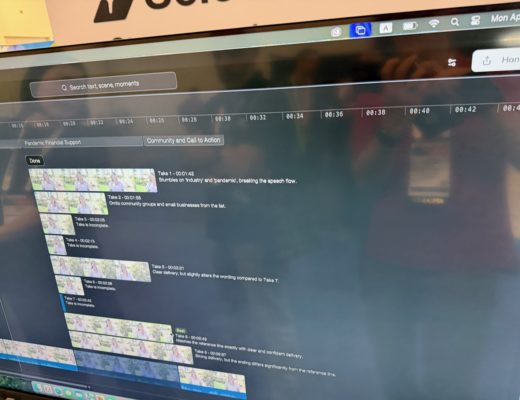
I have had a number of people ask me about some AI assistant editing tools and why I have not written much about them. It’s not because I haven’t used them. It’s more than I’m still formulating my thoughts. One that I have used is Eddie. While I’ll have a more extensive review coming soon, it does deserve the designation as a Useful Tool for Editors. On the surface, it might seem simple: an AI assistant editor who logs and categorizes media and builds stringouts and rough cuts, but it’s truly much deeper than that. And how you might use Eddie in your editorial workflow can vary greatly.
Imagine a tool that can take your interviews, process them, and then build a rough cut based on your prompts and your inputs, and you get the idea of what Eddie is all about. This is a rough cut that can be changed, edited, and tweaked right within Eddie before ever sending that edit back into your editing tool for further refinement and to integrate with an overall project. That’s in addition to other features like transcripts, captions and video clips of your Eddie edits.
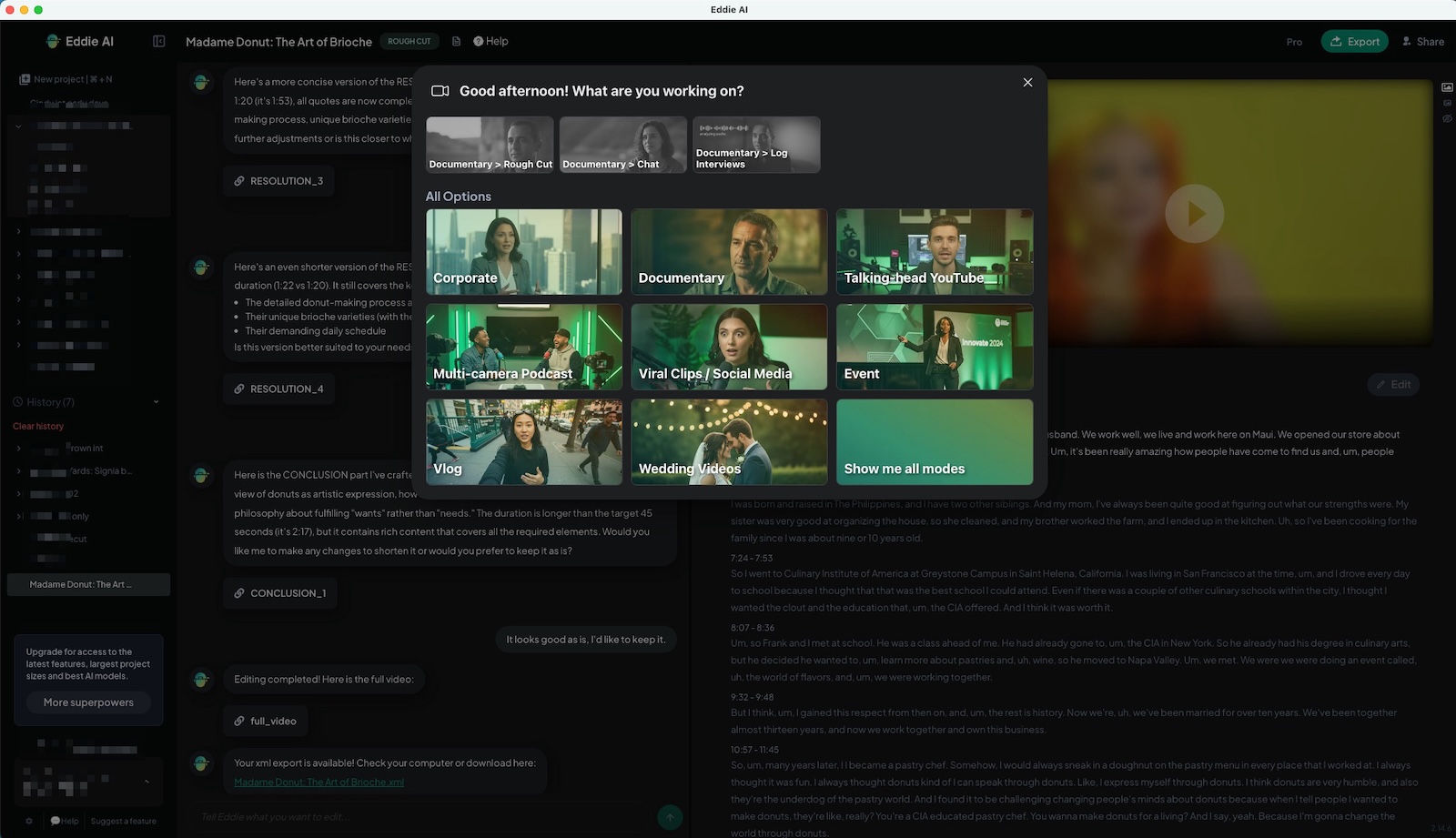
Is it useful? Very. Is it perfect? It is not. I don’t think it’s supposed to be perfect. I think it’s supposed to help the editor get to a place faster and more efficiently than they could on their own. Is this good or bad for the craft in general? That’s something to be debated elsewhere. Eddie’s not cheap, but the tools for doing this rough cutting aren’t. Is that because it’s a limited market or because there’s a lot of AI processing involved? I’m not sure, but click over to the pricing page, try it for free, and check it out yourself, because only you can determine whether the value is worth it.
Production Clip Reporter
If you’ve been in the game for a while, you might remember Sequence Clip Reporter and its usefulness in providing reports from your Final Cut Pro or Adobe Premiere timeline. The folks at Intelligent Assistance have modernized this ubiquitous tool into Production Clip Reporter using OpenTimelineIO. What can it do? From the Intelligent Assistance website:
-
Generate clip lists, shot lists and track-accurate sequence reports instantly
-
Capture effects, transitions and markers
-
Supports Media Composer, Premiere, Resolve via OTIO for multi-tool pipelines
-
Exports clean Excel for producers, coordinators and post teams
With this big update for multiple editing tools, pricing has changed. It ranges from $20 per month up to $200 for three years. If you need these kinds of reports then the time saved will be worth the price. There’s a free trial available as well, where you can test out Production Clip Reporter on up to 20 clips in your timeline.
FreeFileSync
Ever wish you could sync two folders? Of course you have. For years, I’ve used Path Finder as it has a FolderSync function, but it doesn’t feel like Path Finder gets updated very often. FreeFileSync was discussed in a recent internet forum as part of a cool workflow, and I look forward to trying it out.
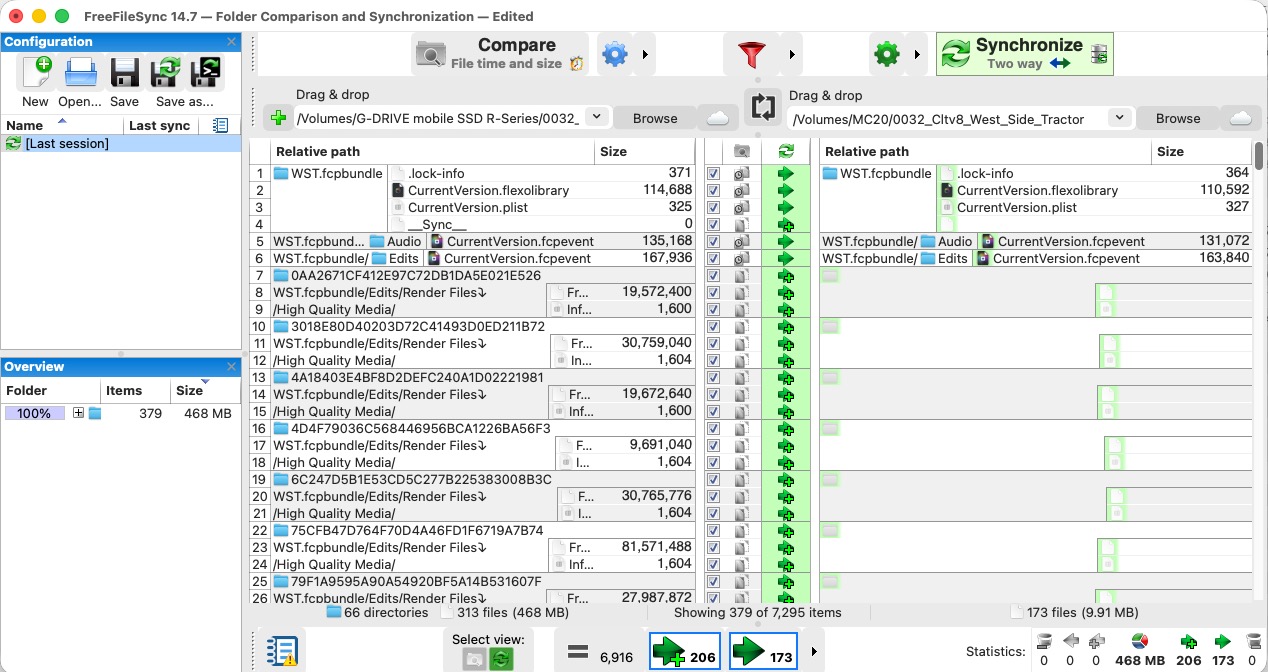
There’s a lot going on in this FreeFileSync interface. A lot of settings can be changed and there’s a lot of detail about what can happen in a folder sync. And if you donate to this open source project you can have it email you when it’s done with the file sync process. Check out FreeFileSync to see if it’s for you.
Diem
I’ve been using the vulnerable Neo Finder for many years to catalog and keep track of hard drives. I know there are other tools out there that can do this, but there’s something about the simplicity and longevity of Neo Finder that just makes it simple. I saw a new hard drive catalog tool that, of course, is using AI to do part of its job, that’s Diem.
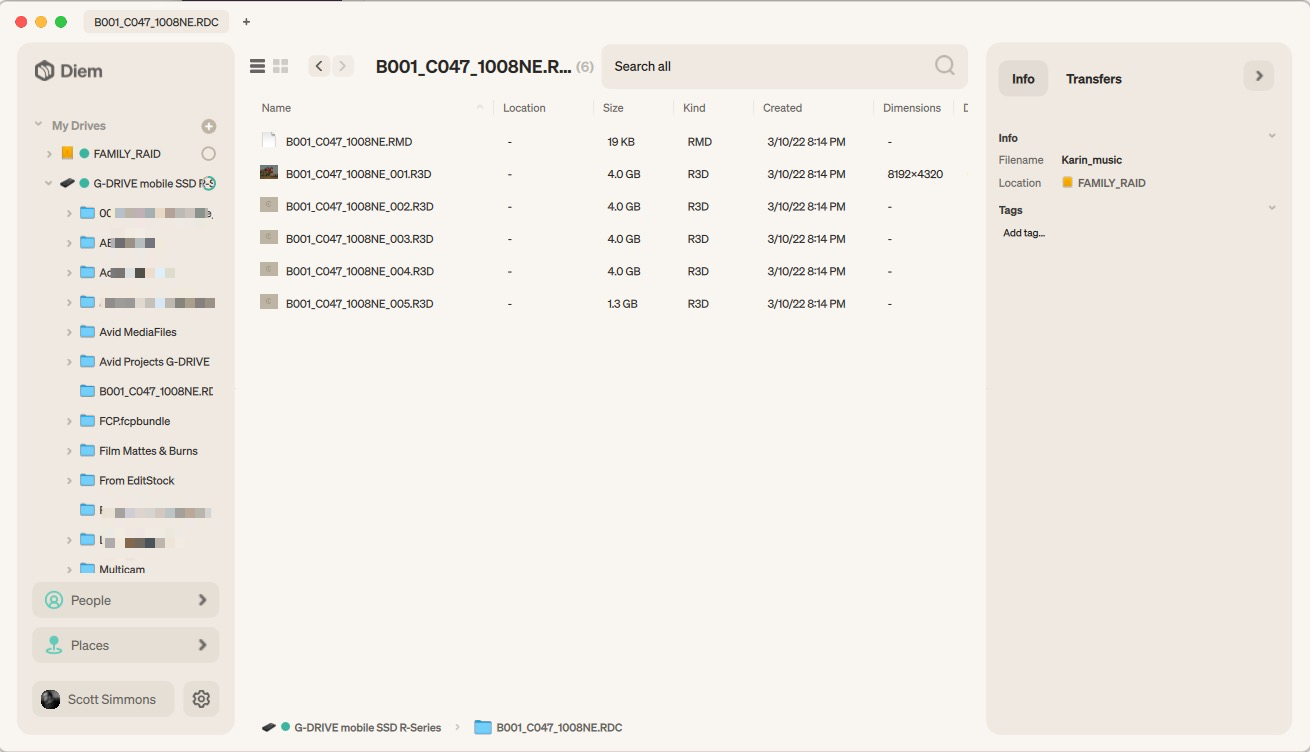
It’s pretty simple as far as interface goes. Plug a drive in, and it will catalog it and scan it, analyze it for people and places, and then make all those drives searchable even when they’re not plugged in. You’re offered three types of scans, from a fast and simple directory scan to a much deeper AI scan that will save previews, thumbnails, and things like that. Of course, the deeper the scan, the longer it’s going to take to complete that scan. The Diem website says a deep scan for a 4 TB drive can take 2 hours. So deep scans might be something you want to run overnight. It’s currently in beta, so check out the Diem website for the FAQ and the download copy. I’ll be curious about pricing once it ships. When I tried to sync a 4th drive, a pop-up told me that 3 drives will always be free and a tiered subscription will be available beyond that.
Aspect Ratio Tool
I love these simple web-based tools like Aspect Ratio Tool that editors, production folks, and post-production folks often make their own use of. And then share them with the world. This one is simple: upload an image, adjust its aspect ratio, and download a transparent PNG with that new letterboxing.

That’s about it, but it’s free and useful, so give it a try when you need a quick letterbox matte. Thanks, Brent Pierce. There’s still good stuff to be found on TwitterX.
Rotato Video Compressor and more
Here’s another web app that compresses and does other things to your video, but upon a deeper dive, there’s a lot more here than just an online video compressor. I found this in an online conversation where someone’s file was too big to upload to some random service. This was offered up as a free and easy way to compress it. I haven’t used it, and I don’t know how big a video it will accept, so use it at your own risk, but it’s worth checking out.
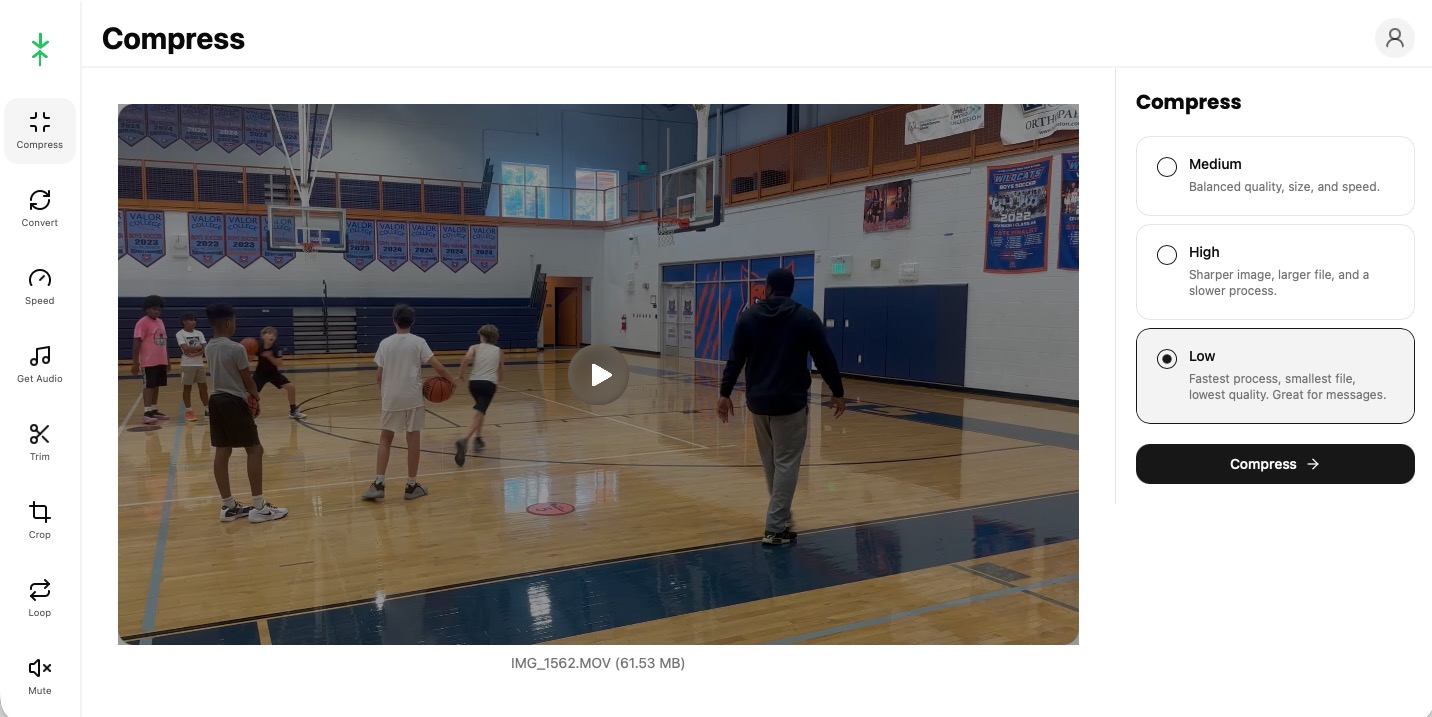
If you look to the left, you’ll see that this tool does a lot more than just compressing the video.
You can also:
- convert
- change the speed
- mute the audio
- loop
- crop
- trim
- resize
- merge and more
In fact, go to the video tools front page and check out all that Rotato has to offer. You may ask, why would you use a web app for this when you can just open up something like Compressor or Adobe Media Composer? The answer is sometimes simple is better, where you may want to send a link to someone who doesn’t have a video compression tool installed on their system. Speaking of installing on your system, there are also Mac and Windows versions of these tools. It’s $27 and might be just the thing for a cheap conversion tool.
Timecode Calculator by The Postage®
Timecode calculators are always useful, and this one popped up in a Facebook group a while back. It was “vibe coded” by a broadcast editor and finisher and of particular interest to me was “editing in 23.976 to maintain native frame rate, then delivering in 29.97 DF or 59.94 for broadcast / 23.976 for streaming services – and reliably figuring out real-time runtime.” That can be a pain.
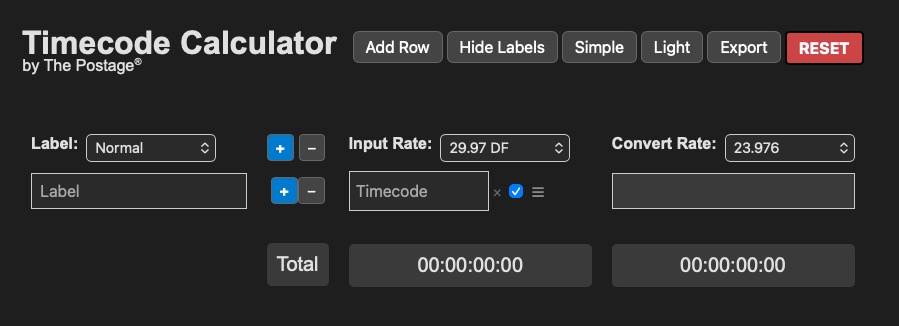
I’ve not had a chance to use it, but it looked interesting, so click over and give it a try yourself.
Finder Stash (but you can’t have it)
Speaking of vibe coding, I’ve had several editor friends brag about their vibe-coded utilities. So I thought I would give it a try. Over the years, I have asked a few folks I know who develop apps if there could be a Mac utility that lets you minimize Finder windows into tabs at the bottom or side of the screen (old macOS used to have this). I was told no, there’s no way to do this. So I tried it myself, and they were mostly right, I think.
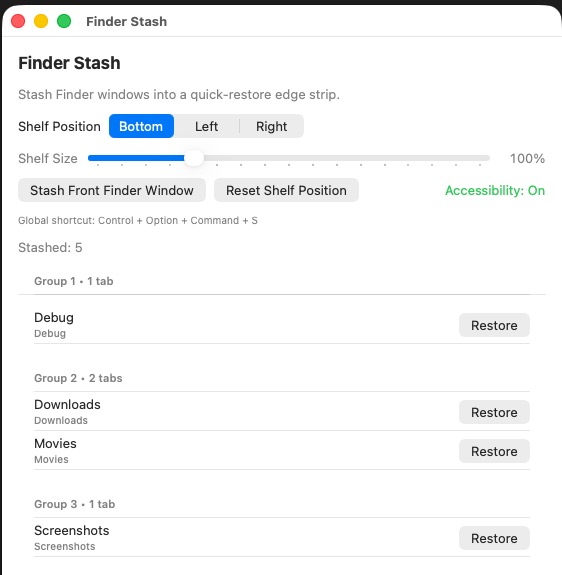
What I came up with was Finder Stash. It will take Finder windows, minimize them into the MacOS dock, but then show you what those minimized windows are in a tab bar that can be placed around the screen. The Finder tabs are grouped when they appear in a single tabbed Finder window. You can also copy or move files from an open Finder window to any of the stashed tabs.
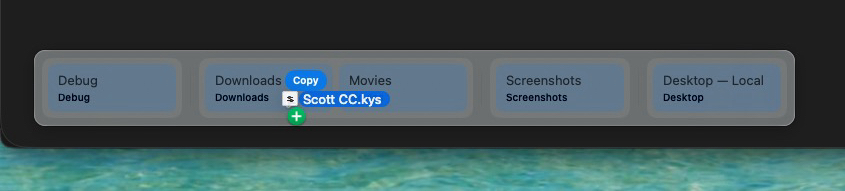
It’s not a pretty app. Every now and then, there might be a bug, and it has no icon (though I could make one if I wanted to). What’s really crazy is that I had never made an app like this before, and I did it all with a free ChatGPT account using Codex.
Links from the web:
Just in case you were wondering 🤓 pic.twitter.com/e05STvdRSS
— Lord Haydock (@MarkHaydock5) August 15, 2024
💥 Breaking down the action beats of all Mission Impossible movies
📷 Editor @EddieHamilton, ACE
▶️ https://t.co/zF4vjXCKXg
#missionimpossible #theroughcut #filmmaking #actionmovies #edit #avidmediacomposer #editing #editor #postproduction #mediacomposer #avid pic.twitter.com/jEeluvWUh9— Avid Media Composer (@MediaComposer) July 29, 2024
What is Vibe Editing? Meet the AI Video Co-Editor Trend Changing the Gamehttps://t.co/fpPLpNyQEc #Cutback #videoediting #VibeEditing
— cutback.video (@cutback_video) May 14, 2025
A camera map in advance of tomorrow’s UEFA Champions League Final in Munich.
42 match coverage cameras include a four-point cabled aerial, 8 super-slow mos, two high-speeds, two jibs, two polecams, and a helicopter.
DAZN Dach is host broadcaster. Sebastian Von Freyberg directs. pic.twitter.com/1jdhqCZ0Oh
— Brandon Costa (@SVG_Brandon) May 30, 2025
Software Reviewers
Know your menu icons! pic.twitter.com/1zE9khFSHO— Taylor (@RichardTaylorTV) June 1, 2025
BREAKING: Editor Welcomes 7 More Agency, Client People To Session In Time For Lunch Order pic.twitter.com/sVghQiEvaa
— ADWEAK (@adweak) July 23, 2025
Second year of @IMSA releasing its full-field of drone footage for anyone to download and edit into something cool.
Per the series: (Mandatory Credits: Full-Field and Helmet Photos: IMSA/Lumen Digital Agency;Video: IMSA/Beverly Hills Aerials)https://t.co/CKFhF630cM
— Marshall Pruett (@marshallpruett) January 21, 2026
Simply go to “File” — “Make a Copy” to fill it out for yourselfhttps://t.co/VwWsGtw2QI
— Mark Cecchini, CFP® (@markcecchini) February 2, 2026