

Adobe MAX Day 3: This Is What We Signed Up For
Fall is marked by sparks of delight. The season offers an abundance of bold colors, blinking lights, and custom...

Adobe MAX Day 2: States of Matter
Fun fact: an instant ice pack can go past airport security as a solid, not a liquid. The day...

Adobe MAX Day 1: Where Have All The Cowboys Gone?
Howdy, partner! Welcome to the wildest ride in the wilderness. No, not the Thundermountain Railroad, or The Oregon Trail...

The Newest Releases From Adobe MAX – Surf The Firefly Wave
In November 2021, Staples Center officially changed its name to the Crypto.com Arena. Despite this very public shift and...

Tool Tip Tuesday for Adobe Premiere Pro: Precision Timeline Target Tracks
Welcome to Tool Tip Tuesday for Adobe Premiere Pro on ProVideo Coalition I’m talking about the V or A...

Tool Tip Tuesday for Adobe Premiere Pro: Source vs Timeline Labels
Welcome to Tool Tip Tuesday for Adobe Premiere Pro on ProVideo Coalition Strong editors are made by their ability...

Tool Tip Tuesday for Adobe Premiere Pro: Mass Select Timeline Labels
Welcome to Tool Tip Tuesday for Adobe Premiere Pro on ProVideo Coalition How aggressive are you about labels? I...

Tool Tip Tuesday for Adobe Premiere Pro: Intuitive Color – the Saturation X-Ray
Welcome to Tool Tip Tuesday for Adobe Premiere Pro on ProVideo Coalition I taught an Adobe MAX class at...
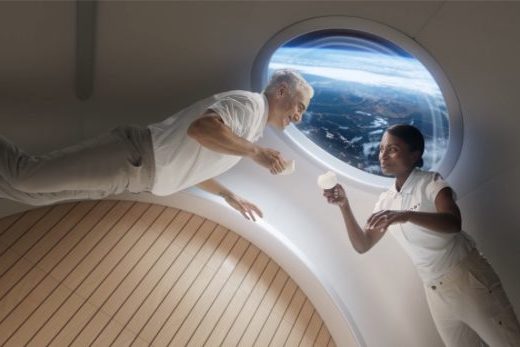
Creating Space Station Visualizations with Russ Gautier of Territory Studios
Territory Studio is a design-led creative studio specializing in visual effects, screen graphics, title design, advertising, gaming, and experiential...

Tool Tip Tuesday for Adobe Premiere Pro: Variable Frame Rates kill timelines
Welcome to Tool Tip Tuesday for Adobe Premiere Pro on ProVideo Coalition I’m gonna tell you the number one...






