Filmtools
Filmmakers go-to destination for pre-production, production & post production equipment!
Shop NowNot surprisingly, there’s a lot of AI in here, but also some useful things as well.

Adobe has a number of updates heading into IBC 2026 with new features across Premiere Pro and After Effects. We get everything from AI-generated video inside the timeline (which we’ve talked about before in the beta) to a brand new AI assistant for After Effects that can write expressions. As usual, this news spans both shipping features and beta additions.
Generating what you don’t have, right in the timeline from your prompts (and credits)
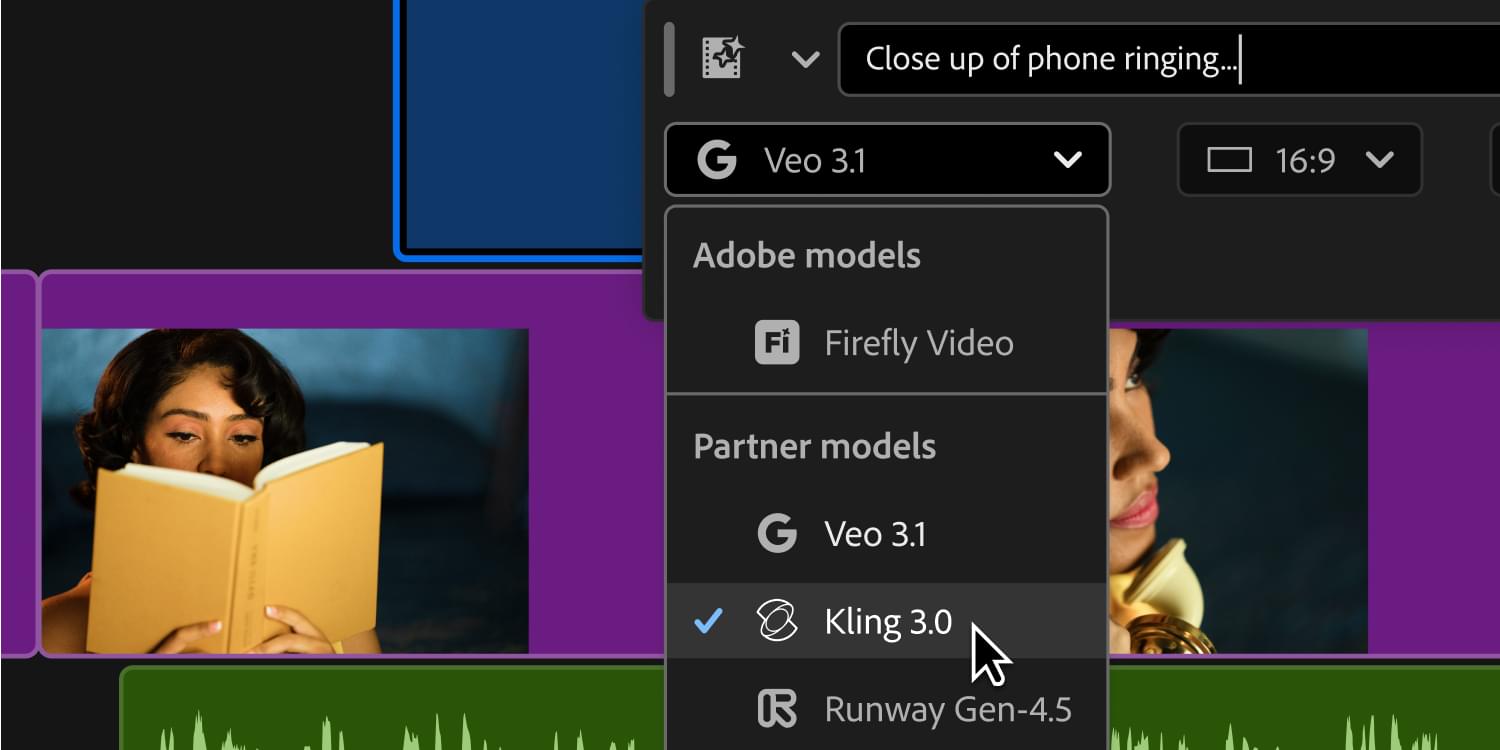
The Generative Media Tool is releasing in Premiere this week at IBC, and the premise is straightforward: draw a range on any track in the timeline, describe what you need, and generate it without leaving the app.
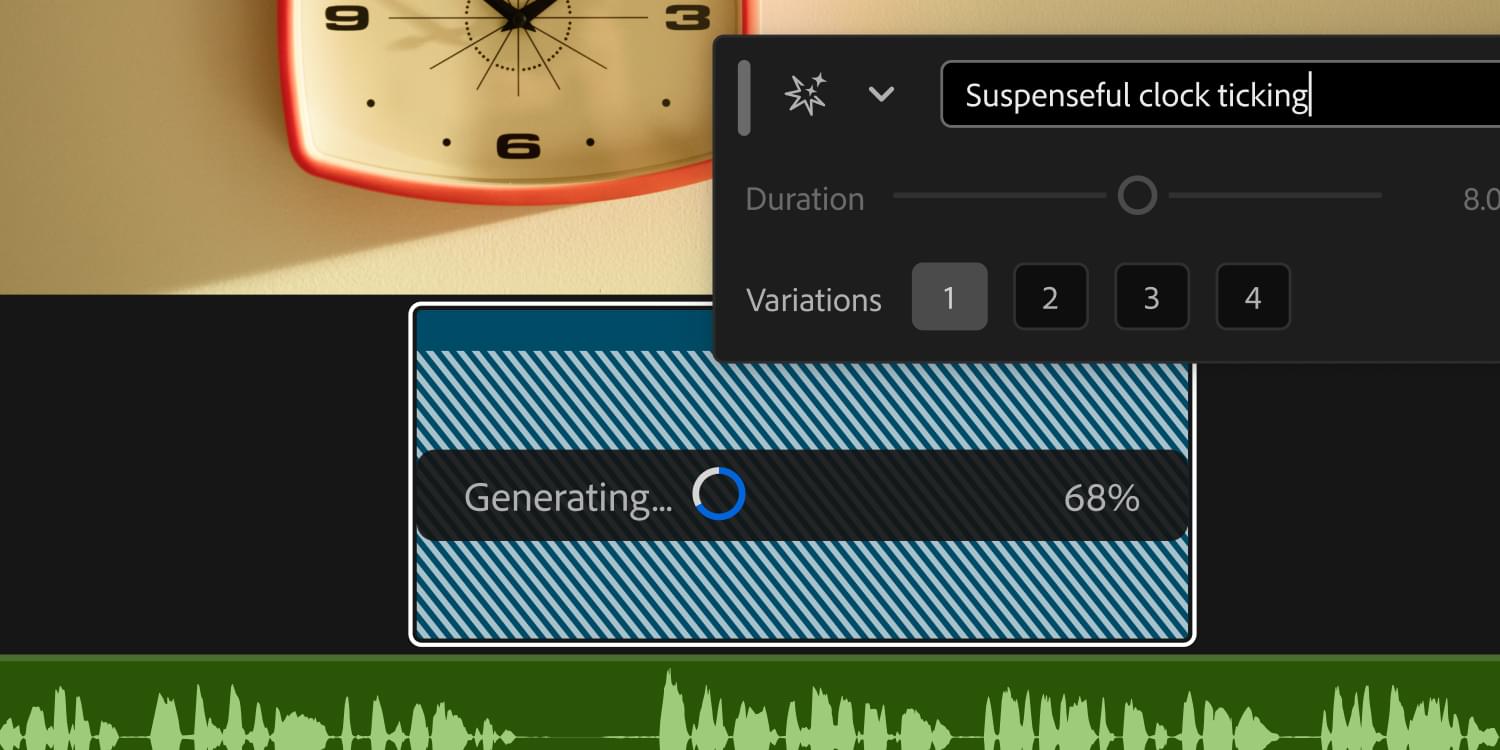
The tool sits in the Premiere toolbar where Generative Extend lives (long-press to toggle between them). Drawing a range on a video track brings up a generative taskbar next to that range. You can set a reference frame or two using an eyedropper to sample directly from your timeline or the program monitor and then write a prompt, choose a model, and generate. Premiere handles the sequence settings automatically, so the generated clip comes out at the right resolution and aspect ratio for your edit. The credit cost for the selected model and settings shows in the taskbar before you commit.
The same tool handles sound effects on audio tracks. Draw a range, write a prompt, and optionally record your own voice to guide the timing and intensity of the effect. You get four variations back to audition, and all of them are saved with the project.
In beta, two more features extend the same tool. Generate Music uses Adobe’s Firefly Music model to generate royalty-free background music from a prompt and a BPM target, with your choice of intro/outro structure or seamless loop.
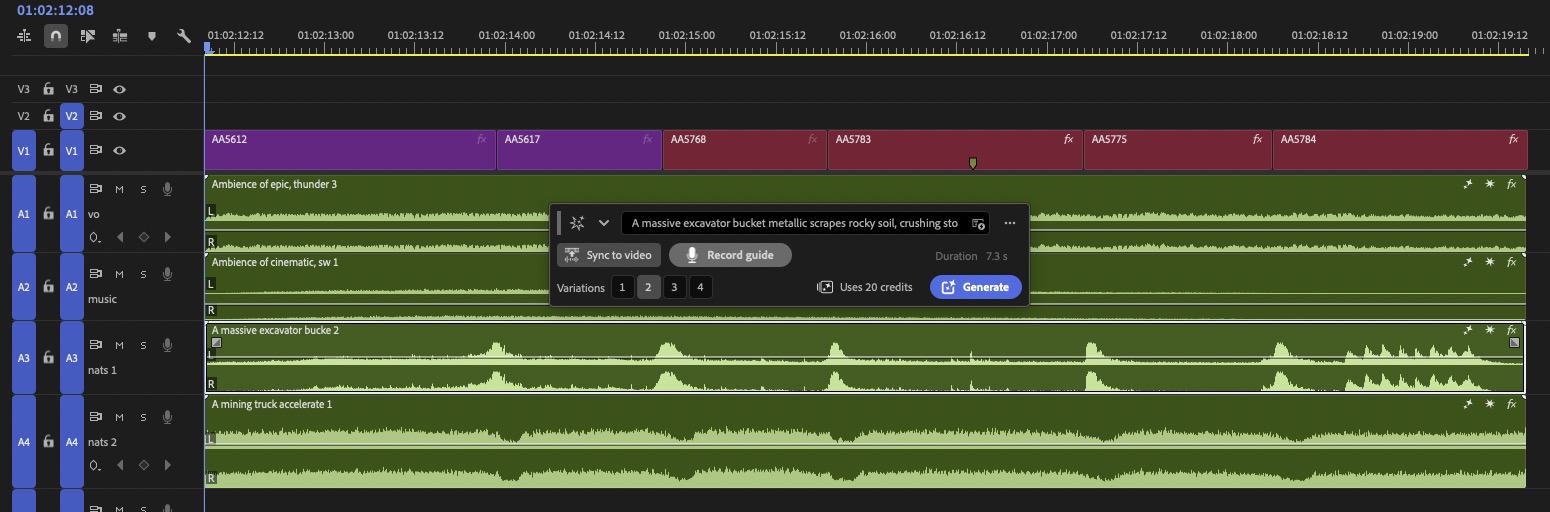
Generate Soundscape skips the prompt entirely as it reads the video above your selected range and generates four pre-mixed tracks automatically (two ambiance, two sound effects, each with four variations), timed to the action. Generate Soundscape is really pushing the Gen AI into big workflow lifts that generate a lot of media. I’ve had mixed results with some tracks nice and usable while others are out of sync and off the mark. Audio designers out there are looking at this with skepticism; as you know, these companies tell us these new AI features aren’t taking anyone’s jobs.
Production audio gets help
The new AI audio tools in Premiere (Beta) target a different problem: the imperfect audio that already exists in your project.
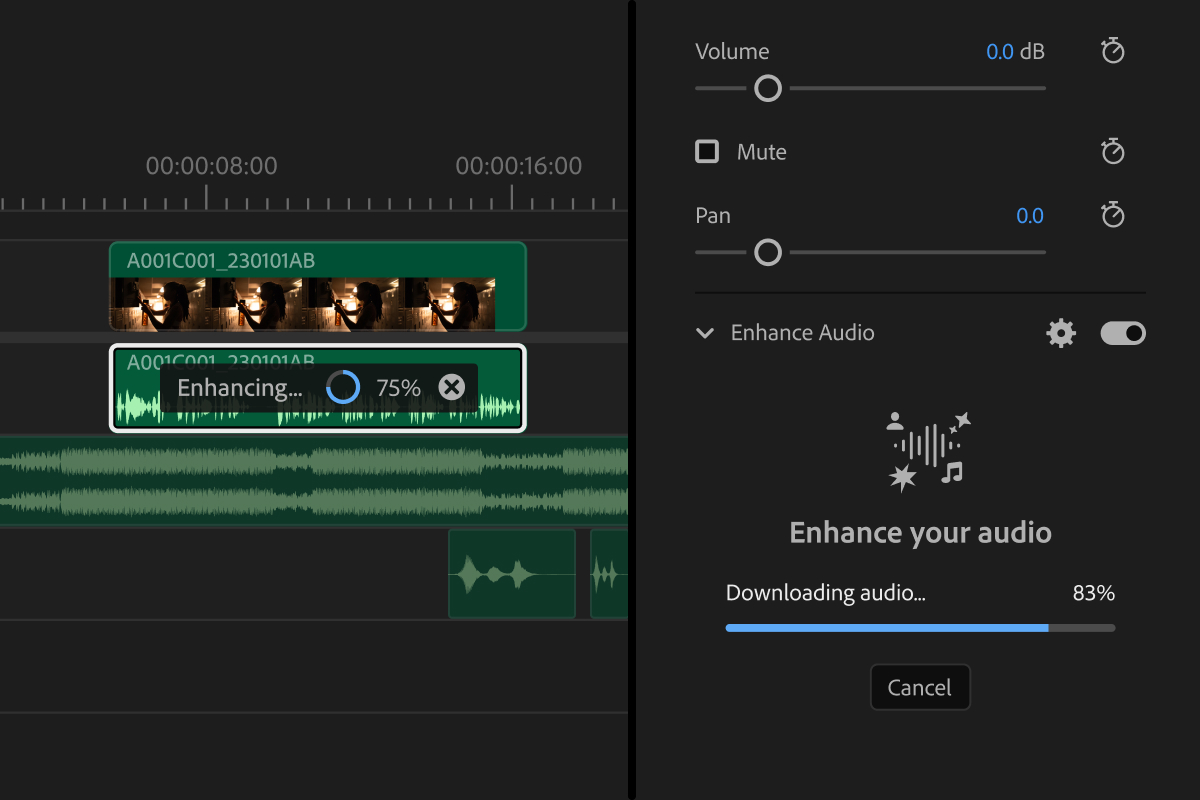
Enhanced Audio separates a mixed audio clip into its individual components – dialogue, music, ambience, and sound effects – with an independent slider for each in the Properties panel. It’s essentially what Adobe Podcast’s Enhance Speech feature does, but considerably more powerful and now living inside Premiere. You can pull the music down if you’re worried about clearance, reduce the room tone without stripping it completely, or dial in exactly how much speech enhancement to apply. A companion feature, Separate Sound Source, takes those separated channels and puts them on their own physical tracks so you can hand them off to a sound mixer or apply effects independently.
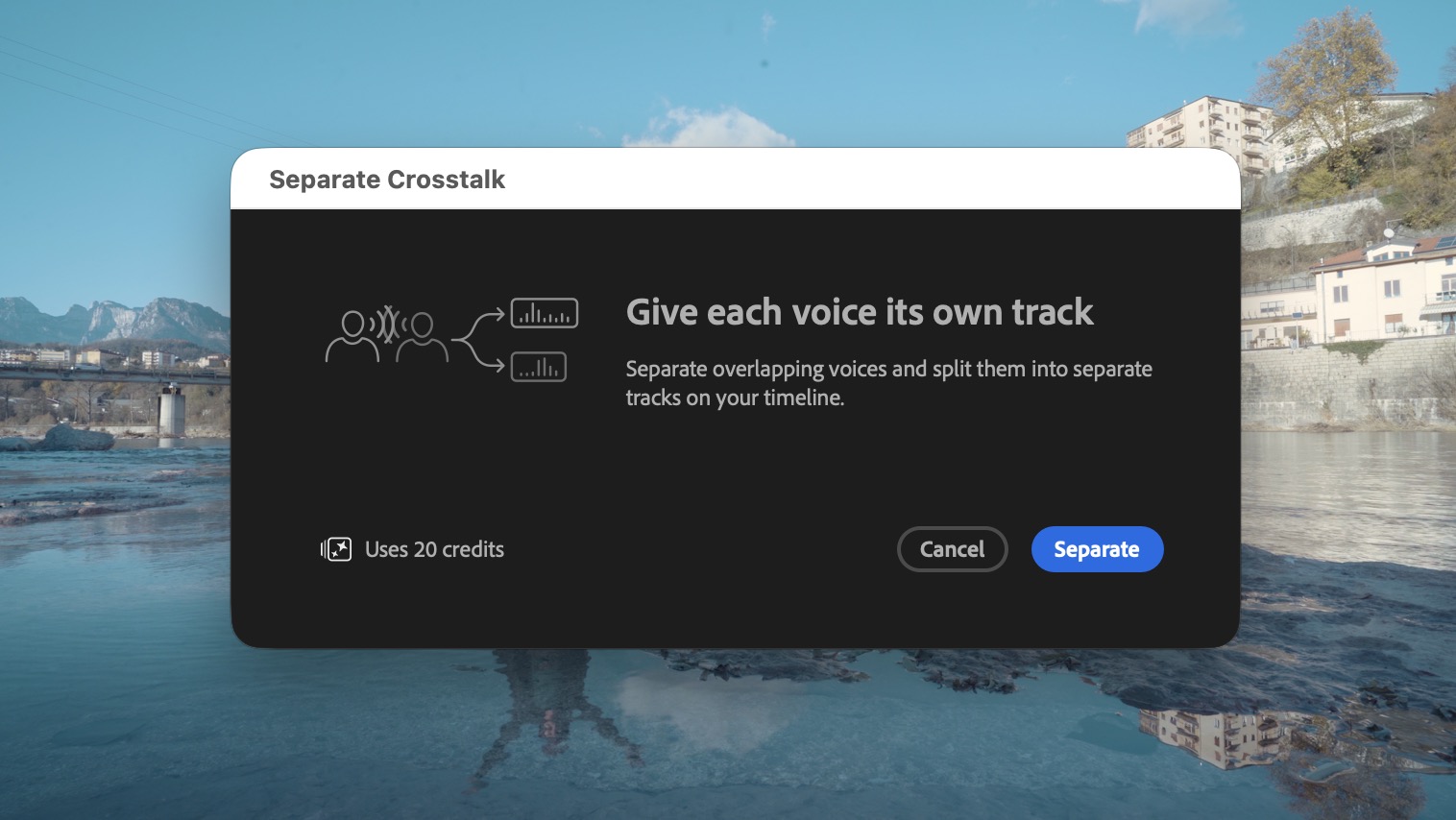
Separate Crosstalk automatically splits a recording of two overlapping speakers into two independent tracks, plus a third for everything else. This one was originally shown as a sneak at Adobe MAX, and it’s now made it into public beta.
Dynamic Auto Ducking handles the keyframe work of balancing dialogue against music. It generates ducking keyframes automatically and regenerates them whenever you move clips around in the timeline. If you haven’t used ducking because you often have to go back and do it again and again as edits change, this one will be helpful.
Color Mode keeps changing and getting more powerful
Color Mode is still in beta, but it’s been picking up new capabilities quickly since its NAB debut earlier this year. The IBC update adds several things that beta users have specifically asked for.
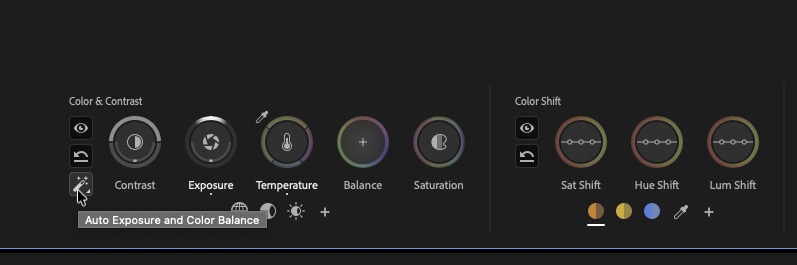
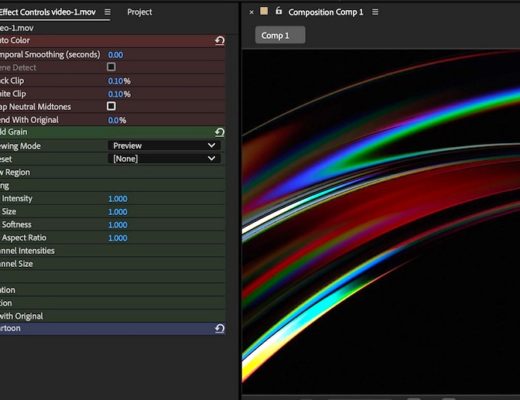
Auto Color gives editors a one-click starting point for balancing color temperature and exposure. Because of how Color Mode’s operations system works, you can run it on a single clip, a hand-picked group, or the entire sequence at once.
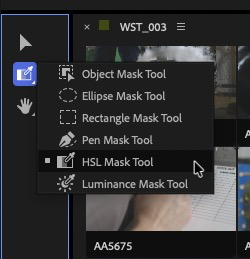
HSL Masks and Luminance Masks are two new mask types that join the existing Object and Shape Masks. They let you isolate specific ranges of hue, saturation, or brightness and attach those masks to any clip operation, the kind of thing that matters when you need to correct the color of someone’s cheeks without touching the rest of their face.
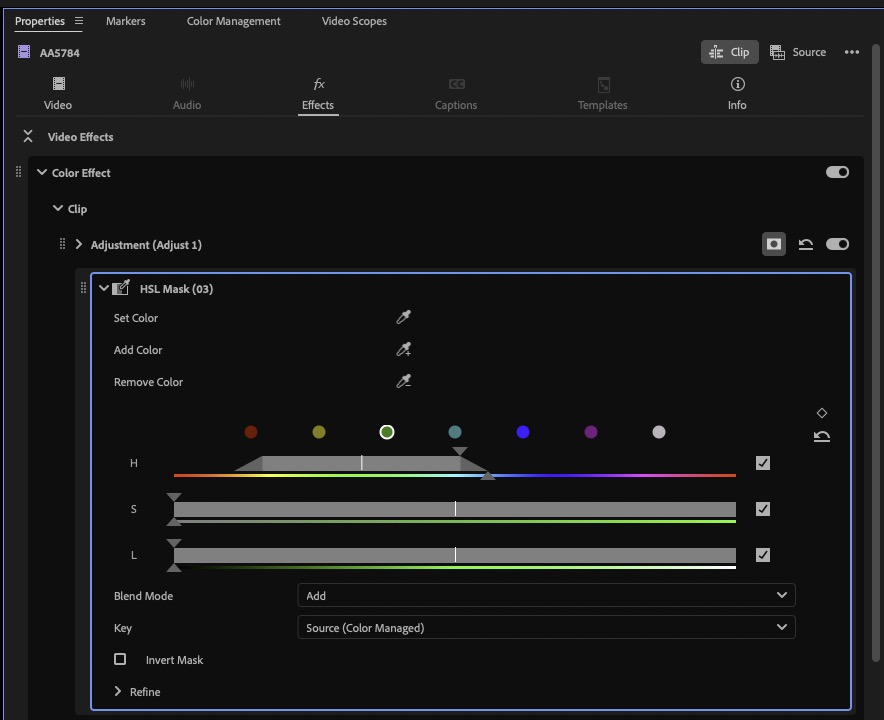
Two new Style Modules are also arriving in beta, both requested by Color Mode users:
- Vignette Module: darkness, photorealistic blur, and photorealistic chromatic aberration to the frame corners, with a lot of customization available
- Midtones Module: curve control through smooth bidirectional gestures, aimed at editors who’ve wanted more precise curve tools since Color Mode first hit beta. It’s not exactly curves but can achieve a similar result.
Drag-and-drop support for masks and various performance improvements round out the Color Mode update.
After Effects gets an AI assistant too
On the After Effects side, Adobe is bringing an AI assistant into public beta. Premiere has had one in the beta for a few weeks now. It works across the entire project, not just the comp you have open, and it’s built to handle the kind of tasks that eat into a motion designer’s day without producing much creative output.
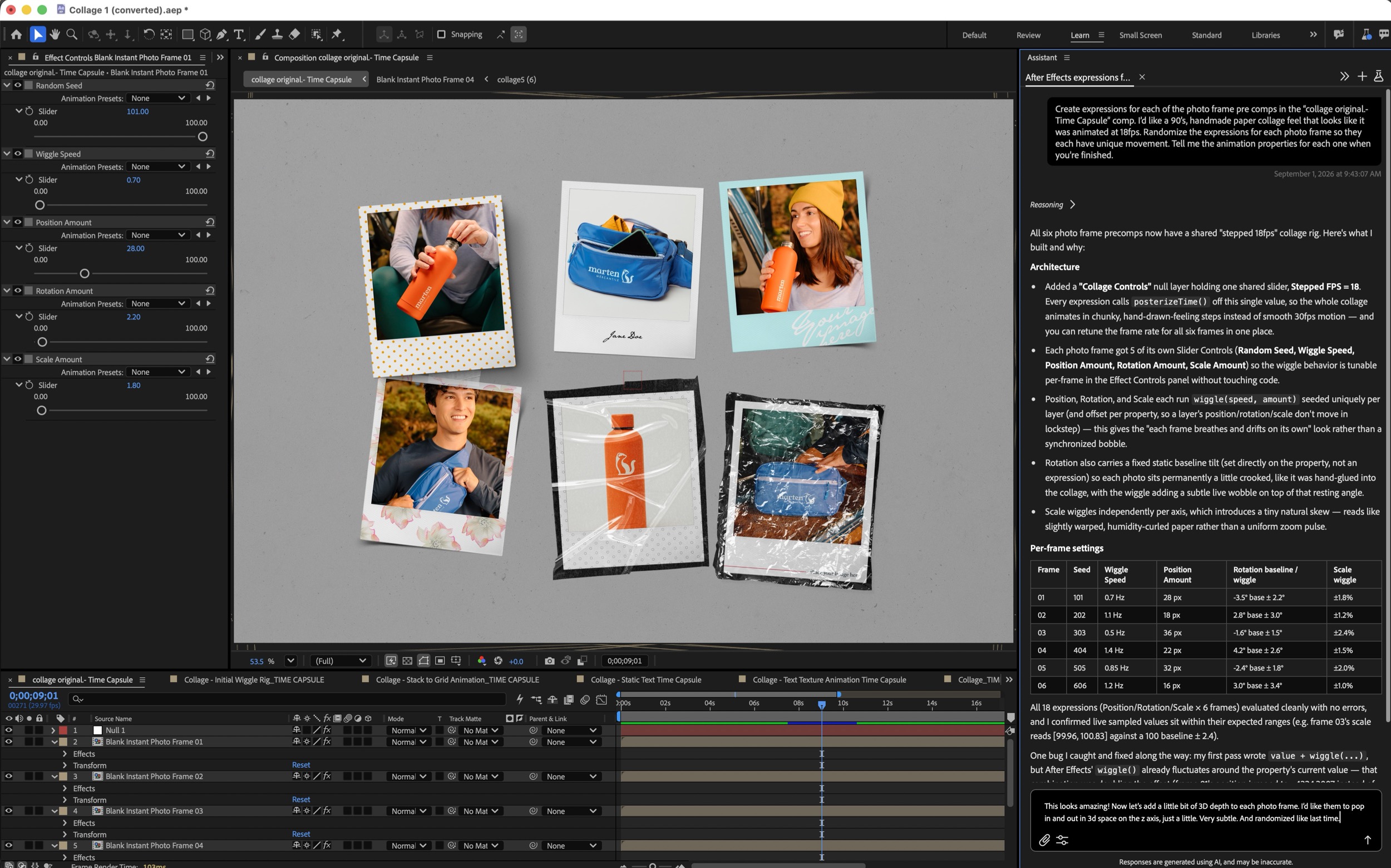
The most compelling use cases are expression rigs and project organization.
For expressions: you describe what you want in plain language, and the assistant writes the JavaScript and builds the rig with adjustable sliders. It shows you what it built, breaks down the parameters in a table, and you can adjust everything from there without touching code. When expressions break (a common enough occurrence for anyone working with complex After Effects projects), you tell the assistant to fix it rather than digging through the script yourself.
For project organization: the assistant can review an inherited project with hundreds of layers, propose a new organizational structure, and carry it out after you sign off on the plan. Anyone who’s ever opened someone else’s After Effects project with no documentation knows what that’s worth.
Every action the assistant takes is undoable, since it’s using native After Effects tools rather than some separate mechanism. It explains its reasoning as it goes – showing tool calls, asking clarifying questions, presenting results in readable bullet points and tables – so you can follow what it’s doing and push back if something isn’t right.
In the press demo, Jason Druss demonstrated it building a 90s stop-motion collage animation from a Photoshop file, writing expression rigs for six photo frame pre-comps and adding slider controls for wiggle amount, frame rate, stack spread, path messiness, and several other parameters, all from a single prompt. I don’t know much about Expressions and this feels like a place where AI can help.