

Filmtools
Filmmakers go-to destination for pre-production, production & post production equipment!
Shop NowAnnounced last September, elevate.io aims to create a new category of video co-creation tools for the fast growing Creator Economy. Now the platform introduces a series of new features.

 Shared team folders, mobile uploads, expandable timelines and an AI Image Generator built-in the video editor are the key features announced this month for elevate.io.
As we wrote last September, “the elevate.io platform represents an entirely new, accessible video creation workflow for a new generation of teams-based creators in corporate marketing, creative departments.” The team at elevate.io has been steadily building an entirely new platform for creators who want to focus on storytelling on a platform on which complexity is replaced with free flow of ideas while actively collaborating with their creative teams.
Here are some of the key benefits:
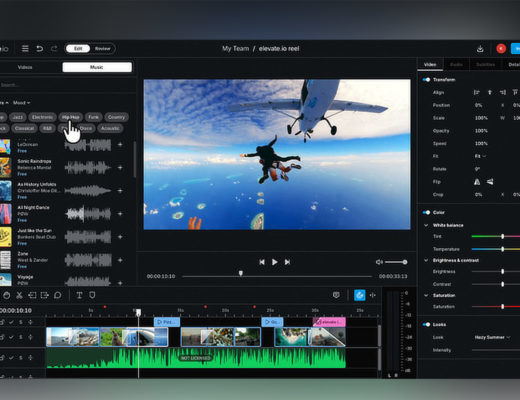
- Video editing tools in the browser enabling both short form and long form content creation complete with transitions, effects, colour correction and visual looks
- Multiplayer collaboration enabling realtime simultaneous co-creation in the timeline
- Asynchronous collaboration where multiple contributors can leave comments and feedback directly on the timeline
- Review mode enables creators to invite others to comment on the project from a clean, simple player without having full access to the timeline
- No downloads or installs required, the platform can be run from any reasonably modern computer accessible from anywhere without the need for external hard drives.
 When we published the news about elevate.io we noted that the elevate.io platform supports a unique, first-of-its-kind integrated Video Co-Creation Platform – all in the cloud, in real time and from a browser, and added that moving forward, this platform-based architecture enables the development team at elevate.io to quickly add new features and continuously enhance the elevate.io workflow experience.
In fact, since we published the news, the team at elevate.io, which is a Blackbird company, has delivered the following new features and workflows:
- Shared Team Folders: Keeping shared files in order saves time and makes your whole team’s editing process run smoother. So, instead of wasting time hunting for assets, your team can just get straight to editing – with everything already in the editor, exactly where it’s needed
- Mobile Uploads: Shoot video on your mobile device, easily upload them directly into elevate.io, in real time
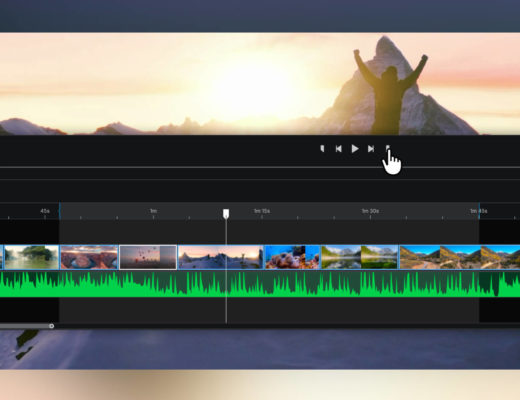
- Expandable timelines with frame accurate thumbnails on the timeline for laser precision editing
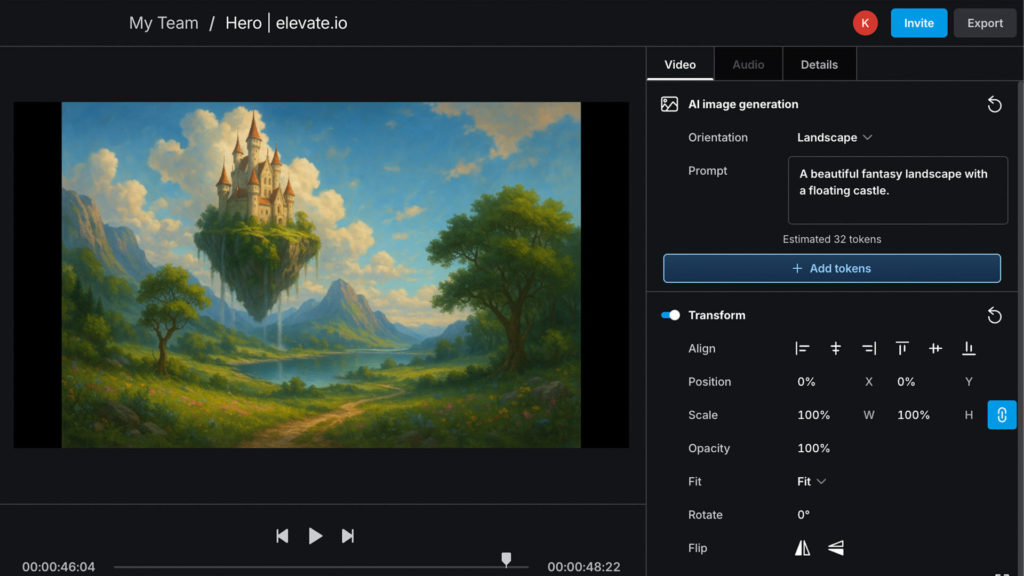
- AI Image Generation – leveraging OpenAI, elevate.io creators can now use prompts, right inside the Image Generator panel to generate images in the cloud.
 The AI Image Generation is built right into the fully online video editor. According to the company, “it’s easy and there’s no need to download or install any software — editing and generative AI all happen online in your browser. elevate.io makes generating AI images accessible to all by letting you generate a couple for free after you sign up. Before you know it, you’ll be generating any image you can imagine directly on your video editing timeline, elevating your storytelling to the next level.”
It should be noted, though, that AI generators like AI image generation and AI text to speech cost tokens to use. Every elevate․io user gets an introductory 100 tokens for free, which last forever until you use them. AI image generation takes between 20-30 tokens to generate on average, meaning you get approximately 3 to 5 free AI images.
When you subscribe to a creator plan you get 100 tokens that replenish every month. Monthly free tokens will expire if you don’t use them that month, but subscribers have the ability to purchase additional tokens whenever they’re needed.