

Filmtools
Filmmakers go-to destination for pre-production, production & post production equipment!
Shop NowCYME unveils at Adobe MAX 2025 Peakto for Adobe Premiere Pro, a secure, cloud-free collaboration for video creators.

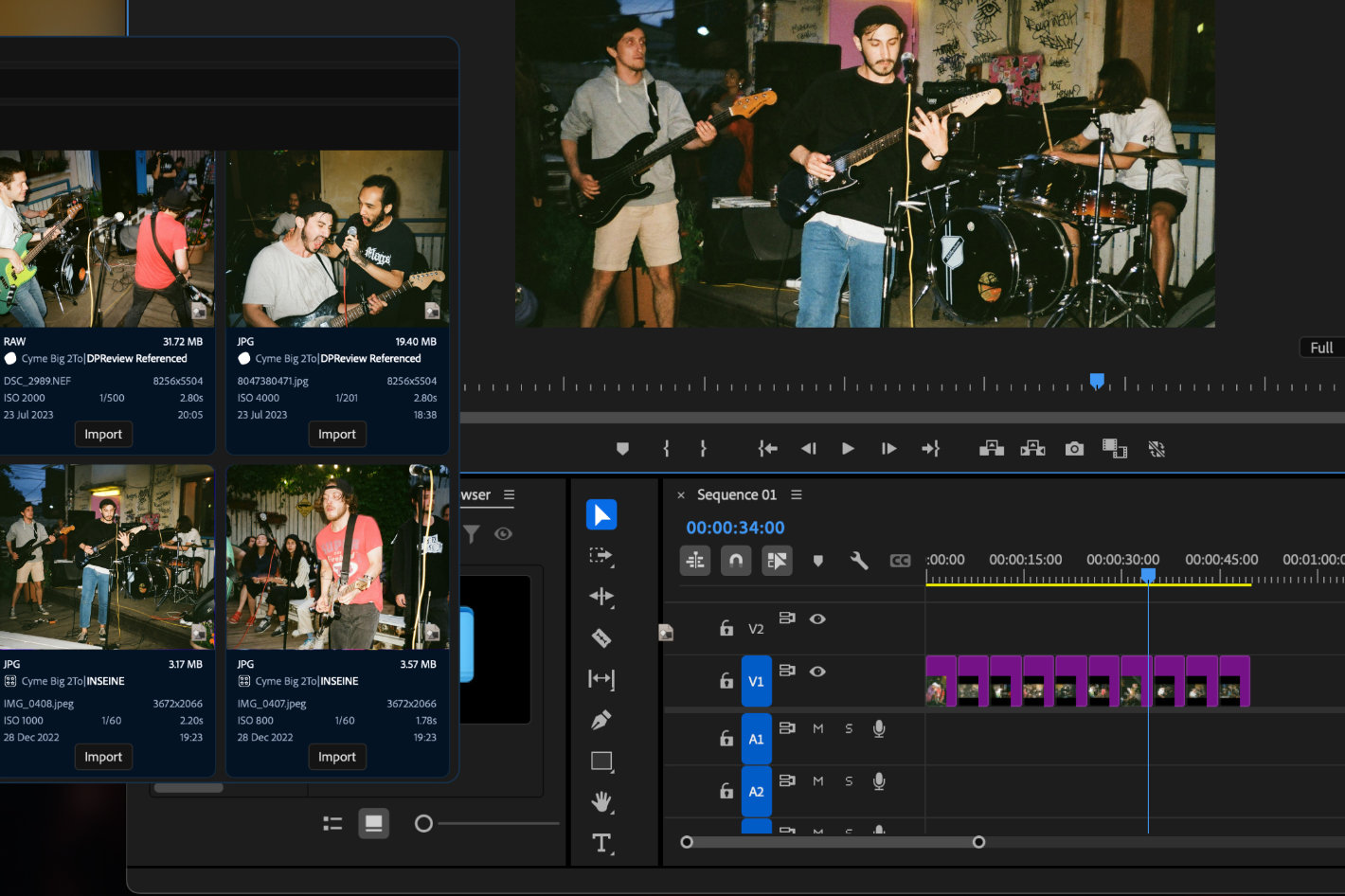 The new Peakto plugin from CYME transforms the video editing workflow by making all media — both local and shared — instantly searchable and accessible directly within Premiere Pro.
CYME will unveil a major new version of its media manager Peakto at Adobe MAX 2025, featuring a new public beta plugin for Adobe Premiere Pro. Unlike Premiere Pro’s Media Intelligence, which analyzes only imported clips, Peakto extends search and discovery to an editor’s entire local library and to media shared by other Peakto instances. With Peakto’s natural-language AI, editors can locate any shot across drives, NAS, catalogs (Adobe Lightroom, Premiere Pro Projects, Apple Photos, etc.), and bring it straight into their Premiere timeline with one click.
According to CYME, “a running instance of Peakto has full access to its local media but can securely share this access with remote collaborators over the internet using a direct, encrypted peer-to-peer connection — with no cloud involved”, meaning “editors using Premiere Pro can therefore access both their own local footage and any media shared with them through Peakto, as if everything were part of a single unified library. This enables distributed teams to collaborate fluidly while keeping their media private, local, and under control.”
“The Peakto plugin for Premiere Pro lets editors instantly access and search their entire media archive — even across multiple drives or NAS — without the latency or privacy risks of cloud systems,” says Matthieu Kopp, Co-founder & CTO of CYME. “It turns Peakto into a command center for video editors, connecting their local and remote assets directly to Premiere Pro.”
 Recognized for its innovation, Peakto was awarded Product of the Year at NAB Show 2025 and Jury’s Favorite award at SATIS 2024. CYME, the company behind Peakto, is also an official Adobe Video Partner.
Here is more information about Peakto for Premiere Pro:
AI-powered, cloud-free intelligence
Powered by on-device AI, Peakto can identify and retrieve sequences from a simple text description — all without sending data to the cloud. Once the desired clips are found, they can be inserted into the active Premiere timeline instantly.
Private collaboration redefined
Peakto acts as a local media hub where administrators can grant collaborators access to specific folders or projects.
Remote users can search, preview, and download only the clips they need — all while files remain stored locally and privately.
This new approach allows teams to collaborate intelligently and securely — combining privacy, AI, and productivity in one solution.
Optimized for Apple Silicon (M1, M2, M3…) but able to run on Mac Intel with a powerful GPU too, Peakto requires macOS 12 (Monterey) and is fully compatible with macOS 15 (Sequoia). Peakto requires 2GB of free space, 4GB of memory (8GB recommended) and enough space to accommodate the Peakto library and database files. Peakto files can be located on external drives. A fast (SSD) drive for Peakto files is recommended. Follow the link to see compatibility and system requirements for Peakto 2.4.
Peakto is available as a subscription:
- Standard – Includes Mac-compatible software and individual web access. Starts at $10/month.
- Pro – Adds multi-user web access, collaborative features, guest access and the Premiere Pro plugin. Starts at $25/month per user.
A perpetual license is also available for the Standard version, including one year of updates.






