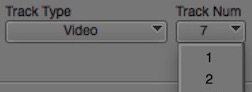
Day 22 #28daysofquicktips – Add a Specific Track Number in your Avid Media Composer Timeline
This reader submitted Quicktip actually came from two different editors out there and it is a shortcut that I...
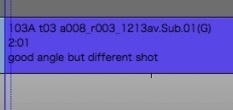
Day 21 #28daysofquicktips – Use EDL Comments to View Notes in Avid Media Composer Timeline
There’s an old feature hanging around Avid Media Composer that is a holdout from the days of linear online...
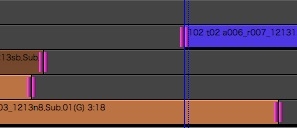
Day 20 #28daysofquicktips – ALT (Option) + U to re-enter Avid Media Composer Trim mode
Today we have another reader Quicktip for Avid Media Composer (these have been pouring in from the Avid editors...
Day 19 #28daysofquicktips – Using the Scratch Removal Tool as a shortcut in Avid
Today’s Quicktip is another Avid Media Composer reader tip sent to us by Ra-ey Saleh. It’s an big timesaving...

Day 18 #28daysofquicktips – Avid Media Composer keyframes: Fixed vs Elastic and others
Today’s Quicktip comes to us from Josh Short of EditVideoFaster.com. It’s an effects based keyframing tip that is buried...
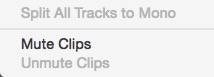
Day 17 #28daysofquicktips – Mute a Video Clip in Avid Media Composer 8
This Quicktip is a version specific Quicktip and our first for Avid Media Composer. It’s a small change but...
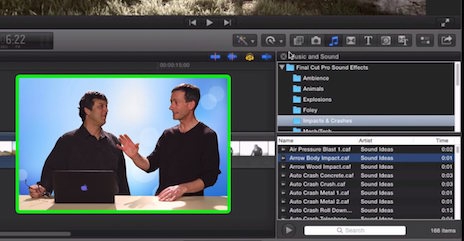
Managing Sound Effects in Final Cut Pro X
How do you preview sound effects in Final Cut Pro X? If you’ve been using the Sound and Effects...

Davinci Resolve: Roundtripping with Final Cut Pro X
In this Under 5 episode, Alexis Van Hurkman from Ripple Training shows you how to export a project out...
Calling Mr. Blue Sky
In this Under 5 episode, Steve Martin from Ripple Training demonstrates how to boost the color in the sky...
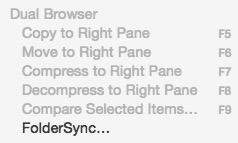
Day 15 #28daysofquicktips – Sync Folders on a Mac
If there’s one thing that any seasoned post-production professional has on their editing system it’s a lot folders full...






