Filmtools
Filmmakers go-to destination for pre-production, production & post production equipment!
Shop Now
While Blackmagic released the big Resolve 20 update back in May, Resolve users take note … Blackmagic updates DaVinci Resolve training books and Resolve itself by brining the official Resolve books up to version 20 and Resolve to 20.2.

Blackmagic has always done a great job with their training and they are one of the last big post-production software makers to offer a comprehensive printed book that covers all aspects of this complex piece of software. While you can order any of the training books in print form from Amazon, you can also download the PDF for free. Blackmagic really wants you to learn Resolve. Being that Resolve is such a complex beast (with multiple applications in one) it would make sense to break the training books down. And they do just that as you can choose between beginner and advanced editor guides, a Fairlight audio guide, a colorist guide and two visual effects guides. I still think there’s something to be said for a printed book you can hold in your hand, partly because it gets you off staring at another screen, but partly because there’s a real satisfaction to reading printed paper. But the prices on Amazon range from around $70 to $30, depending on the book. That makes the free PDF a very tempting offer.
These books are long, ranging from 200 to 300 pages up to 600 to 700, depending on which guide you’re looking at. Being that there is a free PDF of each one, this is another good use for an iPad in the edit suite. I will download these guides and put them into my favorite PDF and document app, Documents.
Resolve 20.2 makes noteworthy changes
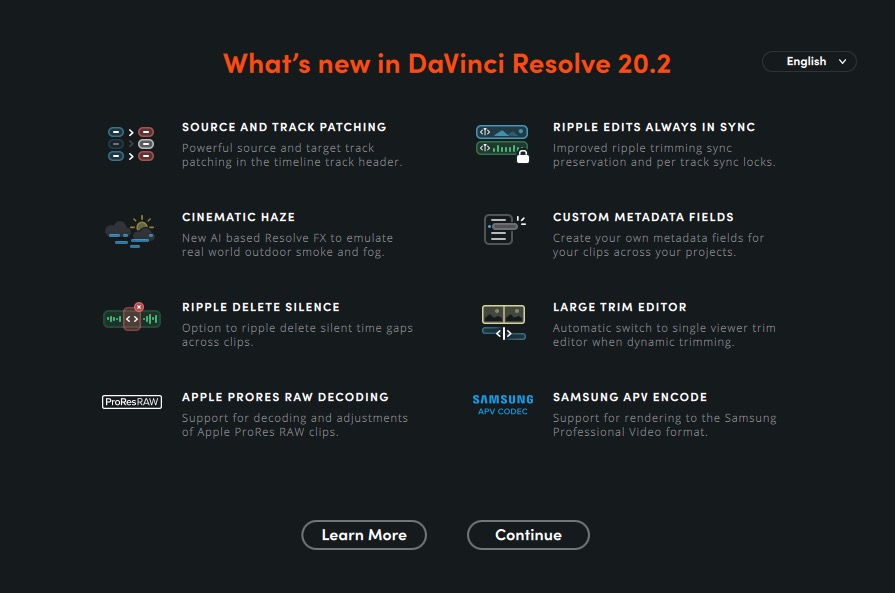
While I do make a blog post about every tiny little NLE point update, like a lot of websites do, there’s a big change that has unexpectedly happened with Resolve 20.2. Blackmagic has updated the track header patch panel to … quite frankly … make it more Avid and Premiere-like. And this is a good thing.
I say unexpectedly, as I kinda thought that Resolve stood proudly on some of its unique editing nuances, like how the track panel was designed, being one of those nuances. But honestly, it was more difficult to use and this change brings better functionality. As well as making it easier for other editors to jump over to learn a new tool, which I’m guessing was the main reason for the redesign.
One thing I really like about this source track patching update is that it’s so much faster to route your Source Viewer audio and video to the timeline. It’s only a shortcut away.

And how fast can you move those source patches?
 ‘
‘
This makes it as fast as source patching in Adobe Premiere Pro, which it most definitely wasn’t before. And sorry, Avid editors … I think this is a faster method than Avid’s Auto Patching setting.
The other item that makes Resolve 20.2 more Premiere and Avid-like is the addition of true Sync Locks. Before, there was a more confusing Auto Track Selector that tried to serve multiple duties, but Resolve 20.2 broke things apart, where we have separate Sync Locks and Track Selectors. Because there are times when you want to selectively lift items out of some tracks and not others all the while making sure your music tracks don’t move with a complex trim. Yes, what I’m saying is probably foreign to the drag-and-drop content creator who just throws everything into the timeline before cutting anything down, but IYKYK. A deeper explanation will have to wait.
Actually, YouTube can do this for us. First, Creative Video Tips always has a great analysis of Resolve updates:
And Blackmagic’s official update video is good as well: