

Filmtools
Filmmakers go-to destination for pre-production, production & post production equipment!
Shop NowUtility, Generative and Automation AI solutions from my new book

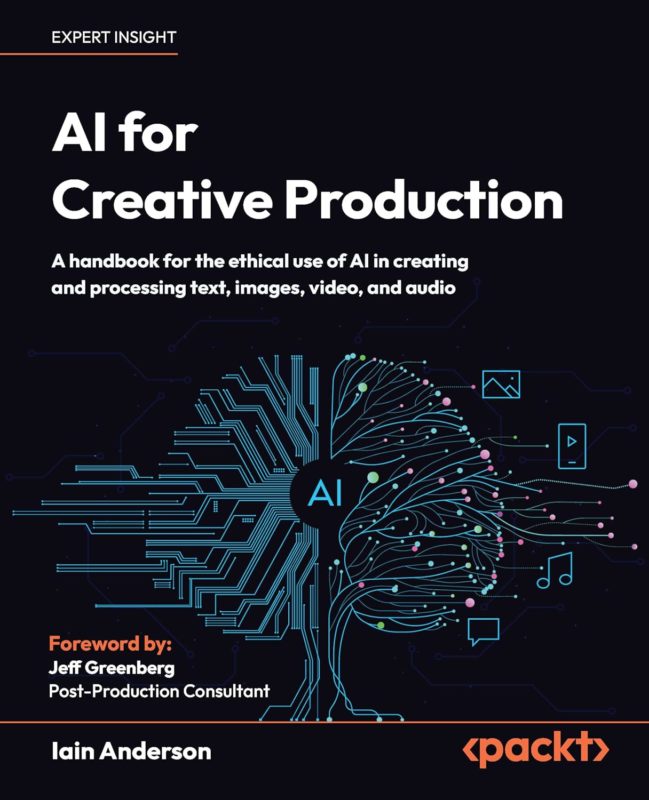
It’s been hard to avoid AI as a topic in any creative field in the last year or so, and if you’ve been wondering if AI can be useful in your video work, I have some answers for you. Over much of 2025, I was working on my new book called AI for Creative Production — just released — and amidst the hype and the junk there are some truly useful tools and techniques.
Here, I’ll show you some of the more useful services you might want to adopt, but — of course — if you’d like the full story, feel free to purchase my book, available now! (Yes, full disclosure, I do profit from sales of this book.) Many thanks also go to Jeff Greenberg for writing the foreword!
A quick introduction to the book
Because many creative professionals don’t just work in a single medium, I took a broad look at many popular services across text, images, video and audio. There’s analysis, instructional how-to guides, and recommendations for the best ways to engage with AI, plus an ethical discussion to help you decide if you should.
Ethics is important, as is evaluating the potential reputational risk of using Generative AI. The more your clients want “authenticity”, the higher the risks of being called out (or worse, sued) for using AI. But importantly, not all AI is Generative AI, and to help make the differences clear, I’ve split the book up into three main sections:
- Utility AI: recognition, classification and understanding
- Generative AI: creation of text, images, video, audio and more
- Automation AI: performing tasks humans usually would
Utility AI is rarely controversial, and if you’ve ever selected an object with Final Cut Pro’s Magnetic Mask, Resolve’s Magic Mask or the new Object Select tool in Premiere 2026, that’s Utility AI. Automatic keywording, organization, that kind of thing.
Generative AI is usually the most controversial area, and though there are some Generative AI services which do work well, you may want to be cautious about how you employ it. For gathering ideas and for showing clients a more concrete idea for a shot, some of these services could be very useful. To all the people wanting to avoid shooting video entirely, I think you’re making a mistake: there’s a lot more to video production than just wishing for a shot.
Automation AI, if it reaches its full potential, could change things massively, as we ask our computers to do more things for us. Siri can’t control every app on a Mac today, but in a few years? We’ll see. This space is moving quickly, but security concerns are very important to consider before you hand over all your files and your credit card number.
With those categories in mind, what could you use today that might make your video life easier?
Useful Utility AI tools
If you’re editing video but not already using transcription, definitely get into it. All the major NLEs include transcription of some kind, but I’ve found it most useful to export timecoded transcripts to a CSV so that clients can spot the lines they want to include in a finished piece. (MacWhisper is a good third-party app for this if you need one.)

You’ll still need to edit, and multiple takes with the same lines can’t be split by a transcript, but there’s a whole world of corporate video that can be made much easier with transcription. If you can say something out loud (like “this is a great shot”) maybe you don’t need to log it any more?
Audio quality is also something that AI can help with, and the Voice Isolation in Final Cut Pro and Resolve is indeed AI-powered. Premiere’s Enhance feature sits a little bit further down the generative path, but it can rescue truly horrible audio.

Visual Search in the new Final Cut Pro 12, Media Intelligence in Premiere, and the third-party app Jumper (https://getjumper.io/) can all help you find a clip by what’s in it, and the more clips you have, the more useful these services will be. Peakto (https://cyme.io/en/products/peakto/) is more of a DAM than an NLE-based tool, but it can also perform visual searches, and is worth a look if you need to search through many libraries at once.

In Photoshop and Lightroom, you can isolate part of a person’s face or body (a whole body, or eyebrows, lips and so on) automatically, making exposure and color correction far quicker. The previously mentioned Magnetic Mask, Magic Mask and Object Selection tools all make short work of selecting people or objects that move, you’ll just have to paint over or outline the objects you want to select.
Useful Generative AI tools
For predictable, relatively high quality image generation from a text prompt, I’ve found ChatGPT’s Sora (sora.chatgpt.com) to be quite good, and the latest Nano Banana Pro (https://gemini.google.com/app) is another competent option. If you’re only planning on using images made with these services as placeholders, results don’t have to be perfect, but getting what you ask for (prompt adherence) is always important.

If quantity is your goal, Grok (https://grok.com/) has a mode where it’ll generate an endless stream of images from a single prompt. Wasteful? Yes. Useful? Also yes. There is a bound on the compute power available, limited by not just computer hardware but electricity to run it, and so it’s not necessarily true that all these models will endlessly improve. Just like a self-driving Tesla remains an imperfect driver, I suspect imperfection will remain part of the story for all kinds of AI.

If you want to compare different models for image or video generation, Adobe Firefly (firefly.com) is a good place to start. Firefly Boards is one of a few useful tools for anyone collaborating or brainstorming, and if you’re part of a group that likes to plan creatively, definitely check this out. Planning with AI is less problematic than using AI for finished art, but if you don’t want it in the final product, make sure to replace all those assets before finalizing the job.

Also make sure that AI hasn’t spat out a near-copy of someone else’s existing work, because that’s a legal minefield. Protect yourself: if you are planning to use generated or AI-augmented video in your finished work, double-check that the client is happy for you to use it. The copyright and ethical issues are yet to be fully worked through, and the larger the client, the more caution they should employ. Internal work for clients is less likely to cause headaches.
Be aware that video generation is much more expensive (in terms of credits spent) than image generation, and that video generation is usually best performed with reference images. It’s more controllable, easier to ensure consistency, and can allow you to continue one video generation into another — Midjourney (https://www.midjourney.com/home) is good at this.
Adjusting existing images is often easier than creating them from a text prompt, and services like Freepik (https://www.freepik.com/) and Evoto (https://www.evoto.ai/) are a good choice if you like the idea of their preset workflows. For more manual control, Nano Banana is probably the most convenient and reliable option, especially if you have an Adobe subscription and can access it through Firefly, or directly through Photoshop.

Using a video as a reference to create another is a potentially powerful workflow. Because it doesn’t displace existing performance capture artists, it’s possible to transfer the emotion from a human performance onto an animated character or another human. There are obvious misuses of this, but if a client wants to appear on camera without actually doing so, this could be one way to get the job done. Look to Runway (runwayml.com) if you want to pursue this, but also take a look at services like Vidu (vidu.ai), Artlist (https://artlist.io/) and Higgsfield (https://higgsfield.ai/) which offer some useful tricks of their own.
In terms of audio, it’s amazing how quickly AI-generated music has moved from “pretty bad” to “oh, that’s AI?”. Head to Suno (https://suno.com) start a free account, ask for something silly, and you’ll probably be pleasantly surprised. I asked for a song “in the style of Daft Punk about friends on holiday at the beach” to receive two songs that sounded fine, and two songs that were musically fine, but from the point of view of a pool cleaning robot.

AI doesn’t think like humans do. Somehow, Daft Punk led to vocoder, which led to robotic, which led to robot, and when you add water into the mix, you get a song with lyrics like “Scrub the algae chase the grime / Perfect pool it’s cleaning time”.
If you’d rather use music by real musicians, you may still find synthetic speech of use. ElevenLabs (https://elevenlabs.io/) is better at voice than music, and it’s at the point where you can create believable human-replacement dialogue for many, but not all, applications. Real emotion is one area where it might fall down, but corporate training videos, or any internal low-budget job? There’s no ethical issue, because the people behind these voices have been paid, and it’s worth a look and a listen.

To replace existing spoken words is a little trickier, but you can train a model on a particular voice for good results (DaVinci Resolve, or ElevenLabs again), or do an instant voice clone for more variable results at other services like Uberduck (https://www.uberduck.ai/).
Useful Automation AI tools
While editors probably want to keep editing, if you’re drowning in predictable work, take a look at Eddie AI (heyeddie.ai) . It’s an intelligent assistant editor, able to ingest and analyze your clips, then take a decent first pass at an initial rough cut that can be exported to your NLE for finessing. On the desktop, Resolve is the NLE with the most automation chops, so if you need to automatically remove pauses, try it out.

Simpler edits might be something you can tackle with a service like Gling (https://gling.ai), Riverside (https://riverside.com/), Veed (veed.io) or Descript (https://www.descript.com/) — each of these have strengths if your main focus is getting a basic edit done quickly.

Browsers like ChatGPT Atlas are a taste of what’s to come, but today, I’d recommend descending to a lower level and using AI to write scripts to control your current apps. I’ve made scripts to make jobs in Illustrator and InDesign easier, and Shortcuts on the Mac can tap into LLMs to augment other kinds of automation too.
Conclusion
Obviously, these links are just a starting point, and I’ve gone into a lot more detail in the book, evaluating all these services with real assets. As I explored, I found a lot of hype and nonsense; services that were mostly useless despite being technically very impressive. You won’t find a referral link in the book, and I’ve tried to find services that are genuinely useful to video professionals, not to prompt engineers hoping to replace us.
While I do expect AI to be used heavily in the future, I think its uses for good media that people care about is going to be limited for a while. There are too many tells, too many gotchas, and the quality just isn’t there. AI can do some great things for special effects and fantastical concepts, but most videos need to feature real people saying real words. For those videos, just filming it is easier.
Mind you, creatives need to know what AI tools can and cannot do well, and that’s what this book is all about. I hope you enjoy it, and are able to remain creative in our weird world of slop and shrinking attention spans.
PS. I’m also running a live training session connected to the book soon — see you there? If you’d like to find out more about the book, the dedicated site is here.