Filmtools
Filmmakers go-to destination for pre-production, production & post production equipment!
Shop NowHow Premiere’s AI tools shorten the first pass when the deadline is the client’s and the margin is yours

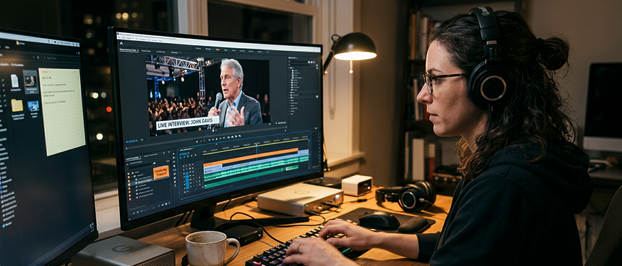
It’s Tuesday, 9 a.m., and your client just sent three hours of conference footage and interviews, a shared drive of B-roll sorted by upload date (thanks for that), and a Thursday deadline for a six-minute recap. You price by the project, so every hour of first-pass assembly comes straight out of your margin. The footage isn’t the problem. Finding the right clips and getting them into an order that’s watchable is.
Premiere’s AI tools excel at exactly that part of the job. They won’t make the creative calls for you, but used in sequence, they shrink everything that happens before you get to make them.
Locate before you assemble
Start where the clock hurts most: finding the shots that matter. Turn on Media Intelligence at ingest and let it chew through the interviews and the B-roll drive while you set up the project and answer the client’s first email. The Progress panel shows how far along it is, so there’s no guessing. When you’re back, the footage is searchable by what’s in the picture, what’s said, and what’s in the metadata. The client mentioned a keynote speaker walking offstage, so you type exactly that and Premiere surfaces candidates. (Visuals respond to plain descriptions; transcripts and metadata match on exact text.) One shot is close, so you use it to search for similar visuals, and filters trim a crowded result set. A search that used to mean an hour of scrubbing takes a few minutes. That’s time back on the clock.
Scripted work: pull every take of a line
The recap also opens with a scripted intro an executive read off a teleprompter. The approved script is in your inbox, and the camera card holds seven takes of the first paragraph. You know how this goes: open take one, scrub, open take two, lose your place. This time, let Speech to Text transcribe the footage first, then search for the opening line. Premiere returns the spoken words across your clips, so every take lands in one result set. Now you’re comparing instead of hunting. Which read has the right pace? Which one nails the product name? Did the approved wording survive the delivery? If scene or take names were embedded at the shoot, those are searchable too, which narrows things down even more.
Let the transcript carry the first pass
Then the interviews. Speech to Text already produced the transcripts, and Text-Based Editing lets you cut in them like a document. Move a line and the matching clips move with it. Delete a paragraph and Premiere ripples the sequence closed. Pause detection clears dead air in bulk, and you can strip every instance of one speaker, which is handy when the interviewer’s questions work better as a lower-third. Premiere builds a transcript for the sequence as clips are added, so the same document keeps working once your selects hit the timeline. By lunch, you’ve got a structure. Once it holds, move to the standard tools for trimming, pacing, color, and audio.
Fix dialogue before you judge it
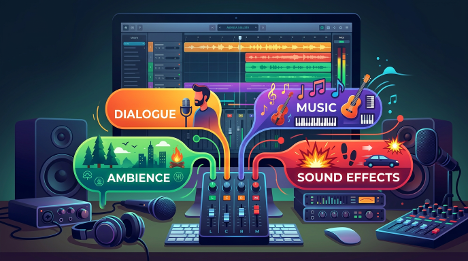
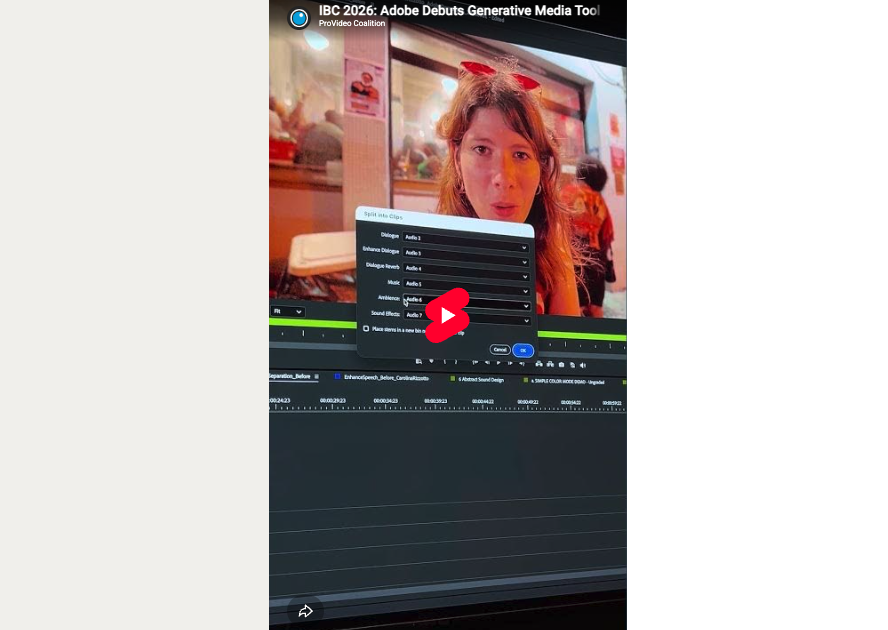
One interview was recorded near the exhibit hall, and the room noise is fighting both the transcript and your ears. Adobe recommends clear dialogue with minimal background noise for the most accurate transcript, so run Enhance Audio (now in Premiere beta) first. It separates the clip into speech, music, ambience, sound effects, and reverb, then lets you rebalance each one. The higher-quality voice model runs in the cloud and uses generative credits. There’s also an on-device option that keeps processing local, which comes in handy when you’re budgeting credits across a few projects.
A temp track for the first review
Before anything goes out, slide a placeholder under the cut. Generate Music (also in Premiere beta) lets you select a range on an audio track, generate, and audition a handful of music variations against the picture. Clients react to rhythm and mood faster when the first cut isn’t silent, and that usually means better first-round notes.
What changes in a freelance workflow
Look at what happened to your Tuesday. By mid-afternoon there’s a rough cut, which leaves room for a real round of client notes before Thursday. That’s the difference between a revision cycle you plan and one you have to absorb. It also changes what you do with the hours you got back. You’re not spending them hunting for the keynote walk-off or comparing take four to take six from memory. You’re deciding which answer carries the story, which cutaway earns its spot, and where the piece should breathe. That’s the part the client hired you for (and the part no search bar can do for you).
So the next time a drive of mystery footage lands in your inbox, let Premiere do the digging first. Then go make the calls only you can make.