Filmtools
Filmmakers go-to destination for pre-production, production & post production equipment!
Shop Now
If you’ve ever felt stuck creating safe, uninspired brand content while your creative vision collects dust in the back of your mind, you’re not alone. For in-house filmmakers and content creators, the gap between what you want to make and what you’re allowed to make can feel vast.
AJ Bleyer, DGA Director and founder of Advent Films, knows this feeling intimately. “I spent most of my career doing in-house brand content for companies,” he shared at Adobe MAX 2025. “And for a lot of my career, I would even say the majority of my career still to this day, was spent doing work that just wasn’t as imaginative or progressive or exciting as the work that I wanted to be doing.”
Typically, finding that creative outlet has meant creating ambitious work on your own time, with your own money, using advanced software you may not know. Now generative AI is fundamentally changing this equation by enhancing work and allowing you to reimagine what’s possible on new and existing projects.
Beyond the Hype: Enhancement Over Generation
Most conversations about generative AI focus on creating content from scratch, but for in-house creatives, the real power lies in editing and enhancing the work you’re already doing.
“The hardest part I found of being a professional artist is earning opportunities to paint on a bigger canvas than you’ve ever been afforded before,” Bleyer explained. “And if you’re not getting those opportunities at work, that means you’re on your own to make those opportunities happen.”
The catch often is that to use generative AI, you have to learn new workflows and tools. That’s where Adobe has simplified things.
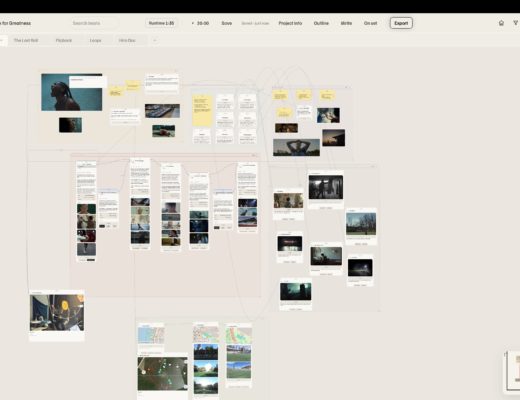
Adobe Firefly Boards: Your Unified Creative Playground
Adobe now offers a unified canvas that changes this dynamic entirely, no new tools or techniques to learn, with the introduction of Adobe Firefly Boards.
“One thing that Adobe does really well is they create creative platforms for us in different ways,” Bleyer observed. “So what they decided to do is they created a digital canvas—this is what Boards is—where you can plug in not only their model, but all of the latest models from different partners, and experiment with them all, and iterate on them all just in one place.”
This matters more than it might initially seem. AI models are evolving rapidly, and investing time learning a platform that becomes obsolete in six months is a legitimate concern. Boards addresses this by serving as a stable interface that automatically updates with the latest models from Adobe, Google, FLUX, and other partners.
“You don’t want to spend all of this time learning about a particular tool and then go, ‘Hey, guess what? There’s a new thing,'” Bleyer said. “But all of the models that you see right here are the latest and greatest, both from Adobe and from everyone else. And these tend to auto-update and refresh as new things come out.”
Bleyer shared how this could work in real-world situations and how GenAI can be a practical tool for brand creatives who want to do more. They often can get to that next level by showing stakeholders what is possible.
Making Your Existing Work Extraordinary
For a brand shoot, you may have a photograph of a model in a green dress against a neutral background. With traditional Photoshop workflows, changing that dress to red would require careful selection, hue adjustments without affecting skin tones, and preserving texture. This easily would be 15-20 minutes of work for a skilled retoucher.
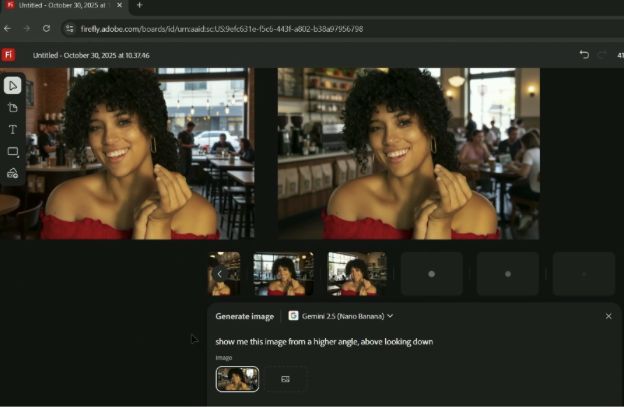
With AI-assisted tools in Adobe Boards, the same transformation happens in seconds with a simple prompt: “Make the dress red.” The AI doesn’t just change colors; it preserves fabric texture, maintains shadow detail, and keeps the lighting relationship intact.
The next level? “Change the background to a coffee shop with a big window.” What would normally require finding a matching stock photo, extensive masking (especially around hair), and careful lighting adjustments now happens in moments. Now the AI does something remarkable as it adds rim light on the subject’s shoulder where the window now exists, the kind of subtle detail that separates amateur composites from professional work.
This is when Gen AI can truly be seen as an essential tool for in-house work: maintaining product integrity while exploring creative variations.
“The work that I do often features a physical product,” Bleyer explained. “You might want to imagine that product in a different environment or in a different lighting scenario, but it needs to still be that product.”
He illustrated with a practical example: “I’m talking if you go to Downtown LA and you’re shooting something for a taco stand, I mean, it would be cool to see it on the beach, or see it at nighttime, or see it at sunset. But it still needs to be that taco, identifiably.”
This is the killer application for brand work: using AI to reimagine environments, lighting, and context while preserving the exact product or brand element you need. It’s not about creating fictional taco, it’s about showing your real taco in different scenarios without multiple photo shoots.
“Using these tools to completely reimagine something while still preserving a key organic element in it is what’s really exciting to me as someone that does branded content,” Bleyer emphasized.
Want to see how you can move from “brain dump” to “brand campaign” in just minutes using Adobe Firefly and Boards? Check out the recording of Bleyer’s MAX session: https://www.adobe.com/max/2025/sessions/elevating-inhouse-brand-content-with-generative-ai-s6606.html