

Filmtools
Filmmakers go-to destination for pre-production, production & post production equipment!
Shop NowI tested EIA-608 line 21 Closed Captions on NTSC DVD discs, as well as Subtitles on NTSC & PAL-derived DVDs + Blu-ray discs.

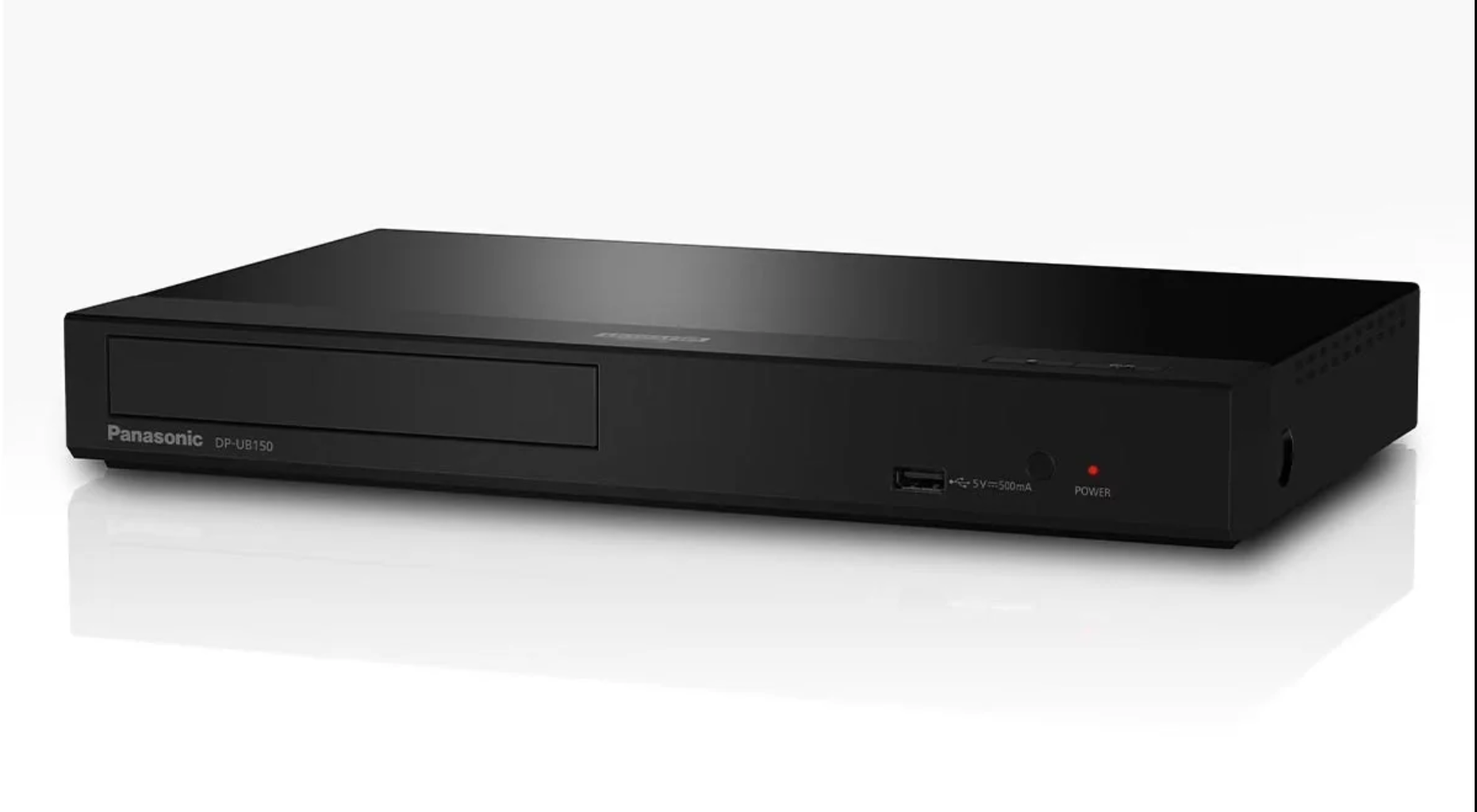
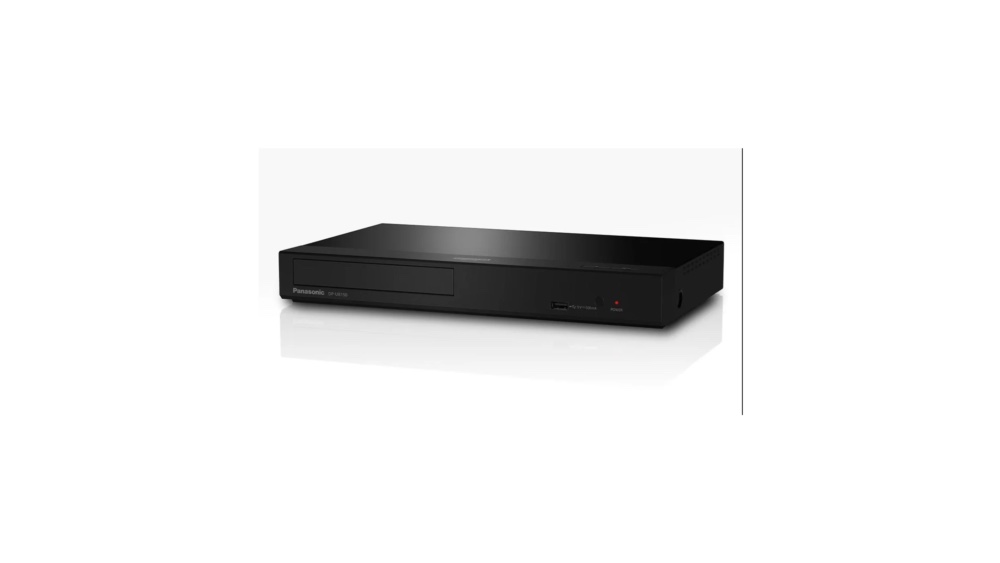
Back in July 2026, I published the article: Choosing multiregion DVD/Blu-ray players for framerate purists in the US and ex-NTSC countries in the Americas. Today, I’m doing a targeted review of the modified multiregion Panasonic DP-UB150 4K Blu-ray/DVD player for framerate purists, and why I prefer this specific model over its higher-priced brothers, for most cases. This device is currently on sale for US$395 as of publication date of this article. It is sometimes available as reconditioned for an even lower price, which is what I purchased. I’ll also explain why you need this 4K version of the player, even if you only want to play discs up to a maximum of 1080p (not necessarily Blu-ray 4K UHD). Before that, I’ll review the region/zone system that was implemented, first with DVD discs—and later with Blu-ray discs—to attempt to restrict us from being able to play discs from another place in the world, for commercial reasons (not directly related to television systems like NTSC-PAL-SECAM or their framerates). Next, I’ll clarify the importance of using a monitor, TV set or projector that can accept most or all desired rates, from 23.976 (aka 23.98), 24, 25, 29.97, 30, 50, 59.94, 60 and display the source at either the native rate or an even multiple of it.
What is multiregion/mulizone and why do I need such a player?
Starting first with the DVD disc distribution situation, later with the Blu-ray disc distribution (and, to a lesser degree, with 4K UHD Blu-ray disc distribution), the industry has created zones/regions, in an attempt to restrict free, worldwide consumption. In the case of DVD, they created Zones 1-8, followed by Zone 0 (unrestricted). In the case of Blu-ray, they are Zones A, B and C. By contracts, player manufacturers are required to cooperate with these cruel zones, manufacturing their devices to restrict playback across regions. A multizone/multiregion player is one that is modified by a third-party to allow free playback of any zone disc in it. Let freedom ring!
Why framerate purists need to be sure to have a multirate display device
Many (not all) monitors and TV sets sold in the United States are still «segregated» or locked into a single panel refresh rate like 60 Hz (with or without a tolerance to allow for 59.94 Hz too). That is why—for framerate purists—we need to be sure to pick a monitor/TV set/projector which is multirate that can accept most or all desired rates, from 23.976 (aka 23.98), 24, 25, 29.97, 30, 50, 59.94, 60 and higher, and display them either at the native rate or an even multiple of it, to avoid unnecessary judder (jerkiness) or other negative artifacts, which occurs when pulldown or more complex conversion takes place. In the case of sources whose framerate is 23.976, the panel should display 47.952 (aka 47.96) or a higher multiple, which I cover in more detail ahead in this article. In fact, this multirate issue matching the source cadence is the main (but not the only) focus of the Filmmaker Mode I covered in 2022 (Filmmaker Mode in newer UHD TV sets/monitors guarantees matching cadence/framerate and more). However, we can certainly find multirate display devices outside of the official Filmmaker Mode models too.
Because of the existence of «segregated» monitors and TV sets, most multiregion DVD players and multizone Blu-ray players sold in the US sadly have a built-in circuit that forces automatic real time conversion of 25 or 50 fps to 59.94 or even exact 60 fps. This is great for people who own a «segregated» monitor or TV set (locked to 59.94/60 Hz, but terrible for us purists who have intentionally purchased a multistandard or multirate monitor/TV. Very few player models do allow setting them to «match source» or «Match Frame Rate» as called by Apple in its AppleTV deep menu, as covered in this 2017 article. Among the few that have this feature, I chose the modified multiregion Panasonic DP-UB150, which is the lowest priced one. Later in this article, I’ll explain why I picked this one.
Why a multirate display device rated up to 120 Hz is best, regardless of where you live in the world
Wherever you are located in the world, generally speaking, all monitors, TV sets and projectors rated at 120 Hz (or higher) are ideal since they are usually able to accept all source rates including 23.976 (aka 23.98), exact 24, 25 and higher rates and display them with the proper matching cadence (often at an even multiple), without having to use any pulldown or reverse telecine, which tends to add judder. In the case of a source encoded at 23.976 fps, they display them on so-called 120 Hz displays at 5x, meaning 119.88 Hz without judder. This is even the case with DVDs which were encoded at 23.976 fps with an appropriate player set correctly for its HDMI output. With those few sources that were encoded at exactly 24 fps, they display them at 5x at exactly 120 Hz, without judder. However, you should always inquire about the specific 120 Hz model (monitor, TV set or projector) you’re considering before purchase. Fortunately, this is the case with the 119.88 Hz/120 Hz Dell S2725QC I reviewed in 2025: First review: ultra-affordable Dell S2725QC 4K UHD matte display|99% sRGB|USB-C hub|unified single-cable laptop charging.
Relevant specs of the modified multiregion Panasonic DP-UB150 4K Blu-ray/DVD player
- Plays DVDs from any zone (0-8) automatically.
- Plays region Blu-ray regions A, B, C following the instructions I cover ahead.
- Fortunately, the firmware can be updated via internet at any time without affecting its multiregion status (See important details about firmware updates ahead in this article.)
- Surround Sound Support – up to 7.1-channel audio output via HDMI, disc dependent.
- So-called PAL/NTSC conversion in case you have a segregated display device, but can be easily deactivated (as covered ahead in detail) for purity when your display is multirate.
- Full 4K UHD/Ultra HD resolution from those discs
- High-quality 4k Ultra HD up-conversion from lower-resolution discs (up to your display device’s resolution)
- Plays UHD 4K Blu-ray, standard Blu-ray Discs, and standard DVDs from any standard, i.e. NTSC-derived or PAL-derived material
- External HDD playback (NTFS, FAT32, FAT16, FAT12, video MP4, video MKV, audio AAC, audio MP3, audio WAV, photo JPEG) via USB 2.0 on the front panel (not tested in this review). If your connected hard drive exceeds the power available, you may have to power your drive externally. According to my research, exFAT is not supported presently, so we must use NTFS or FAT32 and live with the corresponding limitations. This lack of exFAT is the same with higher-end Panasonic 4K UHD players, per my research.
- Can also play standard audio CDs and MP3 CDs although not guaranteed to work (not tested in this review).
- The power input is 12-volts DC and is to be used with the included external transformer, which accepts 110-240 volts.
- The LAN Ethernet port is RJ-45, 10BaseT and 100BaseT.
- The HDMI output is HDMI 2.0a, supporting up to 4K at up to 4:4:4 output.
- HDR Formats: In 4K HD mode, the DP-UB150 supports HDR10, HDR10+ and Hybrid Log-Gamma (HLG), although it does not support Dolby Vision. Note that HDR is not a supported feature in any DVD or regular 1080p Blu-ray disc and is only supported with some 4K UHD Blu-ray discs.
- Note that there is no analog audio output or any analog video output. HDMI (digital) is the only output for video and audio (unless you get an analog audio extractor separately).
- Subtitles from Blu-ray discs: Yes.
- Subtitles from DVD: Yes. See ahead for more information.
- EIA-608 Line 21 Closed Captions from NTSC DVD discs: Yes. See ahead for more information.

Optional subtitles and/or EIA-608 Line 21 Closed Captions
In July 2026, I published the article: DVD’s closed captions (CC) are being forgotten by player manufacturers. Here are solutions. I explained that unlike with the later Blu-ray discs (be they HD or 4K UHD), where there is single type of Subtitles stored (with multiple potential language choices), on NTSC DVD discs, there are potentially both the later Subtitles (with many possible different tracks for languages and more) and the earlier monochrome EIA-608 Line 21 Closed Captions, with fewer potential tracks (for languages and more). As deeply investigated by Alec Watson of Technology Connections for the video embedded in the above article, unfortunately very few of the current DVD players and Blu-ray players are capable of reading and displaying the EIA-608 Line 21 Closed Captions from NTSC DVDs that have them over HDMI. (As explained in that article, the original DVD players decoded them but left them hidden on line 21 via the composite analog video output only, where an NTSC monitor or TV set with built-in caption decoder would display them, if desired. There is no way to include them on line 21 via HDMI.)
Here are the good news and the medium news with the modified multiregion Panasonic DP-UB-150:
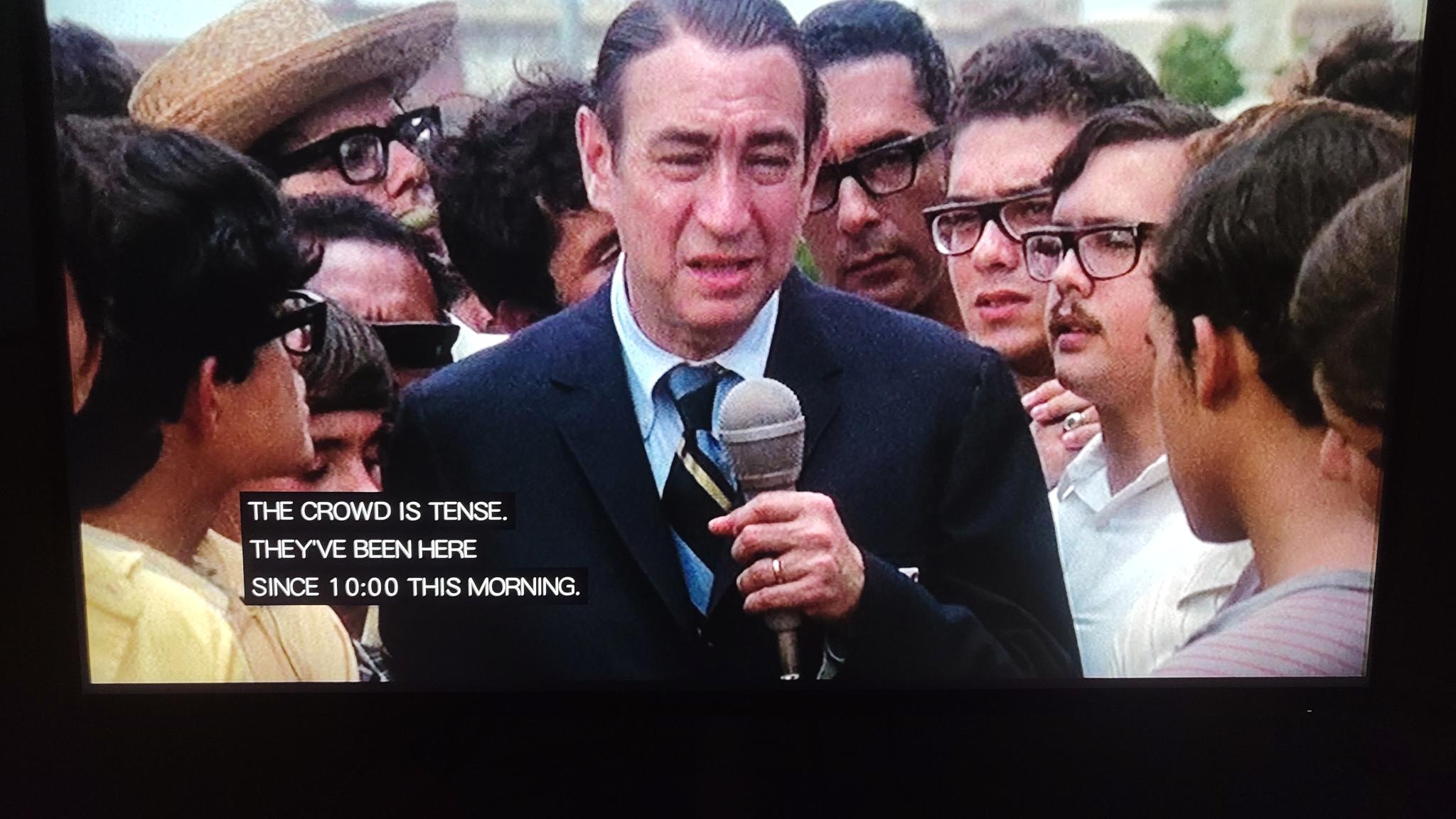
Above, an example of monochrome EIA-608 Line 21 Closed Captions from NTSC DVD known to be encoded in progressive 23.976 at widescreen 16:9 at 23.976 fps. Howard Cosell played himself in the 1971 film, Bananas.

Although not recommended, the modified multiregion Panasonic DP-UB150 4K Blu-ray/DVD player can even simultaneously display monochrome EIA-608 Line 21 Closed Captions and subtitles simultaneously, in two different languages (disc-dependent).
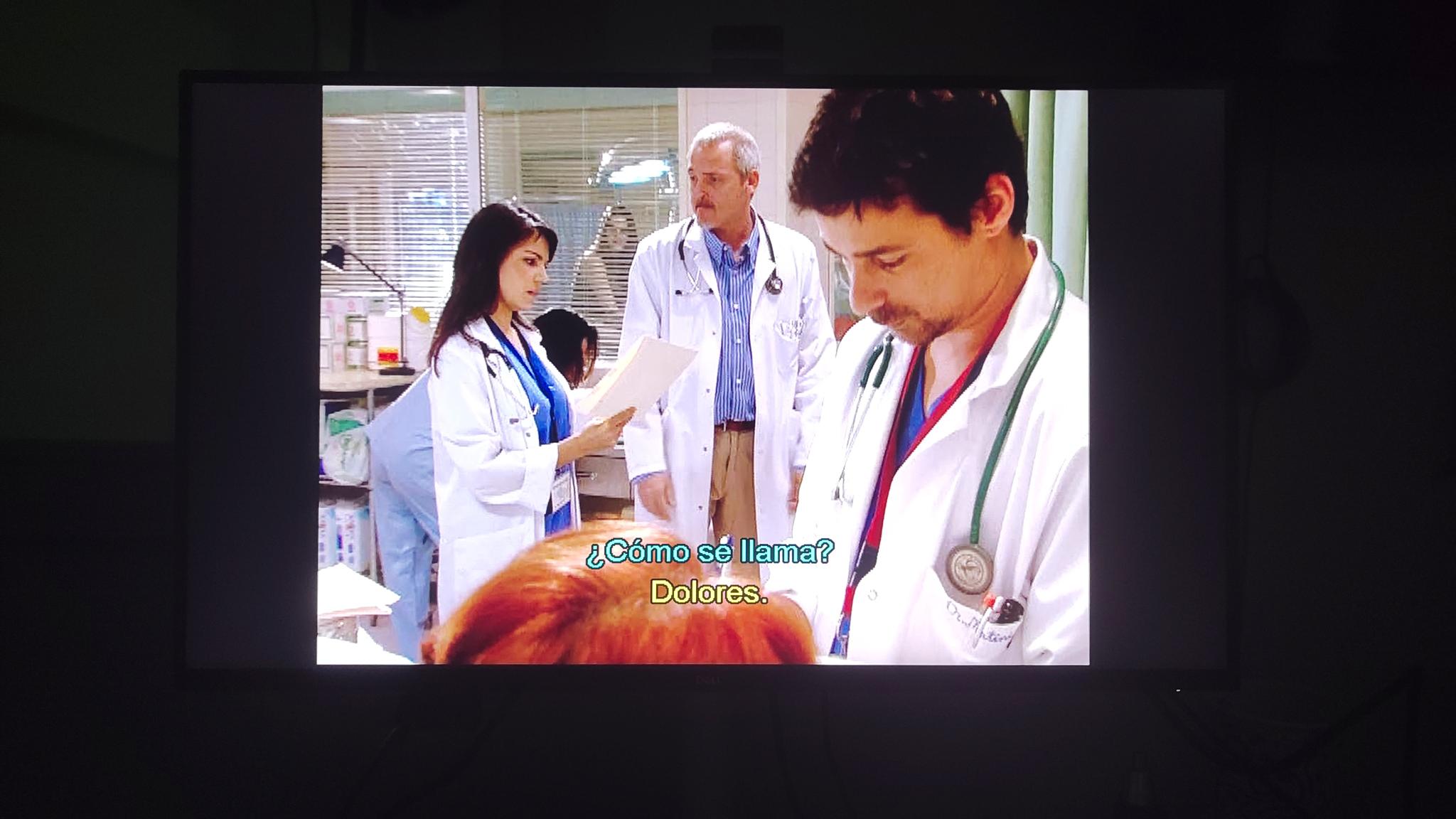
Above, the award-winning Hospital Central TV series from Spain on PAL-derived DVD at 50i shows some of its subtitles with two different colors, to indicate two different characters speaking.
- GOOD NEWS: The modified multiregion Panasonic DP-UB150 4K Blu-ray/DVD player is indeed capable of reading and optionally displaying Subtitles from any NTSC or PAL DVD disc that has them, as well as any Blu-Ray disc that has them. Depending upon the way the disc was authored, you can select among the available languages, and some discs can offer specific colors to indicate the different characters who are speaking.
- GOOD NEWS: With NTSC DVD discs that were authored with the earlier monochromatic EIA-608 Line 21 Closed Captions, you can definitely read and display them, regardless of whether the are 4:3 placed on a 16:9 black canvas or widescreen 16:9 DVDs, and regardless as to whether the disc was encoded as progressive 23.976 fps or interlaced as 59.94i.
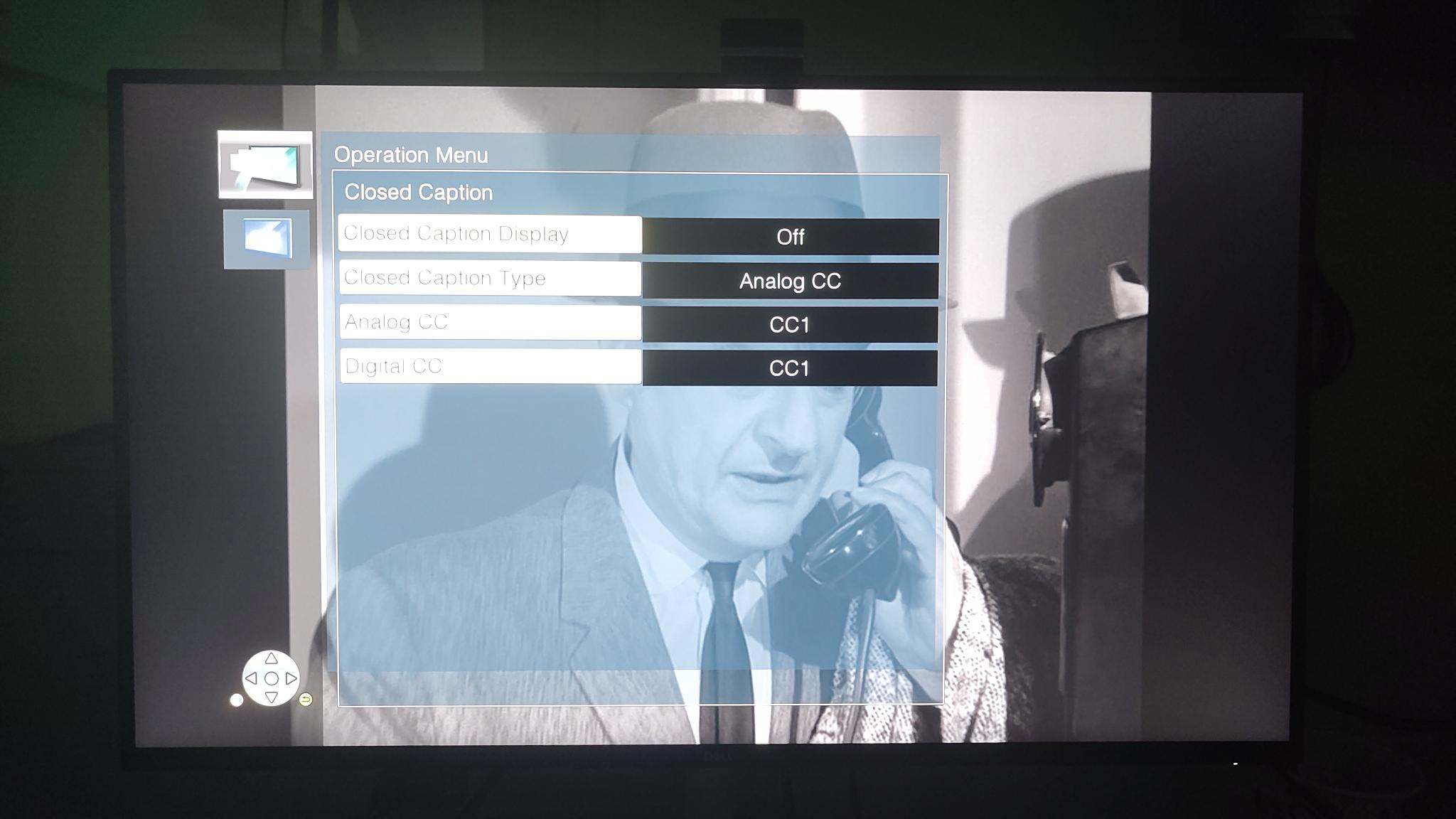
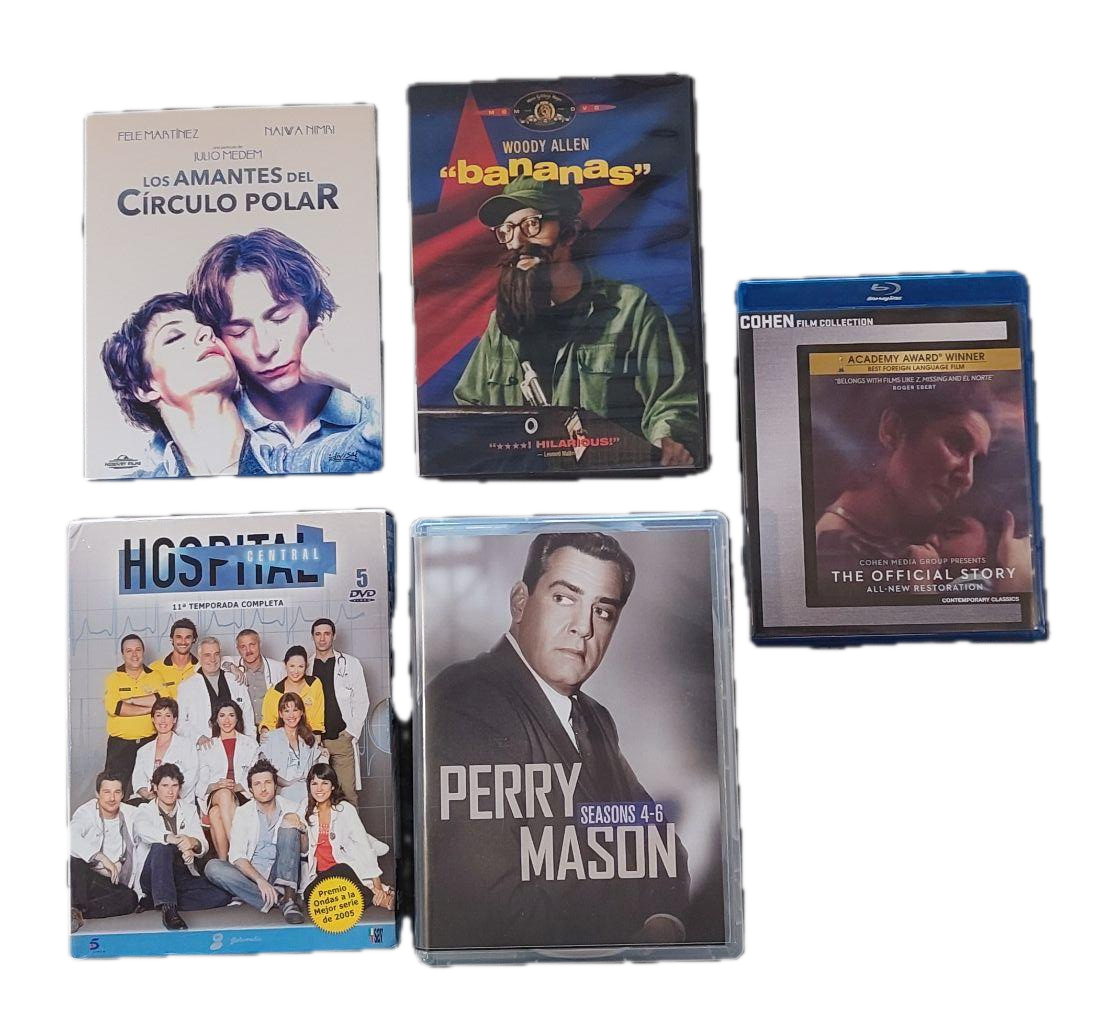
In the menu of the modified multiregion Panasonic DP-UB150, they are called Analog CC. and it offers to choose which track of Analog CC you want to display. Despite either old or inaccurate information found in the official Panasonic manual for the unmodified DP-UB150 player (which may have changed in a later firmware or from the modification to make the player multiregion), these EIA-608 Line 21 Closed Captions function and display well, both with NTSC DVD discs encoded with interlaced video at 59.94i and with others known to be encoded with progressive video at 23.976 fps. I specifically purchased NTSC DVD discs of both types (interlaced and progressive) with EIA-608 Line 21 Closed Captions to confirm this. Fortunately, they were always perfectly legible, although in some cases, they are partially to the left of the 4:3 raster which is automatically placed on a 16:9 canvas, as you’ll see below:
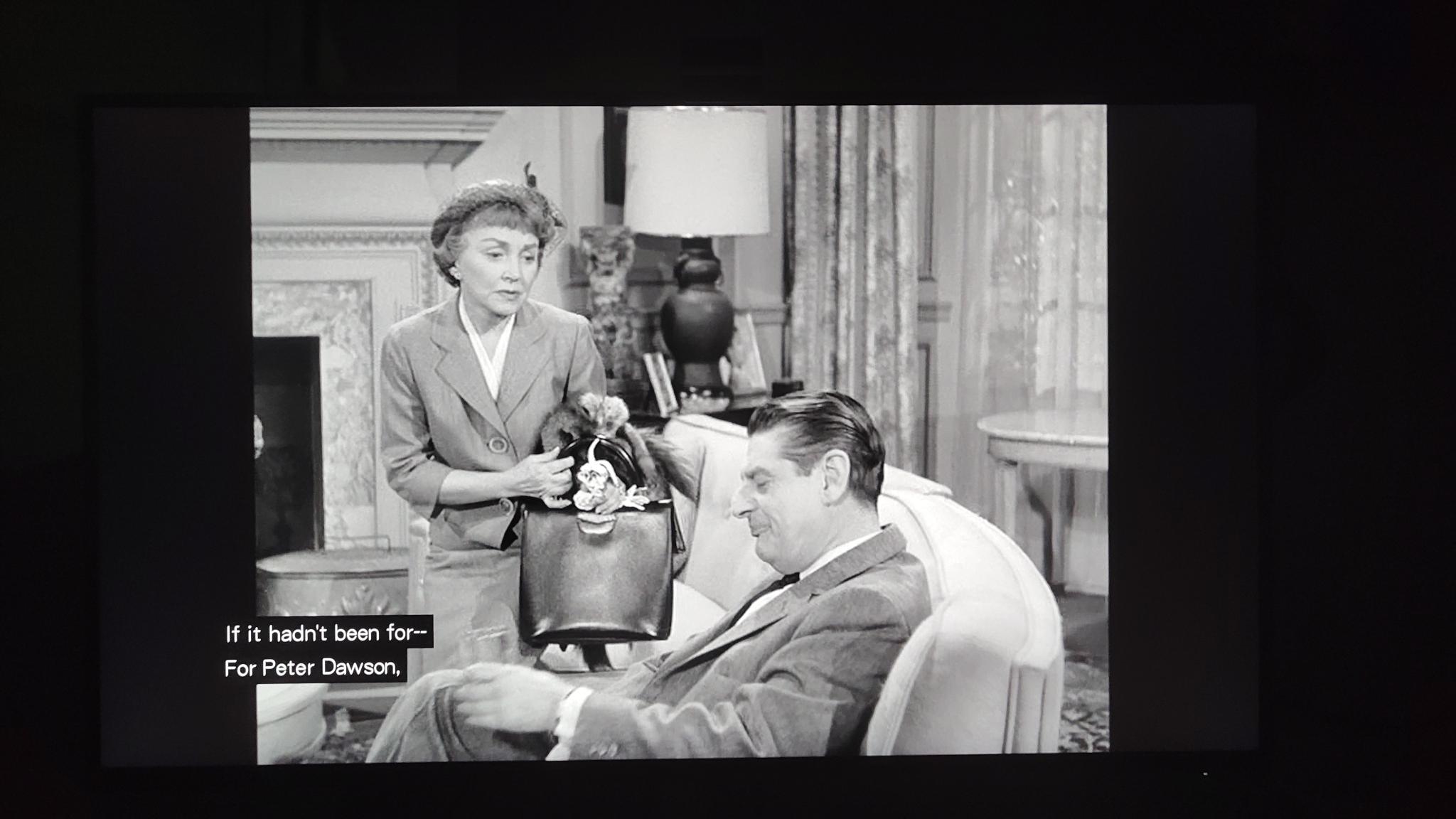
The above Perry Mason DVD is NTSC-derived is known to have been encoded at 59.94i (interlaced).
Alec Watson of Technology Connections discovered before I did that some commercial NTSC DVDs which contain EIA-608 Line 21 Closed Captions with the unique feature of being set to be located on one side of the other screen to indicate which person was speaking sometimes cause an anomaly when played in the few Blu-ray players that can render them at all via HDMI. They sometimes appear partially outside of the original 4:3 canvas, but only in some frames and are fortunately still quite legible, as shown above.
How to set the menu in the modified multiregion Panasonic DP-UB150 4K Blu-ray/DVD player to play as «match source» with the original cadence
This section is about native cadence for 25/29.97/50/59.94 fps. For 23.976 fps (or the much rarer exact 24 fps), see the next section, below this one.
If you are sure that your monitor/TV set/projector can accept 25/50 fps and display it at that cadence, in the menu of the modified multiregion Panasonic DP-UB150, go to Player Settings>25p/50p Output and set it to Auto (not Off) as indicated in this screenshot:
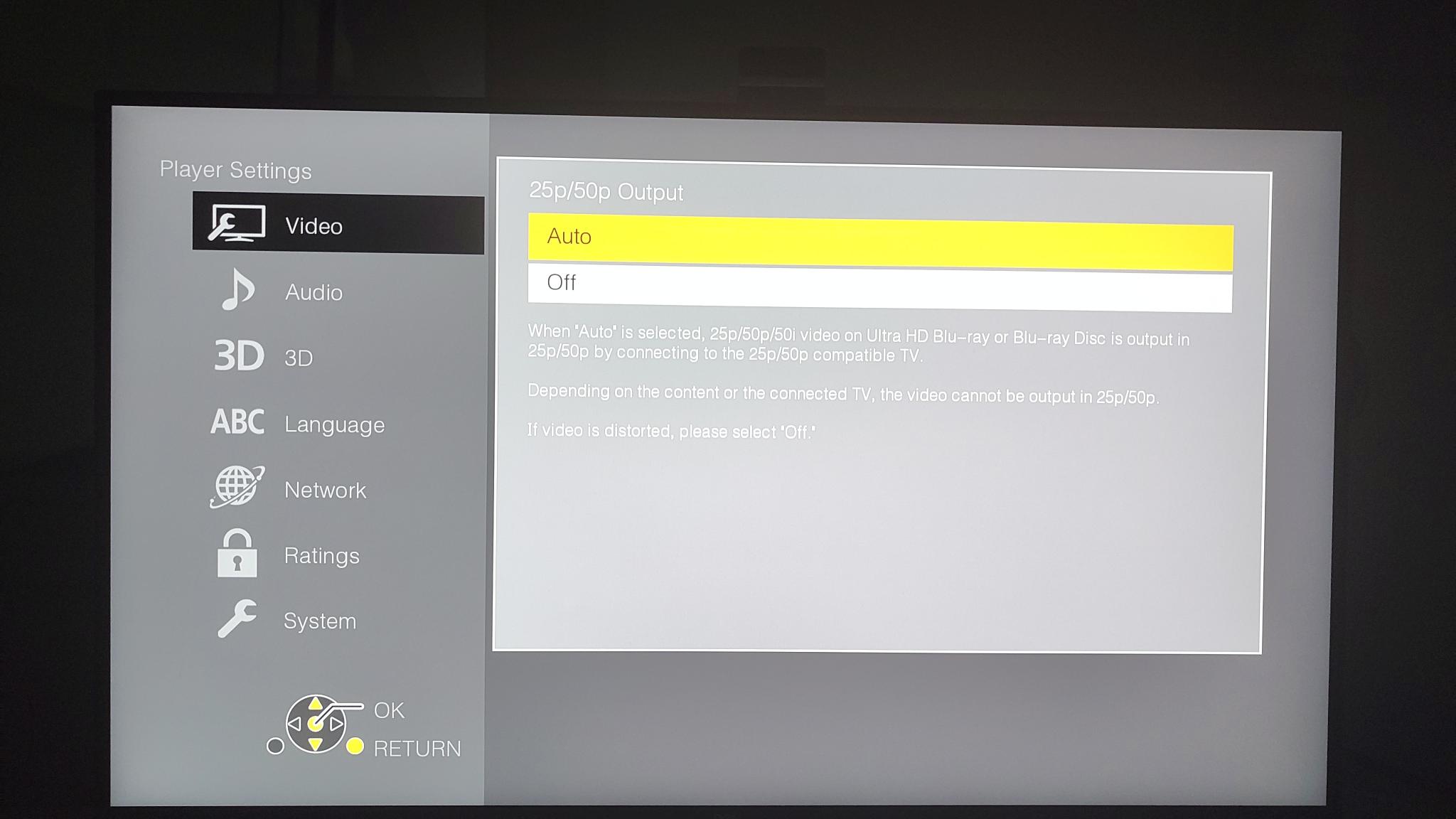
Despite the omission in the OSD, this also works and applies to PAL DVD discs when using the modified multiregion Panasonic DP-UB150 4K Blu-ray/DVD player, in addition to Blu-ray discs.
That way, the player will output 25 or 50 when playing PAL-derived DVD discs and Blu-ray discs which have a native rate of 25/50 fps. (This setting will have zero effect if the disc being played has any other rate other than 25/50.)
How to set the 23.976 fps or 24 fps native output (or not)
As explained in many prior articles, theatrical motion pictures were (and are) generally shot at 24 fps on film and projected at 48 fps in an analog movie theatre. Using a special double shutter in the projector in the movie theatre, each frame is projected twice, so the original 24 fps is projected at 48 fps without changing the speed or the duration.
Most theatrical DVD and Blu-ray discs were (and are) encoded at 23.976 fps. A much smaller percentage were/are encoded at exact 24 fps. When connected to a much older TV set or monitor, the original DVD players would convert that signal into either 59.94i or exact 60i to be compatible with those older monitors or TV sets. Later, progressive DVD players began to have the option to output the native 23.976 (or exact 24) for monitors and TV sets which can support that signal, or the converted 59.94 (or exact 60) signal for those that don’t.
If your display device can accept native 23.976/24 and can display it at 47.952 Hz or 48 Hz (in the case of a panel whose maximum rate is 59.94/60 maximum) or a higher even multiple, then it is better to have the «24p» output set to AUTO. The same menu shown below covers and handles both 23.976 fps and exact 24 fps rates:
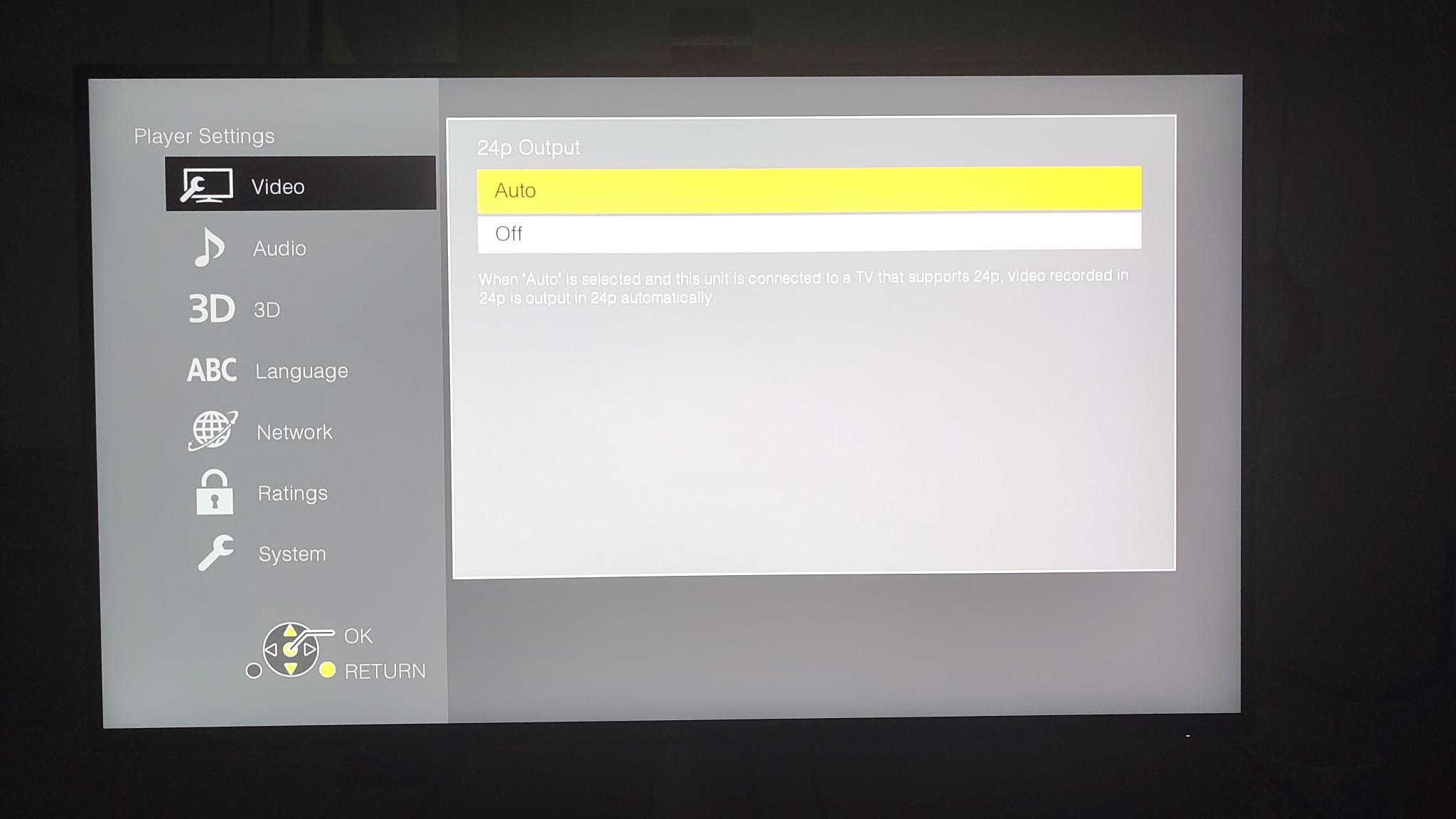
Set it to Auto if your monitor/TV set/projector qualifies for it.
In the case of most 119.88/120 Hz panels like my Dell S2725QC, 23.976 fps sources will be displayed at 5x, meaning 119.88 Hz for 23.976 sources (and 120 Hz for exact 24 fps sources), retaining the original cadence without judder.
How to change regions with Blu-ray discs
As stated earlier, with DVD discs, the multiregion/multizone magic is completely automatic with the modified multiregion Panasonic DP-UB150 4K Blu-ray/DVD player. They just all work.
With the modified multiregion Panasonic DP-UB150 4K Blu-ray/DVD player (and all other multiregion Blu-ray players I have ever researched), it’s not completely automatic for Blu-ray discs, but it’s very easy:
- Turn the player on and open the tray.
- Once the tray is completely open, place a Blu-ray disc and depending upon its Region/Zone, do the following:
-
- For Region/Zone A, press the 1 button on the remote control and the tray automatically retracts. The player is ready to work with Blu-ray discs from Region/Zone A. You can now click Play.
- For Region/Zone B, press the 2 button on the remote control and the tray automatically retracts. The player is ready to work with Blu-ray discs from Region/Zone B. You can now click Play.
- For Region/Zone C, press the 3 button on the remote control and the tray automatically retracts. The player is ready to work with Blu-ray discs from Region/Zone C. You can now click Play.
Important notes:
- If you acquire any Blu-ray disc whose labeling doesn’t clearly indicate its Region/Zone, you must try the above steps at random to find out which zone it is, ejecting the Blu-ray disc each time. That happened with one of the Blu-ray discs I bought.
- If you select the wrong Region/Zone, no precise error will appear on screen. It simply won’t play and will go back to the main screen. If that happens, keep trying the above steps, ejecting between each one until you determine which is the correct one.
About the firmware
The unit I received initially had version 1.12. I saw that there was a newer 1.13 on the Panasonic website. The Panasonic website asked me which region version of DP-UB150 I had before download. Since I have a modified one for multiregion use, I wrote to 220-Electronics to ask. They told me not to download any firmware from Panasonic, and instead gave me a unique (not Panasonic) link for their own version 1.13 which I downloaded and used to update the unit successfully. Now I have version 1.13.
About the remote control included with the Panasonic DP-UB150 4K Blu-ray/DVD player
The remote control that comes included with the Panasonic DP-UB150 4K Blu-ray/DVD player is okay and does the job, but is not high end. Fortunately, the user community has discovered that third-party replacement remote controls made for the much higher-end DP-UB9000 will work with the lower-priced DP-UB150, with only one caveat: The buttons that refer to unique functions in the higher-end players do not do anything. That is to be expected. The better design and backlit function do work. I hadn’t purchased one of those as of publication time of this article.
Why I recommend the modified multiregion Panasonic DP-UB150 4K Blu-ray/DVD player for MOST framerate purists
For most framerate purists,I recommend the modified multiregion Panasonic DP-UB150 4K Blu-ray/DVD player reviewed in this article, which happens to be the lowest-priced among those which can satisfy framerate purism. That’s because the most attractive feature that’s available in the higher end models are built-in apps for direct access to Netflix, Prime Video and YouTube. The problem with those apps that come built-into the higher-end players is that—according to my extensive research—those built-in apps in the higher-end Blu-ray players are all flawed for framerate purists. They all force whatever framerate is available on the particular video to a single one. That’s why—if you are interested in watching material from Apple TV, Netflix, Prime Video and/or YouTube, you are much better served by complementing the inexpensive modified multiregion Panasonic DP-UB150 4K Blu-ray/DVD player with one of the separate set-top boxes whose apps can indeed play each video with its native framerate, as I have covered in other articles. The combined investment in the modified multiregion Panasonic DP-UB150 4K Blu-ray/DVD player for discs and one of those set-top boxes could be equal or lower, with the additional benefits of framerate purism with many more sources (beyond discs) and the fact that a smaller portion of the investment is made into a mechanical device, which is much likelier to fail sooner than a non-mechanical device like a set-top box.
I realize that the loading time of discs is slightly faster with the higher-end models, but when comparing the approximately two hours we usually spend watching a movie, waiting a couple of seconds more for the disc to load is not a problem for me.
To which very few framerate purists I would recommend a higher-end modified multiregion model Blu-ray player
As stated earlier, the inexpensive modified multiregion Panasonic DP-UB150 4K Blu-ray/DVD player supports three types of HDR (high dynamic range) from those 4K UHD discs that offer it, if they offer it: These are the three type offered by this player:
- HDR10
- HDR10+
- Hybrid Log-Gamma (HLG)
The inexpensive modified multiregion Panasonic DP-UB150 4K Blu-ray/DVD player does not support Dolby Vision. I remind you that DVDs and standard Blu-ray discs don’t offer any type of HDR anyway. Only some 4K UHD Blu-ray discs can offer any type of HDR. The only reason why I could justify the higher-end models is if you are sure you are going to be buying 4K UHD Blu-ray discs that offer Dolby Vision (and your display device also supports Dolby Vision too).
The discs I purchased for the purpose of this review are not even 4K UHD. They are all either 1080p Blu-ray (from different regions and framerates) or standard definition DVDs derived from NTSC or PAL. As a result, the discs I chose can’t have any type of HDR anyway. Only you can determine which type of discs you’ll be buying, whether they will have Dolby Vision or not and whether or not your display device (monitor/TV set/projector) supports Dolby Vision or not. I chose the 4K UHD version even though I wasn’t planning to use it with 4K UHD discs because the models that are not 4K UHD are incapable of framerate purism, per my research.
Price and availability
The modified multiregion Panasonic DP-UB150 4K Blu-ray/DVD player is available from 220-Electronics for US$499 but is currently on sale for US$395. It is sometimes available as reconditioned for a lower price, which is what I purchased. Despite the somewhat «scary» name—especially near Halloween as I publish this article—all devices sold from 220-Electronics work on either 110 or 220 volts, without any additional transformer required.
Image credits
The device images are courtesy of 220-Electronics. Screenshots were made by Allan Tépper using his Murena Fairphone 6 with /e/OS.
See the related article
Lee este artículo en buen castellano
(Re-)Subscribe for upcoming articles, reviews, radio shows, books and seminars/webinars
Stand by for upcoming articles, reviews, books and courses by subscribing to my bulletins.
In English:
- Email bulletins, bulletins.AllanTepper.com
- In Telegram, t.me/TecnoTurBulletins
- Twitter (bilingual), AllanLTepper
En castellano:
- Boletines por correo electrónico, boletines.AllanTepper.com
- En Telegram, t.me/boletinesdeAllan
- Twitter (bilingüe), AllanLTepper
Most of my current books are at books.AllanTepper.com, and also visit AllanTepper.com and radio.AllanTepper.com.
FTC disclosure
None of the listed individuals or companies mentioned above has paid for this article. Allan Tépper purchased the reviewed unit with his own funds. Some of the manufacturers listed above have contracted Tépper and/or TecnoTur LLC to carry out consulting and/or translations/localizations/transcreations. So far, none of the manufacturers listed above is/are sponsors of the TecnoTur, BeyondPodcasting, CapicúaFM or TuSaludSecreta programs, although they are welcome to do so, and some are, may be (or may have been) sponsors of ProVideo Coalition magazine. Some links to third parties listed in this article and/or on this web page may indirectly benefit TecnoTur LLC via affiliate programs. Allan Tépper’s opinions are his own. Allan Tépper is not liable for misuse or misunderstanding of information he shares.