

Filmtools
Filmmakers go-to destination for pre-production, production & post production equipment!
Shop NowThis article presents the problem + solutions to upscale NTSC DVDs to 1080p while burning the Closed Captions from a specific language.


In the embedded video you’ll see ahead, Alec Watson of Technology Connections does a wonderful job of reminding us how captions were stored in two completely different ways onto NTSC DVD discs. Those were by the traditional CC (Closed Captions) EIA-608 method for line 21 of the vertical interval analog composite video… and the more modern (and more complete) optional «Subtitles» on DVD. Despite different usages of these two terms, in practice, they both contain hidden text present on many commercial NTSC DVD discs which can be decoded and superimposed over the video images, when the correct configuration exists. The latter of the two on many DVDs (called Subtitles) can potentially offer up to 32 different tracks for different languages or director’s commentary. The former method is present on many commercial DVDs, especially TV series distributed on DVD discs. Even though the former traditional CC (Closed Captions) EIA-608 method for line 21 of the vertical interval should technically offer four independent data streams, in practice, it only supported a maximum of two. Since there are many commercial NTSC DVD discs on the market where captions were only included in the more limited traditional CC (Closed Captions) EIA-608 method and many more recent DVD players—and Blu-ray players which can play DVDs—are incapable of showing those CC via their HDMI output, only via their composite video output (if it exists), but that only helps if your NTSC monitor or TV also has a composite intput. Many new monitors and TV sets lack a composite video input. Alec Watson of Technology Connections began investigating which are among the very few players that still can, and how an uncomfortable workaround is available in some cases, depending upon the particular player and monitor/TV set. Later, I describe a solution to upscale NTSC DVDs to 1080p while burning the Closed Captions from a specific language.
Congratulations to Alec Watson of Technology Connections for the above video. Since it is embedded, even when you watch it here in ProVideo Coalition, the creator gets credit for the play. However, if you would like to click on the Thumb’s Up symbol or comment below the video on YouTube, click here. If you want to comment on this article, do it below.
Disc rot
As Alec Watson mentions in his video, disc rot is a real problem. Disc rot is the tendency of CD, DVD, or other optical discs to become unreadable because of chemical deterioration. The causes include oxidation of the reflective layer, reactions with contaminants, ultra-violet light damage, and de-bonding of the adhesive used to adhere the layers of the disc together. That’s why it’s essential to preserve our DVD discs’ content. Since the players are now scarce, it makes sense to upscale them to 1080HD wile doing a proper de-interlace, while conserving the closed captions in a particular language (if desired), as covered ahead.
How to capture & upscale NTSC DVDs to 1080p H.264 while burning the Closed Captions from a specific language
Of course, we’ll do a favorable de-interlacing process. For 4:3 NTSC DVDs, we will place the upscaled 4:3 image at 1440×1080 on top of a 1920×1080 canvas. For widescreen 16:9 DVDs, we will place the upload 1920×1080 image at the same-sized 1920×1080 canvas.
To do that with my recipe, you need the following devices:
- Any NTSC DVD player with a composite video output.
- An external CC (closed caption) decoder like the Link Electronics PCD-88 covered below, now available for US$25 each (or similar).
- A Portta VD20P or VD22P (aka CHR202P) digitizer/de-interlacer/upscaler/recorder. Either model costs ≈US$180 plus a USB memory stick. I reviewed them in detail in March 2026. Among many other virtues, I covered its excellent comb filter for the best quality in those cases when me must use composite video.
- Two 75-ohm video cables from RCA male to BNC male. One is to go from the NTSC DVD player into the Link Electronics PCD-88. The other is to feed the output of the PCD-88 to the composite input of the Portta device.
- One stereo cable, from RCA male to RCA male. This will go between the NTSC DVD player and the Portta device.
About the Link Electronics PCD-88 external CC (closed caption) decoder
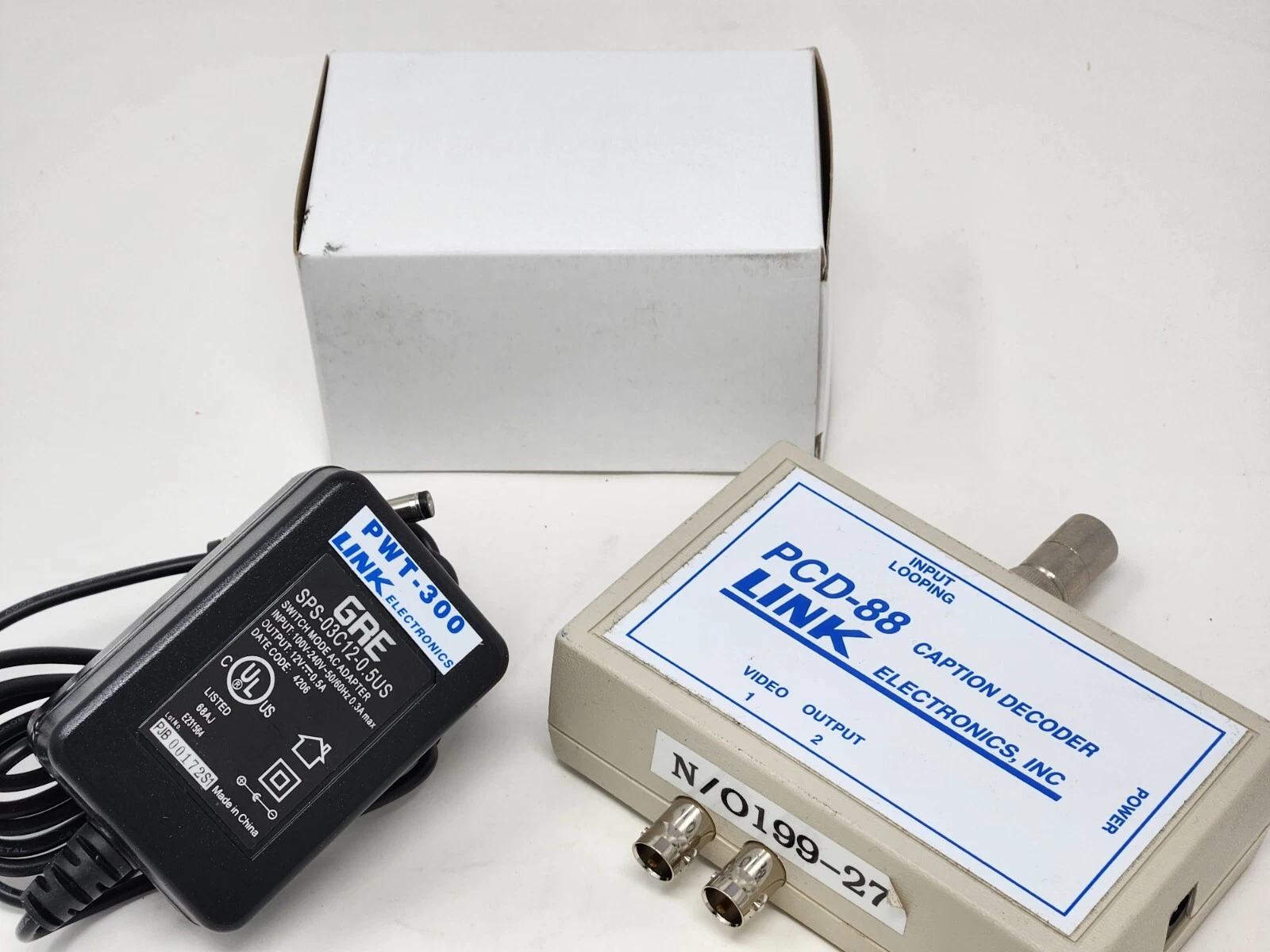
The Link Electronics PCD-88 external CC decoder superimposes («burns») closed captions onto a composite NTSC video signal.
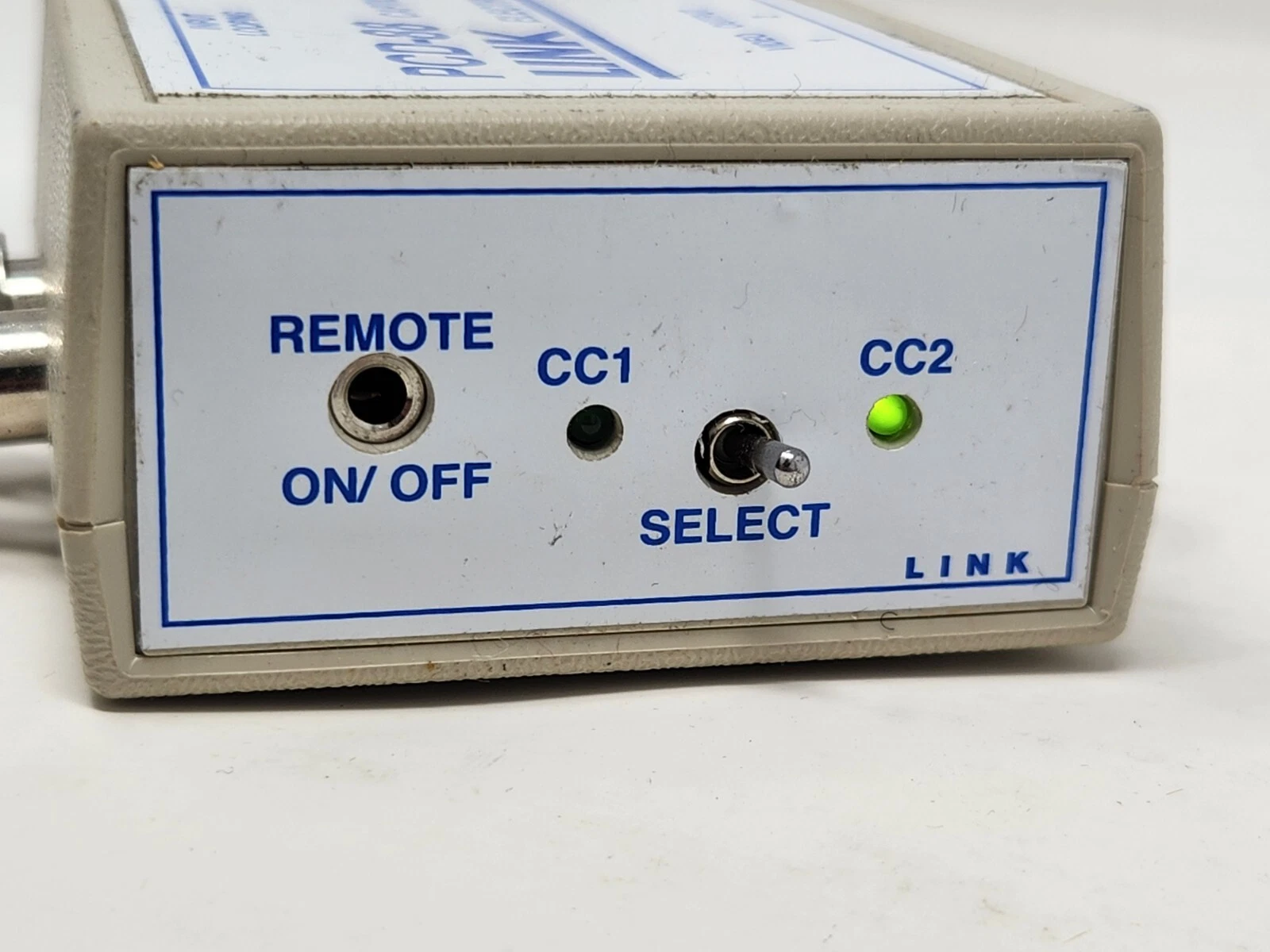
The Link Electronics PCD-88 has a toggle switch to select CC1 or CC2. Fortunately, it is currently being offered for US$25 each.
Conclusions
I agree with Alec Watson of Technology Connections that current manufacturers of DVD players—and Blu-ray players which also play DVD discs— should support supporting traditional CC (Closed Captions) over HDMI. While so many don’t, I have created the above recipe.
Image credits
- The still photos of the Link Electronics PCD-8 in this article are courtesy of Puzzleproper, an eBay seller who—at publication time of this article—has a rating of 100% positive among 510 ratings.
- The CC logo used in the main image is a generic Closed Captioning symbol, which was created by Jack Foley, senior graphic designer at Boston public broadcaster WGBH, which collaborated with several others in the earliest demonstrations of closed captioning for television. In the early 1980s, the only available symbol to indicate a closed captioned program was a proprietary symbol developed by the non-profit National Captioning Institute (NCI). NCI only allowed the symbol (the «TV with a tail») to be used on programs they captioned. In view of the need to have a symbol that WGBH’s Caption Center could use on programs it captioned, this symbol was designed (the «CC in a TV»). In the mid-1990s, WGBH released the symbol into the public domain so that it could be used generically by anyone who was closed captioning TV programs. According to his Linkedin profile, Jack Foley worked at WGBH between 1970 – 2011, i.e. for 41 years.
- The DVD-Video logo used in the main image consists only of simple geometric shapes or text. It does not meet the threshold of originality needed for copyright protection, and is therefore in the public domain.
Lee este artículo en buen castellano
Fabricantes de reproductores han dejado de lado los CC de los DVD. Ofrecemos soluciones.
(Re-)Subscribe for upcoming articles, reviews, radio shows, books and seminars/webinars
Stand by for upcoming articles, reviews, books and courses by subscribing to my bulletins.
In English:
- Email bulletins, bulletins.AllanTepper.com
- In Telegram, t.me/TecnoTurBulletins
- Twitter (bilingual), AllanLTepper
En castellano:
- Boletines por correo electrónico, boletines.AllanTepper.com
- En Telegram, t.me/boletinesdeAllan
- Twitter (bilingüe), AllanLTepper
Most of my current books are at books.AllanTepper.com, and also visit AllanTepper.com and radio.AllanTepper.com.
FTC disclosure
None of the listed individuals or companies mentioned above has paid for this article. Some of the manufacturers listed above have contracted Tépper and/or TecnoTur LLC to carry out consulting and/or translations/localizations/transcreations. So far, none of the manufacturers listed above is/are sponsors of the TecnoTur, BeyondPodcasting, CapicúaFM or TuSaludSecreta programs, although they are welcome to do so, and some are, may be (or may have been) sponsors of ProVideo Coalition magazine. Some links to third parties listed in this article and/or on this web page may indirectly benefit TecnoTur LLC via affiliate programs. Allan Tépper’s opinions are his own. Allan Tépper is not liable for misuse or misunderstanding of information he shares.