Filmtools
Filmmakers go-to destination for pre-production, production & post production equipment!
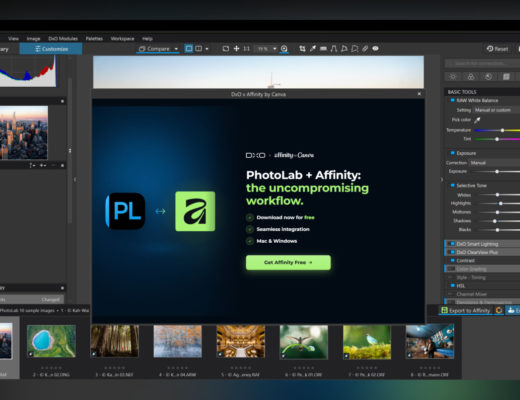
Shop NowThe all-new Affinity Studio, from Canva, is a fully reimagined professional design app that unites photo editing, vector design, and layout tools in one powerful platform.

 Since its launch, Affinity has been the tool of choice for professionals who dislike subscriptions and prefer to pay and own their software. Now Affinity is completely free for everyone. What’s the catch?
The question being asked online now – “What’s the catch?” – after the announcement of a free Affinity version has multiple answers, according to the source you choose. For some this is simply Canva’s strategy to get more people to sign as a Canva user (which is needed to get the free Affinity app), which may lead to a subscription of its Canva Premium offer… while others believe this marks the end of Affinity as we know it. It’s a discussion that is going to be kept alive by users with different perspectives, experiences and a common belief that “free” means “you’re the product”.
 When Affinity joined the Canva family in 2024, the company made a promise to preserve its power while expanding what’s possible. Today, that vision comes to life, according to Canva, “with the all-new Affinity: a studio-grade creative app that brings vector, photo, and layout tools together in one high-performance platform. Fully featured. Lightning-fast. And completely free.”
Those concerned about the future of the Affinity apps when the deal was announced, in 2024, are, apparently, even more concerned now. Affinity shared a video of its CEO, Ash Hewson, as he shows an exclusive first-look at the all-new Affinity, and promises the app will be “free, forever, for eveyone”, and the comments published are a clear indication that many do not believe the “free for everyone” is a good sign for the future of a software brand that is looked as an alternative for those who do not want to pay monthly subscriptions. Or was, as from now on Affinity is, as Canva says, completely free for everyone.
Only time will tell what happens to Affinity. The launch introduces a bold new Affinity brand and visual identity, marking the next evolution in professional design and its new chapter as part of Canva. But it’s more than that, as the video reveals: designed for ultimate flexibility, creatives can personalize their workspace, mix and match tools, and create fully customizable studios for a workflow that adapts to the way they work best.
Creatives can mix and match tools from Vector, Pixel, and Layout (previously named Designer, Photo and Publisher) to build a workspace that fits their unique process. Rearrange panels, choose the tools you need, remove the ones you don’t, and save multiple setups for different projects or tasks. Custom studios can also be shared and downloaded, opening new ways for teams and creative communities to exchange workflows and learn from one another.
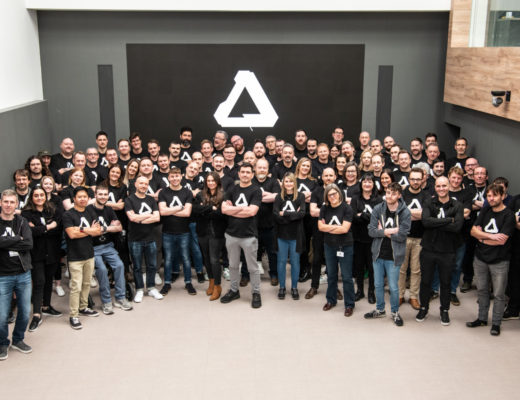
 The all-new Affinity was built in close collaboration with its community of creators, shaped by thousands of conversations, feature requests, and shared ideas. Guided by Canva’s Designer Advisory Board, this release reflects what professionals told the company matters most: performance, reliability, and creative freedom.
For designers who think in lines, curves, and grids, Affinity’s vector tools deliver precision and speed in perfect balance. Every adjustment happens in real time: paths adjust instantly, shapes snap into place, and even large files pan and zoom smoothly. From comprehensive brand systems to complex illustrations, everything feels responsive and effortless.
Affinity’s award-winning photo editing tools give you the freedom to experiment without limits. Every adjustment, from RAW development to retouching and compositing, is non-destructive, so you can refine endlessly without losing your original work. Plus, GPU acceleration keeps even the most complex files fast and fluid, while intelligent tools like Smart Selections, live filters, and batch processing help speed up repetitive edits.
With Affinity’s layout tools, structure and creativity work side by side. From short brochures to multi-page reports, you can edit images, graphics, and text directly within your document and see every change update live. Smart Master Pages, shared text styles, and advanced typographic controls keep everything consistent while giving you the freedom to experiment.
 While the all-new Affinity has been reimagined, it still feels instantly familiar to those who know it best. The tools, workflows, and precision you rely on are all here – refined but not replaced. Every update builds on what professionals already love, so you can pick up where you left off and feel right at home. And Affinity is now, according to Canva, “free for everyone. Professional-grade design software, available at no cost to all users. There’s no catch, no stripped-back version, and no gotchas. The same precise, high-performance tools that professionals rely on every day are now open to all, because creative freedom shouldn’t come with a cost.”
While the core of the Affinity experience has not changed, there is something new added to the app: for everyone with a Canva premium account, Canva AI’s tools are now included directly inside Affinity through the new Canva AI Studio. This includes familiar favorites like Generative Fill, Expand & Edit, and Remove Background – powerful features that speed up repetitive steps while keeping designers in full control of every detail.
 For those wary of AI, Canva says that “we know that transparency around AI use and data handling is essential, and your creative work will always remain yours. Canva AI features are built with privacy and control in mind, ensuring that your creative work in Affinity stays secure and is not used to train AI features.” And if you don’t want to use any AI, if you’re not subscribed to a Canva plan it will not be available in Affinity Studio. And because the interface is customizable, you can simply remove the icon for Canva AI from the app. I tried it, and it works!
The all-new Affinity has a new common file but, Canva says, “you can also bring your existing work with you. Affinity supports PSD, AI, PDF, SVG, TIFF, IDML, and more, making it easy to open, edit, and collaborate without starting from scratch. Today is just the beginning. We’re continuing to invest in both Affinity’s professional design tools and Canva’s all-in-one platform, building a future where everyone can design at the highest level, without barriers.”
 The all-new Affinity is available for Mac and Windows, with iPad coming soon. The Canva community can activate Affinity with their existing account, and new users can create a free Canva account to download it directly. Affinity is now completely free, forever. The full, professional-grade Affinity experience, available to everyone. Let’s hope it stays that way.