

Filmtools
Filmmakers go-to destination for pre-production, production & post production equipment!
Shop NowFebruary 10, 2011 – showing duplicate frames / clips used in an edit is a super handy function


Dupe detection is one of those great little features that you don’t have to have in your editing application but it certainly makes tracking used footage in an edit much easier. For those unfamiliar, dupe detection tracks footage used in an edit and identifies duplicate shots in the timeline with colored lines in the clip. I did a post about Final Cut Pro’s dupe detection and DSLR footage a while back but this Quicktip looks at it again and Avid Media Composer as well. And while Adobe Premiere Pro CS5 doesn’t have dupe detection it can show you what clips have been used.
Avid Media Composer
Avid Media Composer has long had dupe detection, accessed via the Fast Menu (or hamburger menu as it’s often called) in the bottom left corner of the timeline:
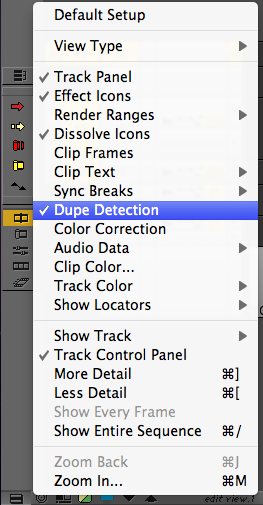
When they are turned on you’ll see colored lines at the top of a clip in the Media Composer timeline when duplicate frames are detected:
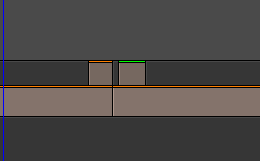
For the longest time Media Composer would only detect dupe frames on video track 1 but with version 5 of Media Composer they extended that to all video tracks. That was a welcome addition. Now if all these tools could also somehow extend dupe detection to audio! Dupe detection itself comes from the film days when making a film print as it was expensvive to have to strike duplicate frames of film. But today it’s just useful all around to know when you’ve duplicated a shot.
Final Cut Pro
In Final Cut Pro check the User Preferences > Timeline Options tab to turn it on (or access this preference via command + 0 in the timeline). To be honest I never turn dupe detection off. In FCP dupe detection is dependent on having a reel # assigned to a master clip so there might be an occasion when it doesn’t work (see the earlier Editblog post).
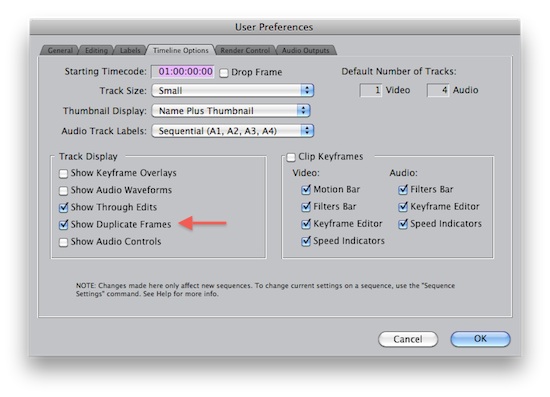
Turn on FCP’s Show Duplicate Frame to enable dupe detection
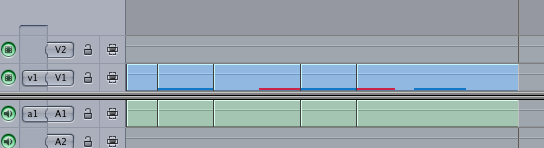
Now when you duplicate a shot in the timeline FCP will place a colored line to indicate the frames that have been duplicated:
And FCP will also give you details about the duped frames as well as allow you to jump from one set of duplicated frames to another by right + clicking on a dupe marker in the timeline:
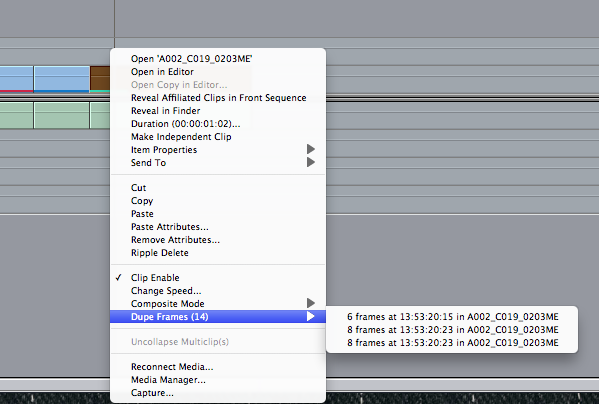
Just select one of the dupe frame listings from that submenu and the playhead will jump right to it.
Adobe Premiere Pro CS5 has a clip usage count instead of dupe detection
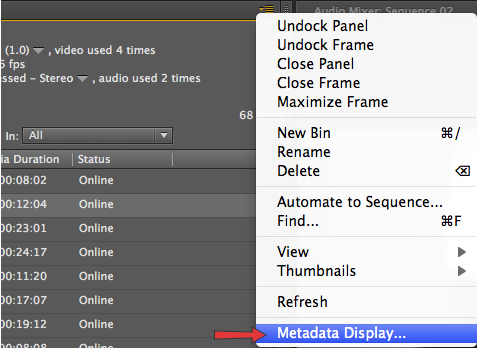
Adobe Premiere Pro CS5 doesn’t have dupe detection. But it does have a cool feature that while not as useful as dupe detection can be handy in it’s own way. Within a PPro bin access the metadata Display from the drop down menu in the upper right corner of a bin or the project tab:
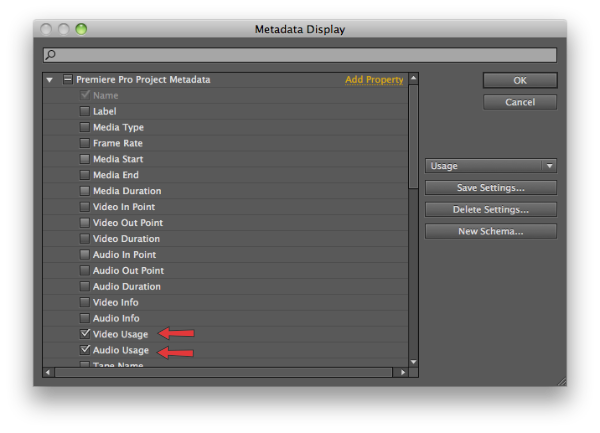
Then under the Premiere Pro Project Metadata section check the Video Usage and Audio Usage checkboxes:
With that option enabled each time a clip is used in an edit the Video and Audio Usage columns keep a running tab on how many times the clip has been used:
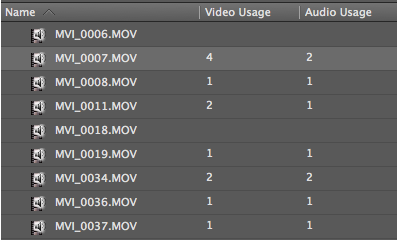
It’s not dupe detection but it is an easy way to see exactly what clips have been used with a single glance.
In a perfect world Adobe would add Dupe Detection to Premiere Pro and both Avid and Apple would add Video and Audio Usage columns to their NLEs.