
Skip to content
ProVideo Coalition
  • Latest
  • News
  • Production
  • Post Production
  • Podcasts
  • Reviews
  • Experts
  • More
    • About Us
      About Us MM Image
    • Meet the Experts
      Meet the Experts MM Image
    • Advertise
      Advertise MM Image
    • Contact Us
      Contact Us MM Image
  • Subscribe
  • Search
    • Search MM Image
      • FOLLOW US
      • TOP LINKS
      • TIPS
      • TOPICS
      • WEBINARS
Post Production

3D Logos in Motion

3D Logos in Motion 1
  • twitter
  • facebook
  • pinterest
Support ProVideo Coalition
Shop with Filmtools
Filmtools

Filmtools

Filmmakers go-to destination for pre-production, production & post production equipment!

Shop Now
Profile Picture
Mark Spencer
May 18, 2015
Comment

This week on MacBreak Studio, I show Steve Martin from Ripple Training how anyone can turn a flat logo into a 3D object in Motion or Final Cut Pro X.

The new 3D text features in both Motion and Final Cut Pro X are outstanding: there’s a vast collection of materials and lighting options to choose from, the quality of the texture mapping is excellent, and the performance is shocking (I can design animated 3D titles while playing them back, unrendered, in real time on a MacBook Pro).

However, these 3D features are limited to font-based objects which usually means letters and symbols (we discussed sources for symbols in last week’s episode).

So, if you want to take a company logo, or any vector object for that matter, and make it 3D, how can you do so? By turning it into a font, of course!

There are many ways to turn vector artwork into fonts; in this episode we demonstrate TypeTool 3, which is an inexpensive and fully-featured font editor. Another option to check out which works with SVG (scalable vector graphics format, exportable from most vector drawing applications) which is free is glyphter.com.

Once you’ve turned your logo into a font and installed it, it’s a simple matter of selecting that font in Motion or Final Cut, typing the appropriate letter for the logo, and then you can extrude it, change the edge type, add materials and lighting, and animate it with any of the text behaviors or keyframes in Motion; or use the title animations built into Final Cut Pro X.

Now it’s easier than ever to create beautifully rendered and animated versions of logos for your clients. For more material and animation options, you’ll want to check out our 3D Title plugins for Final Cut Pro X, including the free Ripple 3D Title Animations.
 

3D Final Cut Pro Final Cut Pro X logo macbreak macbreak studio Motion motion graphics spencer

What Do You Think? Let Us Know.

Subscribe
Login
Notify of
guest
guest
0 Comments
Oldest
Newest Most Voted

PVC Favorites

2 months ago

Battle of the NLE AI Assistants

Battle of the NLE AI Assistants 2
A Filmmaker’s Guide to On-Set Tapes & Expendables 3
Filmtools

A Filmmaker’s Guide to On-Set Tapes & Expendables

Sony FX5
Production

An Old Shooter’s Perspective On The New Sony FX5

Framerate Malpractice in cameras, video devices, software & services 4
Production

Framerate Malpractice in cameras, video devices, software & services

Latest

12 hours ago

Art of the Frame Podcast: Editors on Editing with “Wild Horse Nine” Editor Mikkel E. G. Nielsen

Art of the Frame Podcast: Editors on Editing with “Wild Horse Nine” Editor Mikkel E. G. Nielsen 5
Vegas Pro-1- MULTITRACK MEDIA EDITING SYSTEM
Post Production

Is Vegas Pro back?

Camera improvements: Will AI mods fix Framerate Malpractice before the guilty manufacturers bother to do it themselves? 6
Production

Camera improvements: Will AI mods fix Framerate Malpractice before the guilty manufacturers bother to do it themselves?

After creating two banks, we then created an airline: Aerolíneas Esdrújulas 7
Podcasts

After creating two banks, we then created an airline: Aerolíneas Esdrújulas

You Might Also Like

Vegas Pro-1- MULTITRACK MEDIA EDITING SYSTEM

Is Vegas Pro back?

Written by Kevin P. McAuliffe
November 9, 2026
I’ll be honest, the first time I really stumbled across Vegas Pro was when I was looking for a...
MotionVFX coming to Apple Creator Studio in November 8

MotionVFX coming to Apple Creator Studio in November

Written by Iain Anderson
October 27, 2026
Sometimes the biggest news arrives in a press release, and this is a big one for FCP users. Way...
Continuum 2027 Thumbnail

Continuum 2027 Deep Dive

Written by Kevin P. McAuliffe
October 23, 2026
If you have followed my articles on Boris FX, you will know what I say in every article I...
Great ways to use Auto Mask in Final Cut Pro 17

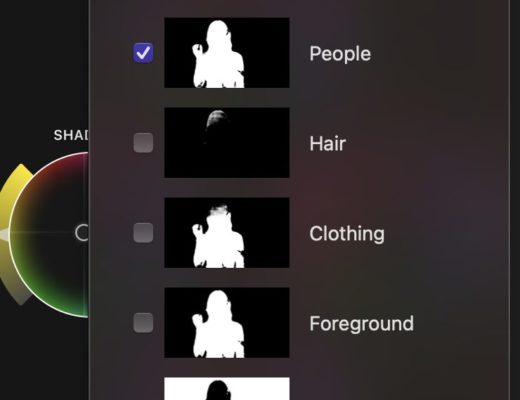
Great ways to use Auto Mask in Final Cut Pro

Written by Iain Anderson
July 16, 2026
The big three editing apps (Final Cut Pro, Premiere, Resolve) all copy features from one another, sooner or later....
ProVideo Coalition

Contact

  • +1-747-444-1870
  • [email protected]

Useful Links

  • Advertise With Us
  • Mobile App
  • Topics
  • Meet the Experts
  • Webinars
  • Contact Us

Our Websites

  • Filmtools
  • PacRad
  • Tour Supply
  • Moviola.com
  • Moviola Digital

Sign up for the ProVideo Coalition weekly e-newsletter and get the most popular articles, blogs, and reviews right to your inbox.

By entering your email, you agree to our Terms & Conditions and Privacy Policy

© 2026 ProVideo Coalition, a Filmtools Company. All Rights Reserved.
Terms of Service Privacy Policy Cookie Policy Sitemap
Manage Cookie Consent
We use cookies to optimize our website and our service.
Functional Always active
The technical storage or access is strictly necessary for the legitimate purpose of enabling the use of a specific service explicitly requested by the subscriber or user, or for the sole purpose of carrying out the transmission of a communication over an electronic communications network.
Preferences
The technical storage or access is necessary for the legitimate purpose of storing preferences that are not requested by the subscriber or user.
Statistics
The technical storage or access that is used exclusively for statistical purposes. The technical storage or access that is used exclusively for anonymous statistical purposes. Without a subpoena, voluntary compliance on the part of your Internet Service Provider, or additional records from a third party, information stored or retrieved for this purpose alone cannot usually be used to identify you.
Marketing
The technical storage or access is required to create user profiles to send advertising, or to track the user on a website or across several websites for similar marketing purposes.
Manage options Manage services Manage vendors Read more about these purposes
View Preferences
{title} {title} {title}
Manage Cookie Consent
We use cookies to optimize our website and our service.
Functional Always active
The technical storage or access is strictly necessary for the legitimate purpose of enabling the use of a specific service explicitly requested by the subscriber or user, or for the sole purpose of carrying out the transmission of a communication over an electronic communications network.
Preferences
The technical storage or access is necessary for the legitimate purpose of storing preferences that are not requested by the subscriber or user.
Statistics
The technical storage or access that is used exclusively for statistical purposes. The technical storage or access that is used exclusively for anonymous statistical purposes. Without a subpoena, voluntary compliance on the part of your Internet Service Provider, or additional records from a third party, information stored or retrieved for this purpose alone cannot usually be used to identify you.
Marketing
The technical storage or access is required to create user profiles to send advertising, or to track the user on a website or across several websites for similar marketing purposes.
Manage options Manage services Manage vendors Read more about these purposes
View Preferences
{title} {title} {title}

Newsletter Sign Up

Sign up for the ProVideo Coalition weekly e-newsletter and get the most popular articles, blogs, and reviews right to your inbox.

×
wpDiscuz