Filmtools
Filmmakers go-to destination for pre-production, production & post production equipment!
Shop Now
If you’ve ever watched an animation you made in After Effects and thought, “this works, but it doesn’t feel right,” you’re not alone. It may be because the timing feels stiff or the motion looks mechanical, so you adjust keyframes, add Easy Ease, tweak again—and it still doesn’t land.
Many motion designers struggle to bridge the gap between functional animation and natural-feeling animation. It’s also the exact space Nol Honig focuses on in two recent Adobe MAX sessions dedicated to animation and keyframes.
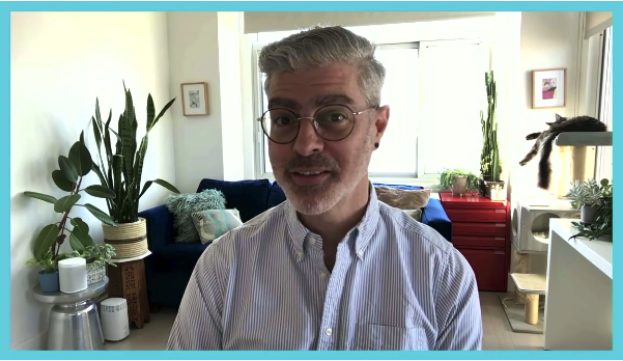
Nol is both a working freelance motion designer and one of the most respected After Effects educators out there. In these two sessions, he’s not teaching theory for theory’s sake. He’s focused on helping you make better animation decisions inside the tool they you use every day.
Two Ways to Rethink Motion in After Effects
Rather than starting with techniques, Nol frames both sessions around a simple idea: animation feels better when you understand why motion behaves the way it does, not just how to execute it.
The first session, Unlock the Secret to Irresistibly Captivating Animations, is about building a feel for motion. It helps you start noticing timing, rhythm, and movement in a more intuitive way, so your animation pulls people in instead of just existing on screen.
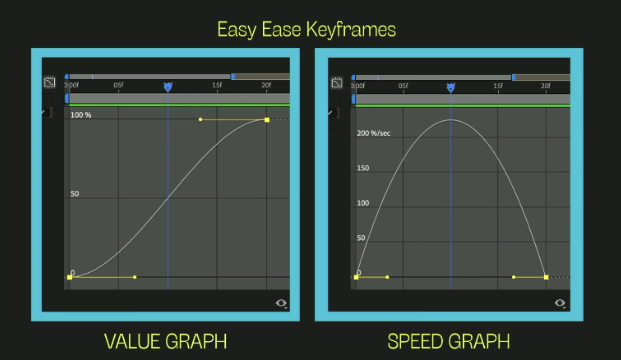
The second session, Master the Magic of Buttery-Smooth Keyframes in After Effects, turns attention to the Graph Editor. Rather than treating it as a technical hurdle, Nol reframes it as a practical way to shape motion, giving you more confidence to move past presets and make choices that actually match what you want to see.
Both sessions are designed to open the door rather than overwhelm you. They don’t ask you to memorize steps or copy techniques. They invite you to explore how motion works, then apply that understanding in your own projects—whether you’re animating type, UI elements, brand systems, or anything in between.
Why This Changes How You Use After Effects
What Nol shares in these sessions isn’t meant to be taken as tricks or shortcuts. It’s more about changing how you look at motion in the first place. When you start to see how speed, slowing down, and value changes interact, After Effects feels less frustrating. You’re not constantly correcting animation that feels off. You’re making choices earlier that help the motion land the way you intended.
If this sounds familiar, the full sessions are worth your time. Watching Nol work through these ideas step by step inside After Effects adds context that’s hard to capture in writing.
Both videos are available at the links above on Adobe.com.