Skip to content
ProVideo Coalition
  • Latest
  • News
  • Production
  • Post Production
  • Podcasts
  • Reviews
  • Experts
  • More
    • About Us
      About Us MM Image
    • Meet the Experts
      Meet the Experts MM Image
    • Advertise
      Advertise MM Image
    • Contact Us
      Contact Us MM Image
  • Subscribe
  • Search
    • Search MM Image
      • FOLLOW US
      • TOP LINKS
      • TIPS
      • TOPICS
      • WEBINARS
Search Results For

art of the cut

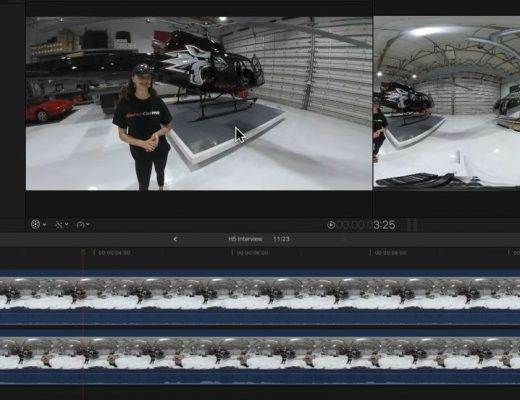
Editor as Director in 360 Video with Final Cut Pro X 1

Editor as Director in 360 Video with Final Cut Pro X

Written by Mark Spencer
February 16, 2018
This week on MacBreak Studio, Ripple Training’s Steve Martin shows us how the editor can be the director when...
Final Cut Pro X toolbar gone

Day 15 #28daysofQuickTips 2018 – Reader Final Cut Pro X QuickTips

Written by Scott Simmons
February 15, 2018
As you may have heard we are looking for reader QuickTips for this 2018 edition of #28daysofQuickTips including Final Cut...
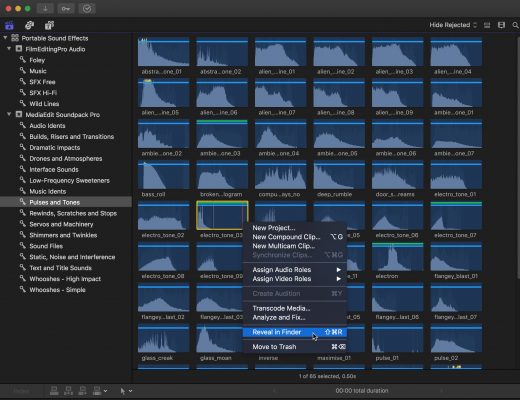
Final Cut Pro X browse sound effects

Day 10 #28daysofQuickTips 2018 – Using Final Cut Pro X as the ultimate sound effects and music browser

Written by Scott Simmons
February 10, 2018
There was a Facebook post in an Avid editing group the other day that reminded me of one of...
Final Cut Pro X connect title

Day 9 #28daysofQuickTips 2018 – Quickly connect a title in Final Cut Pro X

Written by Scott Simmons
February 9, 2018
One of the strengths of Final Cut Pro X is its fancy graphics and titles, courtesy of Motion templates,...
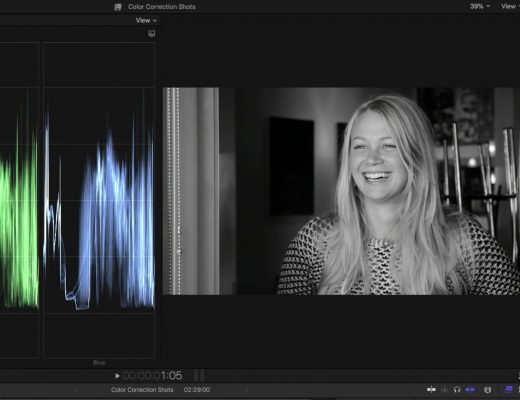
Creating Custom Black & White Effects in Final Cut Pro X 5

Creating Custom Black & White Effects in Final Cut Pro X

Written by Mark Spencer
February 9, 2018
This week on MacBreak Studio, I show Ripple Training’s Steve Martin how you can use the new color tools...
Final Cut Pro X apply fades toggle fade

Day 7 #28daysofQuickTips 2018 – Apply and Toggle audio fades in Final Cut Pro X

Written by Scott Simmons
February 7, 2018
I’m still quite perplexed that nearly 7 years after its release Final Cut Pro X still doesn’t have an audio-only...
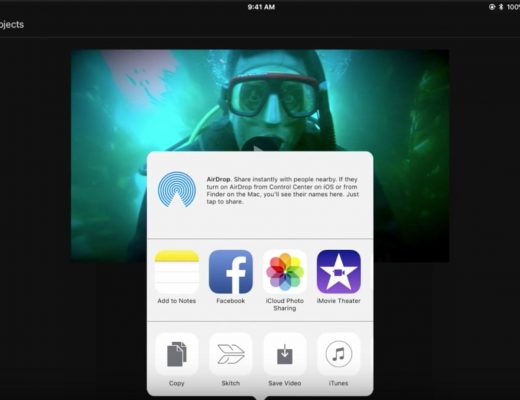
From the Field to Final Cut 7

From the Field to Final Cut

Written by Mark Spencer
February 2, 2018
This week on MacBreak Studio, Steve Martin from Ripple Training explains how he uses his iPad Pro to start...
Working with Camera LUTs and Creative LUTs in Final Cut Pro X 8

Working with Camera LUTs and Creative LUTs in Final Cut Pro X

Written by Mark Spencer
January 26, 2018
This week on MacBreak Studio, I talk with Steve Martin from Ripple Training about how to work with Camera...
Removing People from 360 Videos in Final Cut Pro X 9

Removing People from 360 Videos in Final Cut Pro X

Written by Mark Spencer
January 18, 2018
This week on MacBreak Studio, Steve Martin from Ripple Training shows us how to remove a person from a...
Awesome Hue Sampling in Final Cut Pro X 10

Awesome Hue Sampling in Final Cut Pro X

Written by Mark Spencer
January 11, 2018
This week on MacBreak Studio, I show Steve Martin from Ripple Training the differences between color sampling with color...
Posts navigation

  • «
  • 1
  • …
  • 72
  • 73
  • 74
  • 75
  • 76
  • …
  • 648
  • »

PVC Favorites

2 months ago

Battle of the NLE AI Assistants

Battle of the NLE AI Assistants 11
A Filmmaker’s Guide to On-Set Tapes & Expendables 12
Filmtools

A Filmmaker’s Guide to On-Set Tapes & Expendables

Sony FX5
Production

An Old Shooter’s Perspective On The New Sony FX5

Framerate Malpractice in cameras, video devices, software & services 13
Production

Framerate Malpractice in cameras, video devices, software & services

Latest

1 day ago

Tool Tip Tuesday for Adobe Premiere: Creating Groups in Color Mode

Tool Tip Tuesday for Adobe Premiere: Creating Groups in Color Mode 14
What Editors Can Learn from the Greatest Ad Agencies 15
Adobe

What Editors Can Learn from the Greatest Ad Agencies

How we evolved from bi-standard/multistandard to bi-rate/multirate monitors 16
Post Production

How we evolved from bi-standard/multistandard to bi-rate/multirate monitors

Auto Levels - a free script for color grading in After Effects 17
Post Production

Auto Levels – a free script for color grading in After Effects

ProVideo Coalition

Contact

  • +1-747-444-1870
  • [email protected]

Useful Links

  • Advertise With Us
  • Mobile App
  • Topics
  • Meet the Experts
  • Webinars
  • Contact Us

Our Websites

  • Filmtools
  • PacRad
  • Tour Supply
  • Moviola.com
  • Moviola Digital

Sign up for the ProVideo Coalition weekly e-newsletter and get the most popular articles, blogs, and reviews right to your inbox.

By entering your email, you agree to our Terms & Conditions and Privacy Policy

© 2026 ProVideo Coalition, a Filmtools Company. All Rights Reserved.
Terms of Service Privacy Policy Cookie Policy Sitemap
Manage Cookie Consent
We use cookies to optimize our website and our service.
Functional Always active
The technical storage or access is strictly necessary for the legitimate purpose of enabling the use of a specific service explicitly requested by the subscriber or user, or for the sole purpose of carrying out the transmission of a communication over an electronic communications network.
Preferences
The technical storage or access is necessary for the legitimate purpose of storing preferences that are not requested by the subscriber or user.
Statistics
The technical storage or access that is used exclusively for statistical purposes. The technical storage or access that is used exclusively for anonymous statistical purposes. Without a subpoena, voluntary compliance on the part of your Internet Service Provider, or additional records from a third party, information stored or retrieved for this purpose alone cannot usually be used to identify you.
Marketing
The technical storage or access is required to create user profiles to send advertising, or to track the user on a website or across several websites for similar marketing purposes.
Manage options Manage services Manage vendors Read more about these purposes
View Preferences
{title} {title} {title}

Newsletter Sign Up

Sign up for the ProVideo Coalition weekly e-newsletter and get the most popular articles, blogs, and reviews right to your inbox.

×