

Filmtools
Filmmakers go-to destination for pre-production, production & post production equipment!
Shop NowPreviously only available for iOS, Hasselblad Phocus Mobile app is now available for Android, which represents 70% of the global market share for smartphones.

Long requested by the Hasselblad community, the Android release brings the Hasselblad mobile imaging workflow to a broader community of photographers.
Hasselblad announced, recently, its partnership with Capture One, putting, fortunately, an end to a long “war”. Now it’s time for another good surprise: Hasselblad Phocus Mobile app, launched in 2019 for iOS, is now, seven year later, also available for Android, which means thousands (millions?) more Hasselblad photographers will be able to use the app for their workflows.
Phocus Mobile for Android, the official companion app for Hasselblad medium format digital cameras, extends the Hasselblad mobile workflow with Hasselblad Natural Colour Solution (HNCS), Hasselblad Natural Noise Reduction. The app combines AI-powered noise reduction, a comprehensive editing toolkit, and streamlined photo preview and management into a complete mobile workflow. Android users can now review, edit, organise, and export images directly from their mobile device, allowing them to continue working wherever they are.
Phocus Mobile V1.0.0 for Android is available for the X2D II 100C, X2D 100C and 907X & CFV 100C. The app supports Android devices with at least 12 GB of RAM running Android 12 or later. For the best colour display and editing experience, Hasselblad recommends Android 16 or later and devices powered by Snapdragon 8 Gen 3 or newer. Refer to the official Hasselblad website for compatibility information.
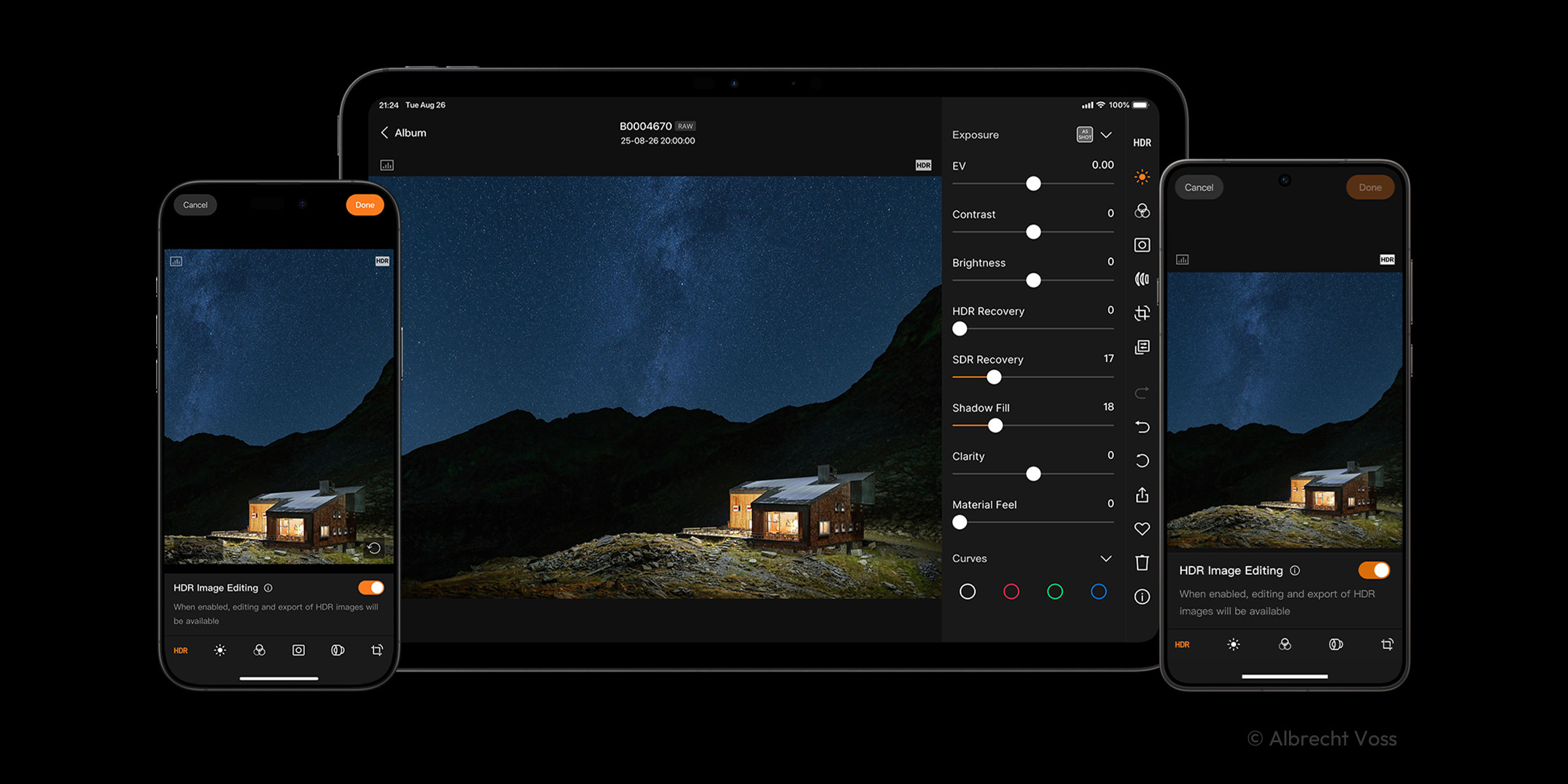
Phocus Mobile for Android brings the end-to-end Hasselblad Natural Colour Solution (HNCS) experience to Android. True-to-life colours, smooth tonal gradation, and rich highlight detail are preserved from preview through final export. Photographers can review and edit images away from the desktop, knowing the natural colour and tonal precision of their images are preserved throughout the mobile workflow.
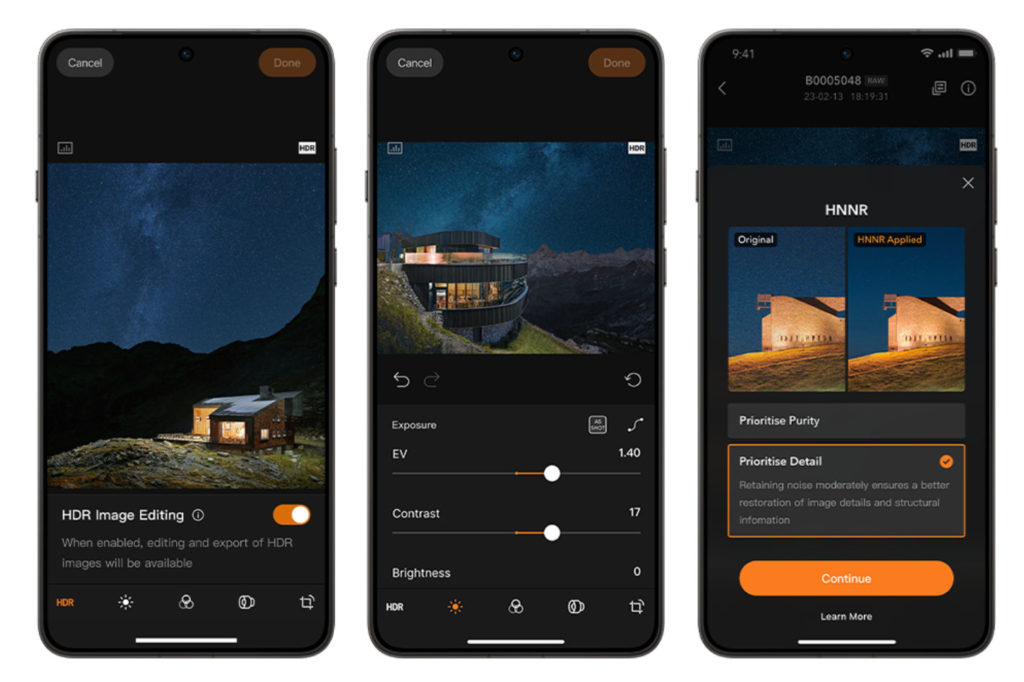
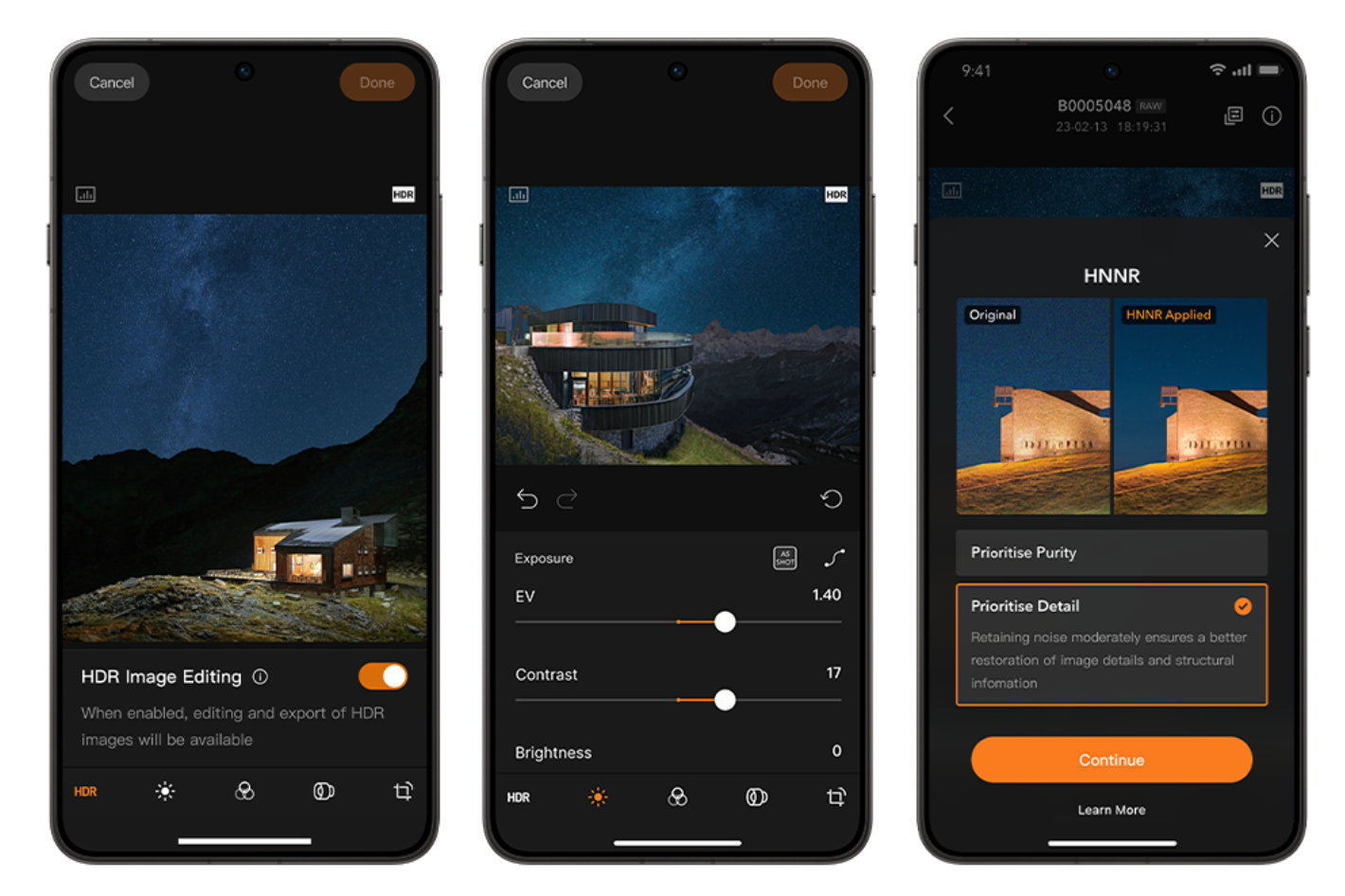
On HDR-supported Android devices, HDR images captured with the X2D II 100C reveal the full spectrum of HNCS HDR, with intricate shadow detail, luminous highlights, and colour gradations that closely match what the eye sees. In addition to standard editing tools, the app supports precise HDR highlight adjustment, giving photographers greater control when refining high-contrast images.
HDR images captured with the X2D II 100C, as well as RAW images from the X2D II 100C, X2D 100C, and 907X & CFV 100C, can be previewed, edited, and exported in the app. HDR images can be exported as Ultra HDR JPG, while RAW images can be exported as Ultra HDR JPG or HDR TIFF.
Hasselblad Natural Noise Reduction (HNNR) is now available in Phocus Mobile for Android. When shooting at high ISO settings for low-light or night photography, the AI-powered RAW noise reduction solution produces cleaner, more natural-looking images while preserving fine image detail. Calibrated and optimised for Hasselblad medium format sensors and trained on hundreds of thousands of Hasselblad images, HNNR reduces noise in 100MP RAW images in approximately 15 to 20 seconds. Note that Hasselblad Natural Noise Reduction (HNNR) currently supports only devices powered by Snapdragon 8 Gen 3 or later.
Two processing modes are available. Purity Mode prioritises noise suppression for the cleanest possible result, making it ideal for most scenes. Detail Mode preserves luminance noise to better retain micro-textures and fine image detail. Both modes work seamlessly with Hasselblad Natural Colour Solution (HNCS) to preserve the signature natural colours, colour fidelity, and smooth tonal gradation in every image.
HNNR is especially beneficial for the 907X CFV 100C, which does not feature in-body image stabilisation, expanding handheld shooting possibilities in low-light conditions.
Phocus Mobile for Android combines a comprehensive editing toolkit with streamlined photo preview and management. A full suite of editing tools—including exposure adjustment, curves, white balance, monochrome correction, lens correction, noise reduction, sharpening, cropping, rotation, and keystone correction—provides precise control directly from an Android device. Edit settings can also be copied and applied in batches to speed up high-volume editing workflows.
Images can be quickly imported via Wi-Fi or, for supported cameras, a wired USB-C connection ( wired USB-C connection is only supported on X2D II 100C with firmware version 1.3.16.1 or later when using Phocus Mobile for Android). Once imported, images can be organised using star ratings and favourites for faster image selection and review before being exported in JPG, TIFF, HEIF, or 3FR RAW formats.