Filmtools
Filmmakers go-to destination for pre-production, production & post production equipment!
Shop NowThe update adds camera control and monitoring with Apple Watch, for ATEM camera control + support for Blackmagic Focus & Zoom Demands!

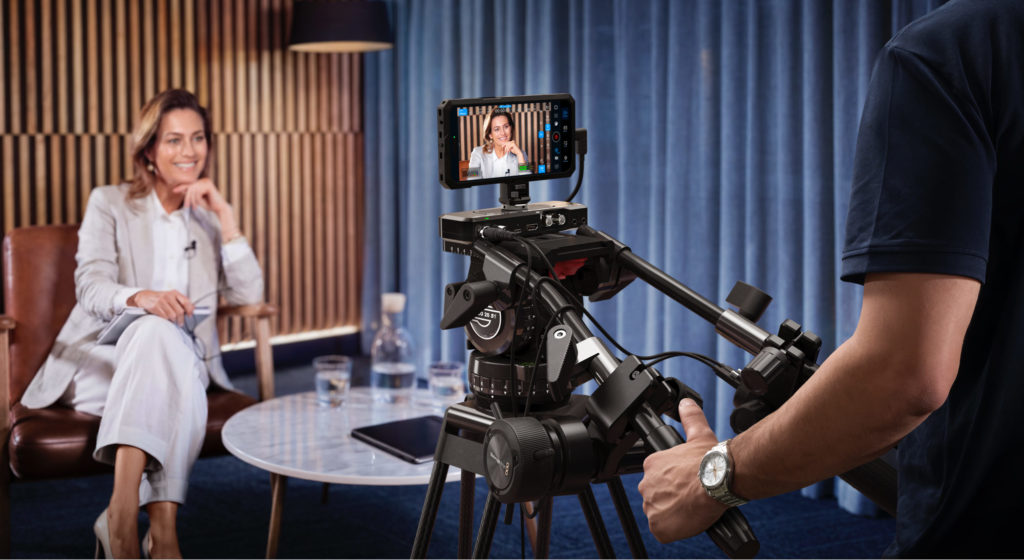
Blackmagic Camera for iOS 3.3 for iPhone and iPad just came out. This new update adds support for camera control and monitoring using an Apple Watch, so users can start and stop recording, and monitor the shot from their wrist. That’s great for when the iPhone is mounted out of reach. Also in this update is a new feature that adds support for ATEM camera control so the iPhone can be used as a live studio camera. Users can even use the studio camera’s Blackmagic Focus and Zoom Demands when connected via the Blackmagic Camera ProDock, like a studio camera.
Users even get full tally and camera control as well as broadcast style lens controls over a single HDMI cable when connected to an ATEM Mini live production switcher. Blackmagic Camera for iOS 3.3 is available now as a free download from the Apple App Store.
The Blackmagic Camera for iOS 3.3 update will be demonstrated on the Blackmagic Design NAB 2026 booth #N2502.
Blackmagic Camera unlocks the power of iPhones and iPads by adding Blackmagic’s digital film camera controls and image processing. Now users can create the same cinematic «look» as Hollywood feature films. Users get the same intuitive and user friendly interface as Blackmagic Design’s standalone, award-winning cameras. It’s like using a professional digital film camera.users can adjust settings such as framerate, shutter angle, white balance and ISO all in a single tap, or, record and upload directly to Blackmagic Cloud in industry standard files up to 4K. Blackmagic Cloud lets users collaborate on DaVinci Resolve projects with editors anywhere in the world, all at the same time.
The Blackmagic Camera Apple Watch companion app lets users remotely control and monitor their iPhone from almost anywhere on set or on location. It’s perfect for situations where an iPhone is mounted out of reach or in a position where physically touching it would cause camera shake. Setup is easy as all operators need to do is install the companion app through the Watch app on their iPhone. Then from their wrist, users can monitor framing and audio levels, start and stop recording and adjust key settings including exposure, focus and LUTs. Users can even change lenses and control zoom! It’s a simple way to control and monitor Blackmagic Camera without ever needing to touch the iPhone.
Transform the iPhone into a powerful studio camera with remote camera contro. When Blackmagic Camera ProDock is connected to ATEM Mini, video, tally and camera control are sent over a single HDMI cable, so there’s no complex setup. Users can adjust camera settings such as white balance, ISO and shutter remotely, as well as trigger recording, all from ATEM Software Control. Users can adjust focus and zoom. There’s a DaVinci primary color corrector built in, so users can go beyond simple camera color balance, allowing precise camera matching and creative digital film looks during live production. For advanced use, operators can even add a dedicated ATEM Micro Camera Control panel.
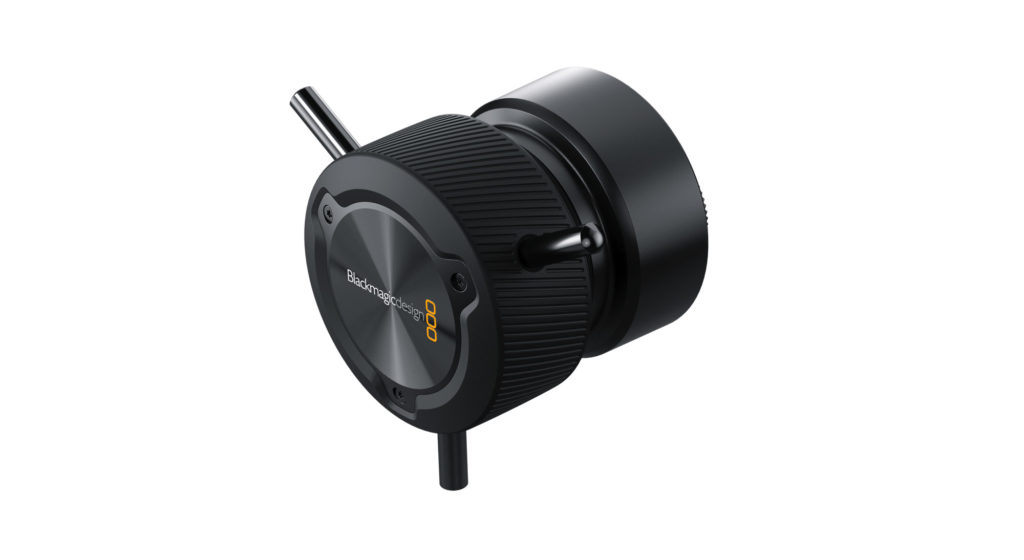
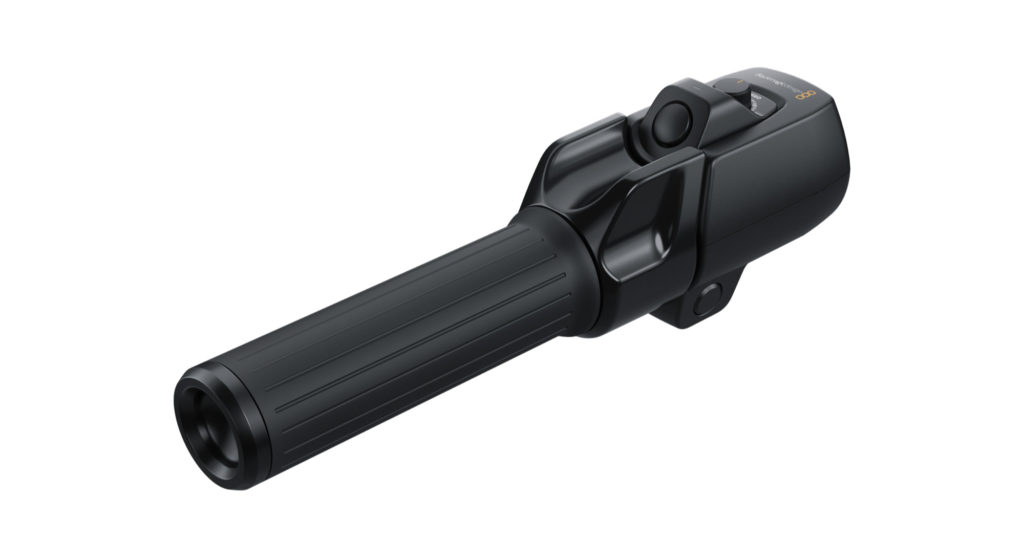
The optional zoom and focus demands can be added to give users broadcast-style lens control with Blackmagic Camera. The focus and zoom demands have USB-C connections so they can easily connect to Blackmagic Camera ProDock. Each zoom and focus demand has 2 USB-C ports, so users can daisy chain them, then connect them to the ProDock with a single USB connection. The design has an incredibly precise feel and gives users very fine lens control, allowing them to frame and adjust the lens without taking their hands off the tripod handles. The buttons can be customized so users can assign different camera functions to them! Plus, hardware is included for mounting the focus and zoom demand onto tripod handles.
«We really want to help everyone use their iPhones in professional productions and to come up with new ways that the iPhone can be used,» said Grant Petty, Blackmagic Design CEO. «The Apple Watch companion app does that because it means you can mount an iPhone anywhere and still have full control of it from your wrist. But the most exciting feature is the brand new support for ATEM camera control and the Blackmagic Zoom Demand and the Focus Demand. This means you can use the iPhone as a studio camera while holding onto the tripod handles to focus and zoom. It’s a real studio camera and it’s a lot of fun!»
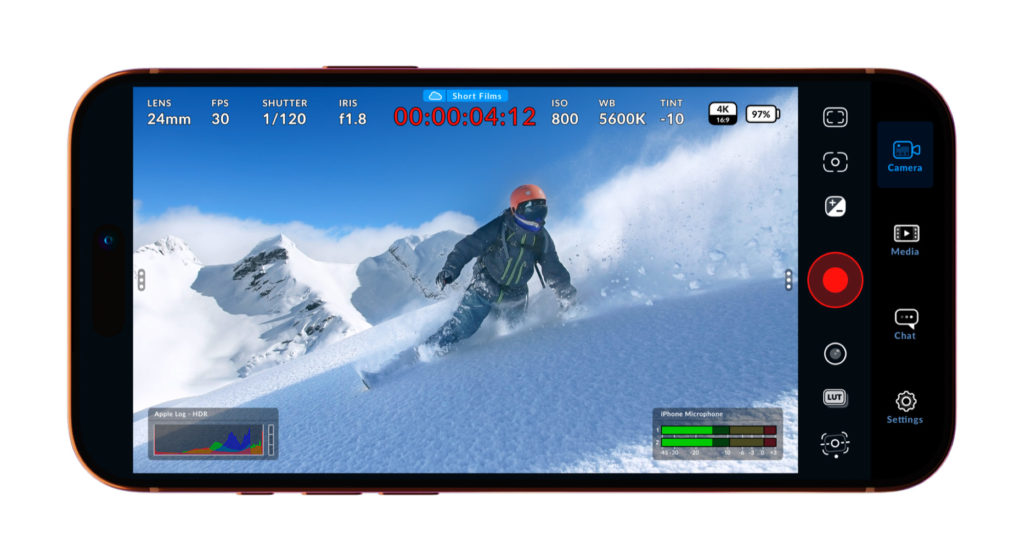
Blackmagic Camera for iOS 3.3 Features
- Camera control and monitoring with companion app for Apple Watch.
- Support for ATEM camera control with Blackmagic Camera ProDock.
- Support for Blackmagic Focus and Zoom Demands with Blackmagic Camera ProDock.
- Support for full screen portrait mode HDMI output.
- Front camera now supports portrait and landscape without rotation for iPhone 17.
- Support for ProRes RAW stabilization in iOS 26.1 and above.
- General performance and stability improvements.
Image credits
All images are courtesy of Blackmagic.
Availability and Price
Blackmagic Camera for iOS 3.3 is available now as a free download from the Apple App Store.
Lee este artículo en buen castellano
Salió la actualización 3.3 capicúa de la aplicación Blackmagic Camera para iPhone y iPad
(Re-)Subscribe for upcoming articles, reviews, radio shows, books and seminars/webinars
Stand by for upcoming articles, reviews, books and courses by subscribing to my bulletins.
In English:
- Email bulletins, bulletins.AllanTepper.com
- In Telegram, t.me/TecnoTurBulletins
- Twitter (bilingual), AllanLTepper
En castellano:
- Boletines por correo electrónico, boletines.AllanTepper.com
- En Telegram, t.me/boletinesdeAllan
- Twitter (bilingüe), AllanLTepper
Most of my current books are at books.AllanTepper.com, and also visit AllanTepper.com and radio.AllanTepper.com.
FTC disclosure
None of the listed individuals or companies mentioned above has paid for this article. Some of the manufacturers listed above have contracted Tépper and/or TecnoTur LLC to carry out consulting and/or translations/localizations/transcreations. So far, none of the manufacturers listed above is/are sponsors of the TecnoTur, BeyondPodcasting, CapicúaFM or TuSaludSecreta programs, although they are welcome to do so, and some are, may be (or may have been) sponsors of ProVideo Coalition magazine. Some links to third parties listed in this article and/or on this web page may indirectly benefit TecnoTur LLC via affiliate programs. Allan Tépper’s opinions are his own. Allan Tépper is not liable for misuse or misunderstanding of information he shares.