

Filmtools
Filmmakers go-to destination for pre-production, production & post production equipment!
Shop NowA tiny lapel mic with new tricks

The world of small, good microphones has exploded over the last few years. Many brands make several different kinds, each choosing a mix of features, sizes and battery capacities. Newcomers to video may see these tiny mics as normal, but to older hands, modern lapel mics have been a revolution.
Yes, on a traditional set you’d probably still go for a shotgun, and with someone to point it in the right direction and another person to monitor that recording, traditional mics give great results. For smaller crews and solo shooters though, tiny lapel mics are often a much easier choice.
Since DJI joined the tiny mic party, they’ve introduced so many different kinds of microphones, with so many subtle variations, that a quick table will probably help:
| Name | Size + shape | Weight | Clip | Audio Quality | Number of Transmitters | Integrated Storage | Ports |
| Mic | Larger, rectangular | 30g | Integrated | 24-bit float | 2 | 8GB | Minijack + USB-C |
| Mic Mini | Small, square | 10g | Magnetic | 24-bit float | 2 | — | — |
| Mic 2 | Larger, rectangular | 28g | Integrated | 32-bit float | 2 | 8GB | Minijack + USB-C |
| Mic Mini 2 | Small, square | 11g | Magnetic | 24-bit float | 2 | — | — |
| Mic 3 | Small, square | 16g inc magnet | Magnetic | 32-bit float | 4 | 32GB | — |
| Mic Mini 2S | Small, square | 12g | Magnetic | 32-bit float | 4 | 14.5GB | — |
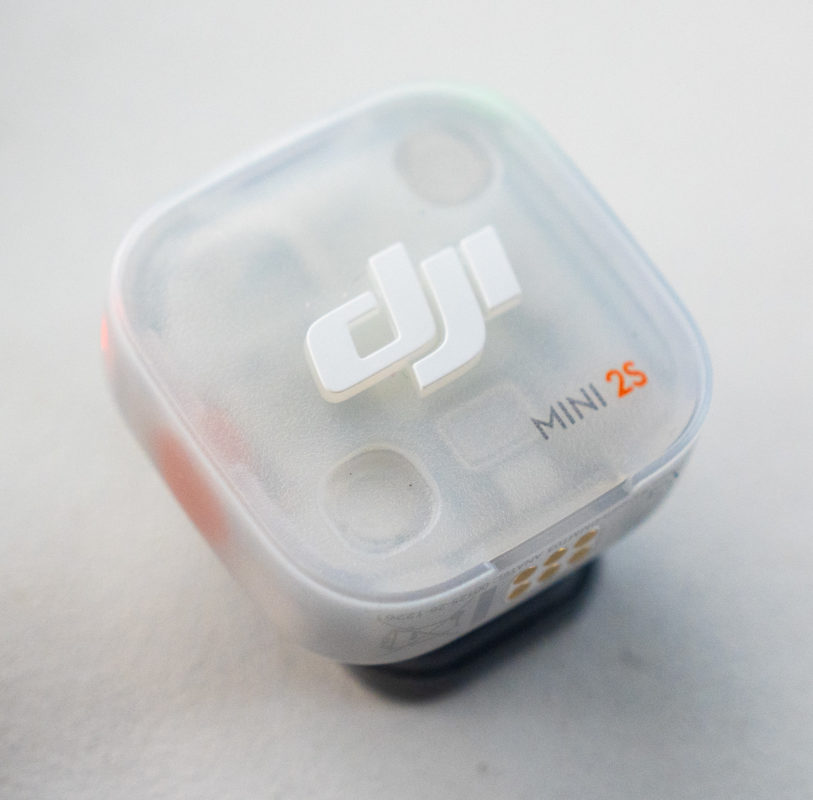
The new entry to the group is the Mic Mini 2S, on review here. At a glance, it’s like a blend between the 32-bit float, integrated storage and four-transmitter support of the Mic 3, and the size and configurability of the Mic Mini 2, but there are a few more differences. Let’s dive in.
Mobile and Camera Kits
There are two kits available here, larger and smaller:
- Smaller mobile kit: DJI Mic Series Mobile Receiver (smaller, USB-C plug integrated) with one transmitter, for solo phone shooters
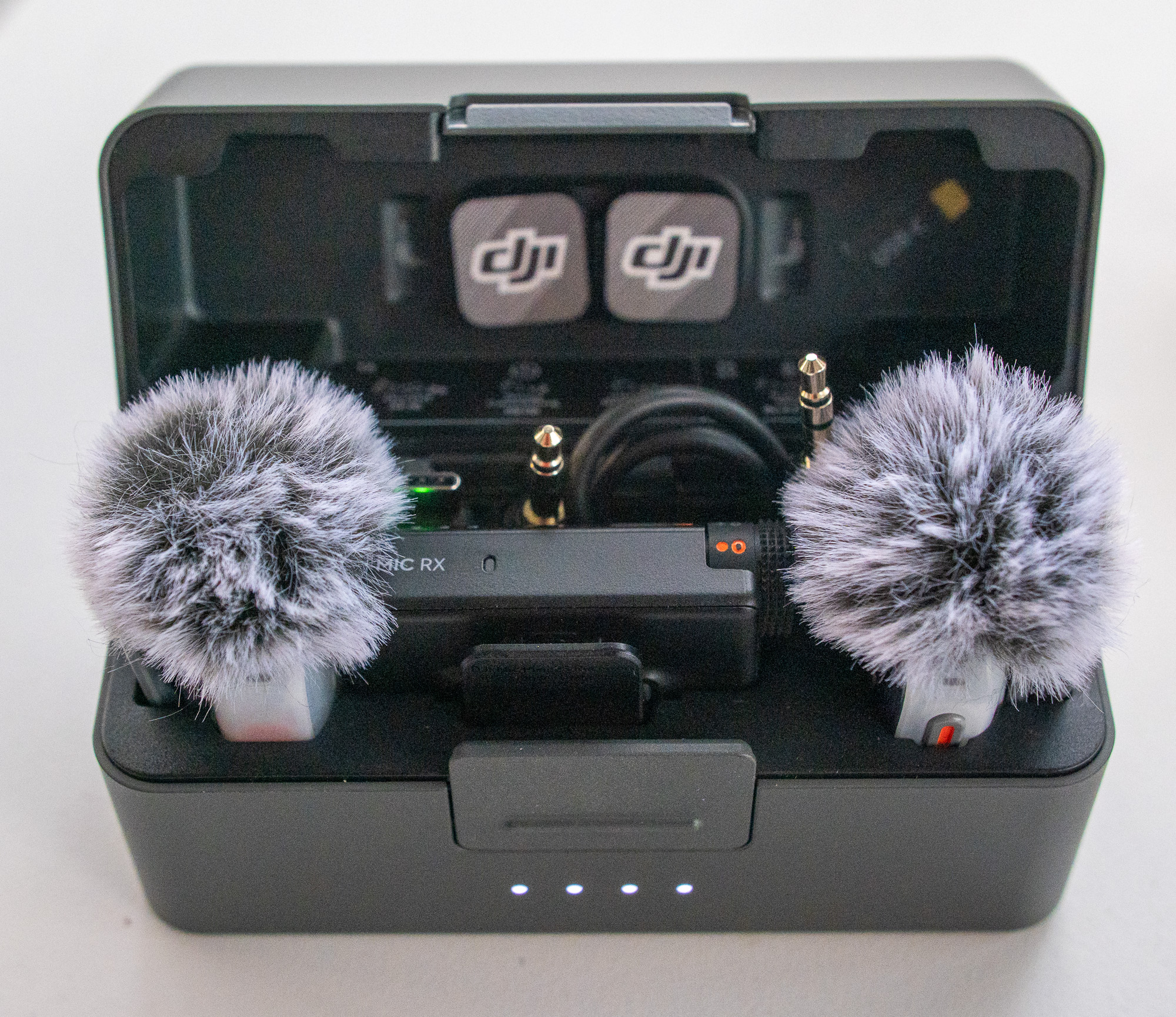
- Larger camera kit: Mic Mini 2S Receiver (larger, USB-C/minijack-capable) with two transmitters, for interviews with any kind of camera
I’d recommend the larger kit for several reasons, starting with the obvious one: you can use it with any camera with a minijack. Sony shooters can pick up an adapter to fit the hot shoe, which is great, but minijacks are universal.
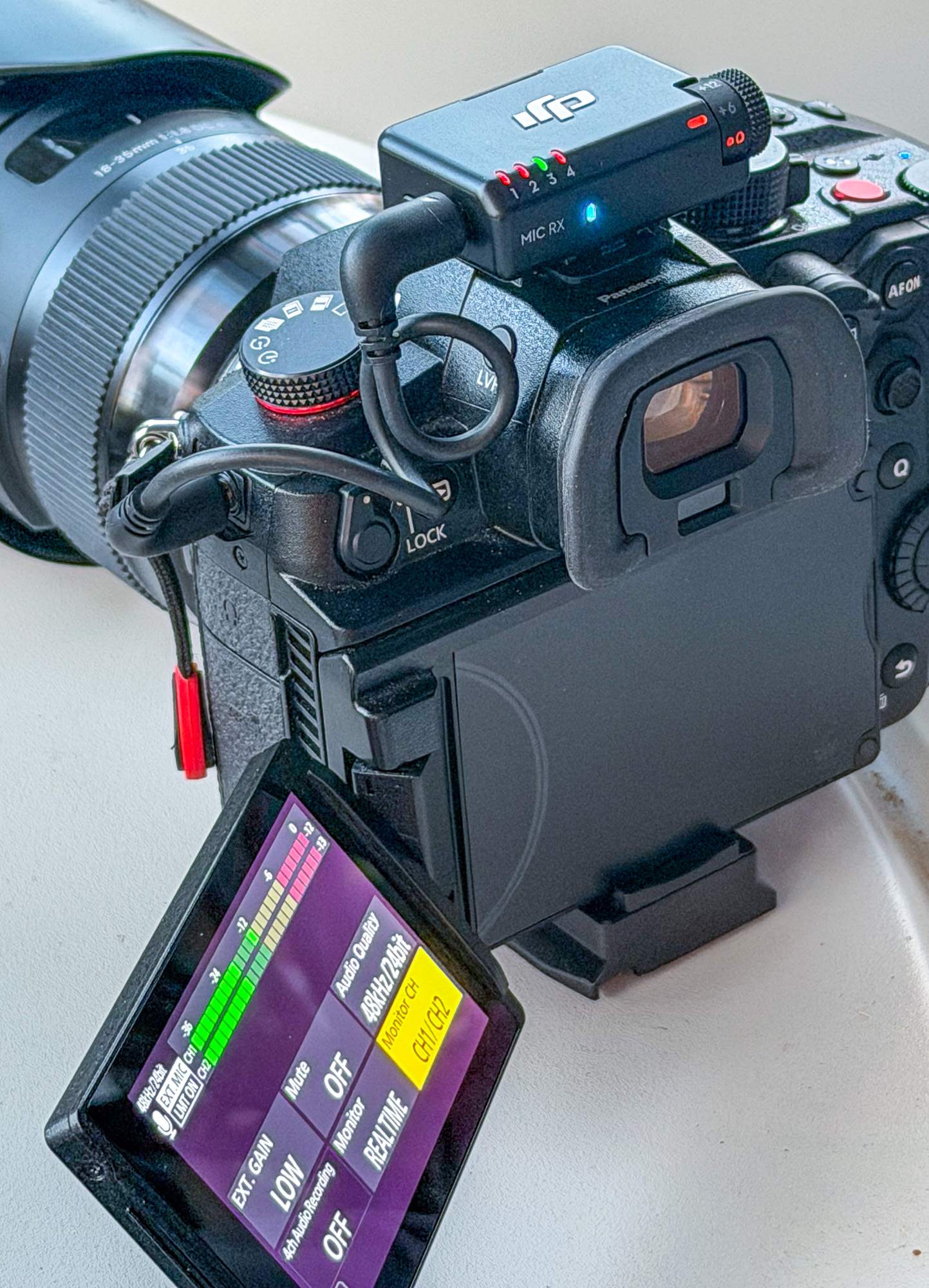
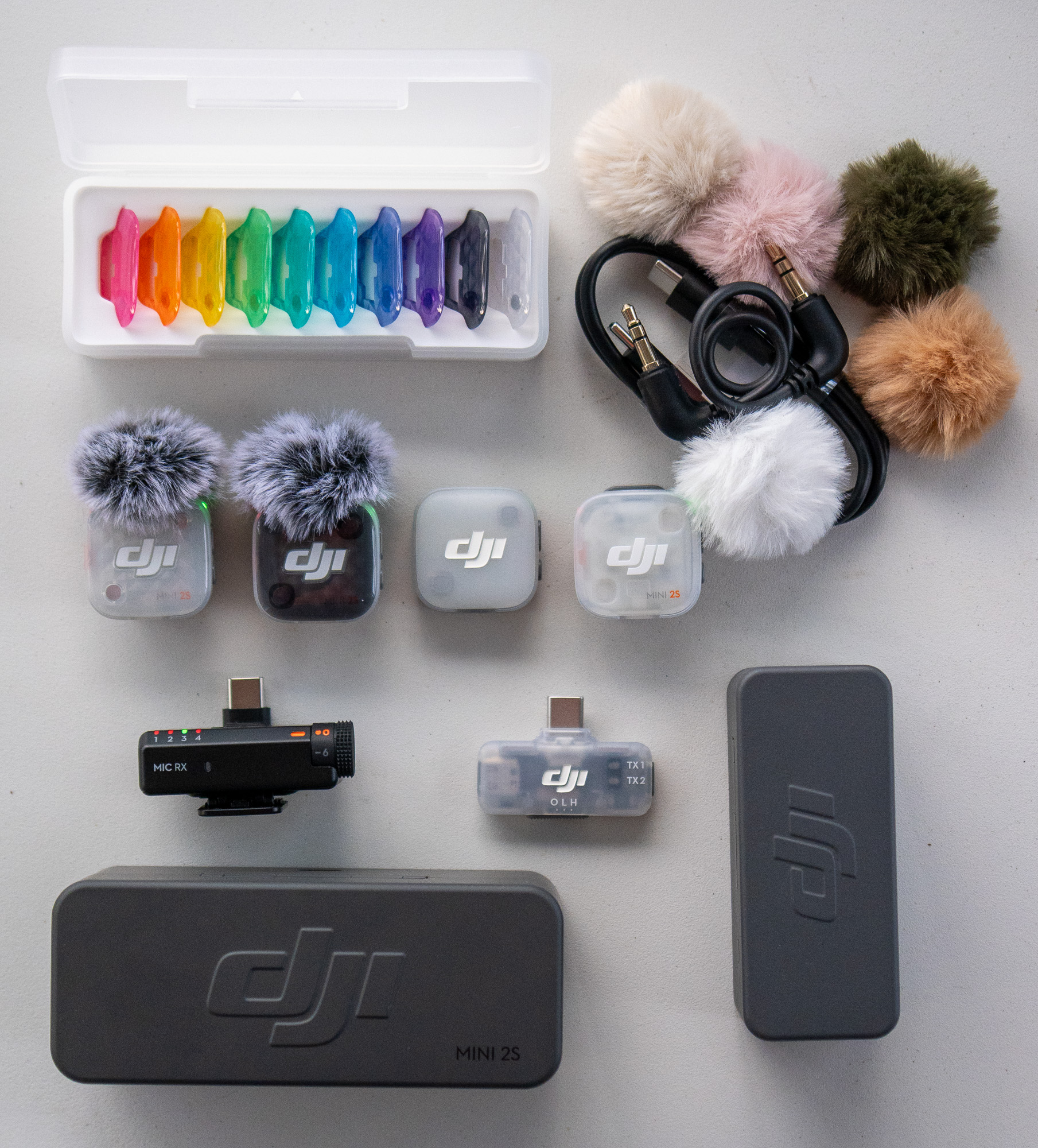
USB-C is great for phones or other smaller cameras, but the larger receiver also works with phones and isn’t much larger than the smaller receiver. Unless you only ever plan to shoot with a phone (and never plan to record a conversation between two people) go for the larger kit. To sweeten the deal, the larger case is tall enough to let you keep the fluffy wind protectors on the mics while in the case.
Receiver differences
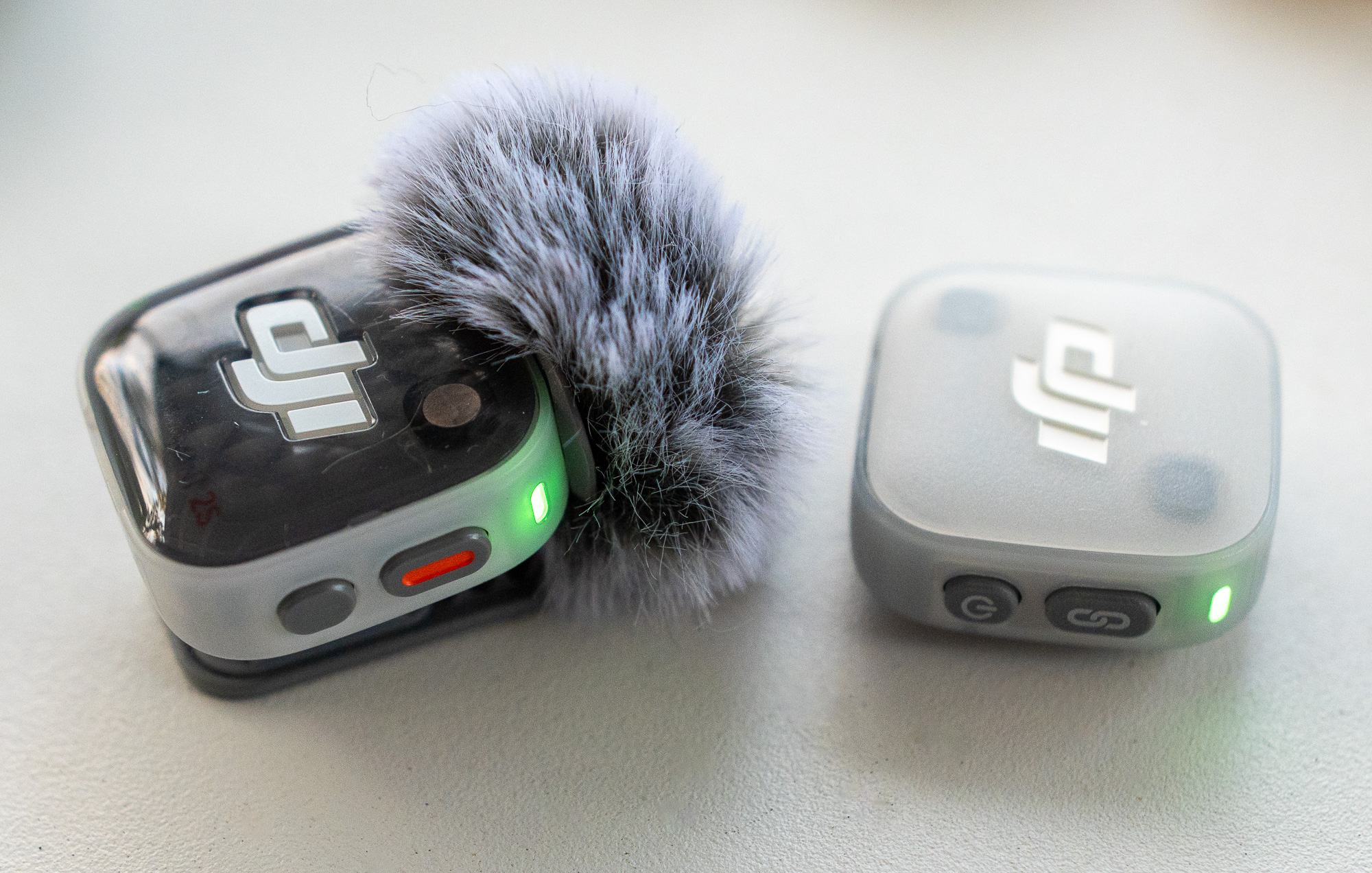
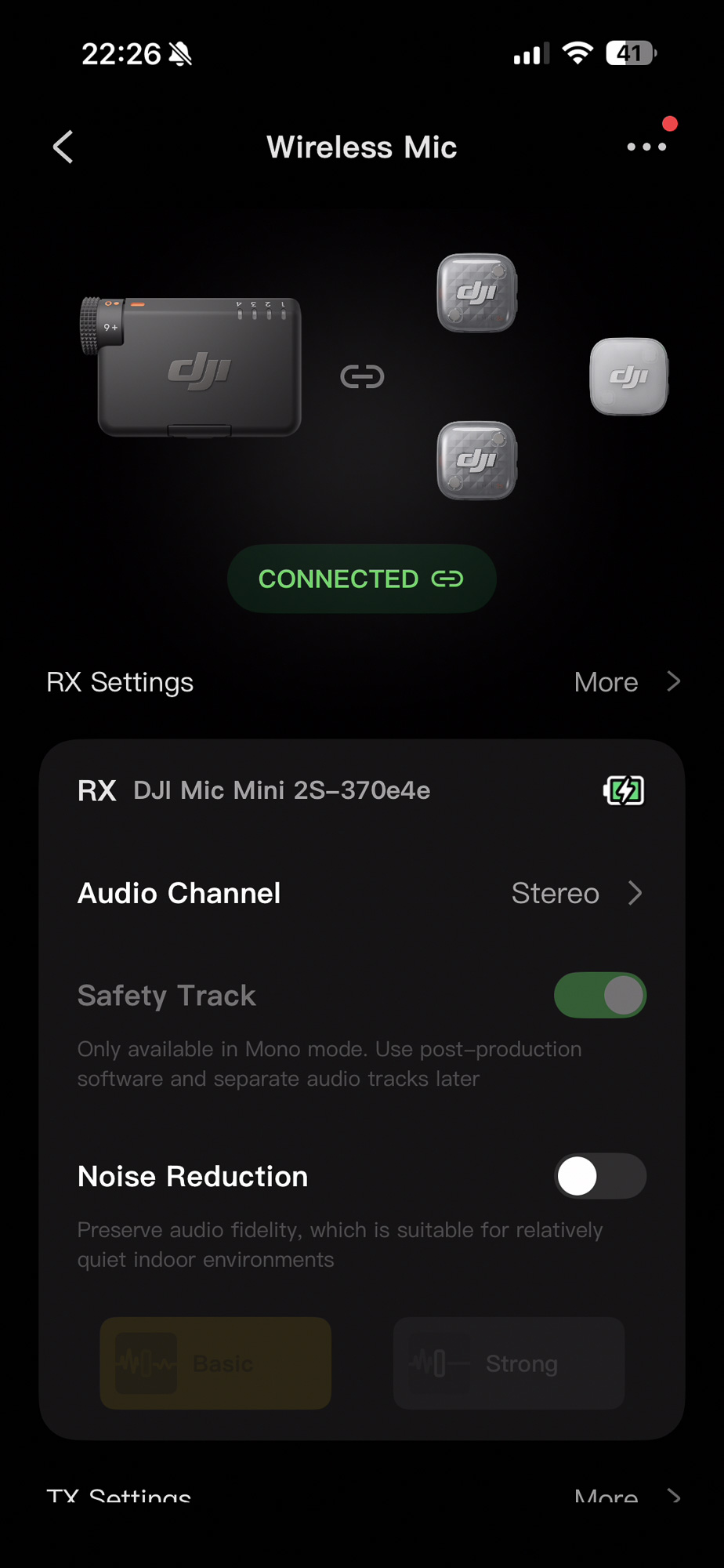
The Mic Mini 2S Receiver in the larger kit is a blend of old and new. It has lights to indicate up to four mics are connected at once, but no screen at all. There’s a small dial to control gain (-12, -6, 0, +6, +12) but only buttons for power and pairing otherwise. A USB-C plug can be connected through pins on the bottom of the receiver (and left there) but you can also connect a cable to a separate USB-C socket.
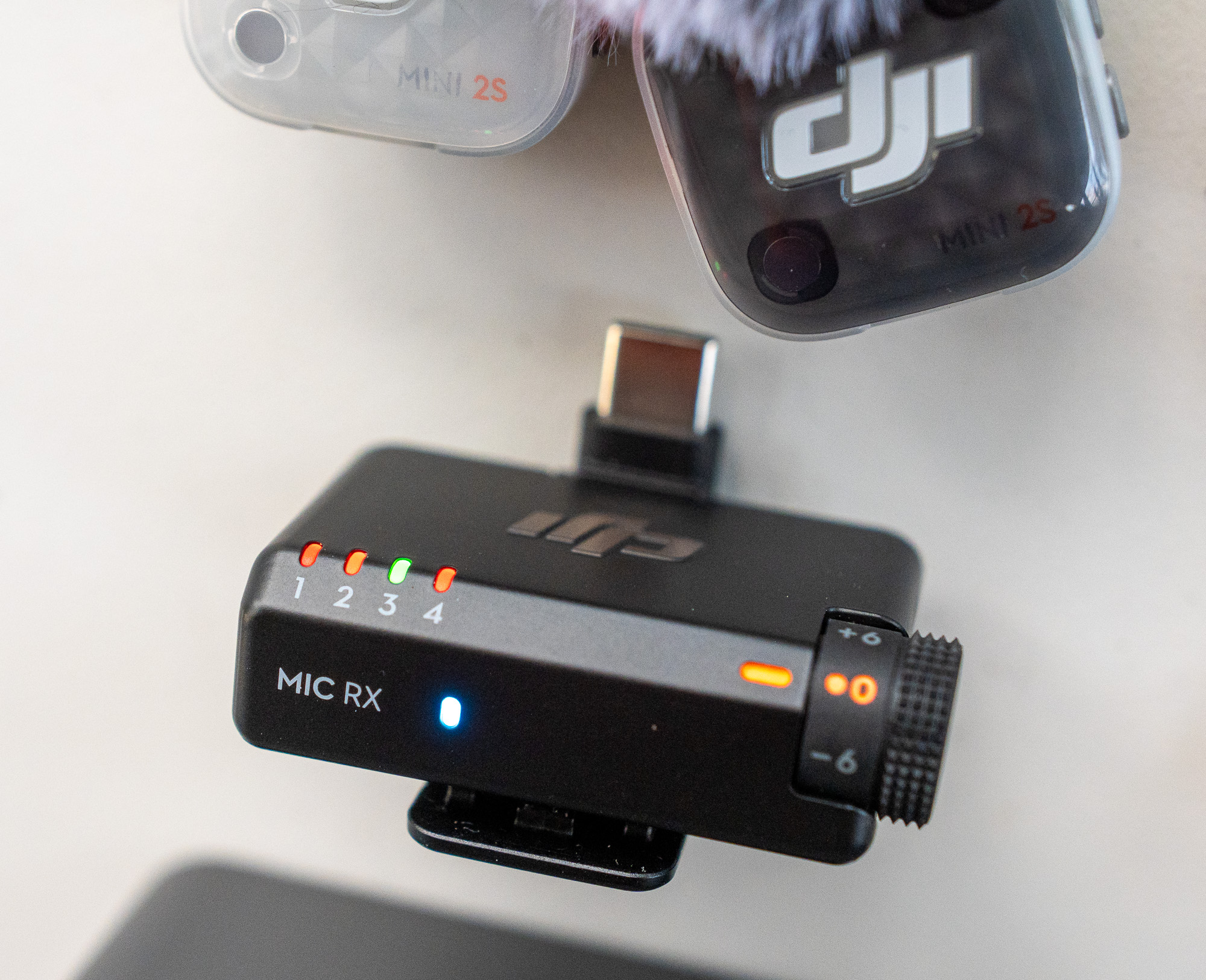
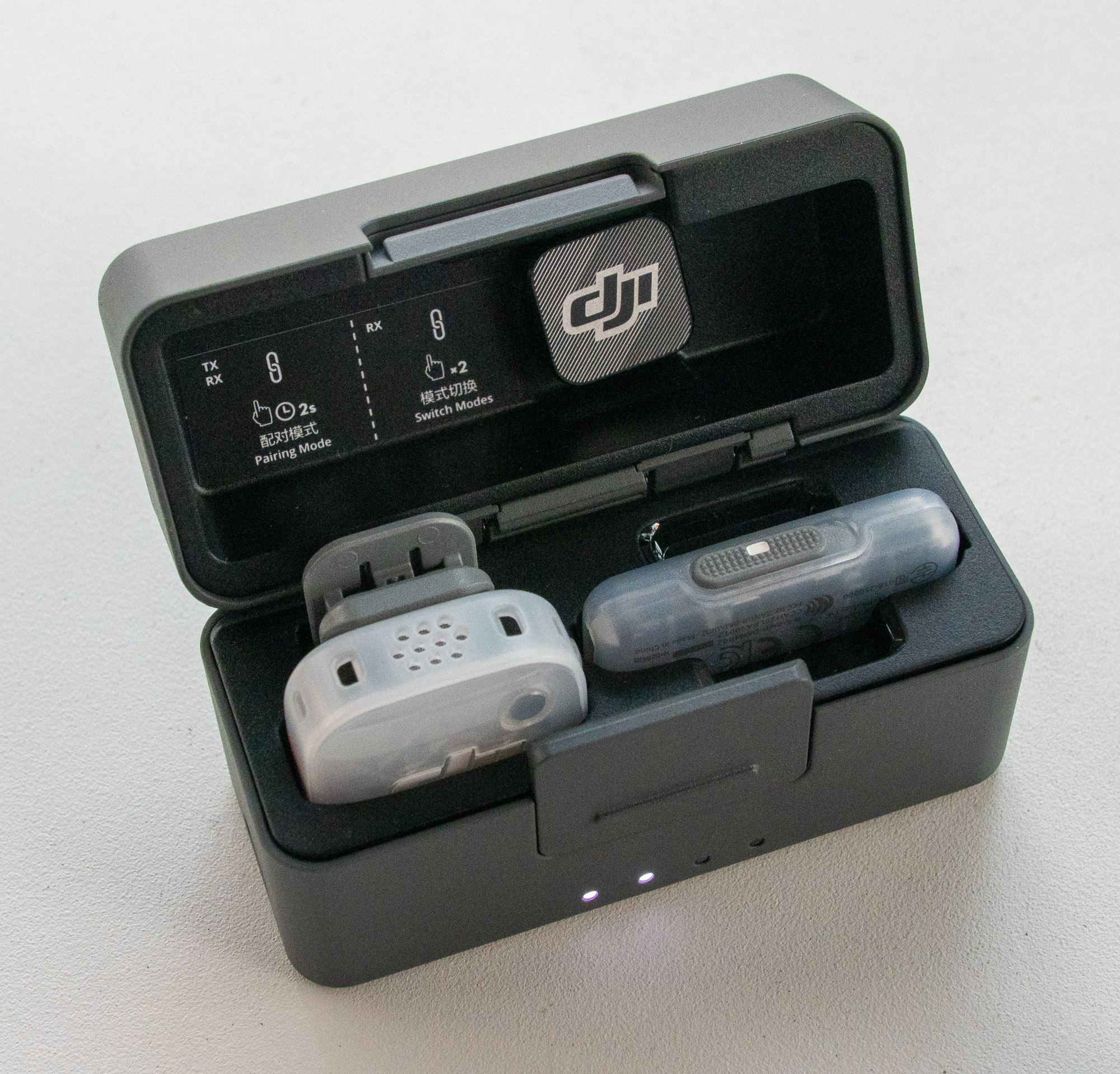
Note that it’s possible to control noise reduction by pressing the power button on the transmitters, but if you disable that feature, to stop your subjects accidentally changing noise reduction, you’ll need to connect to a phone to tweak the settings.
To suit a quicker workflow, the DJI Mic Series Mobile Receiver does include a simple noise reduction slider that’s not present on the larger receiver. While I’d rather control this in post production anyway, for those who work quickly and don’t (or can’t) process the audio in post, this is a swift way to adapt to a noisy environment. Here’s a sample recording of all three modes, recorded directly into the Osmo Pocket 4P with the mobile receiver. (Though you don’t need to use this receiver with the Pocket 4P, it provides an easy way to control noise reduction.)
To my ears, the low noise reduction setting didn’t make me sound any worse, and reduced background noise without eliminating it. Here’s a sample:
High noise reduction started to make me sound a little more processed, though it killed the background noise almost completely. Since the Voice Isolation feature of Final Cut Pro (or Resolve) works well, noise reduction is not a feature that I need or want built into a mic, but for mobile creators editing and posting quickly, I get it.
Note that the mobile receiver has two modes: green and blue LEDs. Green supports all mini transmitters in the DJI range and has a 300 meter range, while Blue adds Mic 2 and Mic 3 support but cuts the range to 200 meters. The larger Mic Mini 2S Receiver supports all the mics with a claimed 400 meter range, which is just huge.
If you wish, these receivers can be used with the Pocket 4 and Pocket 4P, as well as with other DJI cameras like the Osmo — though you don’t need to use the receivers if you only need one or two mics. Using the receiver lets you link up to four, but since external mic recordings on these cameras are limited to two tracks, more than one mic can show up on a channel (e.g. Mic 1+3 on L and Mic 2 on R). You’ll need to switch in the original separate files from the mics in post for full flexibility.
One sneaky detail is that the transmitters provided with the Pocket kits don’t include built-in storage, so be sure to use the right mics if you want 32-bit float and fully separated recordings.
Settings and recordings
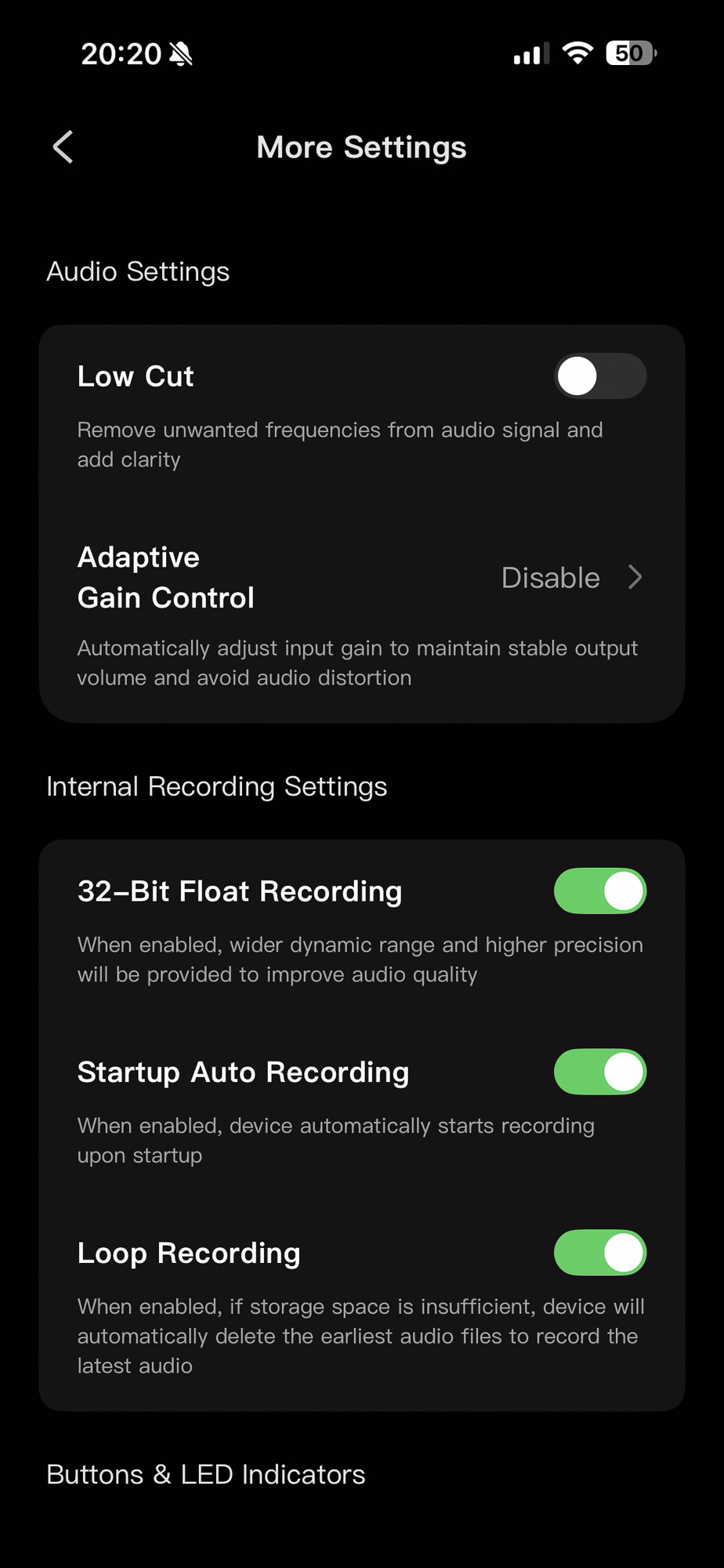
Of course, for best quality, be sure to enable 32-bit float in the settings. This lets you record at a relatively low volume level, allowing headroom to avoid clipping unexpectedly loud sounds. But because there’s so much dynamic range in the signal, you won’t be amplifying hiss when you raise the volume to a regular level. You’ll still find support for automatic gain control or clipping control (both can be turned off) which could be useful if you don’t need to play with the audio too much, and plan to use the integrated recording.
If you do need to play with the audio, remember that few cameras are able to record 32-bit float directly, and those that can (Sony, Lumix) usually require an XLR adapter to do it. Since you’re not getting 32-bit float out of a minijack or a compressed AAC integrated audio track, the best way to get those original recordings onto your computer is to pop the mics in the case and connect the case itself to your computer. Both mics will show up as drives, allowing direct access to date-and-time-stamped WAV files, and the transfer speed is up to 34MB/s, approximately 2x faster than Mic 3.
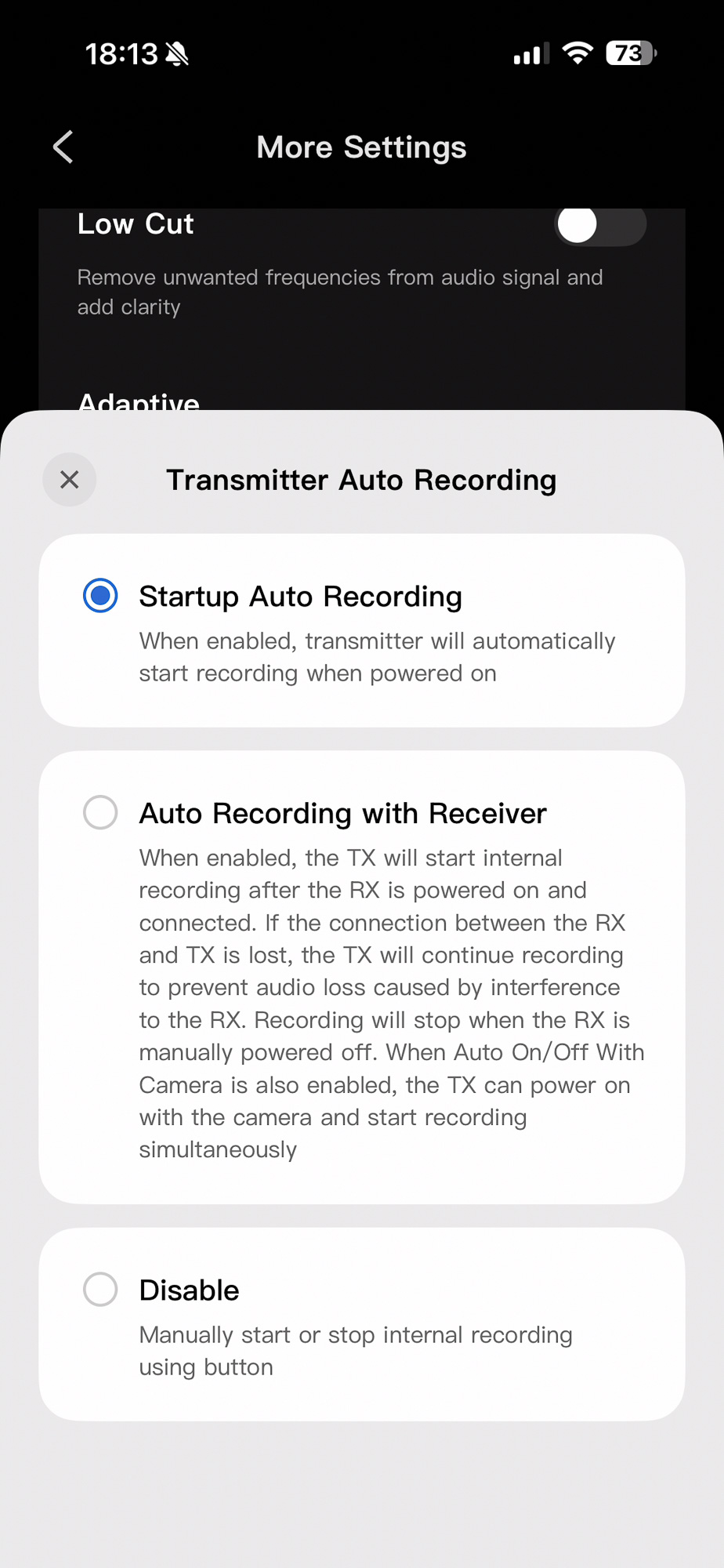
Each Mic Mini 2S transmitter includes 14.5GB internal storage, allowing for 22hrs of 32-bit float or 28hrs of 24-bit float recording, and that should be plenty. For safety, I’d recommend turning on one of the automatic recording features (either tied to the receiver or simply when the mics become active) and turning off the ability to engage or disengage recording by pressing the button on the mics themselves. While that could be convenient for some, I can imagine interview subjects accidentally turning off recording quite easily while handling the mics.
Audio quality
I’ve listened to a lot of recordings from these tiny mics, and they all produce good enough sound for many jobs. Yes, I realize that’s hardly a technical assessment, but for the online-focused market, it simply doesn’t matter. Quality has improved hugely, and the baseline is now high enough that no matter which one you pick, few people are going to complain that the audio is bad. Here’s a sample of the Mic Mini 2S:
While I’d say that the RØDE Wireless Pro has an edge in audio quality (a little richer and more detailed) it’s a much larger, heavier mic. Listen for yourself:
Yes, I can pick the difference between these and other mics in a controlled listening test, but either mic would work well for most videos targeting YouTube or other online platforms.
The built-in noise reduction isn’t bad at all, but if you’re going to apply any kind of noise reduction or audio processing during the edit (which you probably are) then I’d leave it turned off.
With these and most other mics, positioning the mic is the most important factor in audio quality. Usability matters, and if the size and weight of the DJI mics means you can place them closer to someone’s mouth and keep them there, that could compensate for a slight quality difference. Thanks to 32-bit float, it’s also not going to clip.
Is this the right mic for you?
Although these are the latest, in some ways they’re not the greatest mics DJI make. If you want to plug in a wired lavalier mic, you’ll need the Mic 2 or the original Mic. I need to plug in an output from a mixing desk fairly regularly, and if you need to be able to do that too, neither the Mic Mini 2S nor the Mic 3 will suit. Timecode is also not present on the Mic Mini 2S — head to the Mic 3 for that.
The Mic 3 is also a better choice if you need quick access to controls in the field — a screen really does make a difference to usability.
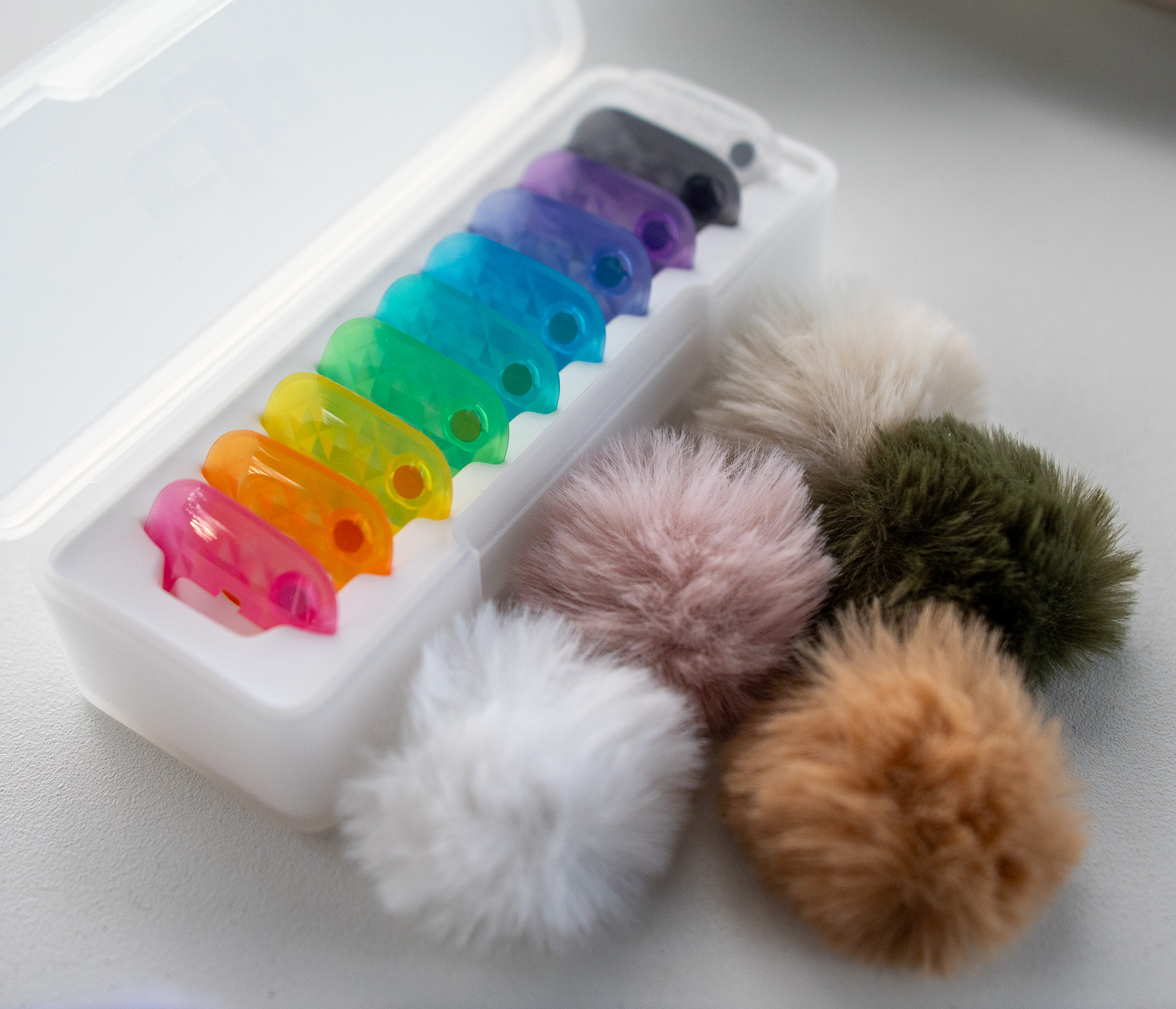
For general interview tasks, these mini mics are incredibly light and convenient. The range of colored magnetic plates and the range of colored fluffy windscreens will make some people very happy, and is genuinely helpful. If you prefer your mics to be out and proud, the choices on offer here will bring welcome variety.
Usually, if a subject is at all reluctant to speak on camera, I try to avoid running a wired cable under their clothes, as it’s likely to make a nervous subject feel even more so. If showing a small mic is OK for the videos you’re making, the very light weight and integrated magnets make it easy for a subject to attach their own mic in a great spot, no matter what they’re wearing.
How to attach it? Clip-on mics work well for many types of clothes, but sometimes you can’t find a great spot, and clothes rubbing against a mic can become problematic. If you do go for a magnet-only attachment rather than a clip (both are included) just be sure that the mic doesn’t spin around 180°. All these mics are omnidirectional, but you’ll still get better results if you’re facing someone’s mouth.
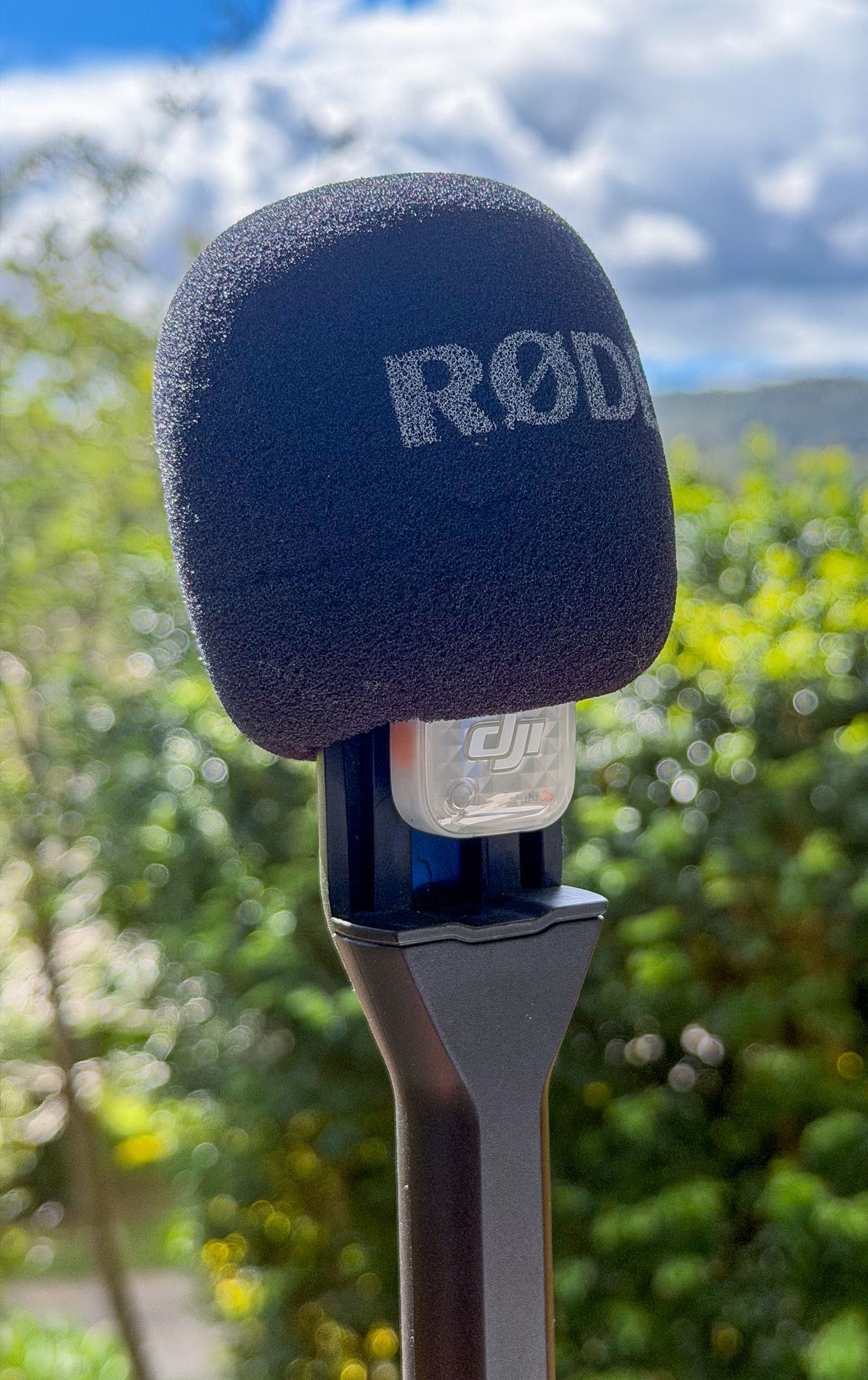
As you’d expect, placing these mics under heavy clothes will produce muffled audio — they really do perform with a straight line of air between them and someone’s mouth. That said, the clip with these mics is hotshoe-friendly (like the clip on the RØDE mics) so you can mount them in a RØDE handheld plastic mic handle if you wish, with good results.
Conclusion
While I’ll still use my RØDE Wireless Pro mics for plugging in receivers to mixing desks, the ease of use of the Mic 2S goes a long, long way. In some contexts, a really light mic that’s easy to set up lets you get the shot more quickly — and that’s really helpful. If you’re wearing a mic yourself, this one is light enough that you’re likely to forget about it.
Finally, the ability to link up to four mics to a single receiver can be priceless. From time to time, I’ve found myself in a situation where I need to capture audio from three or four people, but I’m completely unable to hook into the handheld or lectern mics in the room. Next time it happens, rather than bringing my own mixing desk, these will absolutely be the mics I’d reach for.
Tax-exclusive price in UK and Europe for the kits I’ve seen:
-
DJI Mic Mini 2S (2 TX + 1 RX + Charging Case): £169 GBP and €189
-
DJI Mic Mini 2S (1 TX + 1 Mobile RX + Charging Case): £79 GBP and €99
There’s also a kit available without a case — but the case is worthwhile:
-
DJI Mic Mini 2S (1 TX + 1 RX): £79 GBP and €99
If you’re able to get a set of these mics — new DJI products still aren’t available in the US — then it could be a solid addition to your kit.