


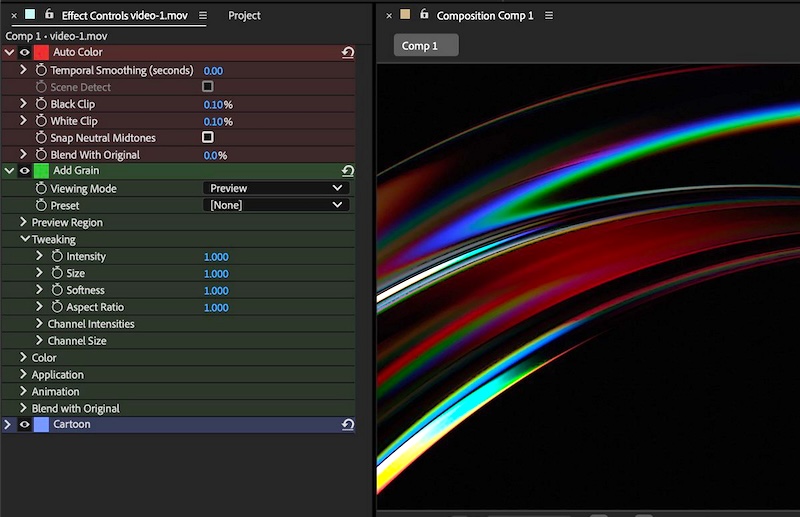


With various Fixed issues and Known issues, the September 2026 release (version 26.5) included:
- New guides functionality in After Effects
- Disk Caching for Object Matte
- Color labels for effects
- Effect Controls panel modernization
- Frame.io V4 panel
- ACES 2.0 Support in After Effects
The beta app was last updated on Sep 30, 2026; see Announcements for community feedback. Top features in beta include:
- After Effects AI Assistant
- Stylize footage with Contour Paint effect
- Use layers as material sources
- Apply materials to 3D text and shapes
- Duplicate layers using Alt/Option-drag
- Change anchor point in a more efficient way
- Editable text from Illustrator layers
- Reduce sibilance with De-esser effect
- After Effects Guides Update: A Practical Guide to Responsive Layouts
Last month there was an Important Notice: End of Support for Intel-Based Macs in Upcoming v27 Releases.
Lines To Designs asks Is the After Effects 26.5 Update Worth It?

SternFX discussed how to Turn ANY Layer into a 3D Material in After Effects. flomotion also looked at NEW After Effects 3D Features You Need to Try!


Plainly looks at Expressions, Scripts, Generative AI, and After Effects MCP in 4 Ways to Use AI in Adobe After Effects. See also the follow-up, Control Adobe After Effects with AI (After Effects MCP).
Maxon explained MCP, or Model Context Protocol, as a way for AI applications to connect to other software and use that software’s capabilities.


Jake In Motion is exploring all manner of things in the AE-AI axis. In Higgsfield AI Motion Designer: I Tested the Claims, Jake asks “Is this the end of the road for motion designers? Are we cooked? @HiggsfieldAI claims to have ‘solved’ motion design by combining their own After Effects plug-in with the power of GPT 6 Astra to fully automate the process of creating professional motion graphics. Jake clarifies how Higgsfield’s “AI Motion Designer” actually works and shares his unfiltered results.

Jake In Motion discussed a new plug-in with its creators in X-Ray Plugin Talk, with Motion by Nick & PluginPlay. Also, After Effects Tutorials w/ Mikey discussed his own plug-in development work in Prometheus and a new free plugin, Modal Contrast.


After Effects Tutorials w/ Mikey shares his New Free Plugin – Quick Cover Pro – for After Effects, for quick replacements and blending in layers.

There’s a ton of AE tools being released, and yes tool extension is probably the key to AE’s survival. School of Motion showed Three NEW After Effects Plug-ins a few weeks ago: Putty (a better mesh warp), Sumi Ink, and Entropy particles.

Caddis 1.1.0 is was released, extending the power of the fledgling AE competitor. Caddis 1.1.0 — Particles, Layouts, Loops & More is a quick look at the new tools for building motion graphics with a timeline and node graph. The update includes:
- a full particle system with forces, trails, flocking, and GPU-rendered sprites
- Animated grid layouts with the new Layout node;
- Loop, For Each, Switch, and Solver for repetition and frame-to-frame feedback;
- Cryptomatte support for mattes from your 3D renders;
- a rewritten Lens Blur, plus Measure, Twist, and Field Gradient
- New AI models, per-model settings, and live generation costs
- Layer locking, responsive toolbars, and timeline zoom that follows the playhead

In How I Make Viral Map Animations with No Editing, aiTrends says that “you don’t need years of After Effects experience. Claude AI can help automate the entire production process and turn a simple geography topic into a polished animated video.” But you still will need After Effects.

Ben Marriott collected and linked The Best Motion Design & Animation of 2026 (So Far…), and no AI in anything shown.
SonduckFilm speed runs some Top 25 After Effects Motion Graphic Tricks You Should Know!

Kyler Holland looked at main features in What’s NEW in Premiere Pro 26.5? — Generative Media, Paper Edit, new creative effects, and more.

Photoshop has some fun newer features too. PHLEARN shared Photoshop’s New Enhance Edge Tool (Worth the Credits?) and compares a free method using a clipping mask and the Brush tool. Yes, some features require AI cloud credits, that is metered use.
PiXimperfect covered the same feature but has a different alternative (Decontaminate Colors) in Did Photoshop Finally Solve Hair Masking? Insane New Feature!


PiXimperfect also posted Photoshop’s New Blemish Removal is GENIUS: Explained. If you don’t want to wait for a possible AE version of this feature, check out the new version of Digital Anarchy Beauty Box.

