



With various Fixed issues and Known issues, the June 2026 release (version 26.3) included:
- Create and use Depth of Field in the Advanced 3D renderer
- Copy and paste Illustrator and SVG content
- Updated Mask Tracker
- Copy a frame to the clipboard
- Curl Noise effect for swirling animated 2D patterns
- Quickly Find Variable Fonts by Axis
There’s some activity in the beta app. Top features in beta include:
- Duplicate layers using Alt/Option-drag
- Change anchor point in a more efficient way
- Effect Controls panel modernization
- Color labels for effects
- Frame.io V4 panel
- New guides functionality in After Effects
- Disk Caching for Object Matte
- After Effects Guides Update: A Practical Guide to Responsive Layouts
- Modernized Effect Controls Panel
There was an Important Notice: End of Support for Intel-Based Macs in Upcoming v27 Releases.
Adobe is adding their AI Assistant to After Effects, the AI Assistant which is already in the Premiere Beta (see Scott Simmons’ breakdown with links). It’s an invitation-only for now but should be available in the Public Beta for conference demo. Seems like a brave new world!
Justin Serran says: “I asked it to animate this ball bounce in plain language. About 40 seconds later it had built the physics with keyframes, no expressions. Then I asked for wobble and rotation in the same thread, and it tied the values to manual sliders on its own. It also handles the boring stuff: renaming layers, labelling, and sorting footage into folders.”


If it’s that time for a quick review, Academy Class shared After Effects keyboard shortcuts: the complete cheat sheet (2026). With the rise of AI assistants, keyboard shortcuts may seem quaint in a few years.


Motion by Nick (Nick Greenawalt) presents The Most Important Technique in After Effects (Essential Graphics), where you can learn how to use essential graphics and vibe coding to create his favorite technique, complex templates all at once.

Ben Marriott says I Animated My Dream Project! Since animating the intro to a podcast is the most important thing an animator can do, Ben shares tips for timing animation projects using an animatic, and how to enhance designs with simple effects and techniques.

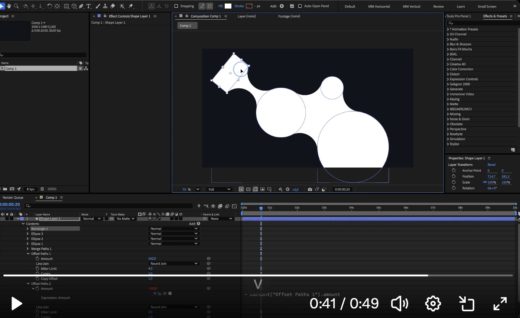
There’s an amazing number of useful quick tips on social media. Here’s an example, metaballs by hand in AE, from an AE toolmaker:
a friendly reminder on how we can create metaballs in After Effects using shapes only https://t.co/sFnp0iln0o pic.twitter.com/onXu8NYOEI
— Denys Bondartsov 🇺🇦 (@ZimOby) July 8, 2026

School of Motion mentioned Matter AE, an inexpensive physics tool panel for After Effects with a limited free mode. The Video Shop has more in After Effects Finally Has FREE Physics.


Kyler Holland shows Premiere Pro’s new built-in RGB Split effect in NEW RGB Split Effect in Premiere Pro.

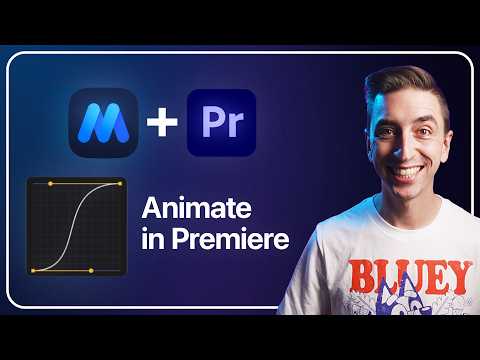
Jake In Motion says that You Can Now Animate in Premiere, although Premiere is now about as capable as After Effects 4.0. He’s selling a new solution to smooth the rough edges.
Motion State is his new GPU-accelerated Premiere plug-in and extension for animating directly inside Premiere without keyframes. It lets you animate clips between two states with controls for position, scale, rotation, crop, frame, stroke, shadow, easing, and more — without round-tripping to After Effects. It also includes a companion panel for browsing the 105 bundled presets, previewing motion styles, applying animations quickly, saving your own presets, organizing favorites, and speeding up the whole workflow.
Juan Maguid released VKO Shaders for After Effects Plug-in, the VKO1 shader engine, rebuilt as a native After Effects effect. Sixty GPU shaders, a live thumbnail browser, and drop-in custom GLSL — every control keyframable. It renders on the GPU, animates on the comp clock, and reacts to your composition’s audio, and works with or without sound.

School of Motion mentioned 4 new AE tools in their latest coverage. Among the 4 was Citron, “the graph editor After Effects never got.”
Mentioned also was Mograph Effector 2.0 from neurontx. This is a MoGraph module for After Effects — cloners, effectors, and fully procedural animation across hundreds of layers, with zero keyframes. Stephen Zammit explain his new tool in This Was Impossible In After Effects…, which helps automate some of his complicated tutorials of the last few years.


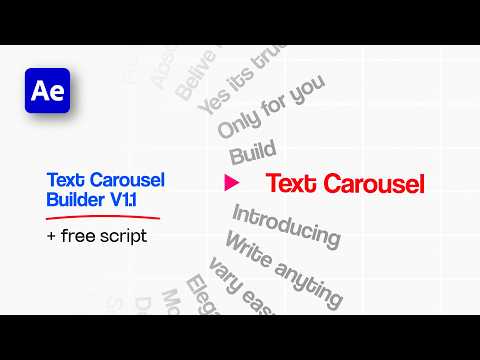
In Text Carousel Builder | After Effects Tutorial + FREE Script, sheikh sohel shows his Text Carousel Animation in After Effects using expressions, and shares his free script.

PVC’s Jeff Greenberg has general advice in The rise of the independent AI-assisted developer Tools: warnings and considerations. TL;DR: “Anyone can build software now, and plenty of people want to sell you theirs. Before you trust an AI-built tool in real client work, run it through five questions, assess your risk and comfort.”
Higgsfield AI has an Adobe Plug-in, and there are plenty of people talking about it. flomotion takes a look in AI Just Moved Into After Effects – Higgsfield Adobe Plugin. And Zubair Trabzada | AI Workshop has his take in Claude Is Now Inside After Effects and It’s Unreal.
For the downsides, see Higgsfield AI plugin for Adobe After Effects (Honest Review), by Plainly.


ProjectileObjects shared Which Live Visuals Software Should You Buy? (Resolume, TouchDesigner, MadMapper, VDMX), a breakdown of the “Big Four” live performance apps: Resolume, VDMX, MadMapper, and TouchDesigner. He covers the pros and cons, the hidden costs, and the specific workflows for VJing, projection mapping, and laser shows.

Long ago there was interest on the AE team in generative art, which may have even appeared in a now gone variations feature. Okamirufu Vizualizer looked at this from one perspective What is Generative Art: TouchDesigner’s Role in Art, Algorithms, and Creative Systems Explained.

Curious Refuge looked at NEW AI Film Tools: The Biggest Updates for Artists, with an explanation and links page. There’s a broader more recent summary video from Matt Wolfe.

Jack Vs. AI shared How a Pro VFX Artist Mixes Real Footage with AI (FREE Prompts & Materials).
▸ How to plan and shoot footage that gives AI the best chance of nailing the effect
▸ Using anchor references to stop Seedance 2.0 deviating from your performance
▸ Building prompts with a custom Claude skill (works in any LLM)
▸ In-camera effects
▸ Full environment, lighting and costume swaps
▸ Creating custom assets and integrating them into your shots

~