


Coming so soon after the Osmo Pocket 4, what’s new with the DJI Osmo Pocket 4P? In this review, let’s dig into everything that’s different, skipping over the similarities like the built-in storage and basic build. These two cameras are relatively similar: they’re both stable, tiny gimbal cameras that produce a decent image, and that are hard to get in the US.
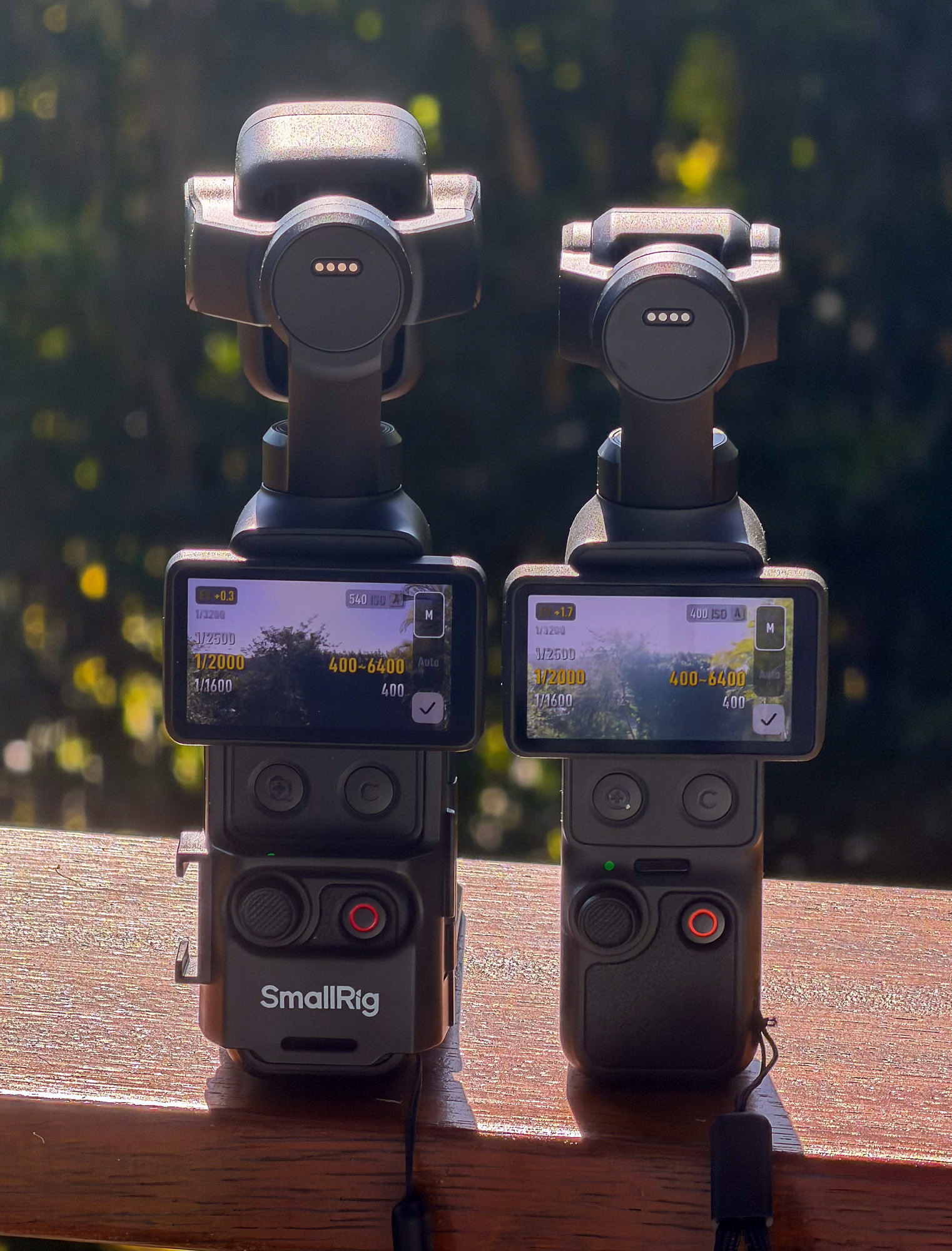
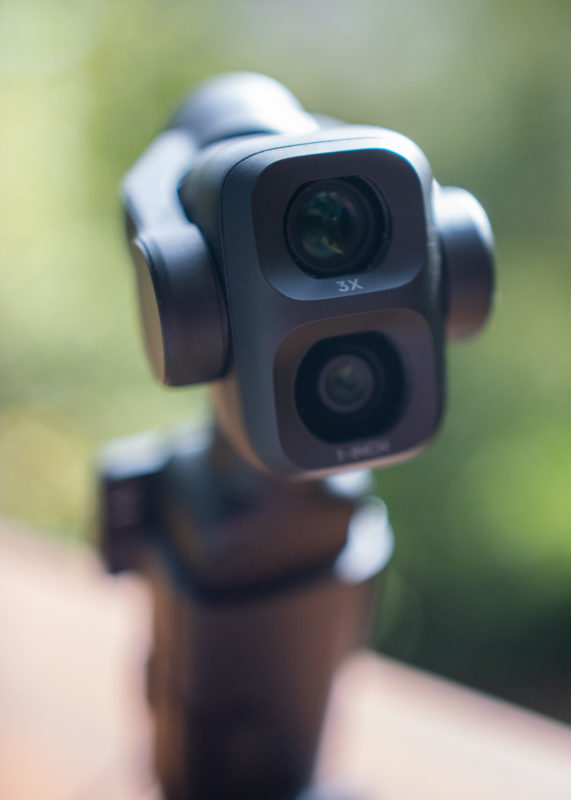
The bigger, obvious difference between the two is that the Pocket 4P has two lenses where the Pocket 4 has just one. The more subtle differences are potentially just as important, not least of which is the fast-charging speed when paired with higher-spec chargers and power banks. In the field, this is very useful indeed, and I was able to record for over an hour, plugged in, without overheating.
To be clear: this is a good camera, and of the current batch of similar cameras, it’s the one I’d buy. Though I’ve got a few quibbles, it’s easy enough to work around the shortcomings and I’ve used this on real jobs with great results. For professionals with other cameras who cover events, this camera is a potential winner as an additional angle, but it’s also a good option for many shooters at all levels.
It’s a long article, because there’s quite a lot to say — let’s start with the new zoom.
New 3x Zoom brings variety to your shots
The Pocket 4P’s flagship new feature is the dual lens setup, compared to the Pocket 4’s single lens setup. The Pocket 4’s oversized sensor does allow a crop in to 2x, but past that, the image becomes softer. As the Pocket 4P includes a 1x lens and a 3x lens, there’s a lot more flexibility here, and it’s easy to reframe.
Transitioning between the lenses is easiest if you press or double press the dedicated zoom button, which will switch you quickly between 1x, 3x and 6x, and this is the best way to use the camera. Smooth zooming is still possible, as you can toggle the joystick to control zoom instead of tilt, or hold down the zoom button to gently move in, but it’s not something I’d do in the middle of a shot. Note that the different lens positions produce a slight jump between lenses when transitioning to or from 3x.
If you want the best quality, think of this setup as a set of 2 or 3 primes. Oversampling does give better quality and lower noise, so for the best quality, stay at 1x and 3x when you can, but 2x and 6x are completely usable when there’s enough light. One criticism of the Pocket 4 that I saw online was regarding noise in the shadows at 2x in Log — and yes, in dark conditions, noise can be visible on the 4. It’s cleaner on the Pocket 4P.
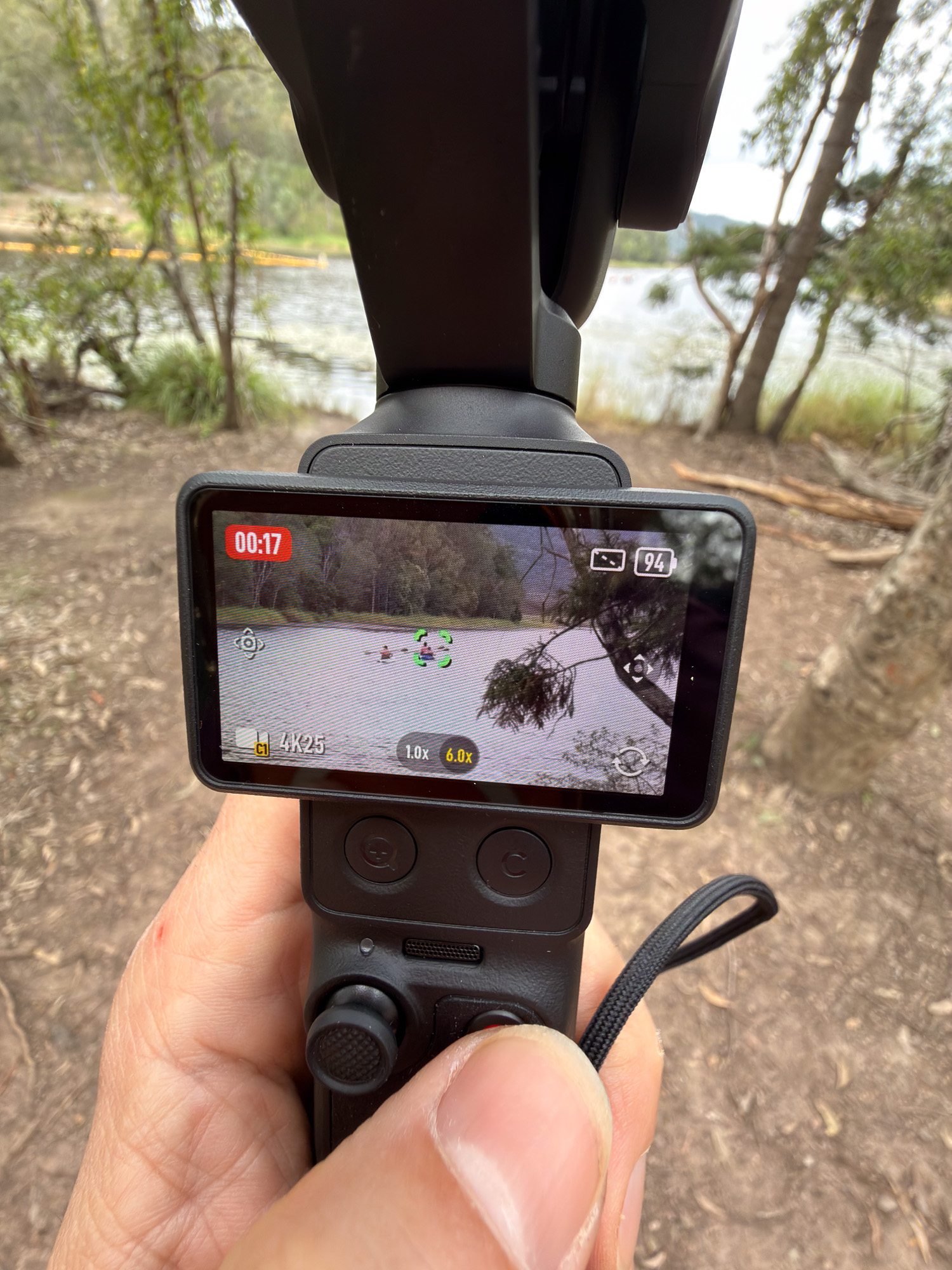
What’s really surprising about the Pocket 4P is just how well it can lock onto a subject at 6x or even at 12x zoom. The combination of gimbal stabilization and digital crop stabilization really is excellent. When you add in tracking, suddenly you can lock onto a person across the room and stay firmly on them; it’s impressive.
The 3x lens (60mm equivalent) gives decent background separation, and if you’re far enough away from a subject (say, a human head filling most of the screen) then it’ll be super stable even while hand-held. If you’re really close to a subject, as with any hand-held rig, you can expect some caginess — back up a little or use a tripod. Neither of these lenses focus close enough to be called “macro” anyway.
The extra reach of 3x brings needed variety to your shots, and you’ll now be able to capture shots that feel quite different to the standard 1x look. It’s a big, obvious change that makes the camera much more useful to anyone who needs variety in their B-roll — that is, most of us.
One minor limitation: in terms of slow motion, the 3x lens can only manage 200fps, compared to the 240fps on the 1x lens. As on the Pocket 4, it’s not possible to use Log in slow motion or timelapse modes, which means you can’t completely avoid the sharpening inherent to “Normal” mode past 60fps. While the max slow-mo frame rate is likely hardware related, I hope Log becomes available in slow-mo (and timelapse!) in a future software update.
The camera’s other big trick is internal, and it’s down to the new 1x sensor.
New main 1x sensor with 17 stops of dynamic range
As revealed by PetaPixel, the new 1x sensor uses LOFIC (Lateral Overflow Integration Capacitor) technology, extending the CMOS tech that most current sensors use. Typically, when a pixel bucket in a CMOS sensor is full, no more data can be captured, and that pixel clips. In LOFIC, that extra information is captured.
This process expands the dynamic range that can be captured to a claimed 17 stops. I don’t have a lab to test this claim, but Gamut does, and they measured the same 10 stops above middle gray that you get from an ARRI Alexa Mini LF. That’s seriously impressive, and there’s less noise in the shadows too.
Mind you, as all output from the Pocket 4 and 4P is tone mapped, it’s sometimes a little hard to see the difference between the two sensors in most real-world circumstances. In a shot with a ton of range, there is more detail to be had in the highlights on the 4P, and when you need to recover shadows or highlights, you’ll have more latitude to do so, with less noise. While not every shot benefits from this, when you need it, it’s very welcome.
The Pocket 4P might have the dynamic range of a cinema camera, but it’s not, at the end of the day, a cinema camera — and most users won’t treat it like one.
The new sensor can optionally also use a new Log space, but you might not want to use this mode all the time.
New D-Log 2 and HDR, but with limitations
DJI have introduced a new D-Log 2 color space, and provided new LUTs to correct footage shot in this space. However, there are some significant limitations. Firstly, the footage has a different character to D-Log, with a new gamma curve and a new color gamut: D-Gamut2. If you’re used to D-Log, or trying to match your footage to D-Log, the colors won’t exactly match, and this is an added wrinkle.
Second, D-Log 2 doesn’t work on the 3x lens, nor with zoom on the 1x lens either — you can only use D-Log 2 at 1x. Since the zoom lens is one of the key reasons to consider the 4P, this is a disappointment.
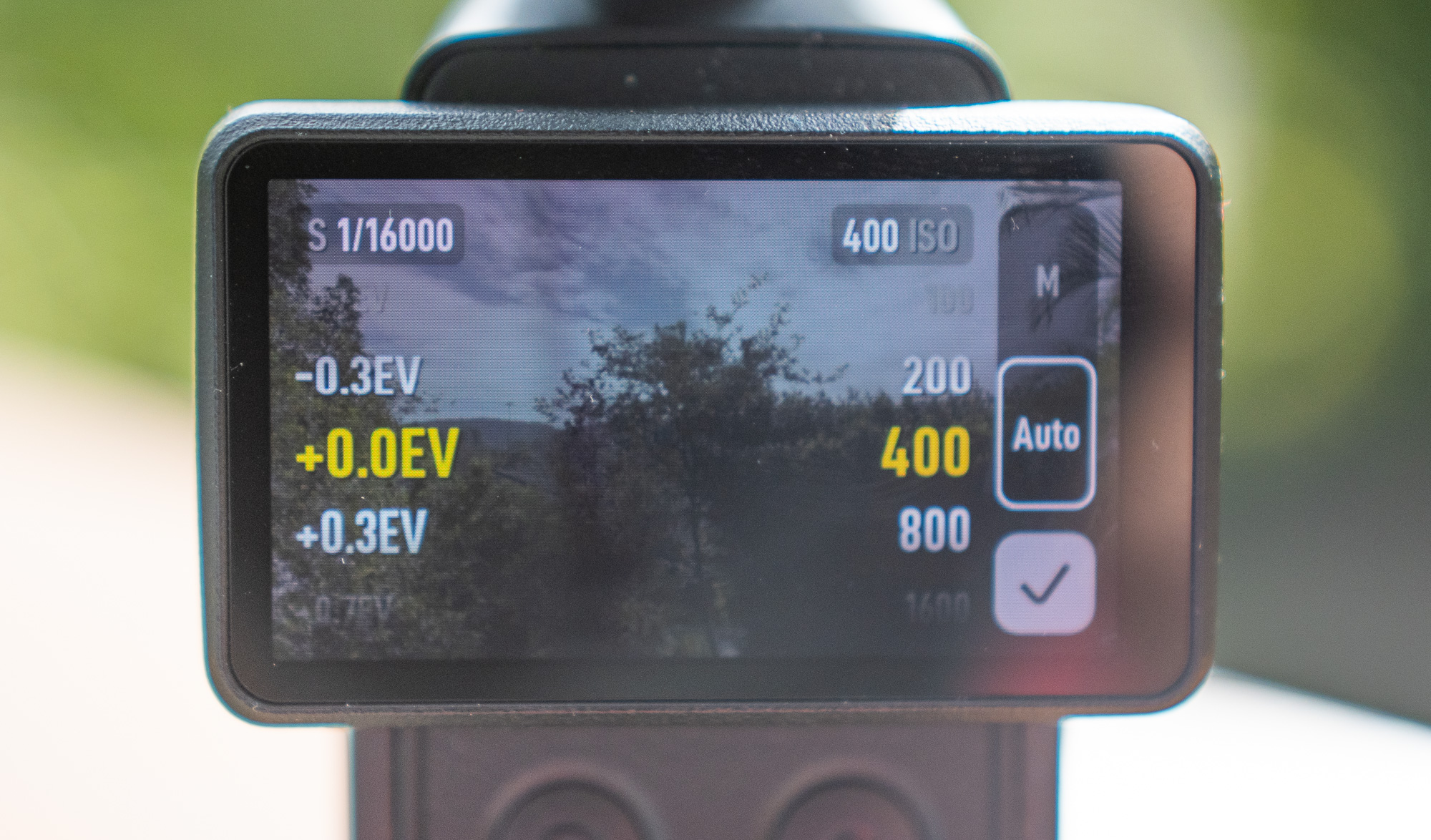
Third, D-Log 2 doesn’t support Auto ISO, and also uses a lower base ISO to D-Log, starting at 100 instead of 400. While you can use one of a selection of auto ISO ranges with D-Log (all to way to ISO 400-3200) the absence of auto ISO in D-Log 2 means you’ll probably want to use it only in more controlled situations. It’s very much a manual mode, and you’ll need NDs (more on those soon) if you want to control shutter speed.
Note that you don’t have to use D-Log 2 if you don’t want to. Due to tone mapping, the new sensor improves dynamic range in all modes, even the non-Log “Normal” mode. If you want to get the most out of the sensor, by all means shoot in D-Log 2, but you’ll have a harder time nailing the exposure. Use the DJI Mimo phone app to see overexposure warnings and a histogram.
With the limitations in mind, if you are able to shoot in D-Log 2 in a controlled environment, it may suit your workflow nicely. Peeping deeply at the pixels, there is a little less processing involved in D-Log 2, but for quicker, less controlled situations, you’ll still see most of the sensor’s benefits in regular D-Log.
If you’re curious (and technical) the wizards at Gamut have decoded D-Log 2’s characteristics by examining the public DCTL. They also compared the number of stops available above middle gray here.
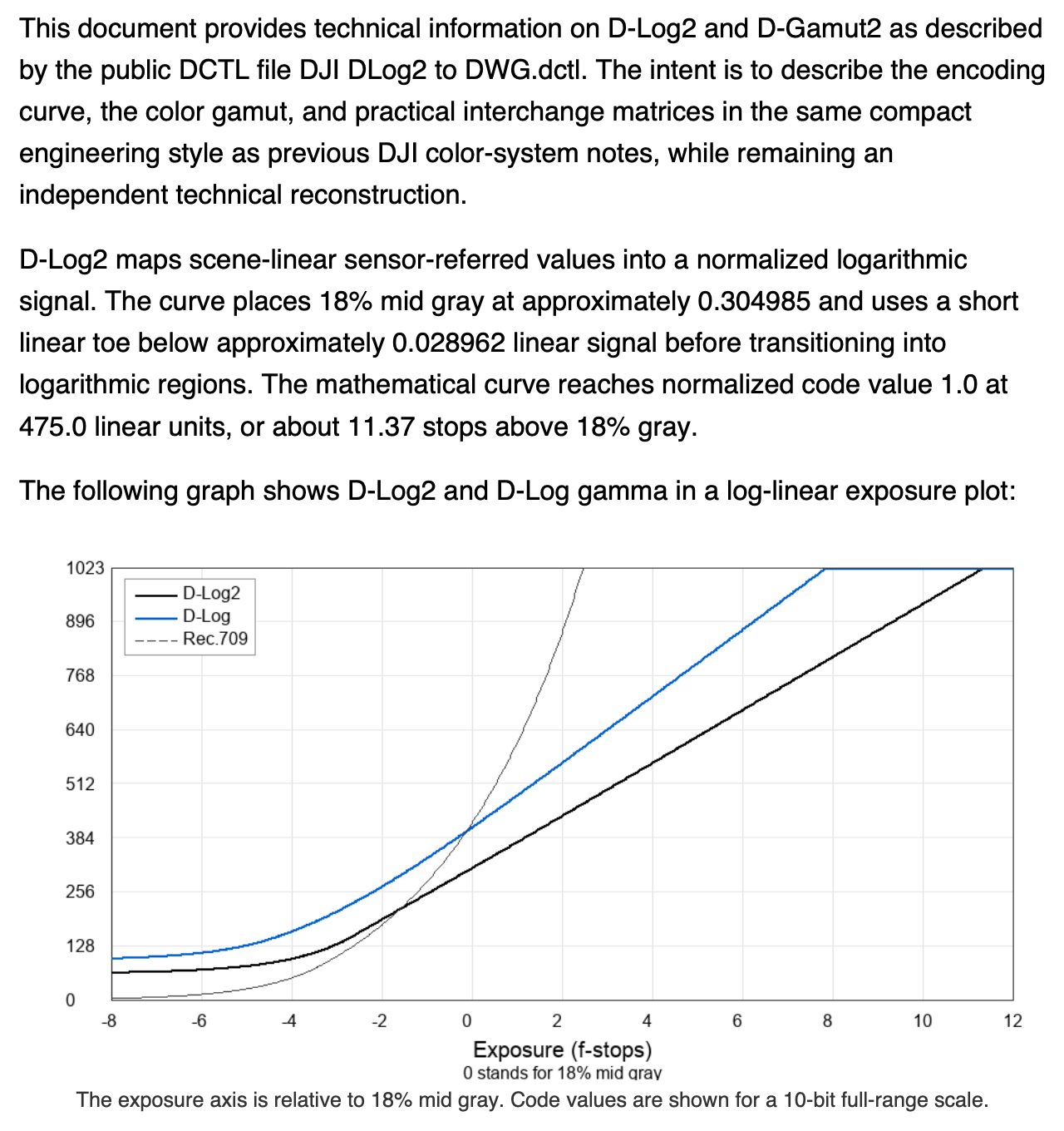
Here’s another analysis of D-Log 2 from Freewell which concluded that D-Log 2’s advantages weren’t worth the workflow hassle; you may feel differently. The jury is out, and if you’re deeply into the world of DCTLs then you may get more from this new mode.
An HDR mode was added relatively late in development (11 July 2026). Though HDR delivery still isn’t as popular as I wish it was, if you want to capture more colors and a wider latitude, it’ll let you do that with a minimum ISO of 100, like D-Log 2 and Normal. As in D-Log 2, colors may shift a little, so be wary.
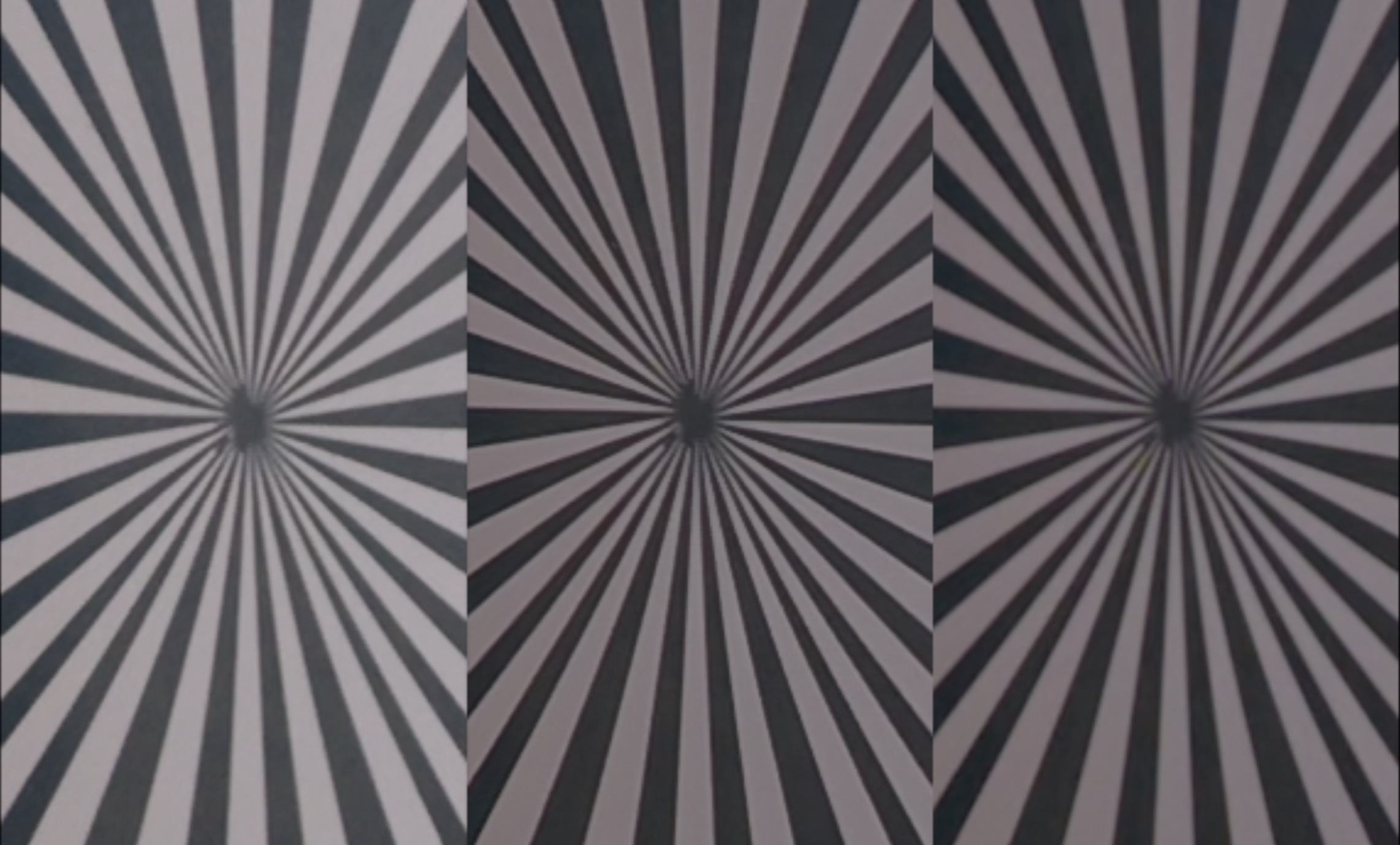
Unfortunately, HDR still comes with more aggressive sharpening than either of the Log modes, and you can see haloing around high contrast areas. For me, excessive sharpening is the worst thing about default processing modes aimed at consumers, and something I always try to disable.
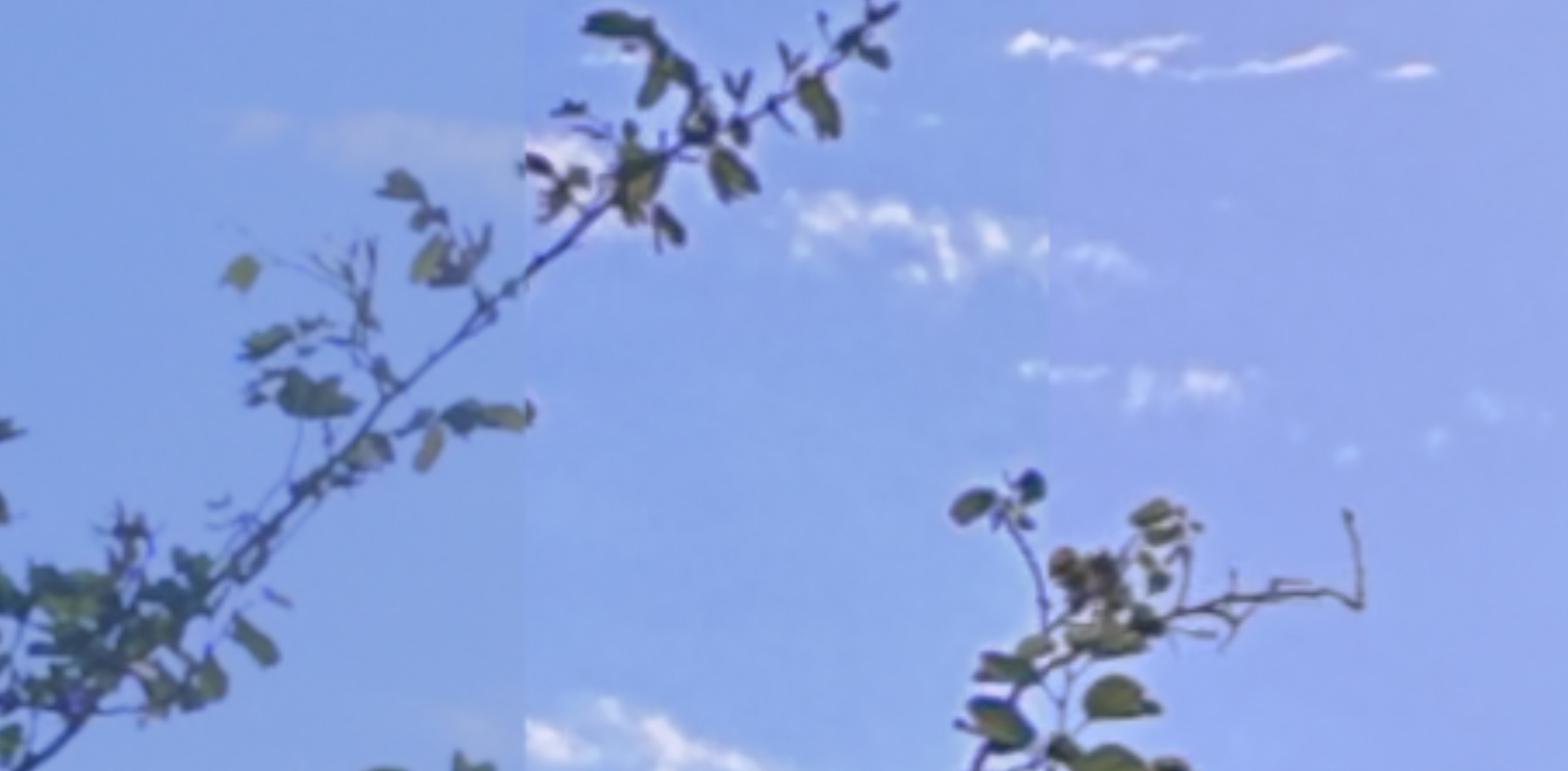
It’s great that Log allows you to disable sharpening (as it does on the iPhone) but a shame that we can’t easily disable it in Normal mode too — especially as Log isn’t possible in Slow Motion or Timelapse modes. In Normal and HDR modes, turning Texture down to -1 or -2 helps a little, though it doesn’t defeat all the sharpening. Sadly, while you can adjust Texture and Noise Reduction in Slow Motion mode, you can’t in Timelapse mode — though you can record a timelapse as raw stills if you need to.
D-Log is capable, and a solid choice most of the time. However, if the sun’s in shot, there are definitely situations where D-Log’s minimum ISO of 400 pushes the image beyond the limits of the camera. Even when using NDs, D-Log on auto ISO will clip highlights more readily than in the other modes, so if you’re shooting into the sun on D-Log, consider lowering the EV.
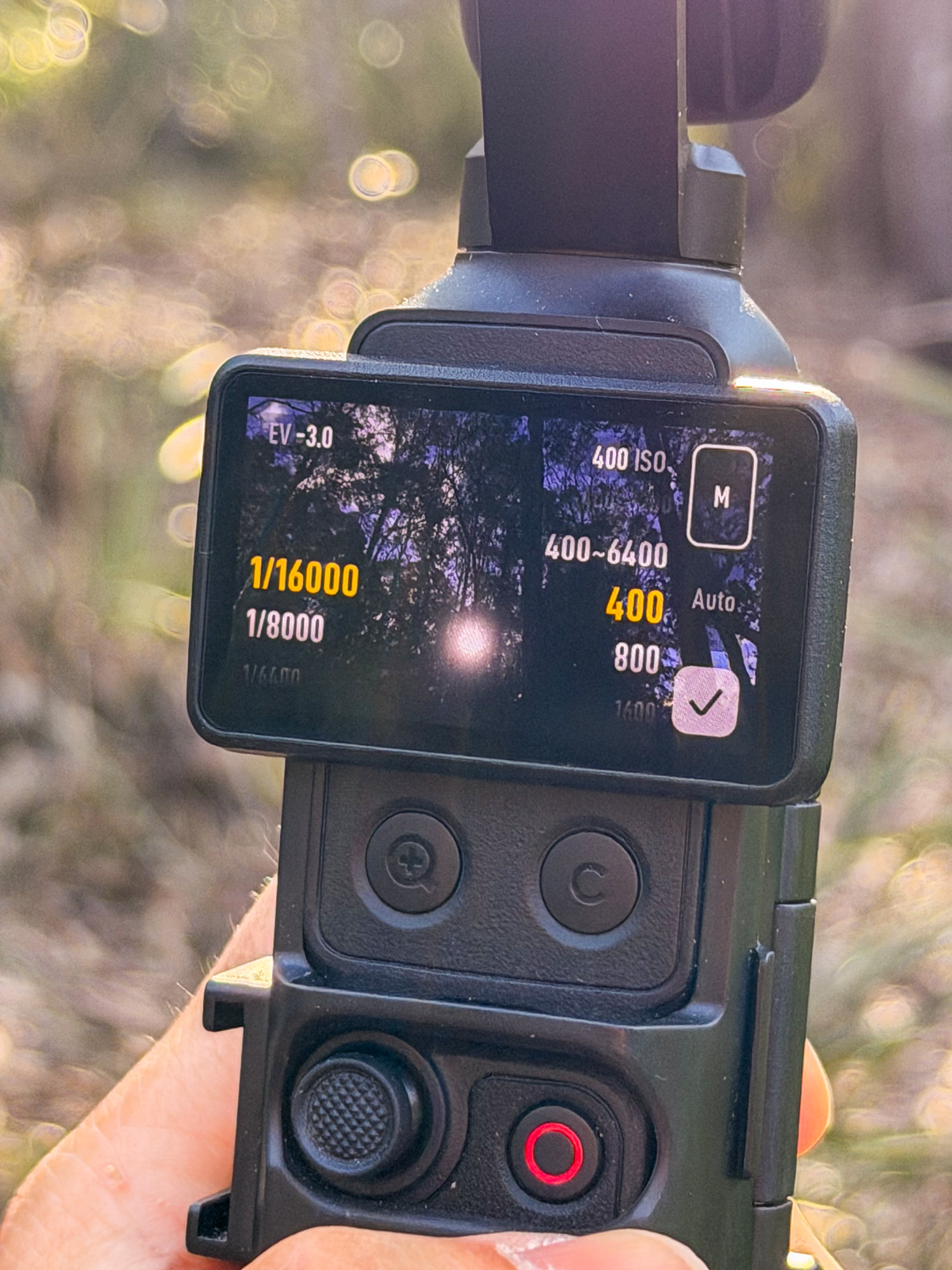
This can be done during recording, but if you’re at the edge of the camera’s capabilities (ISO 400, 1/16000 shutter) then an EV adjustment will silently fail. Use NDs to control light and you’ll be fine.
New top design and ND filters
If you’ve come from the Pocket 3, the same ND filters will work on the Pocket 4, but not on the 4P. Rather than a magnetic snap-in system, the section in front of the lenses twists off to enable the use of ND filters. I’ve been provided with a set (ND16, 64 and 256, plus Black Mist) for testing, and they work well. The front of the lens never feels like it could come loose by accident, and you can leave the ND in place while the camera is powered off.
A built-in magnetic locking mechanism means there’s no need for a gimbal clamp as on the Pocket 4; it feels less fragile. Since the lens doesn’t completely fold away on the 4P, a case is sensible. However, since the 4P’s head is a little larger than the 4, it’s a tighter squeeze in the provided case, especially if you try to include the tripod adapter and mini tripod.
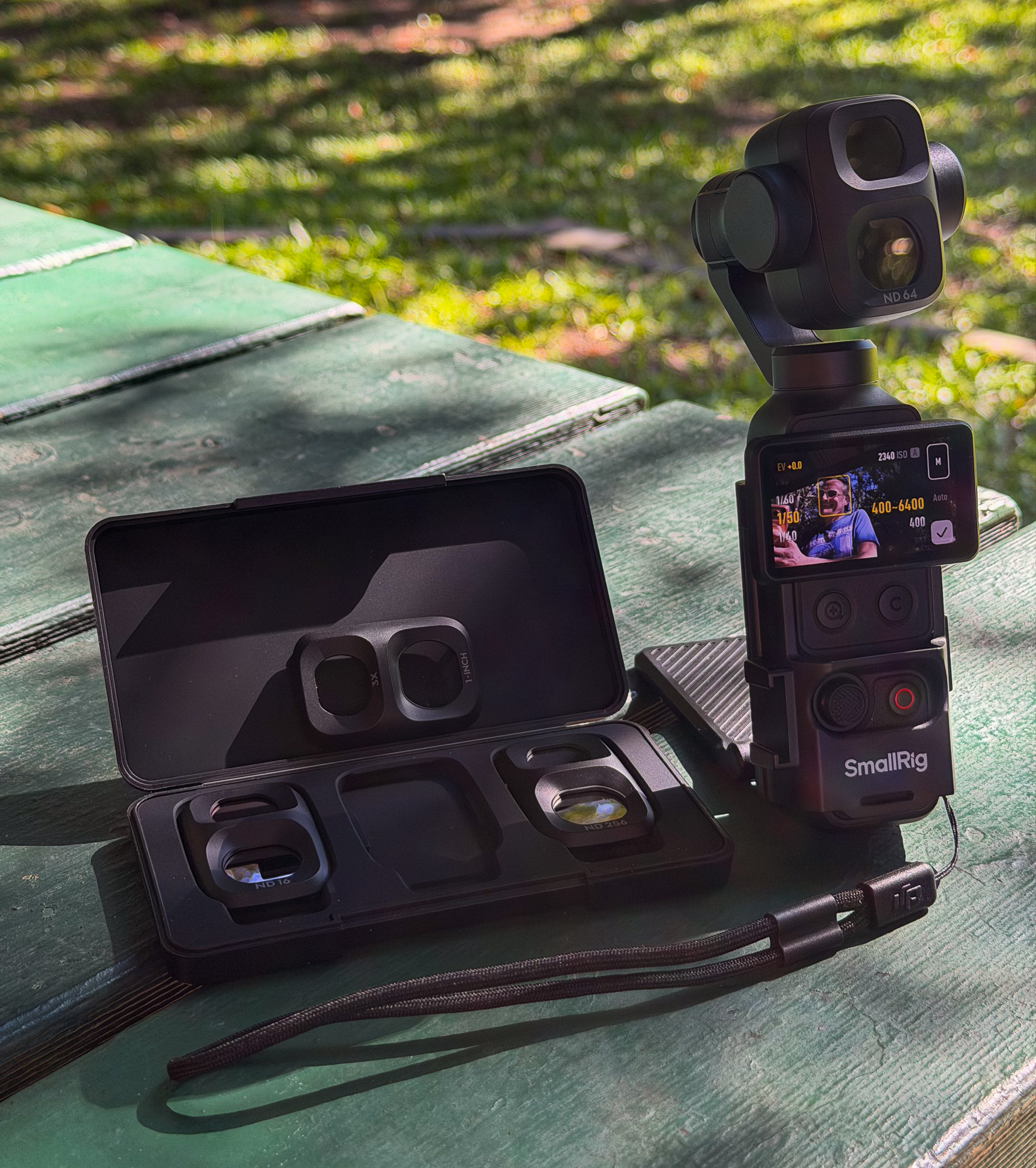
One easy alternative is to fit the camera with a mini cage with a magnetic back, sold by many third-parties. This makes life easier on a desk (exposing the lower USB-C port while supporting the gimbal at a shallow angle) and in the field. I was able to use this setup to easily capture timelapses at an event, just popping the camera down on tables and snapping to metal railings — far quicker and less conspicuous than most other setups.
ActiveTrack 8.0
Tracking on the 4P is ActiveTrack 8.0, a version past the 7.0 on the Pocket 4. It’s different, but not very different in my tests, and does a good job of keeping hold of a subject under most common circumstances. As on the Pocket 4, it’s great to be able to register a specific face (like yours) to instantly lock onto it when it appears in shot. Tracking is a little too fast for “cinematic” results, but it’s probably what most users want.
One addition here is multi-person tracking, to automatically reframe to include a group of up to eight people. This should make the Pocket 4P better for capturing many kinds of sports and some events, but I suspect most readers here would prefer to frame manually if they’re not simply shooting themselves.
As with the Pocket 4, then best way to achieve a smoothly moving shot is to move the gimbal itself, but the joystick can ease off a pan or tilt smoothly if you’re careful.
Remote control with FrameKit
Included in the Vlog Combo that I reviewed is a FrameKit, a small, screened remote control that allows you to monitor your shots while away from the camera. The presence of this device eliminates one of the key differences between the Pocket 4P and the competing Insta360 Luna Ultra, and it works well in most situations. Range isn’t huge, at 10-15 metres, but it’s good enough for you to leave the camera in one corner of a large room and see what the camera sees.
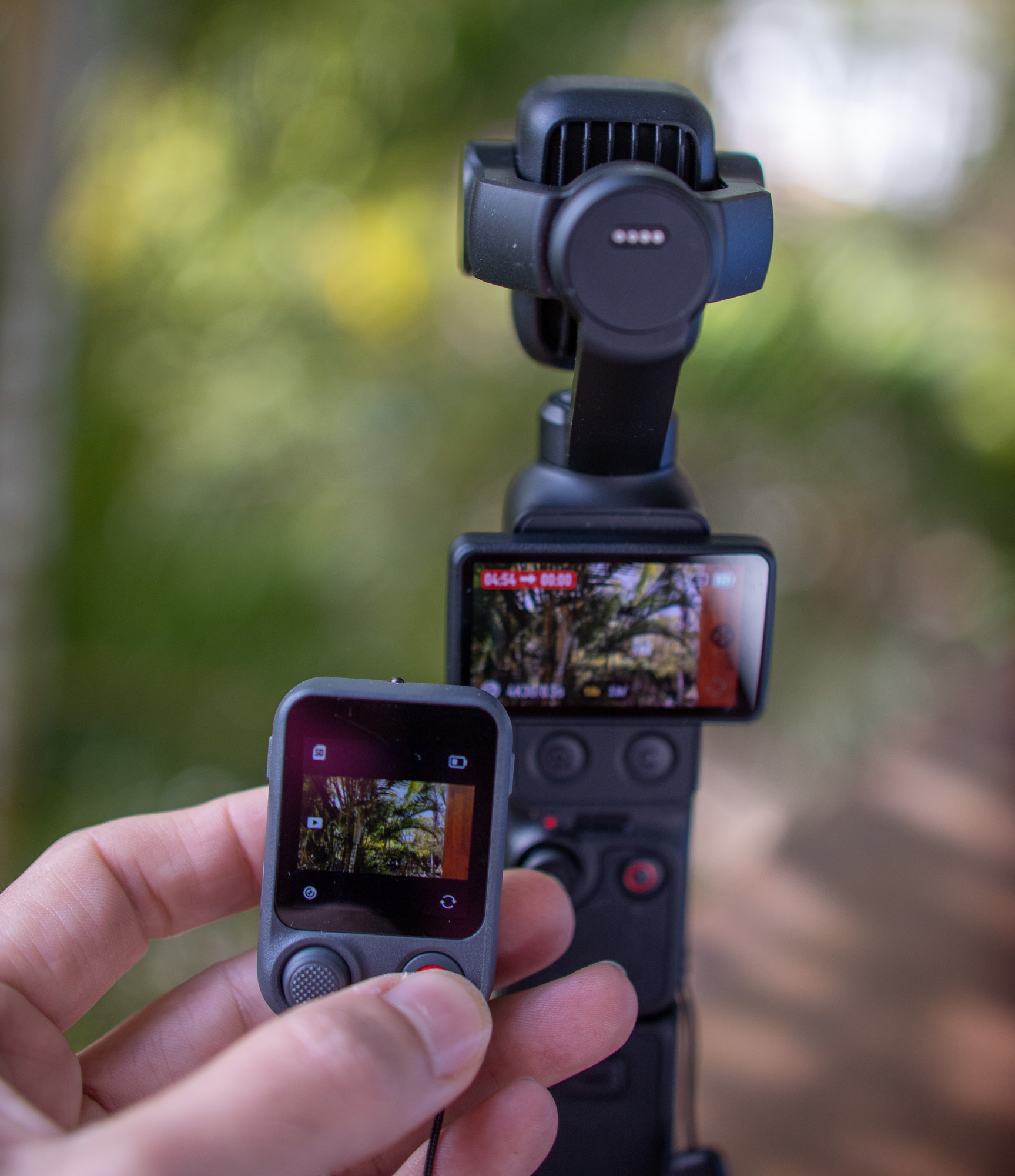
While you can see recording status and the camera’s view during regular recording, the remote (oddly) doesn’t display recording status during a timelapse. This is a likely a bug that will be fixed, but for now, if you forget a timelapse is in progress (or just jog the remote’s joystick by accident) you could mess things up.
Another minor complaint is that like the included microphone, this remote comes with its own unique magnetic charger. There’s no way to charge it or the mics with USB-C, so you’ll have to carry two additional magnetic charging widgets, each with an integrated USB-C cable, to be able to recharge the whole package. One is OK, but two starts to become inconvenient.
I’d rather have the FrameKit than not — it’s handy even if you simply forget where you last put the camera down! — but a couple of minor updates would be welcome here.
Another accessory, the magnetically attaching fill light, has seen an update recently, and the camera now matches the white balance to that chosen on the light. Smart.
Overall, the accessories add a lot of flexibility to the experience. As on the Pocket 4, the Mic 2 Mini sounds good while being incredibly light. Coupled with the dual-channel audio recording, it’s very easy to capture good audio on this setup.
Automatic downloading to newer iPhones
A late firmware update added the ability to automatically transfer videos or photos to your iPhone after the gimbal has been powered off. Only the iPhone 16 or higher is recommended for this, but it’s worked well for me in my testing with my iPhone 17 Pro Max. As I prefer using my Mac to edit, this isn’t something I’d want to make use of for videos, but it is possible to just transfer still images and not videos.
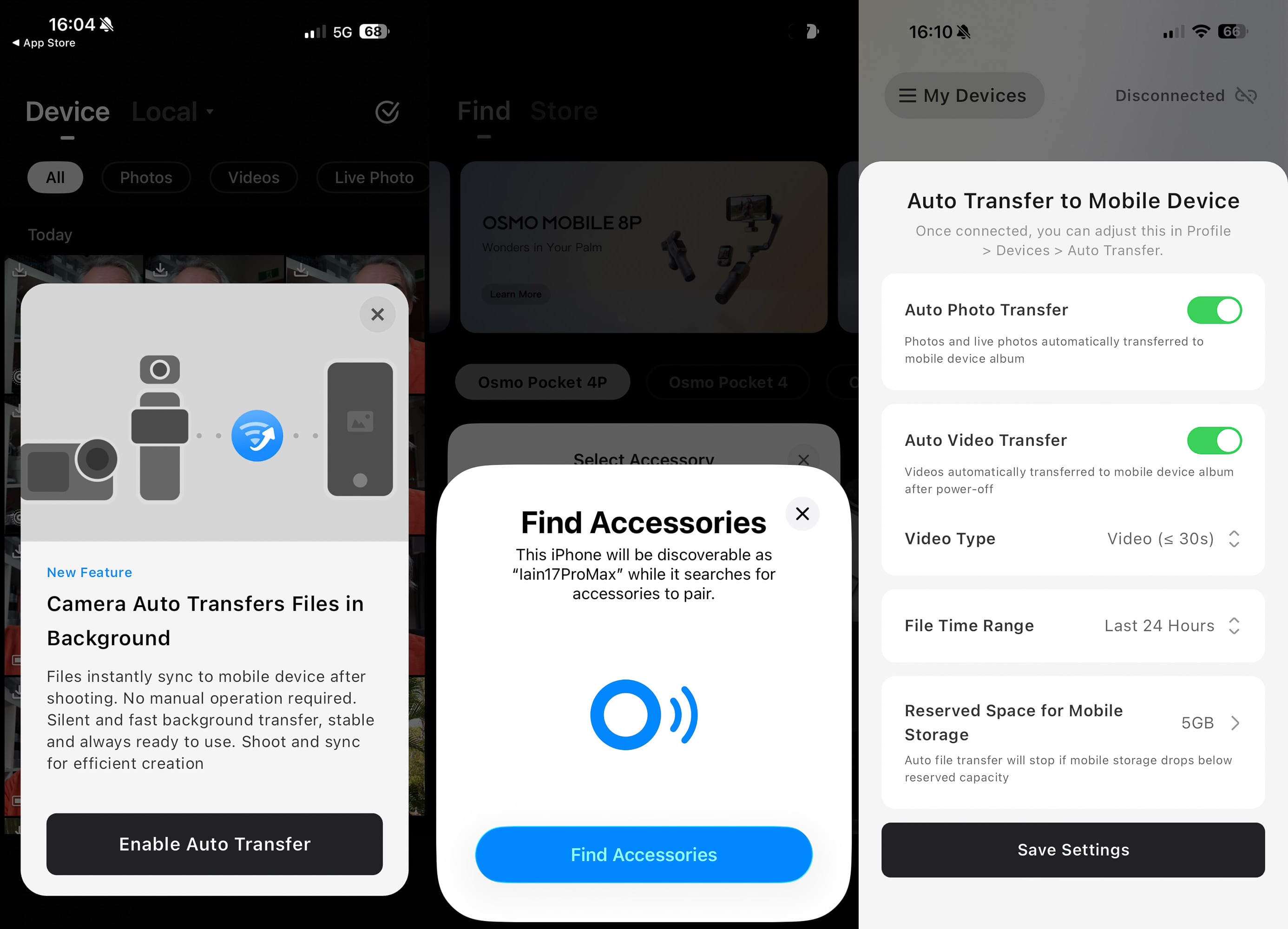
In practice, it’s very convenient. This removes a lot of friction for phone-based creators, and makes it much easier to share assets created on the Pocket 4P. If you want to split the difference between photos and videos, the Pocket 4P can also shoot Live Photos (like the iPhone does) though only standard (8MP UHD) photos support Live Photos, not the larger SuperPhotos.
Conclusion
Despite my minor complaints, the Pocket series of cameras fills a unique niche, and I’d recommend the Pocket 4P over the Pocket 4 to almost everyone who’s able to buy it. For most people, the extra reach is the main reason why. Quickly popping into 3x (and the extra background blur that comes with it) is worth the price difference. The more capable 1x sensor is definitely capable, and there are deeper benefits for those whose workflows allow for more controlled shoots.
For event shooters, this is an easy extra camera, and it hasn’t overheated for me yet. I’ve been able to continuously record 4K 25fps video for about four hours with the battery handle attached, and then go longer while connected to external power.
If you’re wanting to explore D-Log 2, that’s certainly a valid reason to go for the 4P, but you won’t be able to take advantage of the 3x lens (or zooming) at the same time. Event shooters therefore probably won’t be shooting D-Log 2, and the Pocket 4P sadly carries forward the same “no Log in Timelapse or slow-mo” limitations of the Pocket 4. But Normal can be better than you might think, especially if you dial down the sharpness in camera and then the contrast in post.
While the dynamic range improvements are welcome, the nature of computational photography and tone mapping makes it harder to spot those improvements. Simply, if you’re shooting outdoors, this camera will be able to capture a little bit more dynamic range than its predecessor, and since that does make for a better image, it’s worth celebrating. Look into the shadows while zooming, or rescue a poorly exposed shot, and the 4P wins.
Personally, as I get older and less inclined to lug heavy gear up mountains, I’m very happy to see how much smaller cameras have improved. Yes, 360° cameras provide a unique perspective, and I’ll keep using them, but on the 4P I can zoom in, just like I can on my mirrorless cameras. It’s going to be hard to step back to a single lens, and I don’t plan to.
Recommended, and finally available in English-speaking markets worldwide, though not in the US.
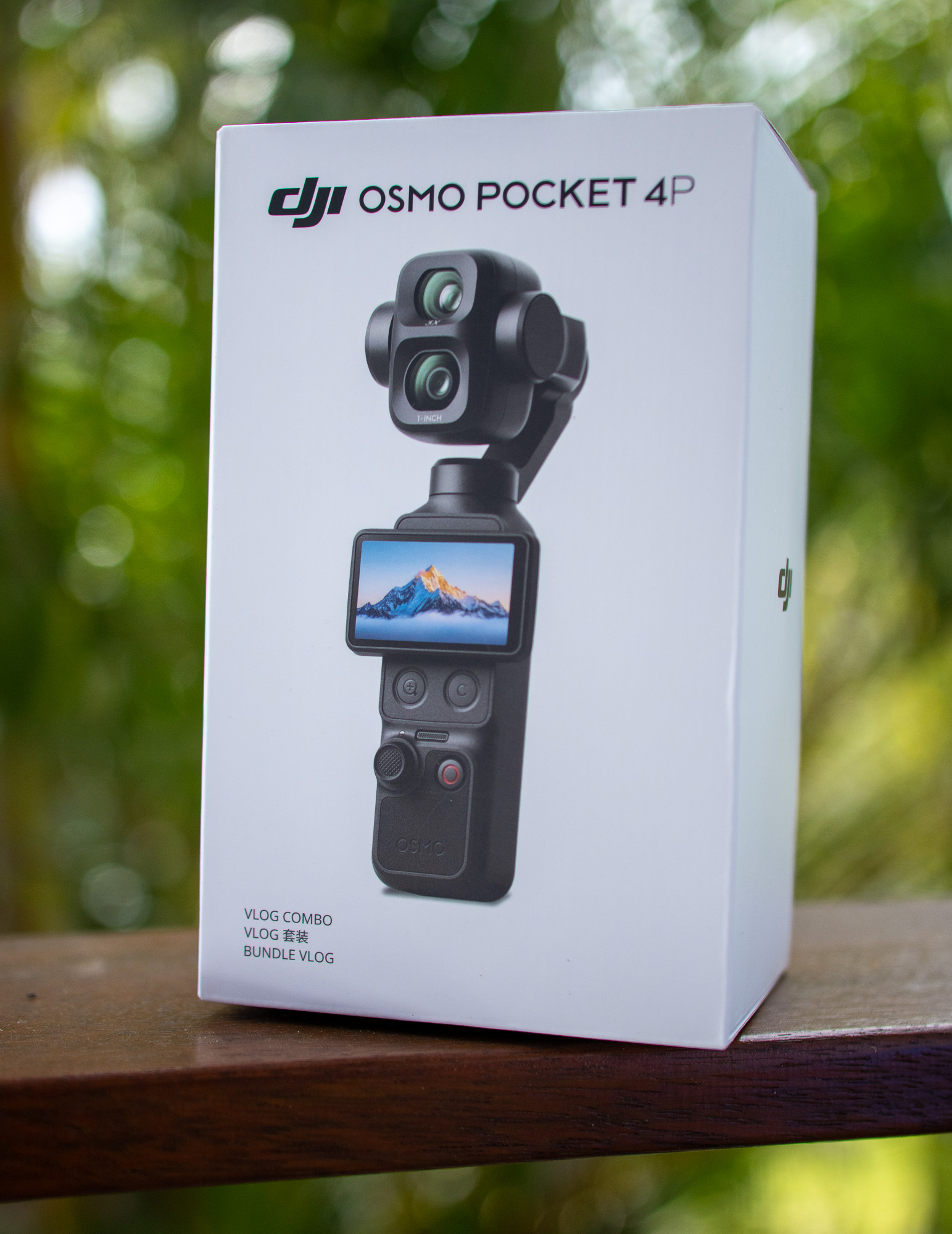
DISCLOSURE: The Vlog Combo and additional ND filters were provided by DJI, but this is not a sponsored review.