

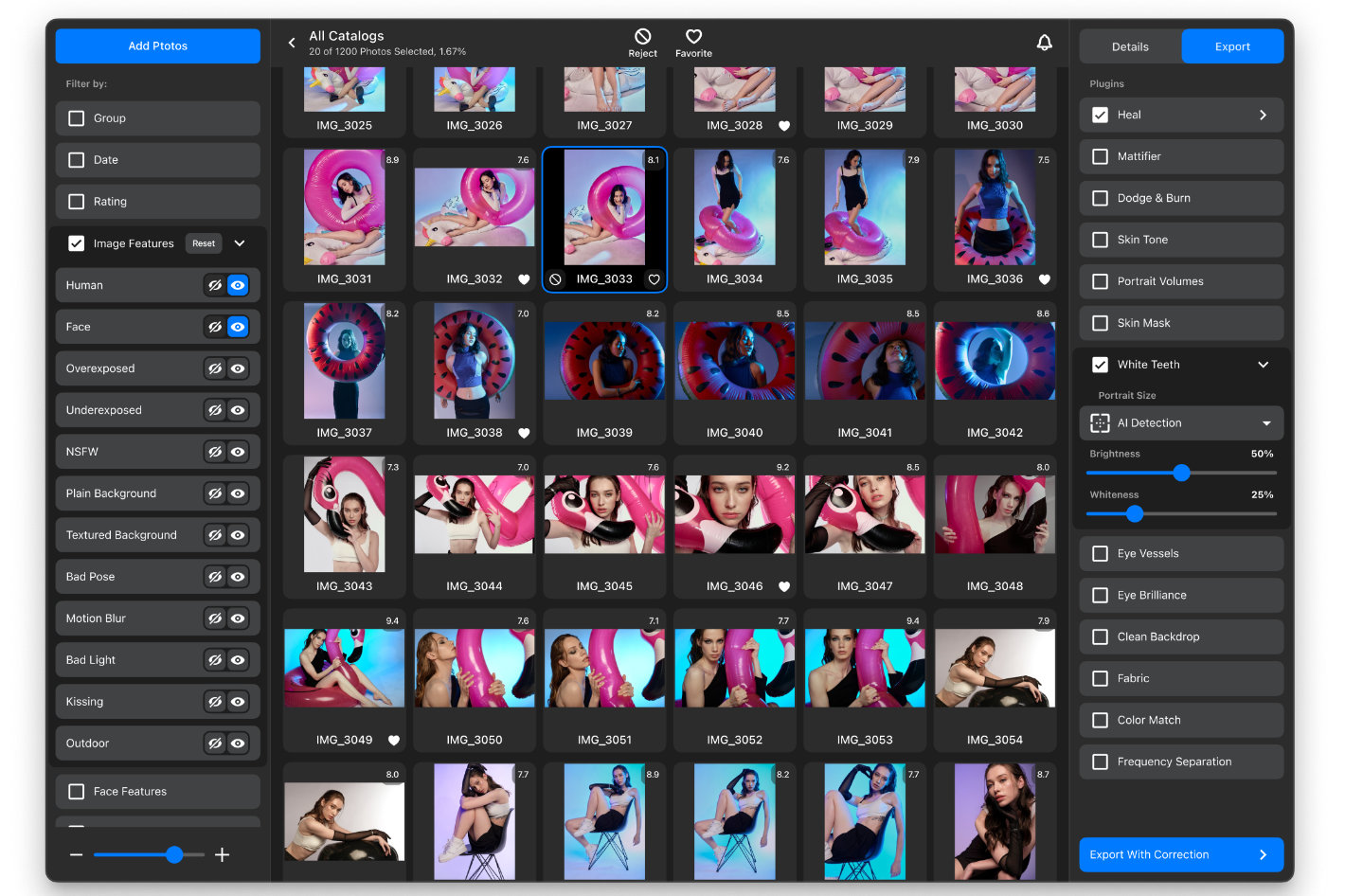

If you use multiple plugins from Retouch4me, a leading provider of AI-based photo and video editing solutions, you’ve also wanted to have a way to move from one to the other without having to close and open plugins to move from, for example, removing dust to giving volume to a portrait. Well, there is now, as the company announced Retouch4me Arams, which serves as an interface for batch retouching with Retouch4me AI-based plugins.
The process is simple: you create a new project in the software, and all the images from the folder selected for the project appear in Arams, ready to be edited in any of the Retouch4me plugins you own. With Arams, professional photographers and retouchers can significantly reduce the time spent on large-volume retouching.


Photographers who need to deal with lots of images will also be glad to know that Retouch4me Arams will allow them to go through their photos using a seamless selection process! Automated Culling, still in Alpha, is coming to the software, and while it is still in development, it promises to revolutionize how you sort and organize your photoshoots.
Key features of Retouch4me Arams (v1):
- Batch processing: Retouch4me Arams automates photo editing with the ability to process an unlimited number of images at once.
- Seamless integration: Users can now access all Retouch4me AI-based plugins in a native environment from a single, centralized hub. This eliminates the necessity of using third-party apps like Photoshop.
Soon, Arams will also introduce AI-based image selection based on several parameters.
System requirements:
- Operating systems: Windows 7 (x64), Windows 10 (x64), Windows 11,
macOS 10.14+. - Minimum requirements: 6 GB of RAM; a 64-bit (x64) processor,
1.2 GHz or faster. - PC: GPU with 4GB RAM or Intel CPU with OpenCL 1.1 support.
- MAC: 2015 or later, Intel, M1, or M2 CPUs.
Retouch4me Arams is free and can be downloaded on the Retouch4me website.