

Whether you are about to order a new Macbook Air, MacBook Neo or MacBook Pro, Apple.com fortunately offers you the option to order it with a Spanish keyboard —at no extra charge— when ordering online in the United States. This is true, whether or not you qualify for educational pricing. This article explains where to find this option on the Apple.com website, why to pick one particular Spanish keyboard and not the other of the two offered options… and how you can download a superior keymap free, made by me, which facilitates a few extra essential characters not directly covered by Apple’s own Spanish keymap.
How to get the selection on the Apple.com website in the US
Whether or not you are on the educational or standard website, whenever you go to purchase any new MacBook (be it Macbook Air, MacBook Neo or MacBook Pro), you get the option after picking the other options like color to change the default physical keyboard from U.S. English to something else:
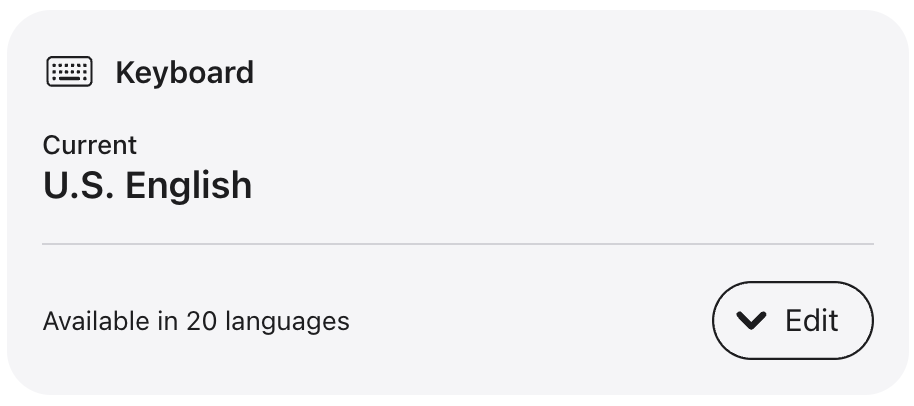

Click on the button that says Edit to see the options:
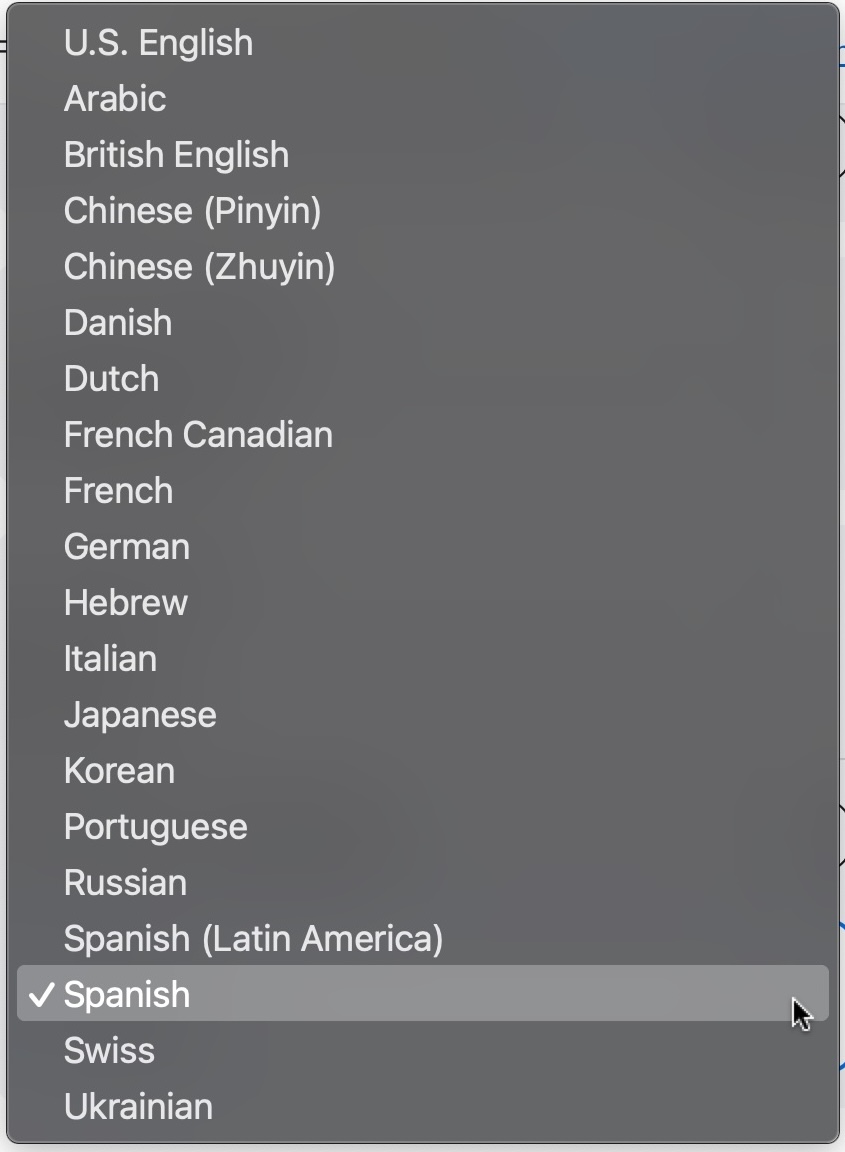

On the Apple.com site the United States, they currently offer 20 options. The only one I know to be missing on the website in the United States is the Greek version, so my Greek friends who visit the US and want to order one end up purchasing the Spanish one instead (not the Latin American and not the U.S. version) after they hear my spiel about the differences, which I am about to cover ahead.


When Apple.com in the US cannot offer it
When we order a refurbished laptop from Apple.com in the US, sadly we don’t get the keyboard choice, at least the last time I checked. I will update this if I ever discover the contrary.
ANSI versus ISO
Even though Apple is vague about its laptop keyboard descriptions on the sales order page, Apple is specific about the difference between ANSI and ISO keyboard on the tech specs page.
78 (ANSI) or 79 (ISO) keys including 12 full-height function keys
The United States keyboard is nearly always ANSI, whereas most other non-US keyboards are generally ISO, with at least one extra key available. (Although there is a tiny list of providers that can offer a physical US ISO keyboard, Apple is not one of them and that goes beyond the scope of this article. Ask me in the comments if you want to know about that.)
Whenever you remap some non-US keyboard layout on an ANSI keyboard, you absolutely lose some functionality due to fewer keys. The operating system (be it macOS or any other) does its best to prioritize, but it must sacrifice something, and does so. That’s why, when people who bought a Mac with a US keyboard and later remap it to Spanish, they lose things, whether they are aware of it or not.
Very short spiel about the Spanish ISO keyboard (not the Latin American keyboard)
- Nothing is missing on a Spanish ISO keyboard to type in English. (Despite the short-lived fear of one individual, the Spanish ISO keyboard indeed includes an N key in addition to the Ñ key, and it’s right next to the M key, just like in the US keyboard.)
- Absolutely all of the letters on the Spanish ISO keyboard are in the exact same location as with the US Keyboard. The only things that change position are some symbols, so touch typists have a zero learning curve with anything related to letters.
- The physical Spanish ISO keyboard is the most capable one on planet Earth to type directly and efficiently in more languages than any other physical keyboard available on Planet Earth, since it can type directly in Castilian, Basque (Euskera) Catalán (including the Ç), French (including the Ç), Galician, German, Italian, Portuguese, Valencian and more. The opposite is not the case with any of these.
- The physical Spanish ISO keyboard offers both the $ (dollar/peso) and the € euro symbol printed on the keyboard.
- Even if you mainly (or only) type in English, the Spanish ISO keyboard facilitates typing your friends’ and clients’ names, country names, as well as many English words borrowed from other countries like piña colada, piñata, résumé as well as weather phenomenon like El Niño and La Niña.
- Unlike the Latin American keyboard which is undeniably machista, the Spanish ISO keyboard can directly type the superscript ª and º to type both feminine (1ª, 2ª, 3ª) and masculine (1º, 2º, 3º) ordinal numbers, as well as the abbreviation for the female name María in compound names, as recently covered in my article: María Corina Machado: Nobel Peace Prize + Spanish ISO keyboard symbol.
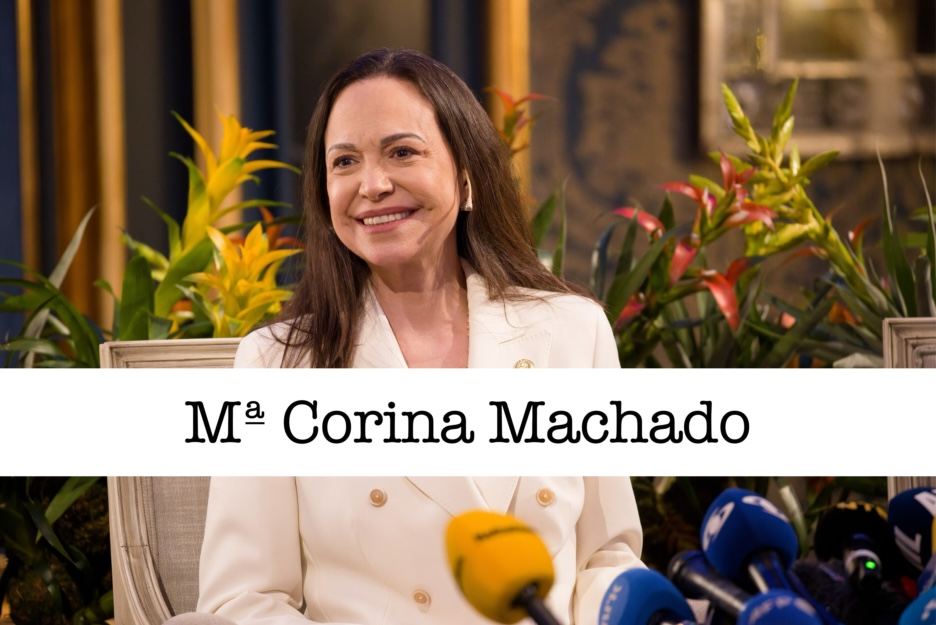

Here are some of those compound names:
- María Alejandra — Mª Alejandra
- María Ángela — Mª Ángela
- María Ángeles — Mª Ángeles
- María Antonia — Mª Antonia
- María Auxiliadora — Mª Auxiliadora
- María Camila — Mª Camila
- María Carmen — Mª Carmen
- María Cecillia — Mª Cecilia
- María Claudia — Mª Claudia
- María Corina — Mª Corina
- María Cristina — Mª Cristina
- María Daniela — Mª Daniela
- María Delfina — Mª Delfina
- María Dolores — Mª Dolores
- María Elena — Mª Elena
- María Esperanza — Mª Esperanza
- María Eugenia — Mª Eugenia
- María Fernanda — Mª Fernanda
- María Gabriela — Mª Gabriela
- María Isabel — Mª Isabel
- María José — Mª José
- María Julia — Mª Julia
- María Julieta — Mª Julieta
- María Laura — Mª Laura
- María Mercedes — Mª Mercedes
- María Milagros — Mª Milagros
- María Paz — Mª Paz
- María Sol — Mª Sol
- María Verónica — Mª Verónica
- María Teresa — Mª Teresa
None of the above is directly typable from a US or Latin American keyboard.
Font (typography) with the ª and º symbols
Some fonts automatically underline the symbol and others don’t. In the lower third I added to Mª Corina’s photo shown above, I chose a font that does underline it.
The bare basics
The basics are included in the Latin American keyboard as well as the Spanish ISO keyboard:
- á — Á
- é — É
- í — Í
- ó — Ó
- ú — Ú
- ü — Ü
- ñ — Ñ
- ¿ — The inverted question mark.
- ¡ — The inverted exclamation mark.
- º — The symbol for masculine ordinal numbers like 1º, 2º, 3º.
- $ — The currency symbol for different types of dollars and pesos.
The essential extras
These essential extras are not included in the Latin American keyboard, but are included in Spanish ISO keyboards (which Apple simply calls Spanish in the sales order page):
- ª — For the feminine ordinal numbers like 1ª, 2ª, 3ª and compound names, as covered earlier in this article, works out of the box with ChromeOS (Chromebook,), Linux, macOS and Windows.
- € — The euro currency symbol (in addition to the $ symbol), works out of the box with ChromeOS (Chromebook), Linux, macOS and Windows.
- «angular quotation marks» Works with ChromeOS (Chromebook,), Linux out of the box. Works on macOS if you install the Español ISO Mejorado map I introduced in this article: I created a superior software layout for the Spanish keyboard for Mac: «Español ISO mejorado» Requires a one-time workaround on Windows.
- ý/Ý — Required by the RAE since 2010. Works out of the box with ChromeOS (Chromebook,), Linux out of the box. Works on macOS if you install the Español ISO Mejorado map I introduced in this article: I created a superior software layout for the Spanish keyboard for Mac: «Español ISO mejorado» Requires a one-time workaround on Windows.
The moral of the story (La moraleja)
If you are ordering a brand new MacBook from Apple.com (with or without educational pricing), pick your keyboard carefully. It’s a decision that is not feasible to change later, just as is the case with RAM nowadays. Changing a physical keyboard is not an easy task with recent MacBooks, unlike with most ThinkPads (which is usually very simple), so get it right from the initial order.
Image credit
The image of María Corina Machado is courtesy of Kevin Payravi / WikiPortraits under the Creative Commons Attribution-Share Alike 4.0 International license. I added the lower third to it.
Lee este artículo en buen castellano
Elige el mejor teclado español para tu nueva MacBook al pedirla en línea
(Re-)Subscribe for upcoming articles, reviews, radio shows, books and seminars/webinars
Stand by for upcoming articles, reviews, books and courses by subscribing to my bulletins.
In English:
- Email bulletins, bulletins.AllanTepper.com
- In Telegram, t.me/TecnoTurBulletins
- Twitter (bilingual), AllanLTepper
En castellano:
- Boletines por correo electrónico, boletines.AllanTepper.com
- En Telegram, t.me/boletinesdeAllan
- Twitter (bilingüe), AllanLTepper
Most of my current books are at books.AllanTepper.com, and also visit AllanTepper.com and radio.AllanTepper.com.
FTC disclosure
None of the listed individuals or companies mentioned above has paid for this article. Shure has provided review units to Allan Tépper, including the MVX2U Gen 2. Some of the manufacturers listed above have contracted Tépper and/or TecnoTur LLC to carry out consulting and/or translations/localizations/transcreations. So far, none of the manufacturers listed above is/are sponsors of the TecnoTur, BeyondPodcasting, CapicúaFM or TuSaludSecreta programs, although they are welcome to do so, and some are, may be (or may have been) sponsors of ProVideo Coalition magazine. Some links to third parties listed in this article and/or on this web page may indirectly benefit TecnoTur LLC via affiliate programs. Allan Tépper’s opinions are his own. Allan Tépper is not liable for misuse or misunderstanding of information he shares.