

One of my main goals for NAB 2026 was to spend time with and talk to the creators of some of the AI editing tools that have been coming online recently. And I was able to do just that with Eddie AI, Quickture and Selects. This wasn’t the first NAB for some of these tools. While NAB 26 was the first for Eddie AI to have a booth (and it was quite crowded every time I walked by), Quickture was demoed at Avid’s booth last year.
There are three main schools of thought from editors when it comes to these AI editing assistants:
- They’re coming for our jobs, and they should be avoided/killed at all costs.
- They’re helpful tools that let editors get to a cut faster and more efficiently.
- They are somewhere between 1 and 2.
Depending on what internet forums you read, number one seems more prevalent in editors’ collective consciousness. But people who worry about AI taking their jobs tend to complain louder and more often online. Talk to editors who’ve spent any time using some of these tools, and they’re more likely to fall into category number two, myself included.
Eddie AI
One of the most interesting AI assistant editing tools on the market right now is Eddie AI. It’s been at the forefront of the market in this space and is constantly being updated as the AI innovation in most markets is swift. Eddie AI also has a team hard at work looking at ways to improve the product. I’ve been asked why I haven’t written a review of Eddie AI just yet (though we have covered it here on PVC). That review is in the works as I’m still formulating my thoughts on this complex category of tools. Not complex because they are hard to use, but complex as to their place in, and effect on, this industry.

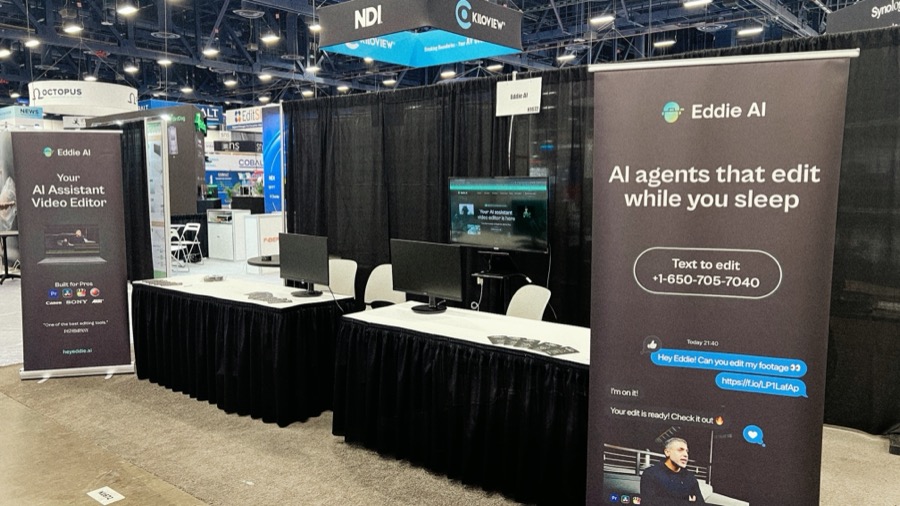
I strolled by, and stopped at the Eddie AI booth several times during NAB (it was their first time exhibiting). At one point, I bumped into a colleague as you often do on the massive expanse that is the small world of NAB, and he asked if I had heard of Eddie and where the booth was. As I took him over there, we had one of those great, only-at-NAB chats about the state of the industry. When at the Eddie AI booth, the crowd was always lively and constant. What I always wondered was, how much of the crowd was editors looking to speed along the post process, and how many folks were producers looking to save money. My guess is it was a good mix of both.
I had several conversations with Shamir Allibhai, CEO and Co-Founder of Eddie AI. I’ve known Shamir for a couple of years now, and I’ve worked with Eddie a good bit, so it was great to catch up. Shamir has a tech background, having been behind one of the better early online transcription tools, Simon Says. He’s also a filmmaker and knows both the struggles and the triumphs of working closely with a ton of footage to craft a story.
Eddie AI’s big update for NAB was the introduction of Night Shift. Night Shift is a feature where Eddie can work on an entire day’s shoot overnight to log footage, sync multi cams and build rough cuts “while you sleep.” It sounds like a cool feature and an ingenious way to leverage the skills Eddie AI already has into a new workflow that makes good sense for an AI-driven assistant editing tool.


I attended an AI panel discussion where Shamir was a panelist (it was part of Post|Production World). There was a great mix of age, gender and background sitting on the panel. One discussion began as a concern that young people might be missing out on the master/apprentice relationship that has existed for generations in this industry (I think of this as editor/assistant in the post-production world) and that young people using AI might mean less critical thinking overall. I think this is not an uncommon thought, especially among the … ahem … more senior members of our media creation community.
Shamir didn’t mince words as the first to respond on the panel. Pushing back on the idea that young people are losing the ability to think critically, he dismissed it as a lazy generalization, arguing that a lack of critical thinking isn’t generational, it’s human nature. If anything, he pointed out, plenty of evidence suggests poor decision-making spans all age groups.
Where he got more pointed was on the role of assistant editors. Challenging a long-held industry assumption, he argued that AE jobs are often overvalued as a pathway into full-time editorial, going so far as to call many of them “BS.” In his view, working your way up through that system is far from the only route to becoming a strong editor or storyteller. Instead, he framed creative growth as a self-directed process: make work, put it out, learn from it, and repeat. He pointed to YouTube as a clear example of creators who built real skill not through formal roles, but through sheer volume, persistence, and iteration.
I wouldn’t disagree with that at all (well, perhaps maybe the BS part as assistaned editing jobs are still great places to learn often untaught skills and make connections that are otherwise impossible to make) as the paths to media creation careers take a lot of different directions these days. Some take longer than others but persistence and hard work as still two of the most important parts.
But talking generational changes in our industry, we’ve got an older generation of media/entertainment workers and creators who were able to intern with, shadow, and assist masters of their craft. And we’ve got a new generation who will not know this industry without the availability of AI tools in all parts of the filmmaking process. That, perhaps, leaves a “lost generation” who were too young to benefit from an apprenticeship and too old to fully embrace the AI revolution. The old generation has an eye towards retirement, while the new generation is learning how to do more with less, so where does that leave this middle generation?
On another note, Eddie AI made the most of their NAB with a booth on the show floor and sponsorhip of the Monday night Reddit meetup.


This was a fun, rooftop bar experience with a lot of different conversations among a lot of different folks with a lot of different backgrounds. It was a nice evening in a location that allowed for quality sociaizing without breaking the bank or yelling over a DJ. This was the kind of thing that makes NAB great.
Quickture
I was able to sit down at the Avid booth and have a great conversation with Irad Eyal, a longtime reality TV producer and CEO of an AI editing tool called Quickture. I expected the usual talking points about AI in post: speed, automation, and how AI is the future. Instead, the conversation kept circling back to something much more familiar: the sheer volume of footage editors are expected to deal with.
As Irad put it, Quickture is “an AI video editing tool that analyzes the footage, transcribes it, and allows you to get to a rough cut fast.” That sounds simple enough and exactly what most editors think when they look at AI video editing assistants. But the problem it’s trying to solve isn’t.
The real bottleneck isn’t just wading through all that footage via logging, transcription, or even early assemblies; it’s finding the real story within that footage. If you’ve worked in unscripted or documentary, you’re familiar with the daunting process editors and story editors are often tasked with. You’re not starting with a script (and sometimes not even an outline), or you’re starting with a mountain of material.
Quickture was originally built for exactly that environment. The goal, he said, was to solve the problem of “what do you do when you have…100 hours of footage, and you need to find the story in the edit for a 44-minute episode.” That’s the first job before a radio edit, before b-roll, before music, before fine cuts. First, you’re just trying to figure out what you have and whether it works. Traditionally, that meant transcripts, stringouts, notes, and a lot of trial and error.
What Quickture is trying to do is compress that discovery phase. According to Irad, not replace it, but speed it up.
One of the more practical choices here is that Quickture doesn’t try to reinvent editing software. It works as a panel inside Adobe Premiere Pro and Avid Media Composer instead of as a third-party application. That’s not accidental, as he joked, “editors won’t let you change the color of a menu, let alone require you to learn a whole new system.” That’s a telling statement when considering the Media Composer market and more senior editors working in Hollywood. They are die-hard Media Composer users, and any change to Media Composer can send ripples and sometimes tsunamis through that community. Designing Quickture to work within familiar NLEs is not by accident, and I have to assume it helps with the uptake of new AI tools into an entrenched workflow.


So the workflow stays familiar. You bring in footage, sync it, and organize it. From there, Quickture creates proxy media, sends it to the cloud for analysis, and returns transcripts, searchable logs, and rough assemblies. And those assemblies aren’t unfamiliar; they come back as normal sequences you can keep working on.
One of the more interesting shifts is how you search your footage. Yes, it transcribes dialogue, but it also analyzes visuals in a more meaningful way. Not just identifying objects in a frame, but understanding actions over time. He described being able to search for something like: a dolly move left to right where someone enters a room and doesn’t close the door.
That’s a very different way of thinking about footage, closer to how editors actually remember moments. Despite meticulous logging, all of us editors have had many moments over the years when we knew we saw something while scrubbing through footage, but we struggled to find it in the mountain of media.
It’s important to note that, even with Hollywood’s often strict security standards, Quickture still runs and analyzes media in the cloud. That level of analysis comes with a tradeoff. Quickture uploads proxy files to the cloud, where more powerful AI models can process them. “We really wanted to use whatever the most powerful, effective AI models that were out there,” he explained. Running those models locally just isn’t practical for most editing systems. So the cloud becomes necessary if you want that level of performance.
It also explains why security comes up quickly in the conversation. The platform is SOC 2 Type II certified and designed to meet the requirements of major networks and studios. Check out Quickture’s Trust Center to see how seriously they take security.
But Quickture isn’t cheap. Quickture costs $499 per seat per month, or $399 on an annual plan. At first glance, that’s not trivial, especially for smaller teams or freelancers. Unlike many AI platforms, there are no tokens or usage limits. The idea is that you can throw everything at it, whether that’s eight hours of interviews or thousands of hours of reality footage. And that’s not hypothetical. Irad mentioned a show we are all familiar with, working with 10,000 hours of material in a single season. The cost isn’t positioned as “another plugin fee.” It’s closer to replacing, or at least supplementing, the time and labor involved in logging, searching, and early assembly.
Whether that tradeoff makes sense will depend on the scale of the project. But the intent is clear: this is built for high-volume workflows where time savings compound quickly.
And another question that piggybacks on what I was talking about above? What happens to Assistant Editors?
There’s a real concern that tools like this could replace entry-level roles, especially assistant and apprentice editors who traditionally handle logging, selects and story edits. He didn’t dodge that. “I have a lot of friends that are out of work in reality TV… and it’s really rough,” he said.
But he also pushed back on the idea that AI is the primary cause. In his view, much of the contraction happening in the industry is tied to larger shifts that have been going on for years now: budget cuts, consolidation, and the migration of audiences to platforms like TikTok and gaming.
In practice, what they’re seeing is more nuanced. Assistant editors aren’t necessarily doing less; they’re doing more. On top of their usual responsibilities, they’re now managing AI workflows, generating rough cuts, and supporting earlier stages of story development. So the role of assistant editors is not disappearing, but evolving.
Selects
Selects was occupying a booth near the back of the north hall. What caught my eye was some of their swag that said: “scrubbing sucks.” Ok, you have my attention.
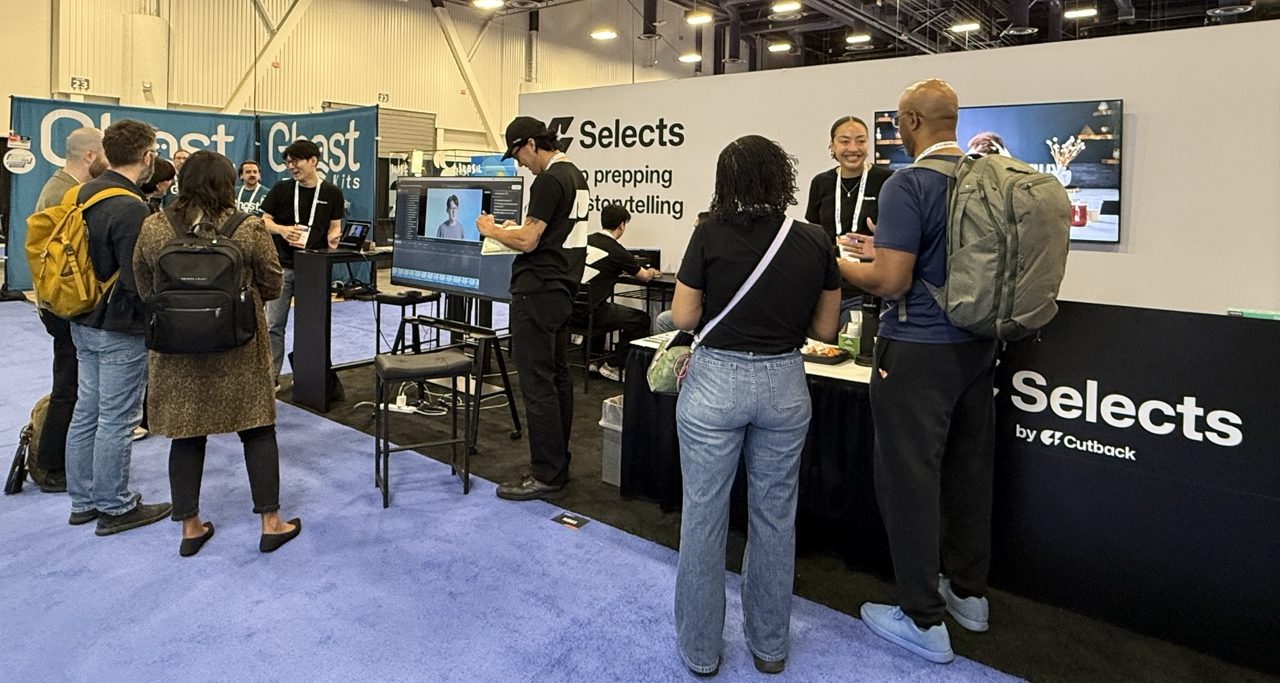

Selects takes a different approach than other tools in this space. It is a standalone app positioned as a first stop before moving into Premiere, Resolve, or Final Cut Pro. I think it could definitely be considered an assistant, but while I haven’t played with it extensively, a little bit of time with it, it definitely feels like an assistant tool, but it’s geared toward content creators, YouTube videos, and smaller productions rather than a full, unscripted series.
The application will let you import an entire folder of media and will give it a quick look before it has to analyze the content. Talking with one of the application folks at the booth, it does something similar to other tools: it sends an audio file and either selects still images from your video or uploads a low-res proxy to the cloud for analysis. Once it’s done, you’re walked through a bit of a process for what you want out of your media.
You can either:
- Choose an interview category and Selects will “Suggest and Edit”
- Match a YouTube video.
- Or paste in a script you’ve written to match the footage (this is the most intriguing option).
Selects will then present you with a plan where you can choose your target length, pacing, and camera switching for a multicam. You can then describe the edit using the existing prompt that has been returned, or describe what you want in your own detail. After that, it’s a pretty quick process for Selects to return you a rough edit. You can then review the edit and see the different topics that Selects has pulled, use natural language to search through all of the footage based on the analysis that was done, and use text-based editing from the transcripts. When complete, Selects does a “handoff” by creating files for Premiere, Final Cut, or Resolve. Once that handoff occurs, then you’re done with selects for that particular project. There’s no interchange or no going back and forth between the two, as Selects is the first stop on the way to your edit.

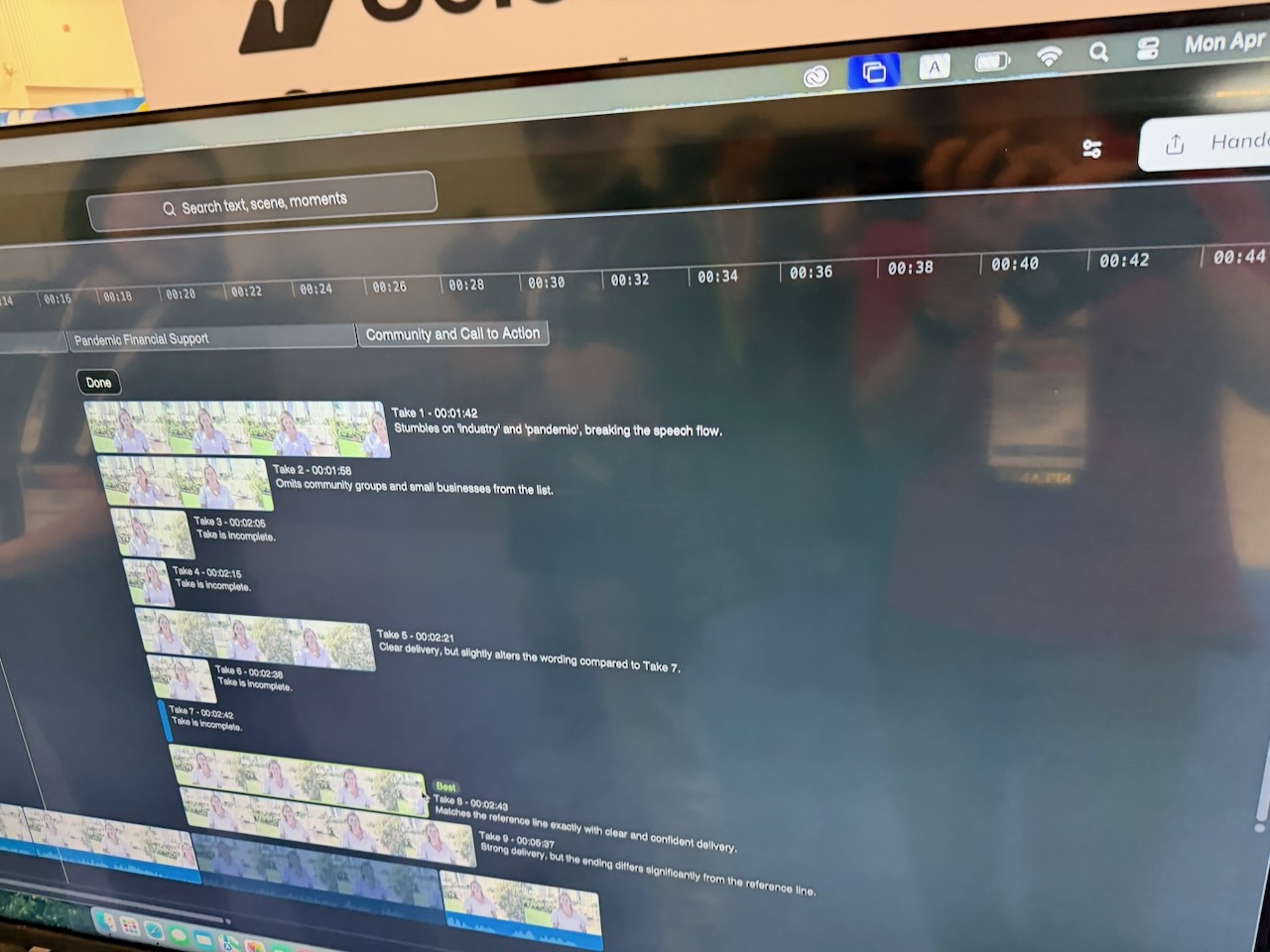
That’s a different approach from Eddie AI or Quickture and adds some interesting tools to the Selects application. If you make it your first stop and choose Selects to generate a rough cut, you’ll get a timeline with topic details you can review and tweak before heading into your editing application. You can get pretty granular with things like filler word removal and auto camera switching. It’s pretty clever, and I look forward to really testing it out.
Some editors might prefer this type of workflow for a dedicated app like Selects, which puts you in a different mind space as it’s a stop before editorial. Even though a lot of what you can achieve in Selects can be achieved in your non-linear editing application this pre-edit stage that Selects provides is more than just an ingest and organization stop. While you can do a lot of that, there are enough editorial tools that it just might be a success.
Selects was created by the team that makes Premiere Assistant, an extension for Premiere that automates video podcast editing and adds captions, among a few other things. There are already a lot of Premiere extensions that do the same thing. The folks at Selects told me they realized that particular concept has become a very saturated market. They need something more than just what might be an easy Claude AI codec application these days. In fact, if I remember correctly, their original product was called Cutback, as their web domain says, and it looks like they’ve now branched into these two different products.
More Content, Faster, or Maybe Get Left Behind
If there’s a thread running here, it could be pressure. The competition is an endless stream of content across all platforms, and the response that often lands in the editor’s lap is straightforward: you have to make more content in less time for less money. That might mean faster turnaround, more episodes, and more deliverables. I think tools like Selects, Quickture, and Eddie AI are being built for that reality.
Editors have always been storytellers first. The technical side, the logging, the searching, and the organizing, is what leads editors to their first love: the story.
I think these tools are trying to reduce that cost. Not so the machine can tell the story, but so the editor can get to it faster.