

One of my first stops at NAB 2026 was by the Digital Glue and creative.space booth to say hello to Sam Mestman. I’ve known Sam for a long time (and was a big Jellyfish fan), and he recently took over as VP Sales & Marketing for DigitalGlue.
creative.space powered by DigitalGlue is an all-in-one media platform built for video teams, combining on-premises storage, remote access, asset management, review, AI-powered search, and file transfer into one hybrid workflow. It’s designed to replace the usual pile of disconnected tools with a single system that helps teams store, find, and actually use their media more efficiently. That’s a lot to offer.

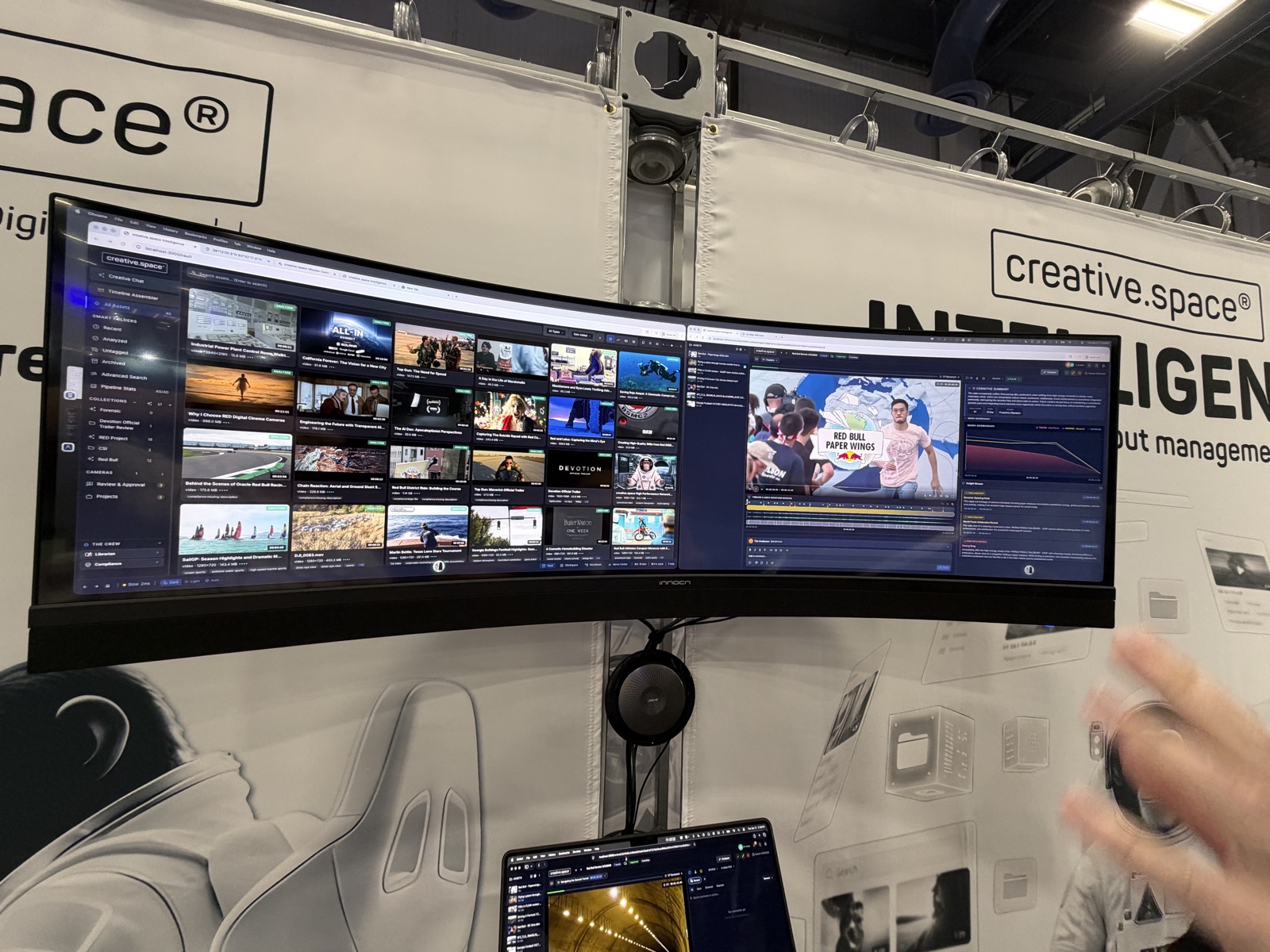
Everyone Has a “Creative” Workflow Until the Archive Eats It
If you’ve ever worked in media, you know the lie we all tell ourselves: yes, the footage is “organized,” yes, the files are “findable,” and yes, someone definitely knows where that one clip is. Then NAB happens, and suddenly a company shows up with a demo built around the uncomfortable truth that most of us are really just working in a gigantic digital junk drawer.
That was the energy behind creative.space’s conversation at NAB. Sam and Nick Anderson (Digital Glue’s product manager) laid out a pretty bold pitch: instead of treating media storage like a passive warehouse, turn it into something that actually understands what’s inside it, remembers it, and can help you use it without making a human suffer through 700 hours of footage.
Sam called it the “content blob,” which is honestly a perfect phrase for the modern archive problem. As Sam put it, teams end up with “an ever-expanding content blob” that keeps growing because nobody has time to watch all of it, but nobody wants to delete it either because maybe, just maybe, that one old clip of a client saying something useful is buried in there somewhere. We’ve all become digital hoarders with better cable management.
From Storage to Something Smarter
The bigger idea behind creative.space is pretty simple: storage alone is not enough anymore. The platform is trying to pull together storage, cloud access, remote editing, asset management, review and approval, and file transfer into one system that actually feels connected instead of like six tools duct-taped together.
Nick’s pitch was that the real goal is to make the archive usable. He described the system as a way to turn “dark data” into “creative capital,” which is a nice way of saying: stop paying to babysit footage nobody can find.

They call this “CSI” or creative.space Intelligence. The system analyzes content on ingest, fingerprints clips, and builds a content ID so it can recognize what’s in the frame, not just what the file is called. Nick also described what he called “video DNA,” saying that “every video clip down to the frame level has its own DNA.” That’s the kind of phrase that sounds a little sci-fi at first, but the point is practical: if the system can identify the actual content inside a clip, it can detect duplicates, match transcoded versions, and build a more intelligent archive over time. We know video frames have, in a sense, always been unique with a file name and timecode, but this is the next step: really knowing what is inside the frame.
Archive, But Make It Less Miserable
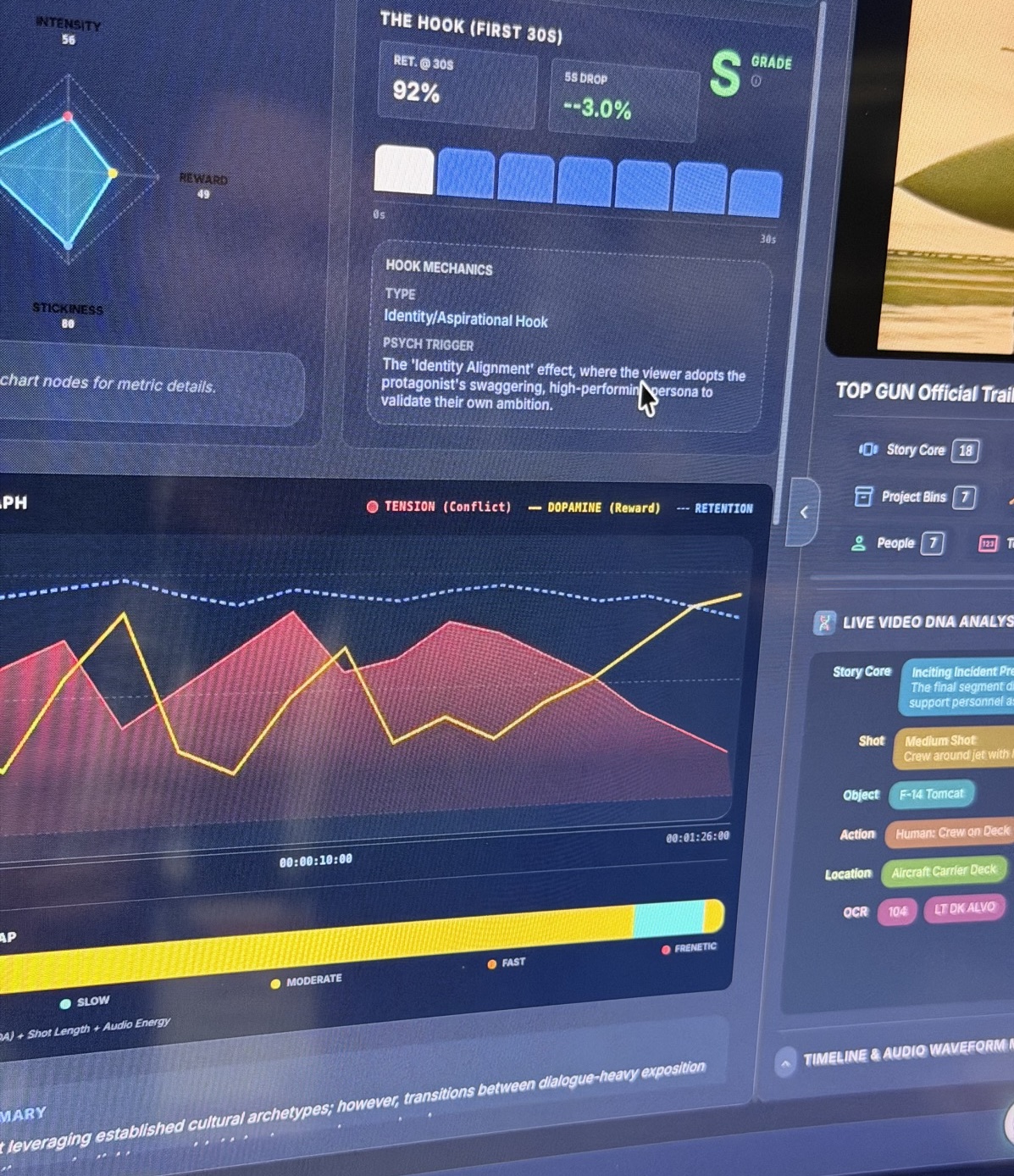
The demo kept returning to one big idea: people do not want to manually catalog mountains of footage. That’s where CSI comes in. The system is designed to scan content, create metadata, and make it searchable in ways that go beyond the usual “here’s a transcript, good luck” experience. It can identify people, actions, objects, locations, and other context so teams can search in a much more meaningful way.

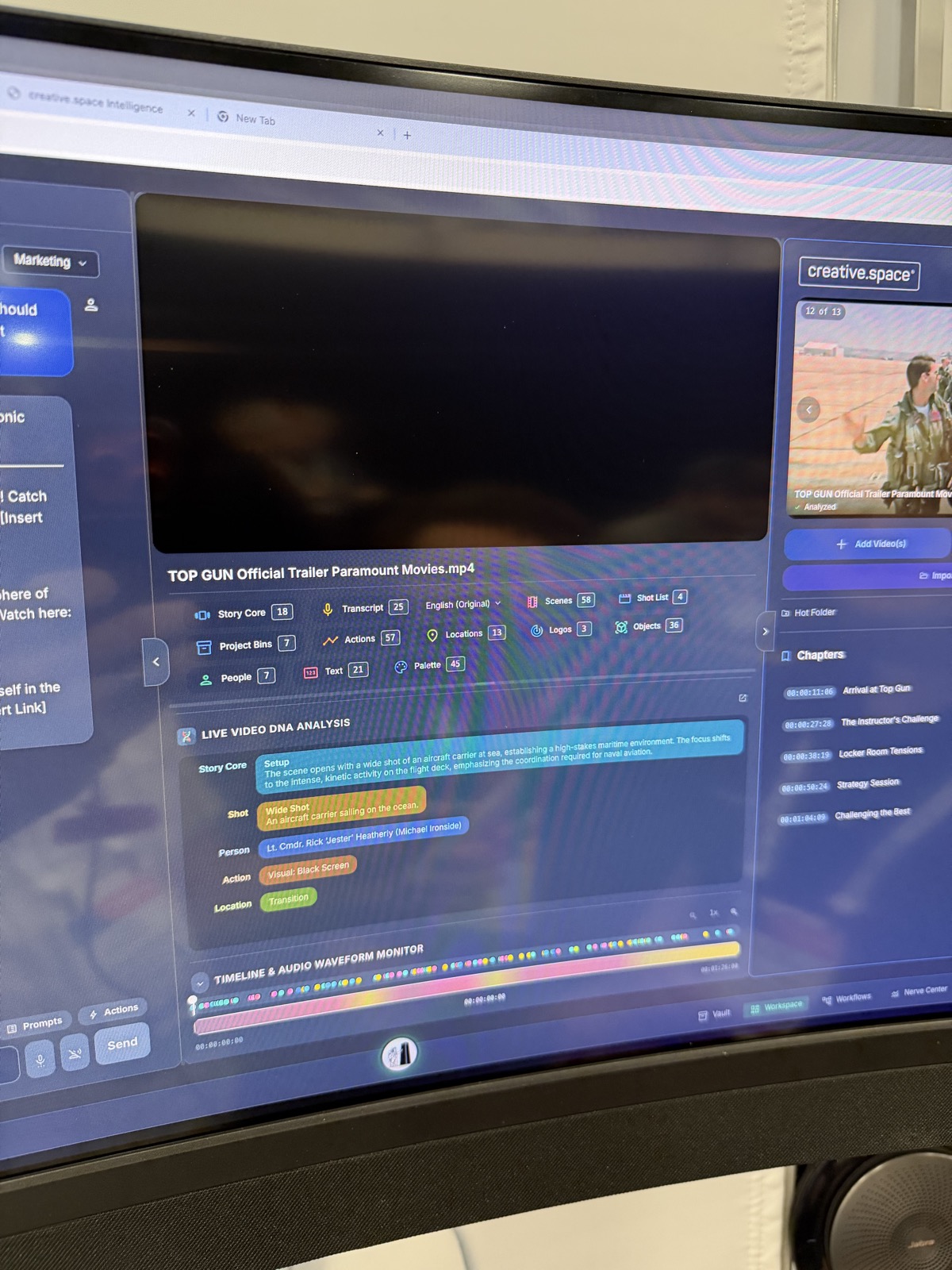
Nick also emphasized that this isn’t meant to be a one-time analysis that disappears into a folder somewhere. The idea is to analyze content once, keep the data, and make it reusable forever. In other words: do the hard work once so you don’t have to keep repeating the same over and over again, often without getting paid for it.

Timeline Assembly for People Who Have Better Things to Do
One of the more interesting parts of the conversation was the “timeline assembler.” Nick described it as prompt-based timeline assembly, which means you can ask the system to search a huge archive, find the relevant pieces, and assemble a timeline or selects reel.
That’s a very appealing idea if you’ve ever spent an afternoon digging through footage trying to find “the good bit” while slowly losing your will to live.
Nick gave examples like documentary work, sports archives, and even wildlife footage, where the system could search through hours of material and pull out relevant moments. Sam seemed especially interested in how this could fit into existing editorial workflows. It was a great demo, but my question was: can I actually get this into Premiere, Resolve, or whatever the editor is living in this week?
The answer, at least in the conversation, was yes. The system is meant to export into editorial tools, support open timeline workflows, and feed selects back into the editing process.
Protection, Provenance, and the AI Problem
The conversation also went into content protection, which feels pretty unavoidable now that AI can remix, scrape, and restyle content in a dozen different ways.
Sam and Nick talked about “content shield,” a system designed to protect provenance and help prove where content came from. The idea is to use watermarking and metadata in ways that survive platform stripping and keep the asset traceable even if it’s copied, uploaded, or repurposed. That part felt especially relevant because a lot of companies are still acting like content ownership is a settled issue. Nick made the point pretty directly that the goal is to protect creators from “AI stealing your content,” which is exactly the kind of sentence that would have sounded dramatic five years ago and now sounds like a conversation we have every day.
The Real Pitch
Underneath all the features, the actual pitch was surprisingly human: stop making people do boring, repetitive, soul-draining archive work.
Nick said the platform is meant to take “all the stuff that you don’t like doing” and give people more time to do the work they actually care about. That’s the best version of the pitch because it gets to the heart of why tools like this matter. Nobody got into creative work because they dreamed of manually scrubbing through identical clips or trying to remember where a specific line was buried in a six-year-old archive.
The bigger promise here is not just automation. It’s memory. It’s turning a giant pile of media into something the whole team can actually use, search, trust, and build on.
And honestly, that’s the part that makes the demo interesting. creative.space powered by DigitalGlue isn’t just saying it can store your files. It’s saying it can make your archive smart enough to stop being a burden and start acting like an asset.
Oh, and you can talk to it.
