

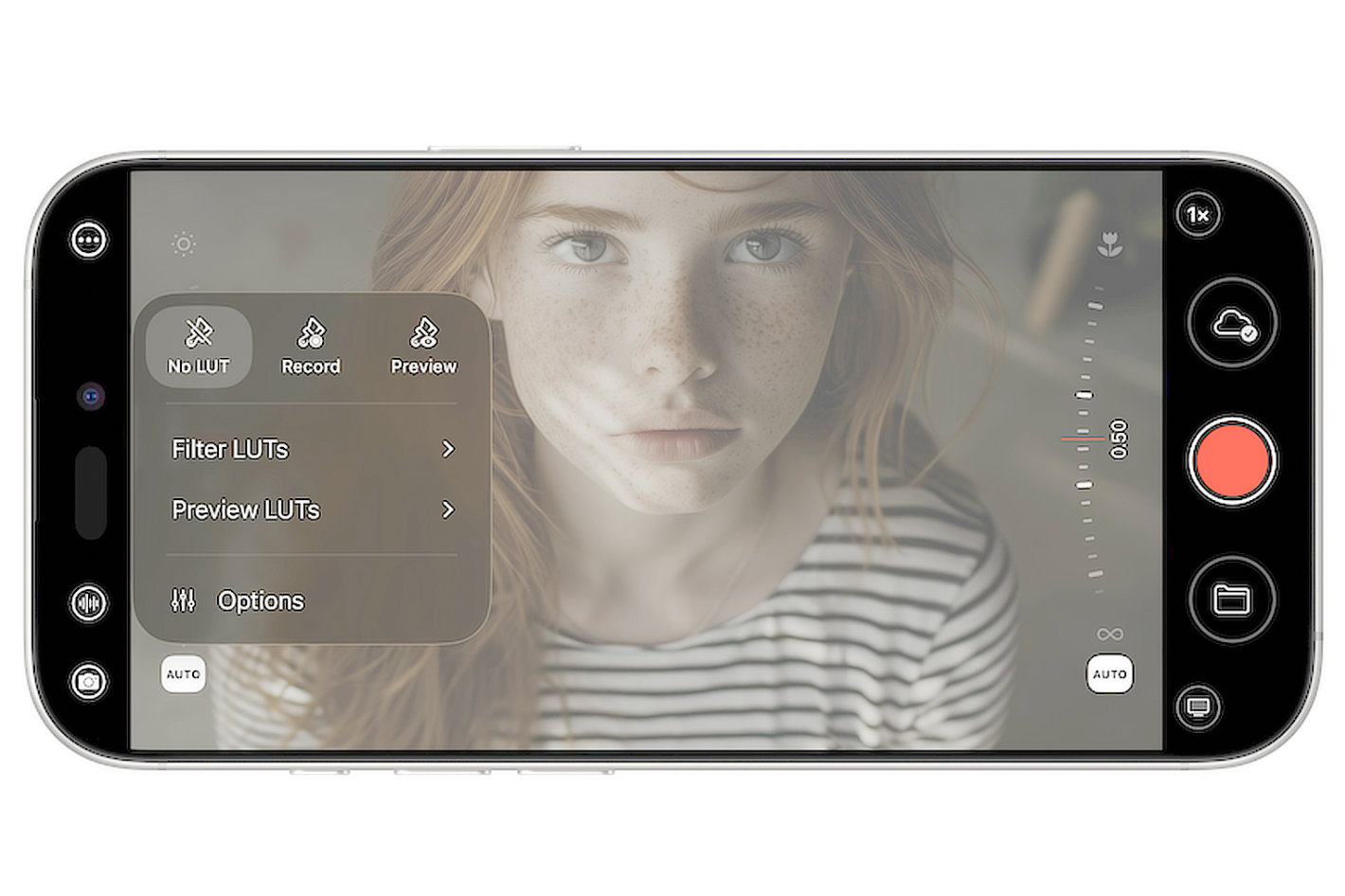

It’s been a busy here for Mavis, with its Mavis Camera app making the news in April, August (twice) and September, and the introduction of a completely new app, Mavis Monitor, at IBC2025, which turns everyday Apple devices into broadcast-quality monitors with support for NDI and Atomos Ninja Phone input, SDR and HDR pipelines, advanced scopes and overlays. Now it’s time for a new update to Mavis Camera app, adding cinematic color and capture tools, alongside ATOMOSphere C2C and workflow refinements.


For faster creative results, Film Kit also introduces a set of built-in filter LUTs, including Bleach Bypass, Bunny, Cinematic, IR, Monochrome, and Vintage, all designed to give shots a filmic character with minimal setup. When a production needs to move quickly from capture to delivery, these looks can be recorded and carried through into downstream workflows such as live streaming or NDI.
“With this latest version of Mavis Camera, we wanted to make cinematic decision-making feel effortless,” said Patrick Holroyd, CEO of Mavis. “Film Kit gives creators a practical way to monitor or capture the look they want, whether they’re shooting on an iPhone or a DSLR or mirrorless camera, without slowing down production.”
To help simplify color management further, Mavis Camera v7.4 introduces MLUTs (MavisLUTs) – a new format that can bundle multiple traditional LUTs and associated metadata into a single file. MLUTs are designed to help teams organize looks more easily, especially when working across different color spaces.
Film Kit also adds Open Gate capture, giving creators the freedom to reframe and deliver to different aspect ratios from a single take. Mavis Camera provides two Open Gate modes: one is designed for Apple Log workflows, and one for Rec.709 that can capture above 4K resolution on supported devices. Apple Log 2 is also now supported, reflecting the direction of Apple’s own pro capture workflows.

A number of smaller refinements round out the release, including new white balance presets for faster setup, improved shutter-angle selection that snaps to common values (making standards like 180° easier to land reliably), refreshed translations (now fully supporting French, Spanish, Chinese, German, as well as English), and a wide set of bug fixes and performance improvements.
The Mavis Camera app is a free download available from the App Store. Film Kit functionality (including LUTs, MLUTs and Open Gate) can be unlocked with a one-time in-app purchase of USD $9.99 (local conversions apply).