


GoPro Updates:
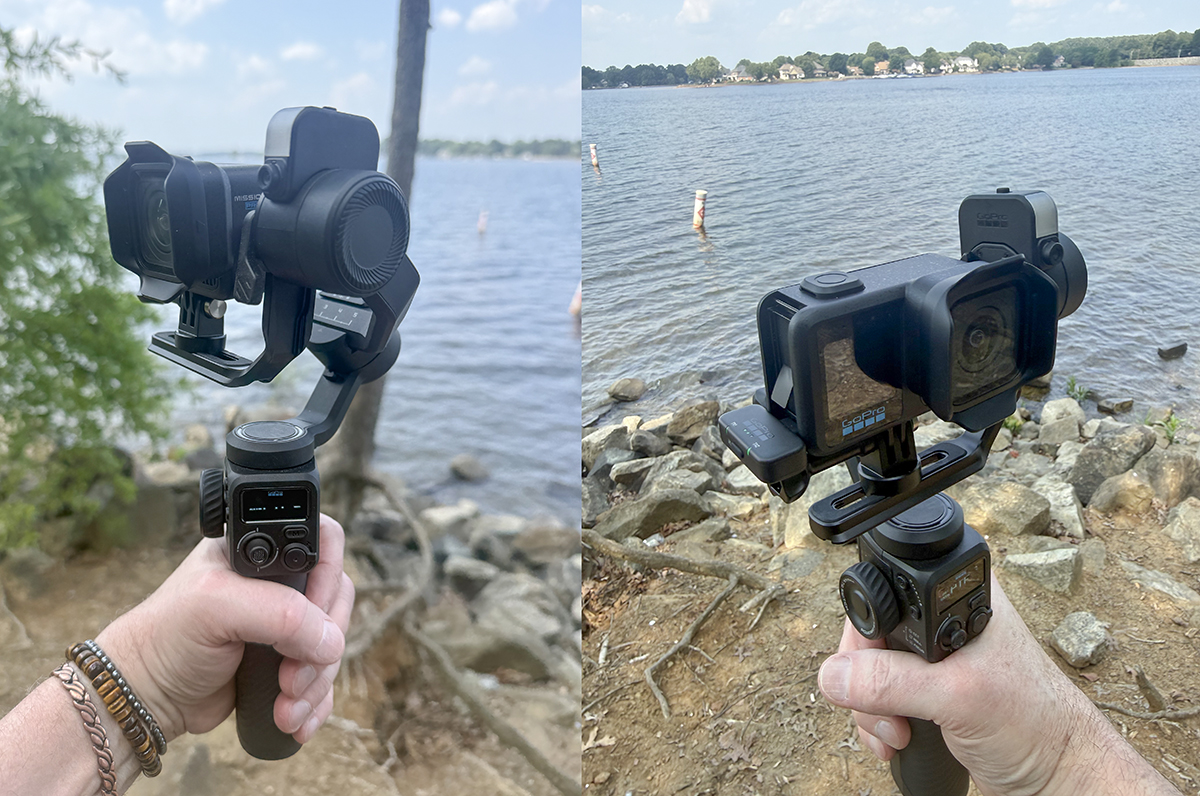
I’m following up on my last update with more hands-on tests and info on the Mission 1 Pro and the new GoPro Wireless Mic Kit. Plus I finally mounted the Mission 1 Pro correctly to the Fluid Pro gimbal – lol. (I got called out on that from my last article). But I really just want to share creative ways this technology can be used in your everyday hobbies or adventures. You don’t have to be a daredevil or extreme sports enthusiast to enjoy creative and fun photography and videos!
GoPro Mission 1 Pro Slo Mo Testing
First off, no, I did not use the preset Slo Mo setting on the camera. I simply recorded my footage at different resolutions and frame rates, knowing I was going to edit in Adobe Premiere Pro afterwards, to dial in the playback speed I anticipated.
Hey – I’m old skool that way. 😉
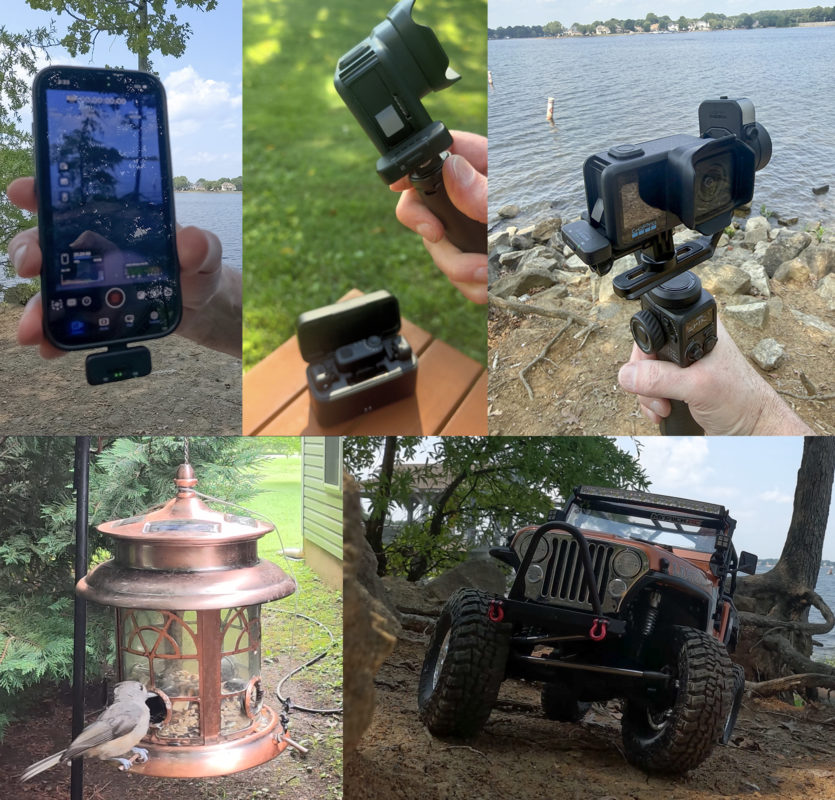
For this first test, I thought I’d capture the activity around the bird (squirrel) feeder we just put up outside our living room window. It’s more entertaining that television by far! I tried various mountings of the Mission 1 Pro and different frame rates and resolutions to see how effective they were.
In my opinion, the claim of 480fps at 1080p is just too noisy and full of artifacts in static low-light conditions to benefit the additional frames. The details are lost so everything just feels like motion blur or low res artifacts (you’ll see a few shots in this video.)
However, the 4K/240fps was the real sweet spot to get usable and stable footage to re-time for smooth playback.
I also found the 8K/60fps delivered really clear imaging and super impressed that this camera can deliver such quality in the end.
Note that this video was edited at 4K/29.97fps with no additional color corrections, scaling or cropping of any of the raw footage. These are straight from the camera as noted. I do still see artifacting due to YouTube’s compression, but any splotchy/banding issues are compression – not the footage that came off the Mission 1 Pro. (video has no sound)

Next, I wanted to have a little fun with the CJ7 and some rock crawling along the shore of Lake Norman here in North Carolina, and see what various shots I could set up and edit to make the physics of the 1/10 scale RC Jeep – piloted with the help of my buddy Willie Nelson – at a higher frame rate and edited to slow down and give perceived “mass” on playback.

GoPro Media Library
Those of you who have been following my reviews and articles over the years know that I don’t approach things linearly. I don’t read the instructions or conform to pre-formulated expectations of approach to new technology or processes. Like water, I typically erode my own path to get the results I’m envisioning in my head. If I get stuck, I eventually figure it out (or not) and only THEN will I look up to get going and then fly solo to the next point. I sometimes develop my own workflows and processes as a result – but I learn from this, and I stay interested in the task at hand.
I say this because I often fought over using the GoPro Media Library and thought it totally wrong to let the GoPro actually upload my media to the cloud for me – I felt that I HAD to control my media by yanking out the SD card and uploading it directly to my computer and backing it up on a hard drive on the spot, before I would allow a slow and painful upload direct from the camera. Through my years working in the drone industry, I had a great distrust of anyone else handling my precious data. LOL
My, times have changed! I’ve been using Frame.io for years like a “Drop Box” account, but have learned to embrace production media ingesting and distribution/communication with colleagues and clients alike.
Which brings me to my experience so far with the Mission 1 Pro and the huge 4K/8K media files moving about from one device to another. And I finally gave in and “allowed” the camera to automatically upload completed shots to the GoPro Media Library (with my GoPro subscription) and they magically are accessible on all my devices. I can confirm on my iPhone that the data is there – previewed and secure. No more messing with dropping/losing the tiny microSD cards in the wild or waiting for the files to finish downloading to my computer so I can move on to another project or shot – or organizing all my SD cards and hope they’re secure in my pack.
I only say this because I found it’s much easier and actually faster to access the GoPro Media Library remotely as well from my desktop. The storage is secure and plentiful – at least for my projects.
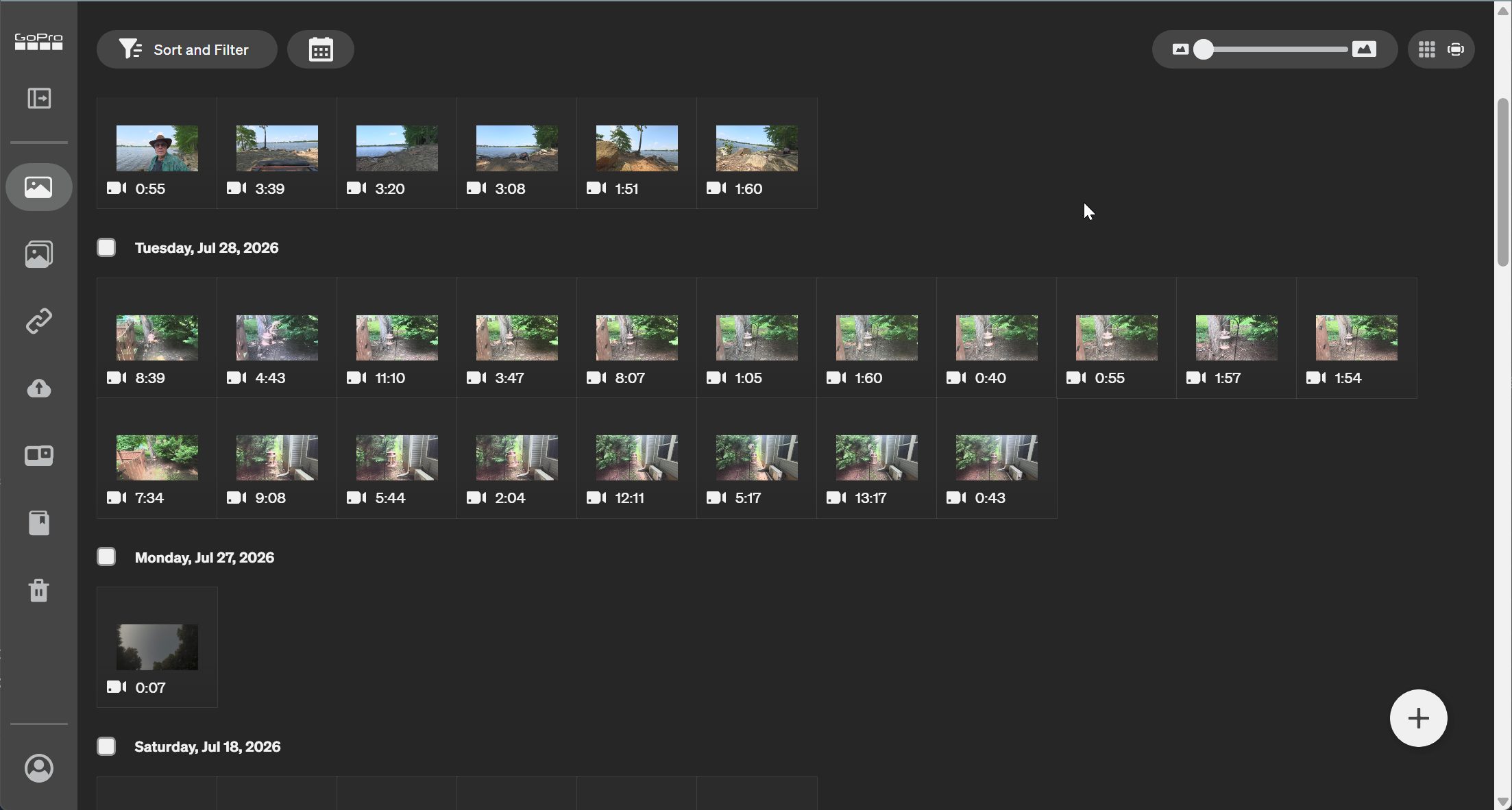
Case-in-point, several of the tests in this article are an example of the productivity achieved right from my couch (or even in bed at night) accessing the Mission 1 Pro outdoors from my GoPro Quik app on the iPhone. I can turn on the camera, record, change settings, record again, monitor recording and then upload the media so I can keep recording.
I’m truly discovering the value of the GoPro subscription as a result.
I think you will too!
Mission 1 Pro Nighttime Timelapse Testing
After some experiments that failed to produce the results I was hoping for, I finally just set everything in the GoPro app camera settings to “full auto” and let it run for a sundown test. It worked as I’d expect for a timelapse shot.
Since I burn through batteries pretty quick, I didn’t want to take a chance for a lengthy shoot to have it run out midway, so I grabbed my trusty old GoPro power brick and tethered it to the Mission 1 Pro and set it up to run overnight.
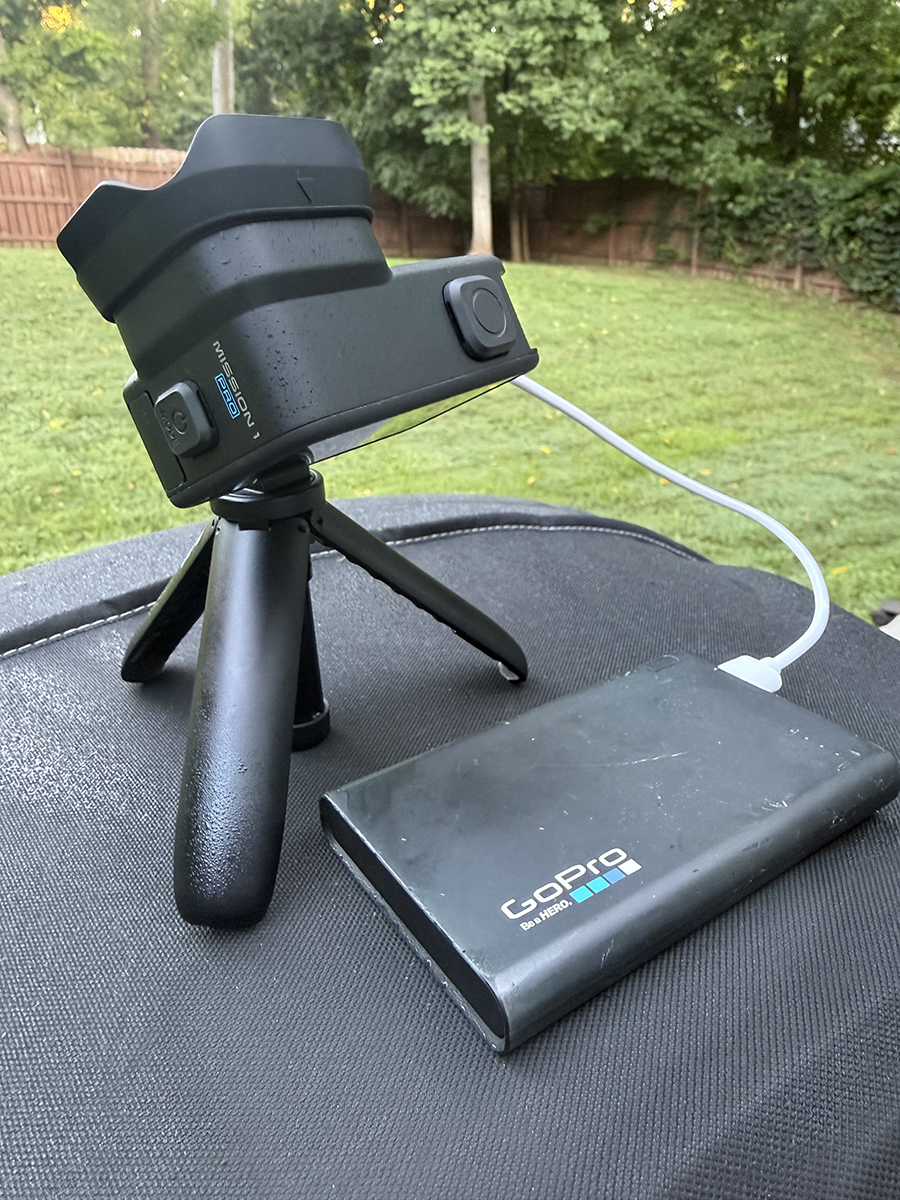
Screen settings on the GoPro app for the Lapse feature.
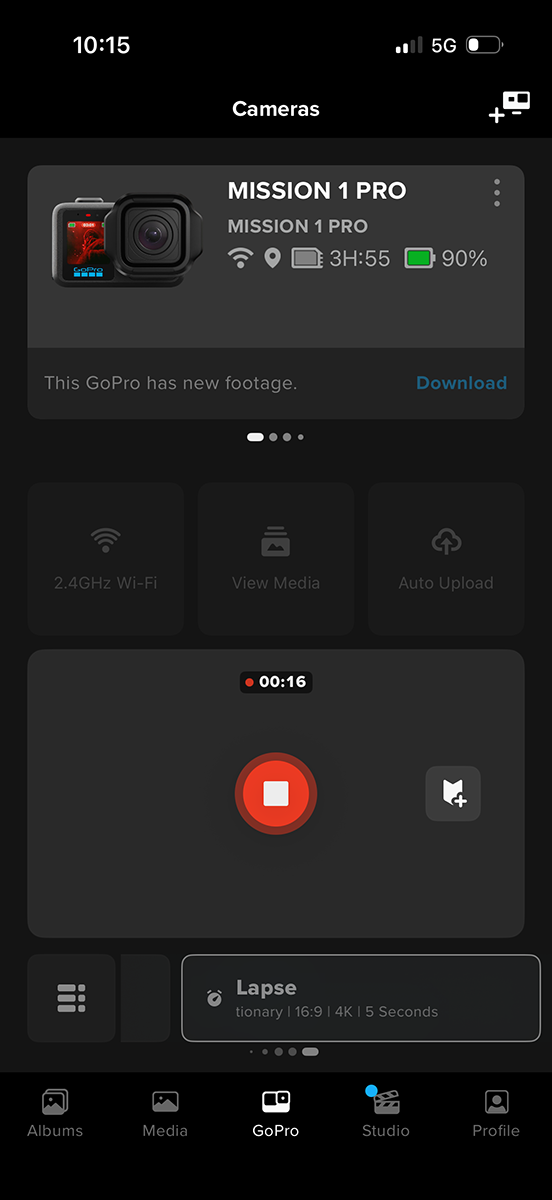
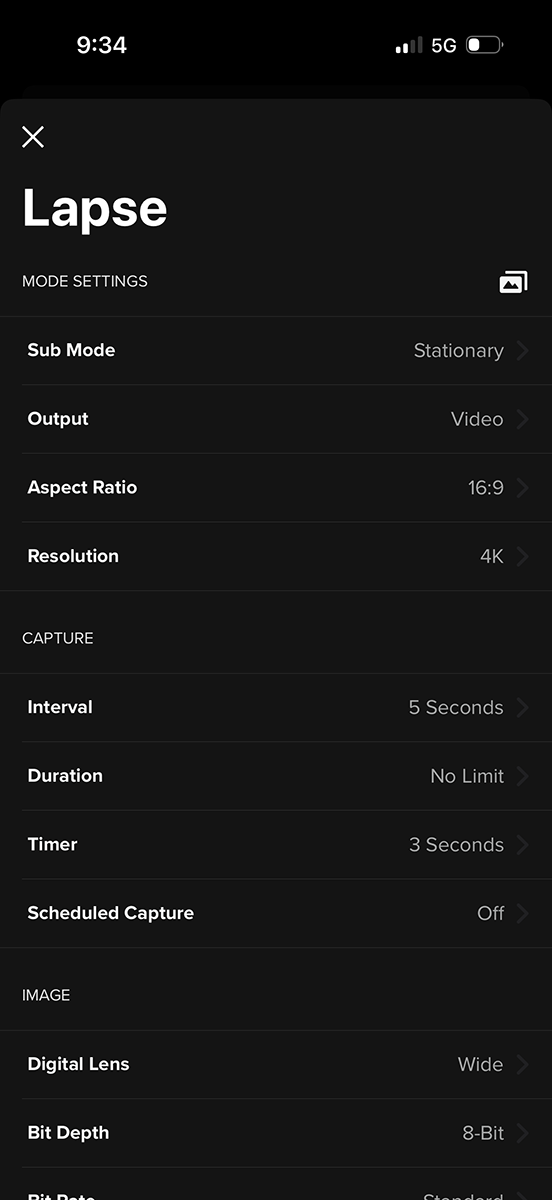
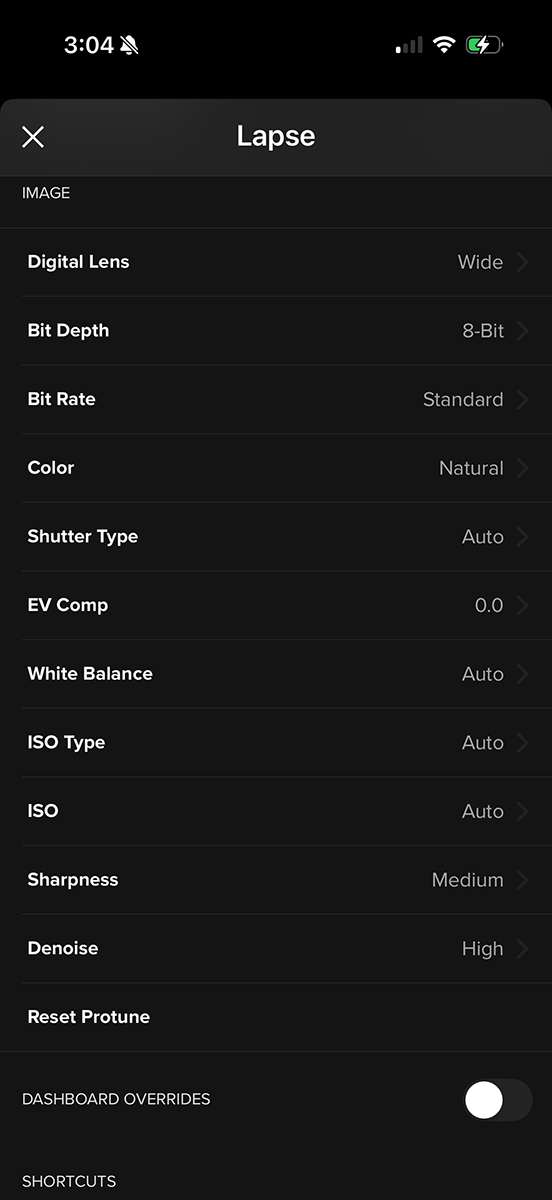
I forgot to turn off the back porch auto-sensor light so there’s a moment when the full moon crested the eaves of the house and triggered the light sensor briefly (noted in the video). This was all shot in the Lapse mode (full auto) at 4K/5 sec intervals. It ran over 7-1/2 hours and I stopped it when I woke up, using the GoPro app on my phone and let it upload to the Media Library. It had finished and I could preview it on my iPhone before I even got out of bed. I knew it worked and the file was secure. Sweet!

GoPro Wireless Mic Complete Kit
Current Pricing
- Sale price: $127.99
- Regular price: $159.99
What’s in the box
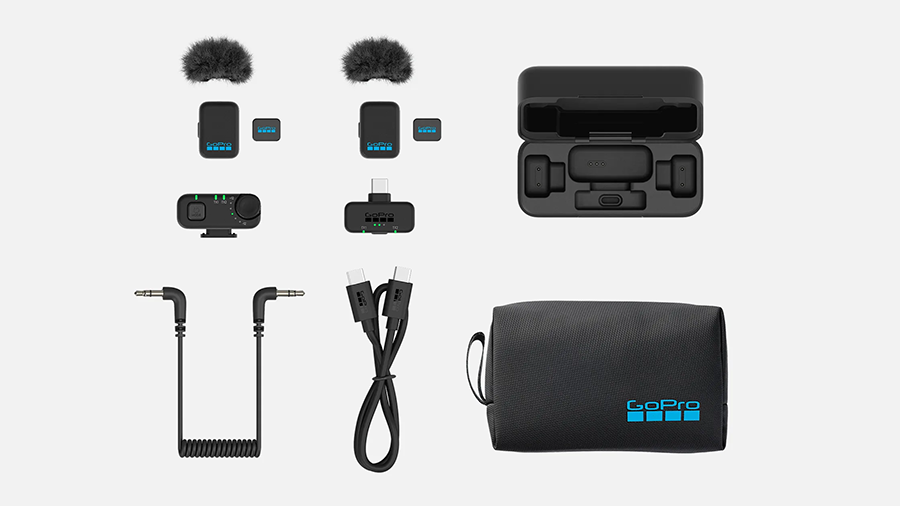
The Wireless Mic Complete Kit includes:
- 2 transmitter microphones
- 2 microphone windscreens
- 2 microphone magnets
- 3.5 mm TRS receiver
- USB-C receiver
- Charging case
- 3.5 mm TRS cable
- USB C-C charging cable
- Large storage pouch
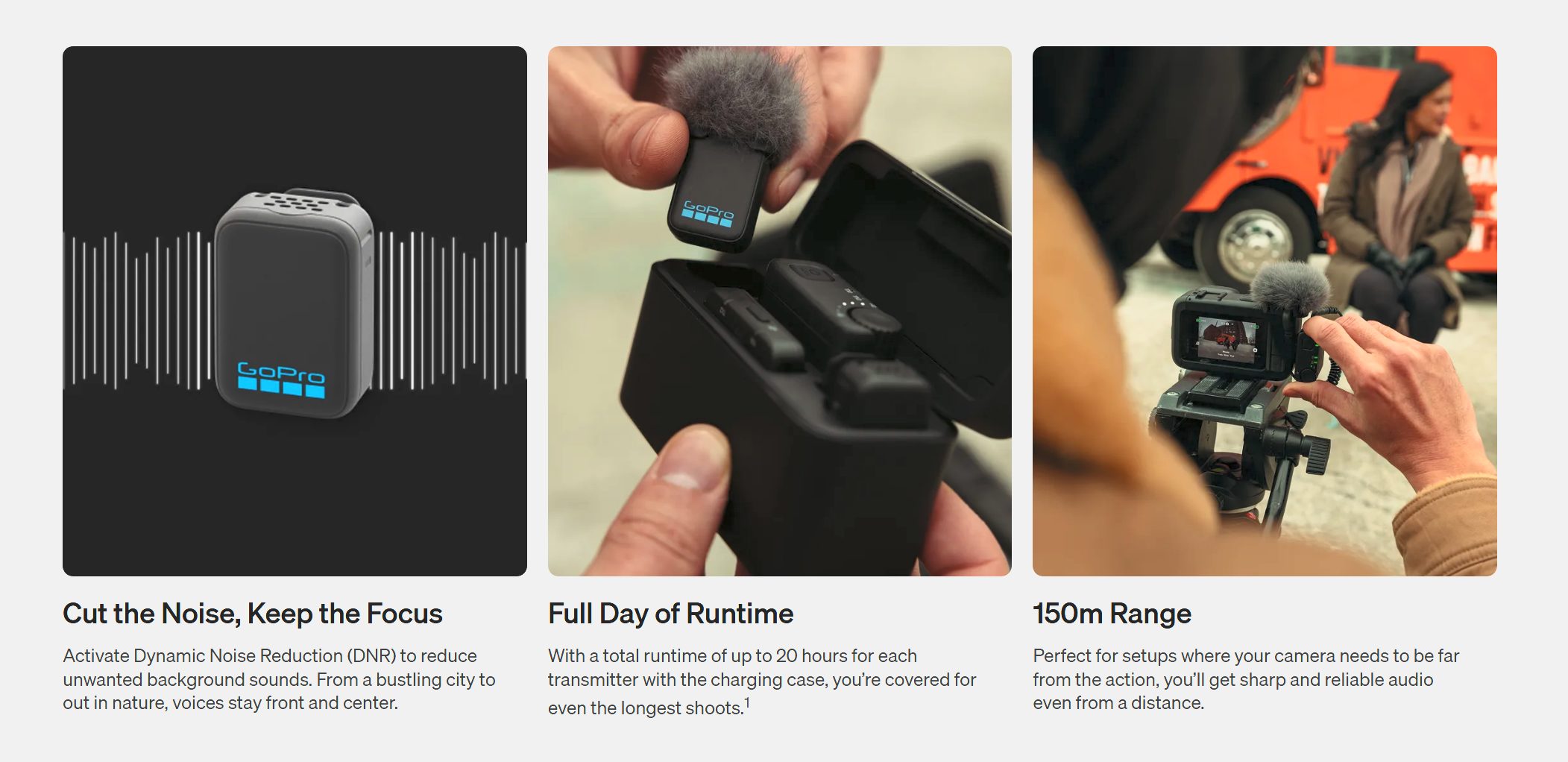
Specifications:
Dimensions (L × W × H)
- Transmitter: 20 × 18 × 28 mm
- TRS receiver: 42 × 36 × 22 mm
- USB receiver: 35 × 27 × 9 mm
- Charging case: 92 × 40 × 57 mm
Weight
- Transmitter without magnet: 10.0 g
- Transmitter with magnet and windscreen: 13.9 g
- TRS receiver: 23.3 g
- USB receiver: 5.5 g
- Charging case: 139 g
Acoustic Specs:
Polar pattern
Omnidirectional
Frequency range
20 Hz–20 kHz
Maximum sound pressure level
120 dB SPL
Equivalent noise
26 dBA
Signal-to-noise ratio
70 dBA
Bit depth
- TRS or USB receiver: 24-bit
- Bluetooth: 16-bit
Sample rate
- TRS or USB receiver: 48 kHz
- Bluetooth: 32 kHz
Connectivity:
Bluetooth audio profile
Hands-Free Profile (HFP) 1.9 with Super Wideband Speech (SWB)
Transmission distance
- TRS or USB receiver: 150 m
- Bluetooth: 100 m
Electrical Specs:
Operating time
- Transmitter: 6.5 hours
- TRS receiver: 13 hours
Battery capacity
- Transmitter: 80 mAh
- TRS receiver: 230 mAh
- Charging case: 1,500 mAh
Operating temperature
0°C to 35°C
Initial Testing:
I still haven’t had a chance yet to try these out in a professional setting but I wanted to see how they would perform at minimum with the iPhone and Mission 1 Pro directly. I haven’t yet received a Media Mod for the Mission 1 Pro (none of the previous mods will work on the new form factor) so I had to remove the side door and plug the USB-C receiver directly into the port on the side. The iPhone worked just as expected.
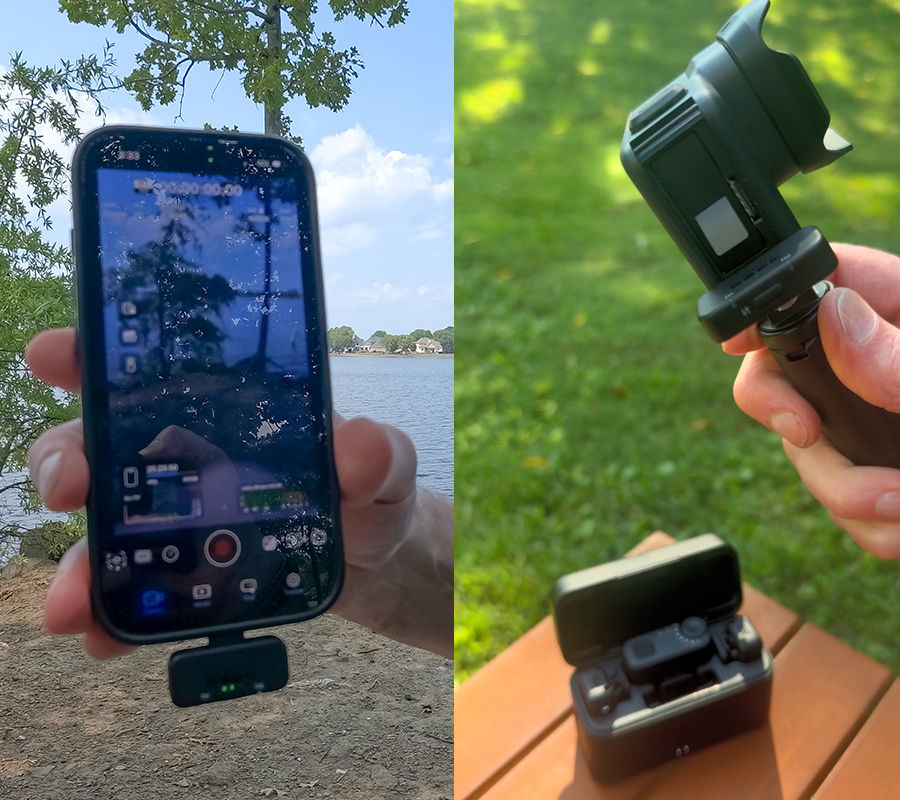
After my initial testing I can definitely see an advantage of using the full receiver that allows you to control gain going in because direct seems to record about -6db or what I’d consider normal. (Totally a guestimate but I had to roll up gains +6db in Premiere). I’ll do more technical testing later when I can hook it all up proper with other cameras and devices.
These are about 1/2 the size of my older DJI mics (I’ve not tried the DJI Mic mini yet) but there’s no external mic port so you can’t plug in a lav mic. You have to use these as the actual mic. But since they both clip on and have a small magnet (that you will surely drop and lose on the ground – I’ve done it twice already) they seem to have a great range (100-150M) and the noise cancelling is sufficient for general background noise. I haven’t had a chance to really give it a workout yest in a busy environment, but these raw tests I did this week run through a few outdoor scenarios on both the Mission 1 Pro and the iPhone.

Stay tuned for more updates and tests with the most recent GoPro lineup!