

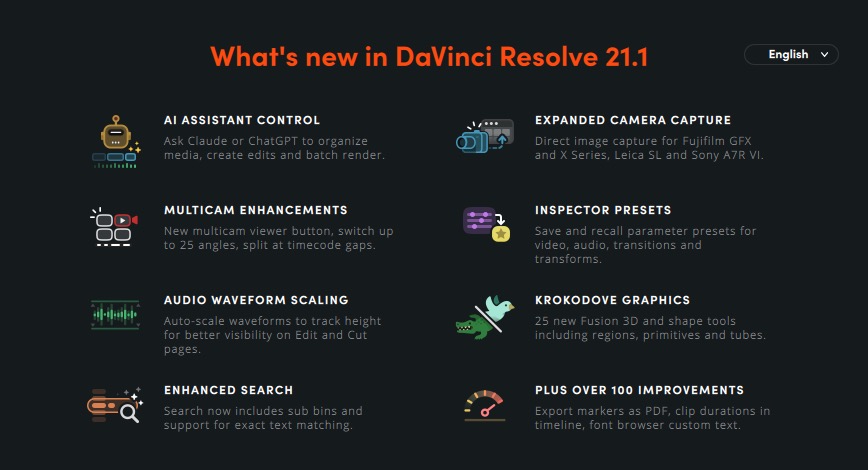

Blackmagic Design has surprised us with a huge update for DaVinci Resolve, taking it to version 21.1. This follows the Resolve NAB beta moving to the full shipping version in record time. It’s a free update, and there’s more in here than you might expect from a .1.
Here’s a breakdown of what’s changed.
AI assistant integration
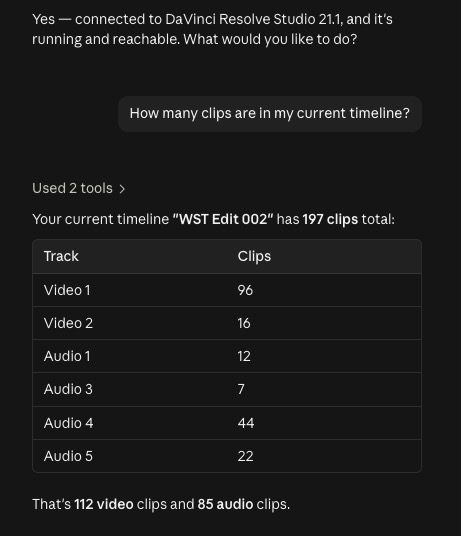
This is a big one as it lets editors use AI in a number of different ways.

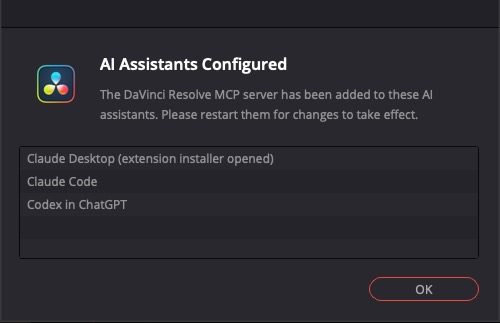
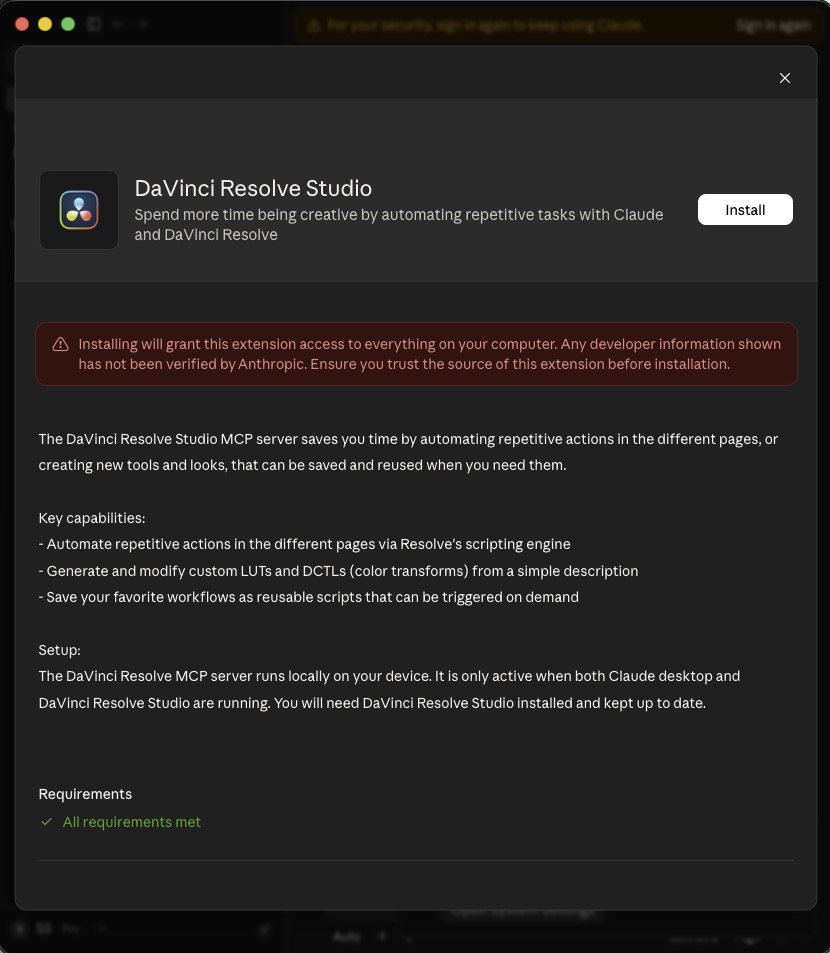
Blackmagic is building AI assistant integration and connection directly into Resolve 21.1 which puts it in interesting company alongside tools like Adobe’s Premiere beta AI Assistant. The practical implementation details are still emerging as people get eyes on it at IBC, so it’s worth holding judgment on how useful it actually is until editors get real time with it. But it’s worth noting this is more a connection to tools like Claude and ChatGPT as opposed to a built-in, chat-based AI tool. You may need to update your AI subscription because … tokens.


Editing page
There are so many new features in the Edit (and I guess Cut) page it’ll take some time to play around. These two caught my eye:
- An updated trim editor. The trim editor is one of those features that gets used constantly and rarely gets talked about unless something’s wrong with it. An update here is worth paying attention to.
- Enhanced multicam controls. More control over multicam workflows, building on the solid multicam foundation Resolve already has.
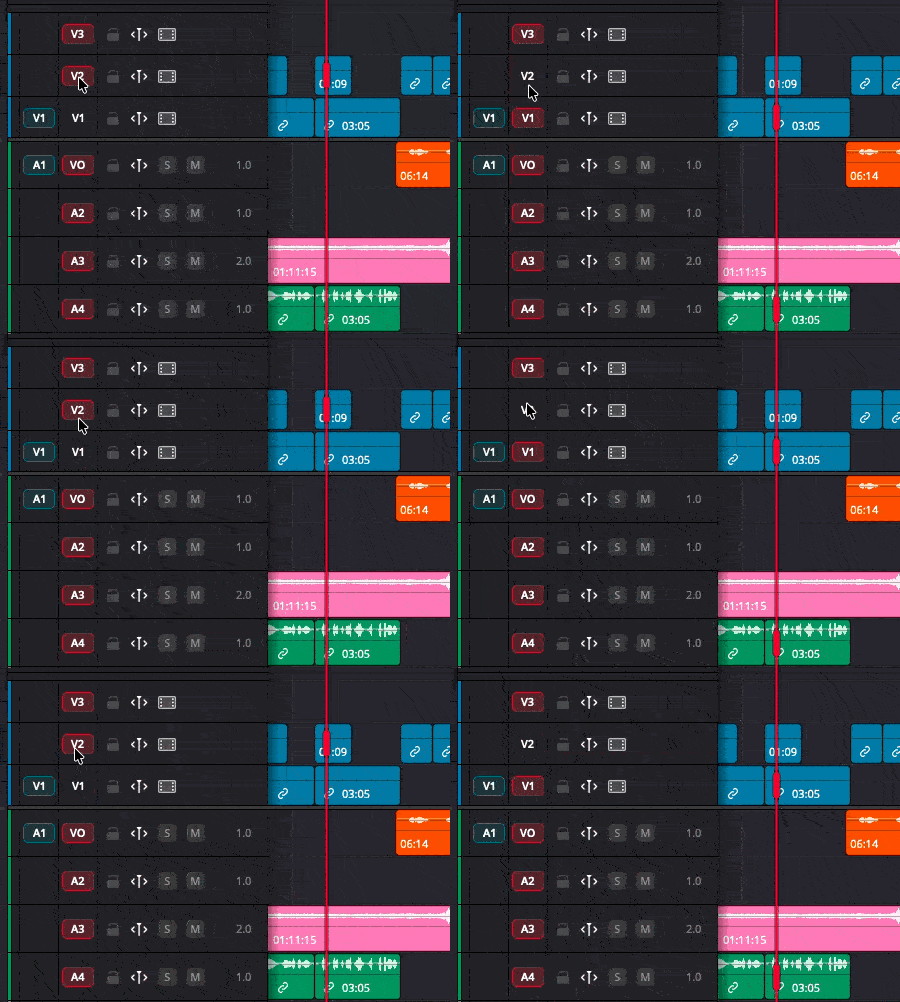
And look at this:

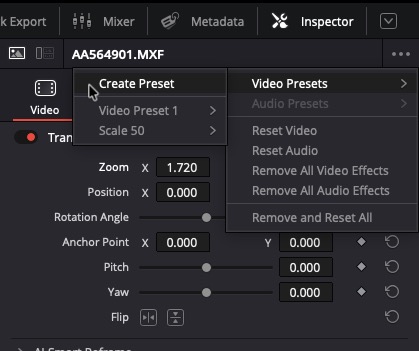
Oh, and here’s another big thing editors have been asking for, the ability to save Inspector presets.

Color page (Studio only for some)
DaVinci Resolve Studio 21.1 adds individual MultiMaster trims on the color page. MultiMaster trim passes let a colorist apply adjustments that ripple across multiple clips or scenes. Individual control over each of those trims is a useful step forward for high-volume or multi-deliverable grading work. This one is Studio-only.
Fusion and Krokodove
Resolve 21 brought Krokodove into Fusion – a toolset of over 70 graphics, shape, and 3D tools. Resolve 21.1 adds more than 25 additional Krokodove tools on top of that, plus updated macro controls inside Fusion. The Krokodove additions have been genuinely useful for motion graphics work inside Resolve, so more of them isn’t a bad thing.
Media and format support
Expanded support for still photography and additional camera formats continues Blackmagic’s push to make Resolve a one-stop shop from ingest through delivery. The Photo page arrived in Resolve 21, and 21.1 keeps broadening what feeds into it without a transcode step.
Media management also gets attention: media pool list view now supports direct editing of text and checkbox fields, plus new project archive options round out the organizational tools.
Blackmagic Cloud Presentations
If you use Blackmagic Cloud Presentations for remote client review, 21.1 adds subtitle support, annotation sharing and comment replies so Frame.io, look out.
It’s a free update. If you’re on Resolve 21, you should grab it. The AI assistant integration is the wild card and I suspect that it’ll be the most talked about thing in this update.
Still free, still affordable but the Python API update is worth noting
Resolve Studio remains $295, one-time, no subscription. The free version stays free. But this is something worth noting that I saw in the About documents:
We have moved the ability to script in Python to the Studio version. The Python API was being used to hack studio features into the free version. DaVinci Resolve relies on studio license sales to pay for the engineering team. Unlike subscriptions, which have become normal but lock people’s work up unless you pay monthly, we want to offer a differentiation from charging monthly license fees.
I support Blackmagic for this. The free version is so full-featured it makes sense to remove the ability to hack such a full-featured tool to push users to a very affordable $295 purchase. But this was the Adobe shot that made me do a double-take: Unlike subscriptions, which have become normal but lock people’s work up unless you pay monthly, we want to offer a differentiation from charging monthly license fees.
BMD ain’t playing around.
There’s also an updated user manual, the best manual in the business.
Here’s the full bullet-point breakdown of Resolve 21.1:
What’s new in DaVinci Resolve 21.1
The following features have been added or updated.
Media Page
- Media pool list view text and checkbox fields can now be edited.
- Search includes sub bins and supports exact text matching.
- Original aspect ratio in source viewer with no external monitoring.
- Source viewer supports interlaced media previews.
- Preview geometry assets from media pool and media storage.
- Ability to change starting timecode for multiple selected clips.
- Ability to delete selected markers in media pool list view.
- Created/modified dates for multicams, compound clips and timelines.
- Delete multiple audio tracks in clip attributes using mouse drag.
- Assign key shortcuts to show or hide media pool bin view.
Photo Page
- Change image settings in inspector using color panels.
- Improved post decode sharpening for RAW images.
- Improved sidebar with flexible height and stacked panels.
- Inspector reset controls for each RAW parameter.
- DNG file support for lens distortion, aberration and shading.
- Resolve FX Sky Replacement support for album photos.
- Assign key shortcuts to toggle capture live view.
Cut and Edit Pages
- Support for inspector presets.
- Multicam editing mode is now a timeline viewer property.
- Option to split multicams at gaps when using timecode sync.
- Switching multicam grid size retains page with selected angle.
- Multicam key shortcuts now work with timeline or source focus.
- Assign key shortcuts to decompose multicams.
- Assign key shortcuts to switch or cut up to 25 multicam angles.
- Assign key shortcuts for source and auto select for up to 32 tracks.
- Edit Fusion properties for multiple selected clips in inspector.
- All new compare timeline workflow with greater control.
- Data Burn can show clip metadata from a specified video track.
- Presentation markers support annotations, replies and status.
- Marker annotation support for drawing ellipses.
- Zoom audio waveform actions in the edit timeline.
- Playhead indicator for current clip in inspector and viewer.
- Clip selections are now cleared when setting timeline in or out.
- Improved edit page trim editor with mouse drag and nudge.
- Refine dynamic trim edit point selections with auto select.
- Switching to dynamic trim enables trim mode by default.
- Dynamic trim editor loop playback continues when editing.
- Ability to cut, copy and paste gaps on the edit timeline.
- Timeline view option to automatically scale audio waveforms.
- Timeline view option to display clip durations.
- Two Cut page timer options for source tape and multiview.
- Ability to apply transitions to adjustment clips.
- Export marker list from edit index as a PDF.
- Option shift dragging clips preserves existing transitions.
- Restored timeline backups retain backup history.
- Preference option to stop playback when scrubbing.
- Preference option to always play audio on playhead move.
- Preference option to select clip after playhead on blade.
- Inspector now honors auto track selection for displayed clip.
- Improved shift-click clip selection across tracks in edit page.
- Clear solo and restore solo support in the edit page.
- Fusion color picker support in edit and cut page viewers.
- Font browser option to display text preview from title.
- Select gap space after last clip on track for trim edits.
- Replay ability to enter input view directly from run mode.
Fusion Page
- New Krokodove based shape and 3D tools.
- Support for OpenPBR material shaders.
- Improved MultiText layer align behavior.
- Animation action support for OGraf clips on timeline.
- Support for frame, ease and scale controls in OgrafLoader.
- Macro Editor supports load and save of multi-template DRFX files.
- Improved Macro Editor batch select, grouping and organization.
- Macro Editor update macro action adds tools from node selection.
- Fairlight Animator now has adjustable low and high pass filters.
- Ability to import externally tracked results to Camera Tracker.
- Tracker controls to trim tracks, view and change reference frame.
- Support for hard mix blend mode for Fusion tools and PSD import.
- Pre-divide and post-multiply alpha handling in log conversion tools.
- Improved Desktop Video monitoring performance.
- Enhanced variable syntax for use in evaluations or substitutions.
Color Page
- Retain playhead position when navigating between tracks.
- Ability to relink missing LUTs and DCTLs from the LUT Manager.
- Missing DCTLs shown as viewer overlay and in LUT Manager.
- Support for DJI D-Gamut2 and D-Log2.
- Support for GoPro Log.
- Support for Leica L-Log IDT and LUT.
- Support for Vivo Wide Gamut and Vivo Log.
- Toggle node cache status from advanced panels.
- Navigate power windows from tracking menu in advanced panels.
- Improved effect scaling for Resolve FX with Gaussian blur.
- Assign key shortcuts for viewer video output actions.
General Improvements
- Native support for NVIDIA RTX Spark systems on Windows.
- Support for haptic feedback on Windows.
- Hardware accelerated HEIC decode on Apple Silicon.
- Support for rendering to EXR with HTJ2K compression.
- Support for USAC audio decode on macOS.
- Improved iXML metadata support from WAV audio.
- Support for reading embedded Canon PL lens metadata.
- Presentation export option to include subtitles.
- QuickTime and MXF renders support multiple embedded captions.
- Growing file improvements for TS, QuickTime and MXF formats.
- Improved media management error handling and reporting.
- Project level media management now includes a .drp export.
- Project archive options for stills, LUTs and used media.
- Ability to cancel opening a cloud project.
- PostgreSQL 18 is now bundled with Project Server.
- New user keyboard presets will inherit updates to factory defaults.
- Assign key shortcuts for render queue menu actions.
- Advanced scripting now requires DaVinci Resolve Studio.
- General performance and stability improvements.
Notes
- We have moved the ability to script in Python to the Studio version. The Python API was being used to hack studio features into the free version. DaVinci Resolve relies on studio license sales to pay for the engineering team. Unlike subscriptions, which have become normal but lock people’s work up unless you pay monthly, we want to offer a differentiation from charging monthly license fees.
- DaVinci Resolve and the Project Server can still work with network libraries based on PostgreSQL 13 and above.
Minimum system requirements for Mac OS
- macOS 15 Sequoia or later.
- 8 GB of system memory or 16 GB when using Fusion.
- For monitoring, Blackmagic Design Desktop Video 12.9 or later.
- Apple Silicon based computer.
Minimum system requirements for Windows
- Windows 10 Creators Update.
- 16 GB of system memory or 32 GB when using Fusion.
- For monitoring, Blackmagic Design Desktop Video 12.9 or later.
- Integrated GPU or discrete GPU with at least 4 GB of VRAM.
- GPU which supports OpenCL 1.2 or CUDA 12.8.
- AMD/Intel official drivers from your GPU manufacturer.
- NVIDIA Studio driver 581.57 or newer.
Minimum system requirements for Windows for Arm
- Windows 11 for ARM.
- Qualcomm Snapdragon X Elite series processor.
- 16 GB of system memory or 32 GB for 4K or when using Fusion.
Minimum system requirements for Linux
- Rocky Linux 8.6.
- 32 GB of system memory.
- For monitoring, Blackmagic Design Desktop Video 12.9 or later.
- Discrete GPU with at least 4 GB of VRAM.
- GPU which supports OpenCL 1.2 or CUDA 12.8.
- AMD official drivers from your GPU manufacturer.
- NVIDIA Studio driver 580.119.02 or newer.