

If you haven’t already heard, Adobe Premiere Pro is coming to the iPhone. As another entry into my Burning Questions series, let’s take a look.
Adobe made the announcement of Premiere on iPhone by opening preorders on the iOS App Store, with the new app “expected September 30, 2025.” It was mentioned that this is a free app which is a bit of a surprise in the Adobe Creative Cloud subscription world. Let’s break this down a bit.

Is this really Adobe Premiere Pro?
Well, yes and no. Premiere on iPhone looks to be a full-featured multi-track video editor with effects, color correction, and many of the things you’re used to accessing while working on the desktop in Premiere. But while Premiere on iPhone was “built natively on iOS,” Premiere on the desktop was definitely not so just a look at the two interfaces and you can see they are vastly different.


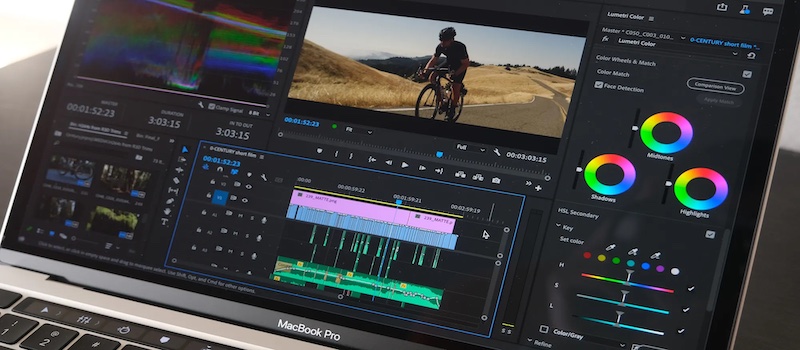
Of course the mobile and desktop apps are vastly different and you would want them to be as you’d never be able to shoehorn the desktop Premiere Pro onto a phone. This isn’t a DaVinci Resolve on iPad situation where have virtually the same app on both platforms, interface quirks and all. But Premiere on iPhone is on the iPhone and there is no mention of iPad as being on the roadmap so this is a different tool for different applications than both Premiere on desktop or Resolve for iPad. In the Adobe announcement they repeatedly refer to “creators” so you know who Premiere on iPhone was designed for and that’s okay because you’re not going to edit your movies and tv shows on your iPhone anyway.
I’m sure once it ships some YouTuber will do a feature-by-feature comparison between Premiere on iPhone and Premiere on desktop and make some click-bait headline about Premiere on iPhone not being Premiere. I might not disagree if that YouTuber said this is a marketing play first and foremost but if it’ll cut stories and you’ll be able to move an edit to Premiere on the desktop then it can be Premiere.
So you’ll be able to move an edit to the desktop version of Adobe Premiere Pro?
Yes: “The Premiere iPhone app gives you the flexibility to create on the go and finish on desktop. Start projects on your phone, export instantly to TikTok, YouTube Shorts, or Instagram with one tap, or send projects to Premiere Pro for precision editing.”
Wait a minute, doesn’t Adobe already have mobile video editing apps with the Premiere name?
They do, and they have had for a long time.


Adobe has a history of mobile video editing apps and it feels like they have all been a building process that will culminate in Premiere on iPhone. Adobe Clip is the oldest one I still have on my phone. It was great as part of its design was to take your edit and finish it “in Premiere Pro CC.” But it came along before the current mobile video creators revolution. Premiere Rush has been around the last few years as Adobe’s modern mobile video editing tool. If you like Rush beware that it is being discontinued.
This new Premiere on iPhone has kind of been around for a while now as Adobe’s Project Violet was sort of like a beta version of it. You had to know it was there, usually by somebody telling you that it existed. But a lot of the features in Premiere on iPhone have been battle-tested in Project Violet.
But Project Violet is no more:


Will Premiere on iPhone really be free?
Adobe says you’ll get a pretty full-featured mobile video editor right out of the App Store. It looks like there will be a lot of extras available for free in the form of creative assets like graphics, images, sounds, music and fonts. There will be generative AI features as well as Adobe Firefly integration where, according to Adobe, “generative Al features require the purchase and use of Firefly generative credits.” That’s kind of how it works now with your Creative Cloud subscription.
Interestingly, when you look at the app in the App Store there is info under the In-App Purchases menu.


This differs from anything you see in the Adobe plans pricing page so perhaps Adobe will have a special plan for Premiere on iPhone but no word yet on what that might include if that above pricing is correct. I would guess (and hope) that if you pay for the full Creative Cloud Pro plan you get whatever this might be as part of you monthly plan.
How “precise” can video editing really be on a phone?
I always take issue with video editing on a phone screen when the companies talk about “editing precision” and how “precise” you can be while editing on these tiny screens. Adobe’s announcement of Premiere on iPhone mentions the word precision several times, but anyone who’s ever tried to do frame-accurate editing on a phone knows that our big fat human fingers can’t accurately drag an edit handle or a waveform spike nearly as precisely as you can do it on the desktop. And then all bets are off if snapping is turned on. We’ll see if Adobe has addressed this in some way, as it would be a big step up over some of the competitors. But in pretty much every phone video editor I’ve used, I’ve found that precision is a moving target. You can get things close, and then sometimes when you lift your finger off the screen, the touch sensitivity makes the clip or the item move a little bit from where you had placed it.
But this is just the nature of the beast with editing on a tiny phone screen. What we should focus on is the fact that this is even possible – how you can shoot an amazing hi-rez, HDR video with this tiny phone in your pocket, then put together some pretty compelling clips and send them out to the world. All without ever touching a desktop computer.
What about Android?
Adobe says “there is no Premiere mobile app available for Android at this time. However, we are working on bringing the power of Premiere to Android devices down the road.” You can even register for an Android beta. Adobe Premiere Pro is available for both Mac and the PC on the desktop so I’d be shocked if they don’t ship an Android version for mobile.
Is there a bullet-point feature list?
Right here:
End-to-end editing
- Bold, Animated Captions: Automatically create captions and add attention grabbing animations.
- Unique Color Presets: Apply Adobe Lightroom presets and fine tune further for your unique look.
- Smooth Speed & Motion Effects: Slow down, speed up; start with presets or do it your way.
- Instant Background Removal: Cut out subjects with one tap; for overlays, title effects, and more.
Precision & control
- Frame-Accurate Edits: Cut exactly where you need with the industry’s most accurate mobile editor.
- Unlimited Tracks: Overlay clips and organize your timeline with no limits to your creativity.
- Resize and Post to Any Platform: Select from any aspect ratio and share anywhere you want.
- Advanced Clip Controls: Flip, freeze, fit, fill, reverse, and unlink audio to customize every cut.
Studio quality sound
- Studio quality Voice Overs: Record your voice then use Al Enhance Speech for a more pro sound.
- Turn Your Voice into Sound Effects: Use the mic to get the timing and inflection and let Al do the rest.
Generative Al assets
- Dream. Describe. Generate.: Generate unique, commercially safe content with Adobe Firefly.
- Stickers That Pop: Generate your own Al stickers or search and select from the free in-app library.
- Seamless Background Expansion: Extend, enhance, or replace backgrounds with gen Al.
Libraries of free creative assets
- Free Creative Assets from Adobe: Get going with quality images, sounds, music, and video.
- Royalty Free Music: Search, filter, and select from over 2,000 free and royalty free tracks.
- Fonts for Any Style: Access over 100 free Adobe Fonts to match your creative vision.
- Respects Creator content ownership. Adobe never trains on user content without explicit sharing.
Speed and performance
- Super Smooth. Super Performant.: Built natively on iOS for a fast, smooth, editing experience.
- Media Management Made Easy: Import your assets from your favorite cloud storage provider.
- Distraction-free, Watermark-free. There are no distracting pop-up ads, clutter, or watermarks.
Free to download and use
- It’s free to use: Everything you need to create great video is available for free.
- Straightforward Pricing. Only pay when you need more storage or generative Al credits.
- Pay for capacity. Generative Al features require the purchase and use of Firefly generative.