

Artificial Intelligence isn’t good at everything, but it is good at writing code. In general, the areas in which it excels are the technical ones, where it succeeds at complex code-driven tasks, and the areas where it struggles are the easy ones. Small-scale software tools sit right in the sweet spot.
In this article, I thought I’d raise a bit of awareness about several new tools that I’ve seen over the last couple of months. While I don’t have any firm information about how these apps were made, it’s a fair bet that most of them had at least some degree of AI involvement.
AI coding — what’s the big deal?
Codex (from OpenAI) and Claude Code are the two big names in this field, but there are other models too. Each one can handle all or most of the programming side of a project, though the more technical knowledge you personally have, the better the instructions you’ll be able to give to your coding tool.
Because coding has become easier, the post production scene is seeing a lot more apps that solve annoying smaller issues, because editors are able to design and implement those tools themselves. This is new.
The market for professional plug-ins has never been huge, and it’s been tricky to make the financial side of things work. Imagine several groups of people:
- Editors who can see a problem
- Editors who can describe a solution clearly
- Software designers who can visualize a solution to that problem
- Programmers who can architect and implement that solution
- Marketers who can tell people about that solution
Even if you imagine a small group of like-minded people, the chances of being able to draw a Venn diagram where those people all end up overlapping has been, to date, vanishingly small. Given the relatively small market, it’s been too hard to financially justify time for a professional programmer to implement these solutions.
Marketing remains hard, so here I am, doing my bit to raise awareness. Let’s take a look at a few new apps, plug-ins and assistive tools for post production, none of which have paid to be mentioned here.
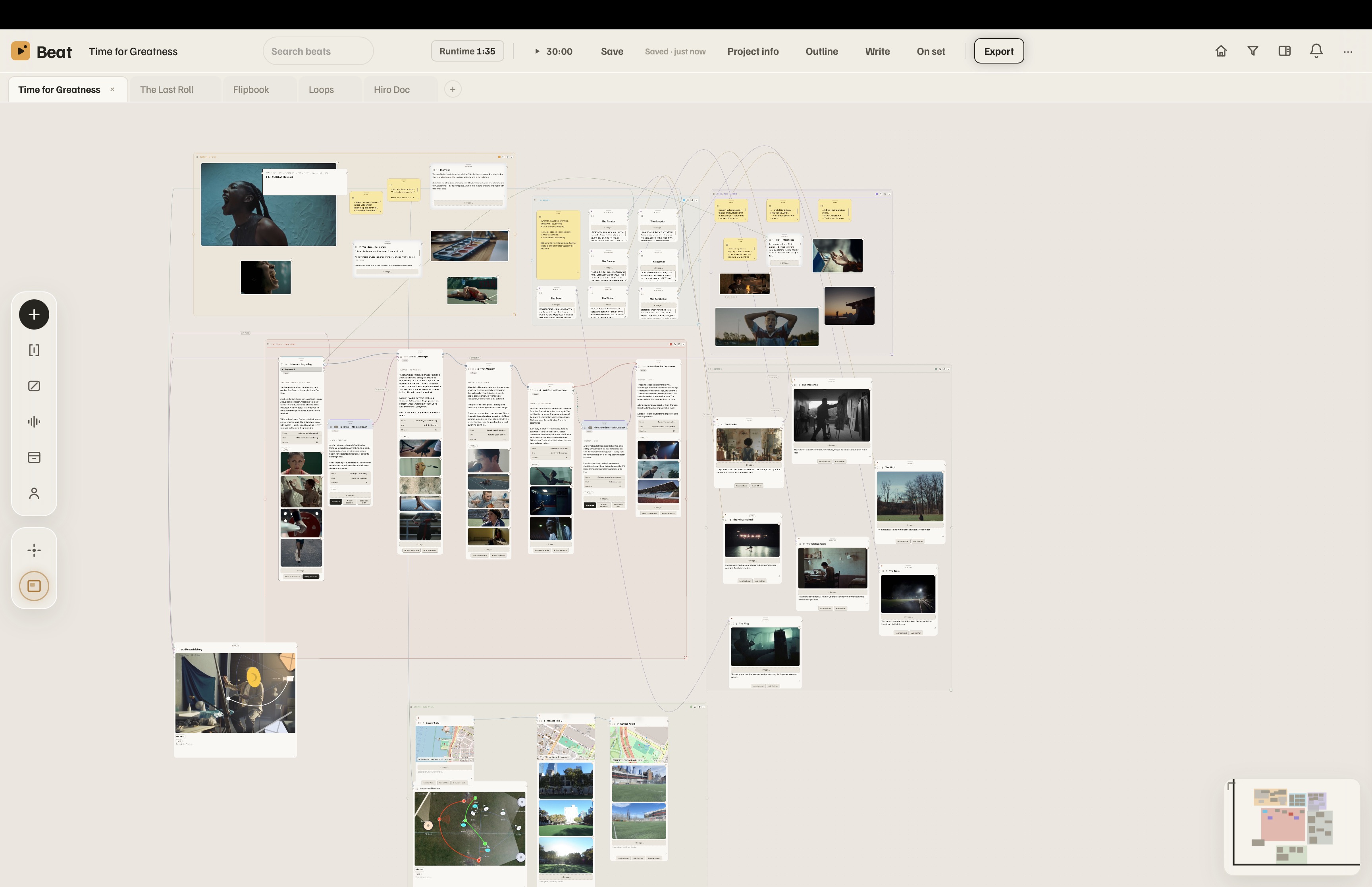
Beat, a visual scripting tool
This app lets you turn a script into connected nodes, making it easier to envision how a story might best come together. It’s also a way to plan each scene, encompassing a call sheet, a shot list, and set plans. You’re able to hook in AI tools via MCP if you want extra help, too.
Oh, and it’s free! There are many free tools out there, but this one is nicely designed and solves problems that other tools don’t. Grab it here.

PowerCue, a voice-activated teleprompter that works
Teleprompters have changed over the last several years, from full manual, to fixed speed, to remote controls, and more recently, to voice recognition that scrolls the script based on what’s been said. Some of these are free, but I tried two free options that just didn’t work properly. PowerCue works, not just tracking what’s being said, but doing a great job of allowing ad-libbing, extending or skipping over parts of the script — the areas where the free options failed for me. It runs on the Mac with an iPad and iPhone companion, and (not guaranteed among these apps) allows text to be styled.
Though a teleprompter is the obvious use case, I’ve also found this helpful for recording tutorial videos, simply to keep the right part of the script clearly in view on a separate screen. Recommended and available here. The creator (Rafael Ludwig) has several other apps checking out too, including an automatic rough-cut solution for all major NLEs called PowerCut, and a ducking solution for FCP called PowerDuck.
If you’re part of a larger organisation that needs a more system-wide approach to script-based prompting, you might want to try EasyPrompter. I haven’t tested this yet, but its feature set goes further than most apps in this field.
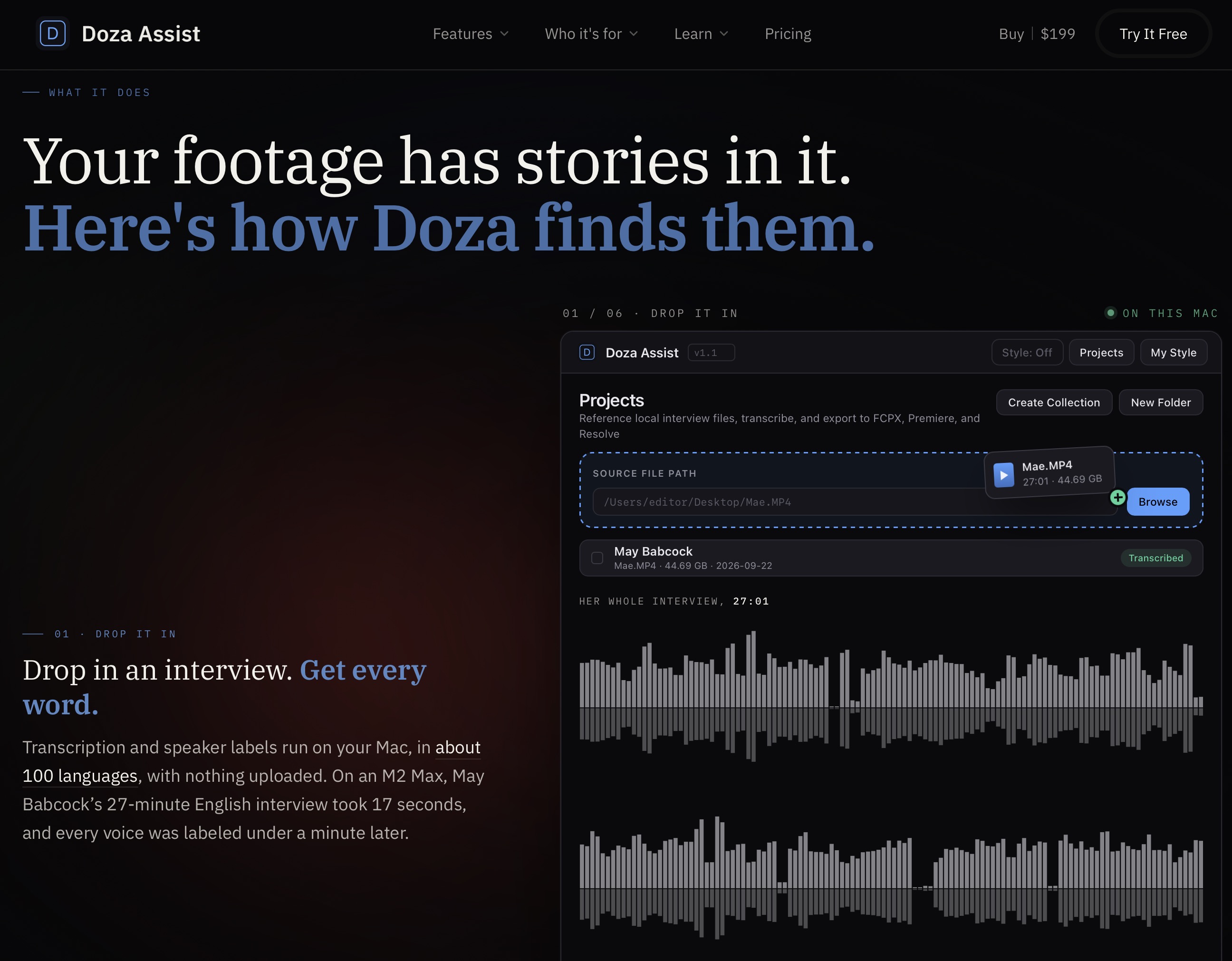
Automatic editing solutions
I suspect we’ll need a larger article to really do these tools justice, but I’ve tried a few so far. If you’re the kind of editor who works with large amounts of footage and needs to produce relatively boring cuts quickly, these tools may be for you. Most of the time, that’s not me, and I haven’t dug deep into the capabilities or differences between these apps yet.
You might want to try Doza Assist, a solution that tries to do your first rough cut for you, or perhaps the previously mentioned PowerCut, or RoughCut (on the App Store), or Cutler (currently in beta). Alternatively, if you want to get your hands dirty, connect your own AI tools to your NLE of choice with an MCP, or use Jumper to do it. As this space is still evolving fast, I’ll leave a full comparison for a future article, but if you’ve tried any of these apps, please share your experiences in the comments below.
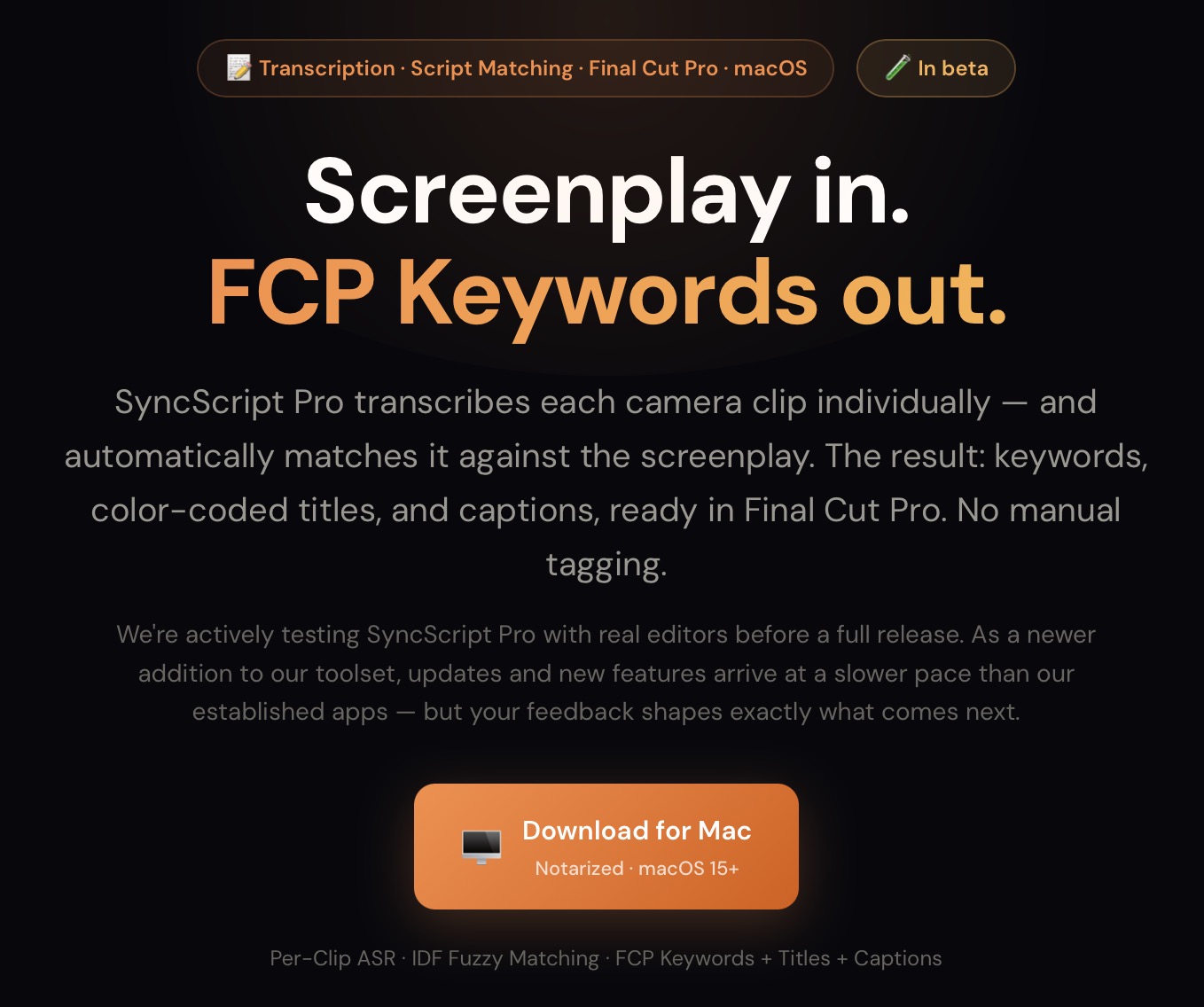
Studio Malibu Berlin, several apps for FCP
A selection of apps created by Knut Hake (editor of feature films Blood and Gold and Blood Red Sky, among others) aim to solve specific workflow issues for Final Cut Pro editors. SyncScript Pro directly matches shots in FCP to your script, Malibu Meter provides EBU R128 loudness metering, and Malibu Conform (coming soon) will convert FCP timelines into DaVinci Resolve with multicam and conform fixes.
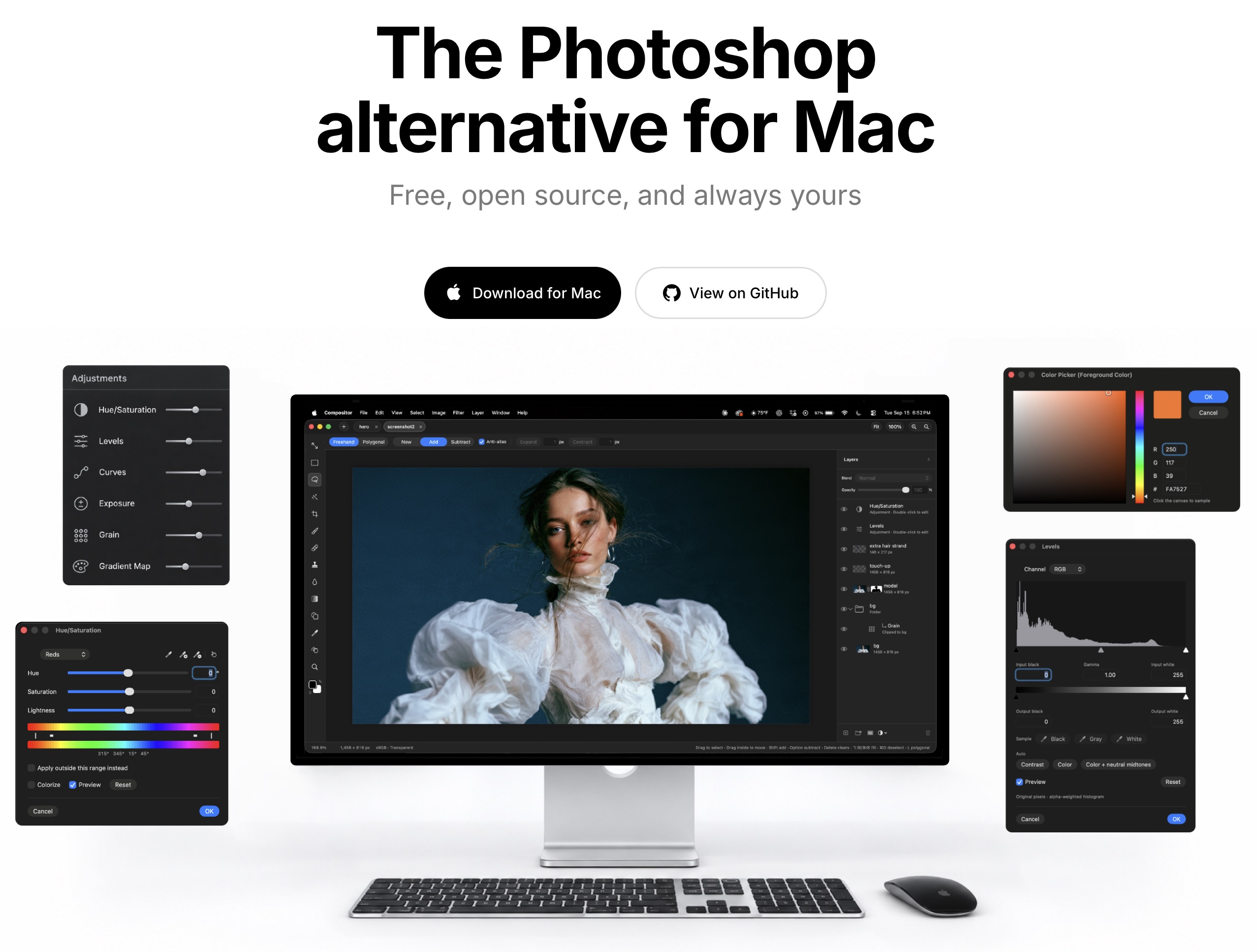
Compositor, the nicest Photoshop replacement yet
If you don’t have an Adobe license but can’t shake the muscle memory of years of Photoshop use, you have to try Compositor, from Apple alumnus Robbie Tilton. It’s got the core feature set, all the familiar shortcuts, it takes far less space on disk and memory while running, plus it’s open source, meaning it’s free forever.
Probably the most remarkable thing about this app is the speed of change. In an amazing example of the power of modern open source development, I requested the addition of Filter Layers, (like adjustment layers but for blurs and sharpening) and it was added to the app within a day.
This is a feature that many photo editors expected Adobe to add 20 years ago, and even though Affinity added filter layers a few years back, Photoshop still uses the Smart Objects workaround.
Competition is always welcome, and this is an excellent alternative to Photoshop if you’re seeking one.
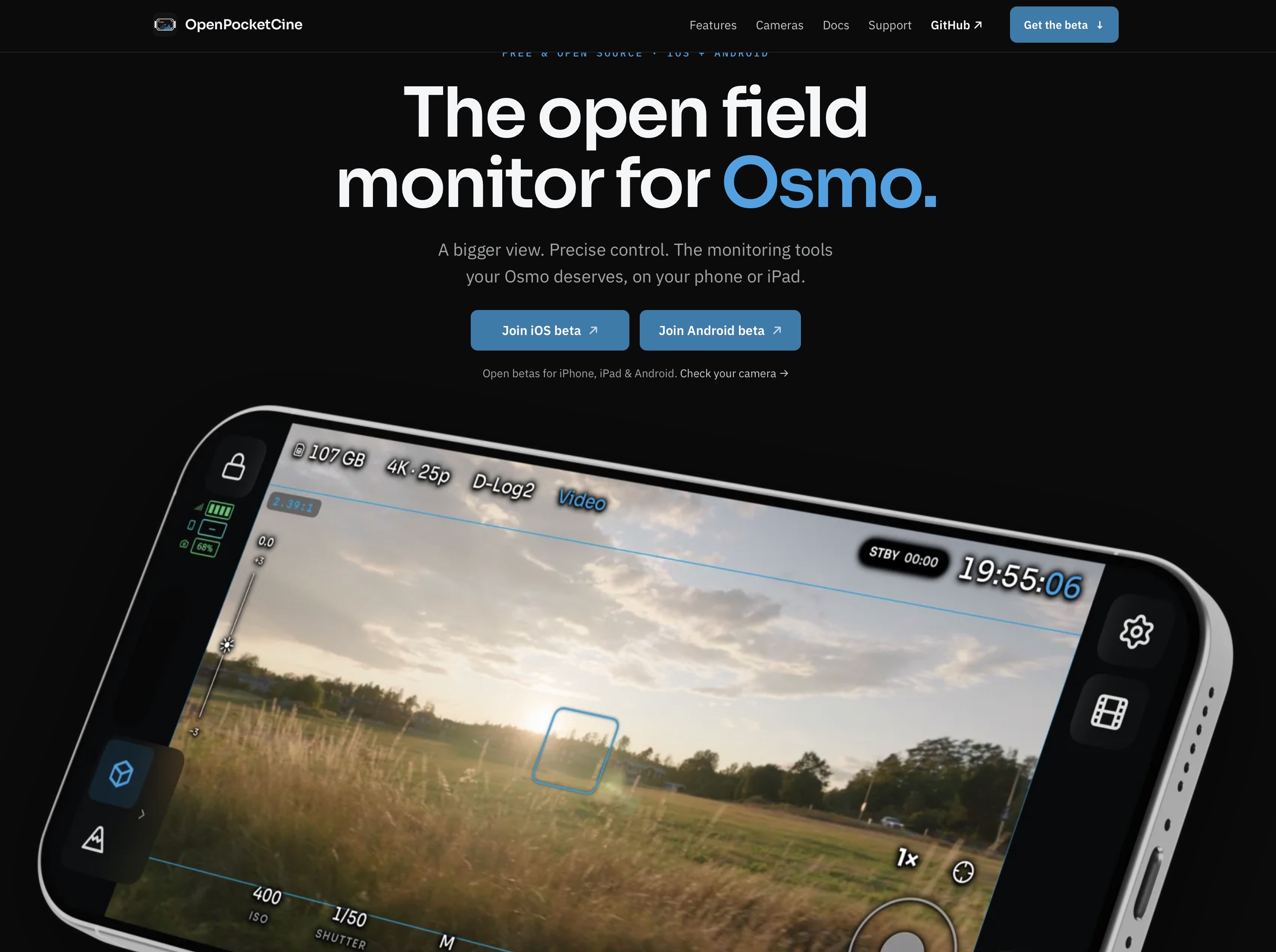
OpenPocketCine, a pro-level companion app for Osmo cameras
Another free, open source solution under active development, OpenPocketCine hooks into Osmo cameras and provides a monitor with scopes, full control over the camera, plus extra pro controls like flipping the image. It sidesteps limitations with the camera’s own software as well; while you can’t zoom when using D-Log 2 on the Pocket 4P, this app can easily switch back to regular D-Log to allow zooming.
There are options for iPhone, iPad and Android, and support for more DJI cameras is likely. If you have a Pocket 4 or 4P, grab this now, and if you have another DJI camera, keep an eye on it.
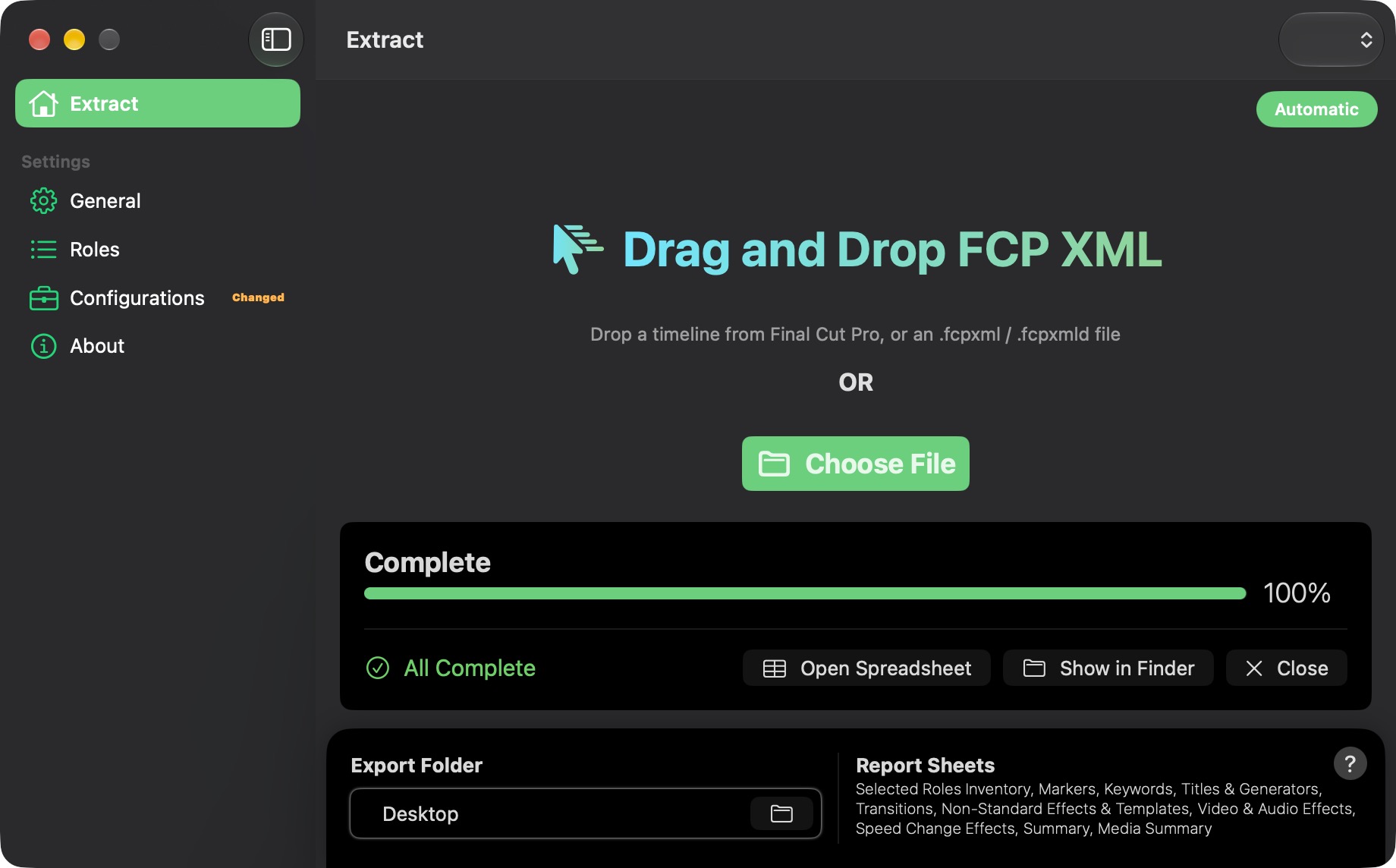
Production Data, capturing data from your timeline
Final Cut Pro’s Timeline Index has long provided a powerful way to search through metadata attached to the clips in an edit. Production Data lets you export that information as a spreadsheet, letting you build reports for turnovers, list effects and titles in use, and track use use of roles. This tool has worked well for me and it’s not expensive at all.
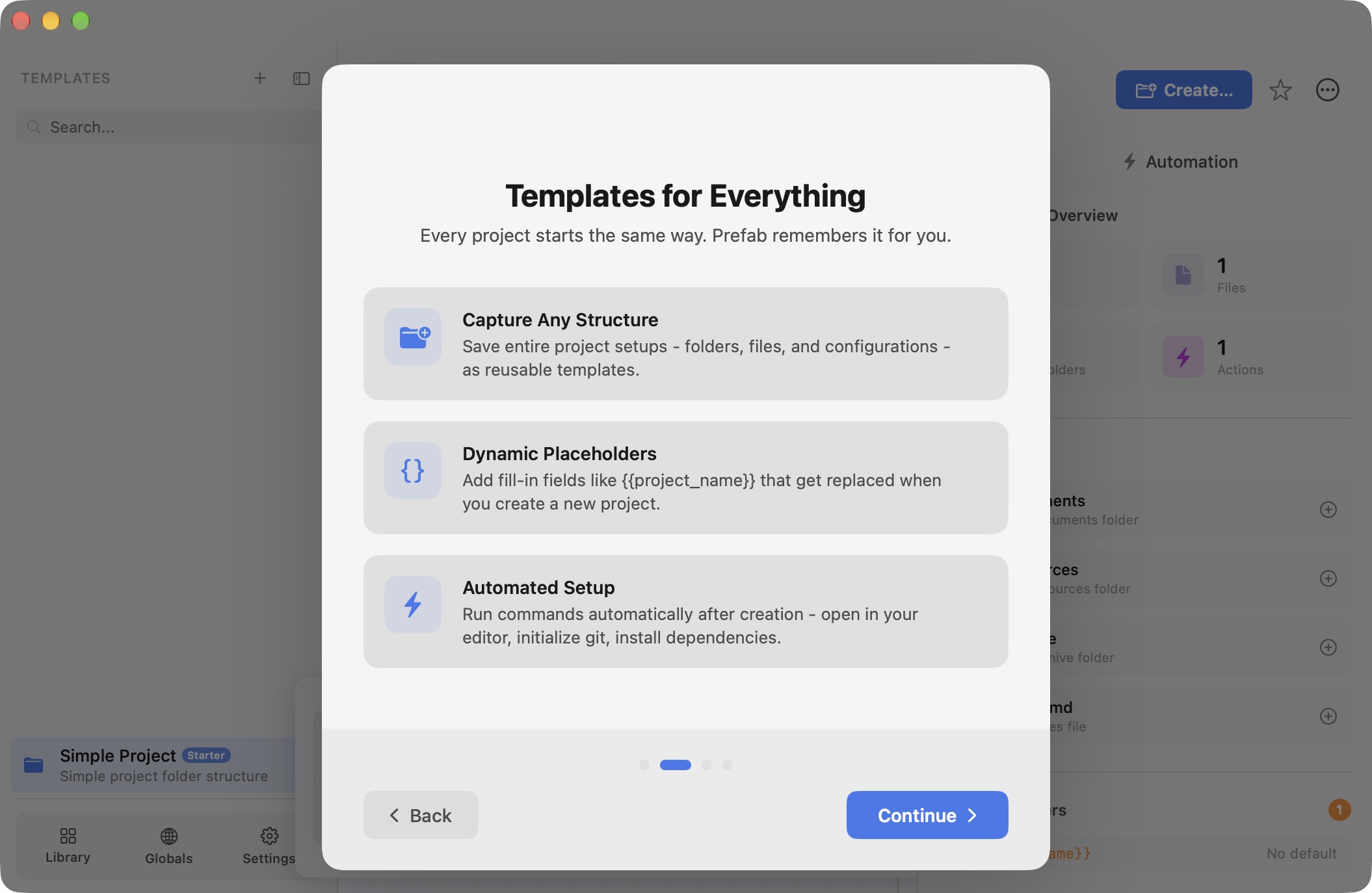
Prefab, a tool to create a folder structure for new jobs
If you’re an editor who likes to stay organized in the same way on every project, check out the free app Prefab, a way to automatically generate a folder tree with specific files and label colors. It uses the One True Date Format (YYYY-MM-DD) to help with alphabetic sorting and provides plenty of flexibility.
More complex and powerful than most free apps, and a great way to stay organized. Talking of folders…
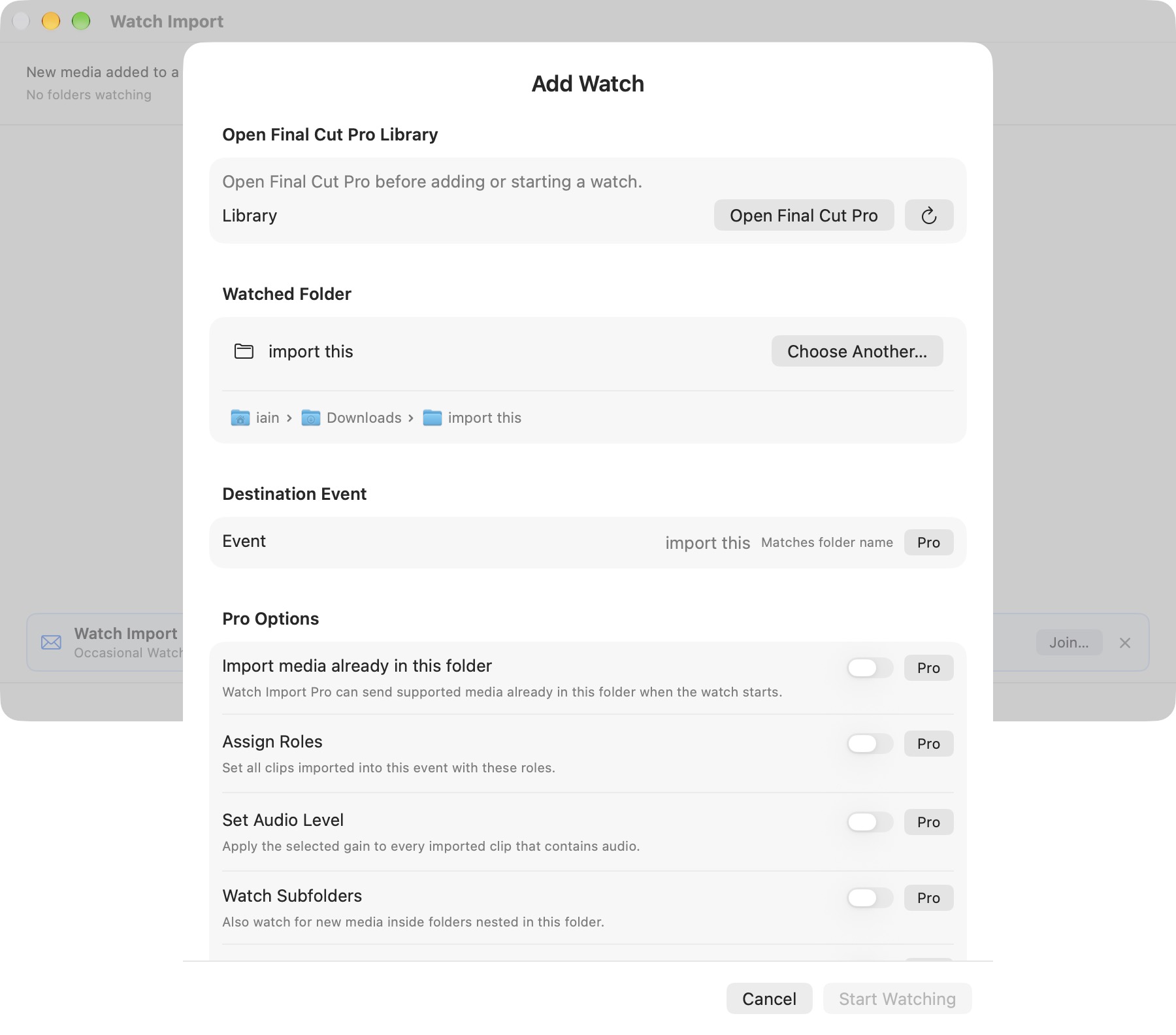
Drop Folder solutions for FCP
If you’d like media, images and other assets added to a specific folder to be also added to the currently active Final Cut Pro library, two apps can solve this for you: Watch Import, from Automatic Duck, and DropHawk Pro, from Dylan Bates AKA the Final Cut Bro. Both developers have many other apps and tools available, so do check them out.
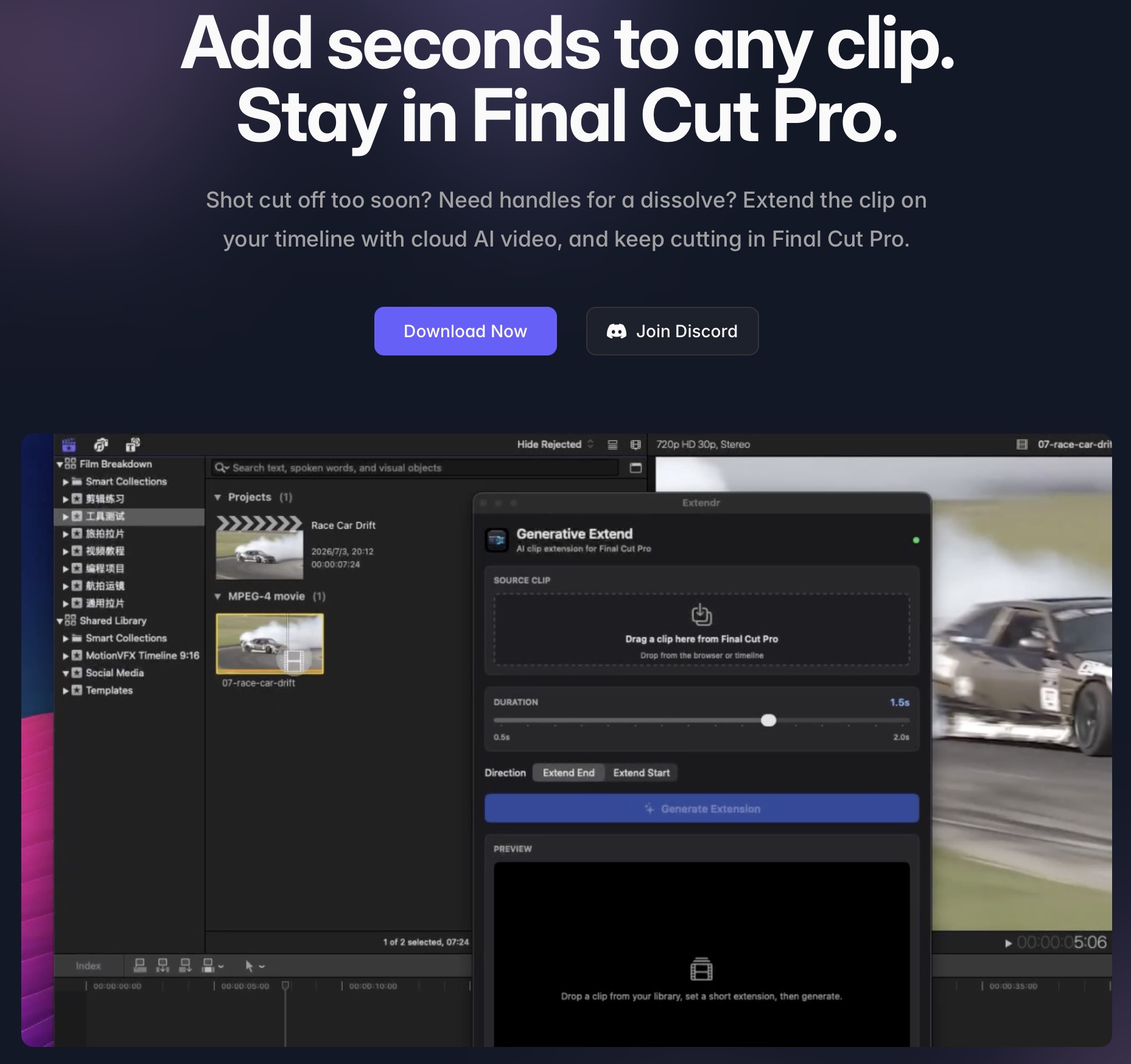
FCP Extended, generative extend for FCP
Premiere’s Generative Extend feature doesn’t have a native equivalent in Final Cut Pro, but FCP Extender can do it. There’s no subscription; you buy credits when you need them. This isn’t a feature I need myself, but if you work with stock footage that’s just not quite long enough, or your talent looks in the wrong place too quickly after their piece ends, yes, this is for you.
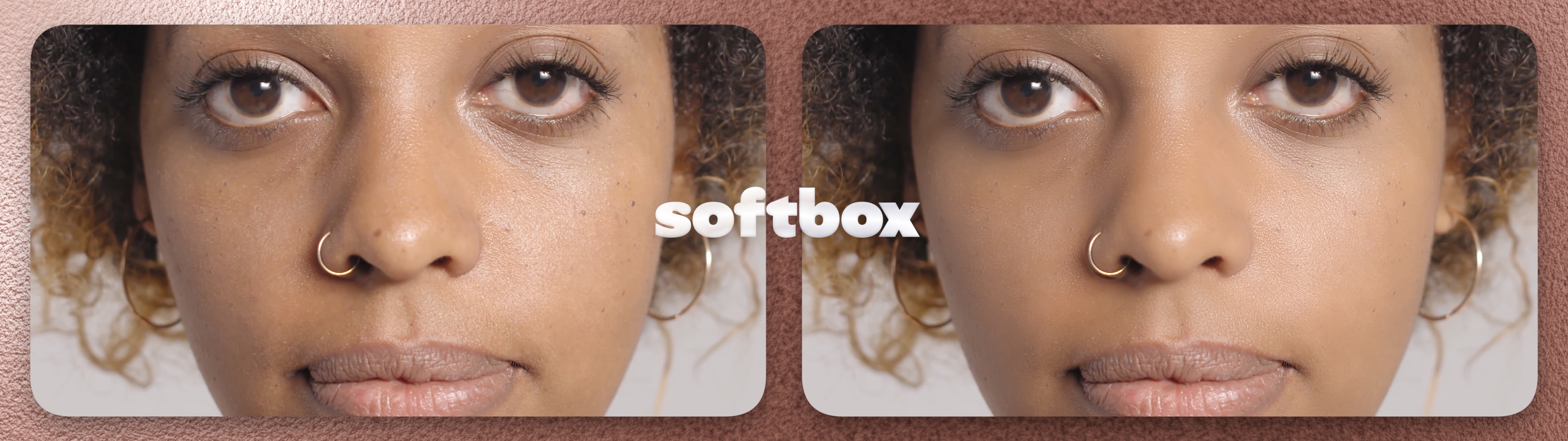
Skin Smoothing plug-ins, including my own Softbox
You know the saying “great minds think alike”? I’m starting to wish that other minds would think a little less like I do, because other developers keep making similar tools to me at around the same time I do. I released PiP Kit around the same time as Dylan Bates released a similar product, and when I was about to release my skin smoothing product called Softbox, on FxFactory, Dylan John released Porefect. Soon after that, the (prolific!) Rafael Ludwig released PowerSkin and the long-lived Beauty Box was updated too. As far as I can tell, these products all use modern retouching algorithms rather than Generative AI, but each one exposes different controls and has different features.
Since I made Softbox (and yes, I profit from its sale) I can’t really give you an objective opinion on the other apps here, but I can say that I’d make the same decisions today as I did during its development. Each of these apps has taken different approaches, but I still think that using FCP’s Auto Mask gives better results than any built-in color mask or tracked mask.
If you need skin smoothing that doesn’t look fake or detail-aware sharpening with fine controls, please check out the free trial of Softbox, and, if you still feel the need, check out the other apps here too. 🙂
Conclusion
It’s a fascinating time to be involved with computing, in video editing and elsewhere. If you have basic technical knowledge and can clearly spell out the kind of app you want to make, there’s a pretty decent chance that an AI coding tool can make that app real.
There’s still a big gap between “app made for me” and “app that people will want to buy”, though. Marketing is a huge challenge, support is a huge challenge, and deciding how to implement feature requests is a huge challenge too, because you can’t just keep on adding buttons. While I’ve been involved in the public products ScriptStar, Keyframe Toolbox and Softbox this year, I’ve also made apps for my own use.
First was an app to send 3D stereoscopic video from the Final Cut Pro timeline direct to Apple Vision Pro, and if I can make that more reliable then I might make it public. Support will be a mess, though; networking can be a dark art. I also made my own time tracking invoicing system after my existing solution removed a needed feature, but I’d want to be very certain of reliability before sharing that one.
It’s a fascinating time for software development, and though it’s exciting to see what the future holds, it’s also a little terrifying. In most areas, I’d expect to see more tools, and enough of them to be free or cheap that it drives prices down overall. Tools and workflows are changing, and it’s going to be an interesting journey.