


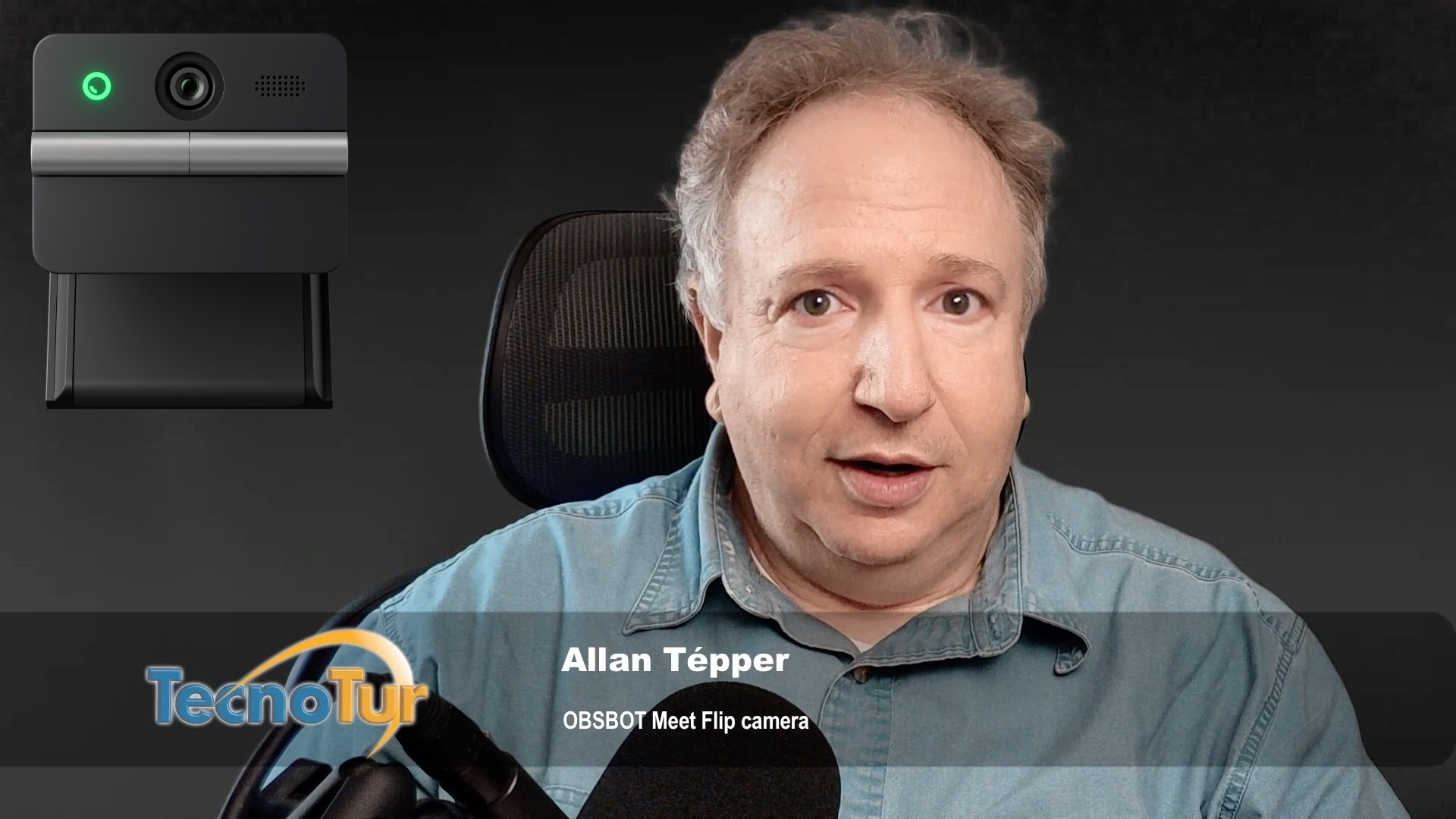

I am still amazed at how technology makes quantum leaps, in the case of a live video or television camera producing an exponentially better picture than others did in the recent past, for a tiny fraction of the price. (I have been testing an evaluation unit that OBSBOT thankfully sent to me in order to review it, and also to cover hardware accessories not yet sent to me.) The new Meet Flip 4K camera (US$119 pretax) from OBSBOT is no exception to that amazement. Considering that the majority of their purchasers and users are general consumers (not necessarily broadcast television or professional video creators), OBSBOT naturaly emphasizes the low-light capability, high picture quality, affordability and the physical privacy features of its new Meet Flip camera. General consumers usually are only interested in the maximum framerate available per spatial resolution, i.e. exact 30 fps for 4K UHD and exact 60 fps for 1080p. In addition to those, I focus on its rarely mentioned capacities for true traditional broadcast framerates for on-air television broadcast, including 59.94 and 29.97 fps (both for ex-NTSC regions) in addition to 25 and 50 fps (for ex-PAL and ex-SECAM regions). I was very glad to confirm that all of those broadcast television rates are available from the camera’s hardware directly and exclusively, but not yet when using the optional software called OBSBOT Center, which currently offers only the integer rates 30 and 60 fps. OBSBOT confirmed to me that all of the mentioned missing broadcast television rates will be added to the OBSBOT Center software «before the end of this year» (2026). Ahead I’ll share test recordings of different features.
Quotation from the CEO
«Meet Flip represents our vision of what the modern daily meeting webcam should be,»
said Liu Bo, CEO of OBSBOT.
«We believe privacy shouldn’t be something users have to think about. By building it directly into the hardware while delivering premium 4K image quality and intelligent AI features, Meet Flip makes privacy feel as natural as opening or closing a laptop.»
Physical privacy feature
Rather than relying on detachable covers, sloppy black electrical tape or untrusted software-based privacy controls, Meet Flip introduces a fold-to-protect design that physically blocks the lens when not in use. Closing the device physically covers the lens and activates sleep mode in a single fluid motion, providing a clear and unmistakable privacy state that users can verify at a glance. Open it when you’re ready to be seen, fold it shut when you’re not.
About the sensor
Meet Flip is built around a 1/2″ stacked CMOS sensor with Sony Exmor RS architecture and Quad Bayer technology, components more commonly found in premium-tier webcams and mirrorless cameras. The result is noticeably better dynamic range, lower noise floors, and more accurate color reproduction than webcams at this price typically offer.
OBSBOT Meet Flip 4K camera raw hardware specs and capabilities (without and while using the OBSBOT Center software)
The Meet Flip 4K weighs 37.7 grams (≈1.33 ounces). Its integrated unibody clip attaches instantly to laptops, monitors, or standard tripods with 1/4-inch thread, and supports landscape, portrait, and upside-down orientations. The Meet Flip is as appropriate in a modern TV studio (with or without the optional NDI or HDMI connectivity, covered ahead), on a kitchen-table, coffee shop or in a client presentation in a boardroom. As it comes from the factory, the Meet Flip 4K has USB-C connectivity with an included cable. The Meet Flip 4K even has inboard omnidirectional and directional microphones, although they can be deactivated if desired, especially if you are using a studio microphone.
- Sensor: 1/2” type CMOS
- Effective Pixels: 48M
- Aperture: ƒ/1.8
- Zoom: 4x Digital Zoom
- FOV(D): 79.1° (4:3), 72° (16:9)
- Focus Method: AF(PDAF)/MF
- Focus Distance: 10cm → ∞
- HDR: Support
- Exposure Compensation: ±3 EV
- ISO: 100~6400
- Shutter: 1/12800~1/30s
- White Balance: 2000~10000K
Spatial and temporal resolution from the raw camera hardware
As I stated in the introductory paragraph, if you use the raw hardware (without the optional OBSBOT Center software) and you use a capable third-party software (i.e. OBS Studio, aka Open Broadcast Software) via the UVC Probe and Commit protocol (covered in this article), you’ll immediately have access to TV broadcast as well as non-TV broadcast resolutions and rates, including:
- 3840×2160@[30 • 29.97 • 25 • 24 • 20 • 15] (4K UHD,16:9)
- 1920×1080@[60 • 59.94 • 50 • 30 • 29.97 • 25 • 24 • 20 • 15] (1080p, 16:9)
- 1280×720@[60 • 59.94 • 50 • 30 • 29.97 • 25 • 24 • 20 • 15] (720p, 16:9)
- 640×480@[30 25 24 20 15] (1.78:1)
- 640×360@[30 25 24 20 15] (4:3)
Above, I have placed the rates that are most appropriate for professional video and traditional TV broadcast in green.
Spatial and temporal resolution when using the optional OBSBOT Center software
- 3840×2160@30 (4K UHD,16:9)
- 1920×1080@[60 • 30] (1080p, 16:9)
- 1280×720@[60 • 30] (720p, 16:9)
Currently, only integer (non-broadcast) rates are available. As stated in the introductory paragraph, when I asked, OBSBOT confirmed to me that all of the mentioned broadcast television rates will be added to the OBSBOT Center software «before the end of this year» (2026).
Compelling features in the OBSBOT Center software
Even though this is a review about the Meet Flip camera (not about the optional-but free OBSBOT Center software), I will point out its compelling features (for me):
- Capability to enter in the color temperature of your lighting in degrees Kelvin… or leave it in Auto. Mine is set to 5600 degrees Kelvin to match my key light, which is an amaran COB 60d video light (which is fixed at 5600 degrees Kelvin) with a GVM Lantern Softbox Soft Light Modifier.
- HDR
- The option to import a translucent PNG file with alpha channel to use for a lower third, without having to use any other software.
- Set the spatial and temporal resolution to record directly in the app or create a virtual camera, to be used in another app or platform, including professional ones like Descript Rooms, Ecamm Pro and Streamyard… or simple communications like Jitsi (including Jitsi embedded in your own website), Google Meet, Microsoft Teams, Streamyard or Zoom.
- Even though the Meet Flip has built-in microphones, fortunately the OBSBOT Center software is not jealous. I say that because, the OBSBOT Center software allows us to deactivate the Meet Flip’s internal microphones and select any external audio source that may be connected to your computer. In most of my recordings in this review, I used the Shure SM7B microphone (lent courtesy of Elite Music Studios) with A7WS windscreen via the Elgato Wave XLR MK2 with Voice Focus (original reviewed here), except when otherwise noted. I will also clarify that activating or deactivating the built-in microphones in the Meet Flip requires a power cycle. I think that’s great for privacy and to avoid having a virtual audio source appearing on your computer if you choose not to use the those built-in mics present in the Meet Flip camera.
- The option to import a background replacement image for chromakey via a greenscreen (or bluescreen) which works great, even though you may not illuminate your greenscreen background perfectly, the way we should. Unlike the ultra simple adjustements offered by many consumer communications platforms, the OBSBOT Center software offers granular settings, including:
-
- Choosing the color of your chromakey background (if you possess one) among green or blue.
- Similarity
- Smoothness
- Edge removal
- Cray ratio
- Shadow
Those are only some of the features I find compelling in the OBSBOT Center software. It is so powerful that in most cases, you may not need to use any other third-party software like OBS Studio, aka Open Broadcast Software. Instead, you can just activate the Virtual Camera in the OBSBOT Center software and selecte it in any platform as your source.
For clarification: OBSBOT (the camera manufacturer) is not directly affiliated with OBS Studio, aka Open Broadcast Software. There is just a coincidence with the initials. However, they can work together with no problem, if desired.
AI features promoted by OBSBOT that I don’t personally use
- According to OBSBOT, AI Magic Notes is Meet Flip’s most differentiated feature. Powered by OBSBOT Center, it provides real-time transcription and automatic meeting summaries, capturing key points, decisions, and action items across Google Meet, Zoom, and Microsoft Teams under a single subscription. Every Meet Flip ships with 120 complimentary minutes to get started.
- AI Auto Framing uses real-time detection and OBSBOT’s self-developed algorithms, keeping users perfectly composed across Landscape and Portrait orientations, with Group, Single Close-up, Upper Body, and Full Body modes.
- Gesture Control allows users toggle Auto Framing or adjust zoom using simple hand gestures with no keyboard, no mouse, no interruption.
Software and firmware used for this review
For this review, I used OBSBOT Center version 2.0.14.53 and firmware 4.5.3.1 as suggested by OBSBOT.
Test recordings, all at 1080p60
Since I want to test and demonstrate the features of the OBSBOT Center software, I recorded at 1080p60, rather than any of the traditional TV broadcast framerates. As stated earlier, those traditional TV broadcast framerates should arrive to the OBSBOT Center app via a software update before the end of 2026.
General quality, translucent lower third with alpha channel
The above video is 0:27.
Autofocus test when holding up an object
The above video is 0:14.
Alternating among different replacement backgrounds
The above video is 0:36.
Audio comparison: Meet Flip’s internal microphones in directional mode
The above video is 0:33. In all of the above videos before this one, you heard my voice via the Shure SM7B microphone with A7WS windscreen (lent courtesy of Elite Music Studios) via the Elgato Wave XLR MK2 with Voice Focus (original reviewed here). In my humble opinion, the internal microphones are not at the same level of the rest of the wonderful Meet Flip.
Optional converter, to convert the USB-C output to HDMI
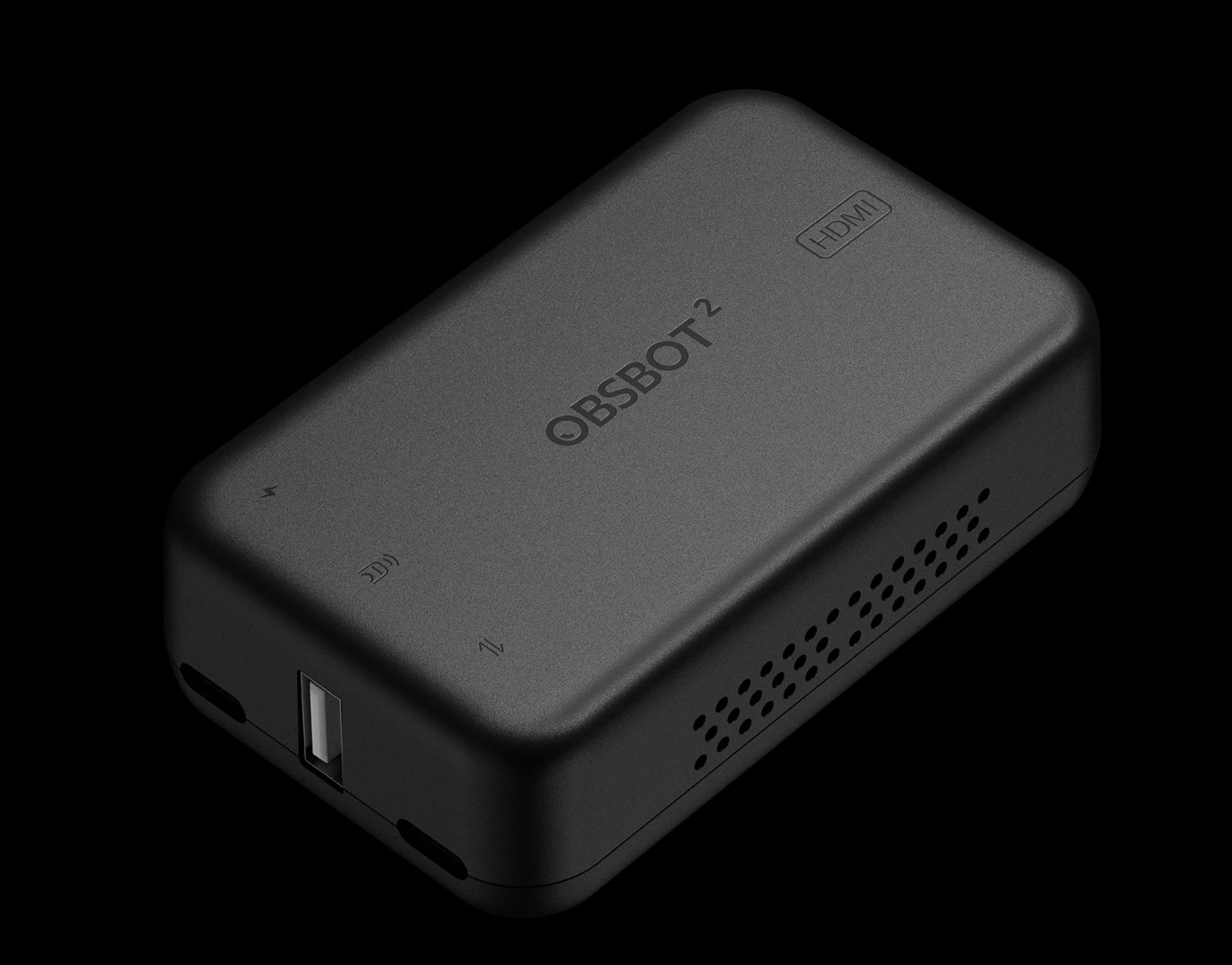

If you have a situation where you need the camera to output HDMI instead of USB-C, OSBOT offers the above US$169 converter called the OBSBOT UVC to HDMI Adapter 2nd Gen. I have not yet received one to test. However, it seems as if this device may only work with some of the traditional broadcast rates covered earlier in this article. I’ll update or publish another article when I receive news about this or receive one to test. Apparently, this converter can also work with some other UVC cameras.
Optional converter, to convert the USB-C output to NDI
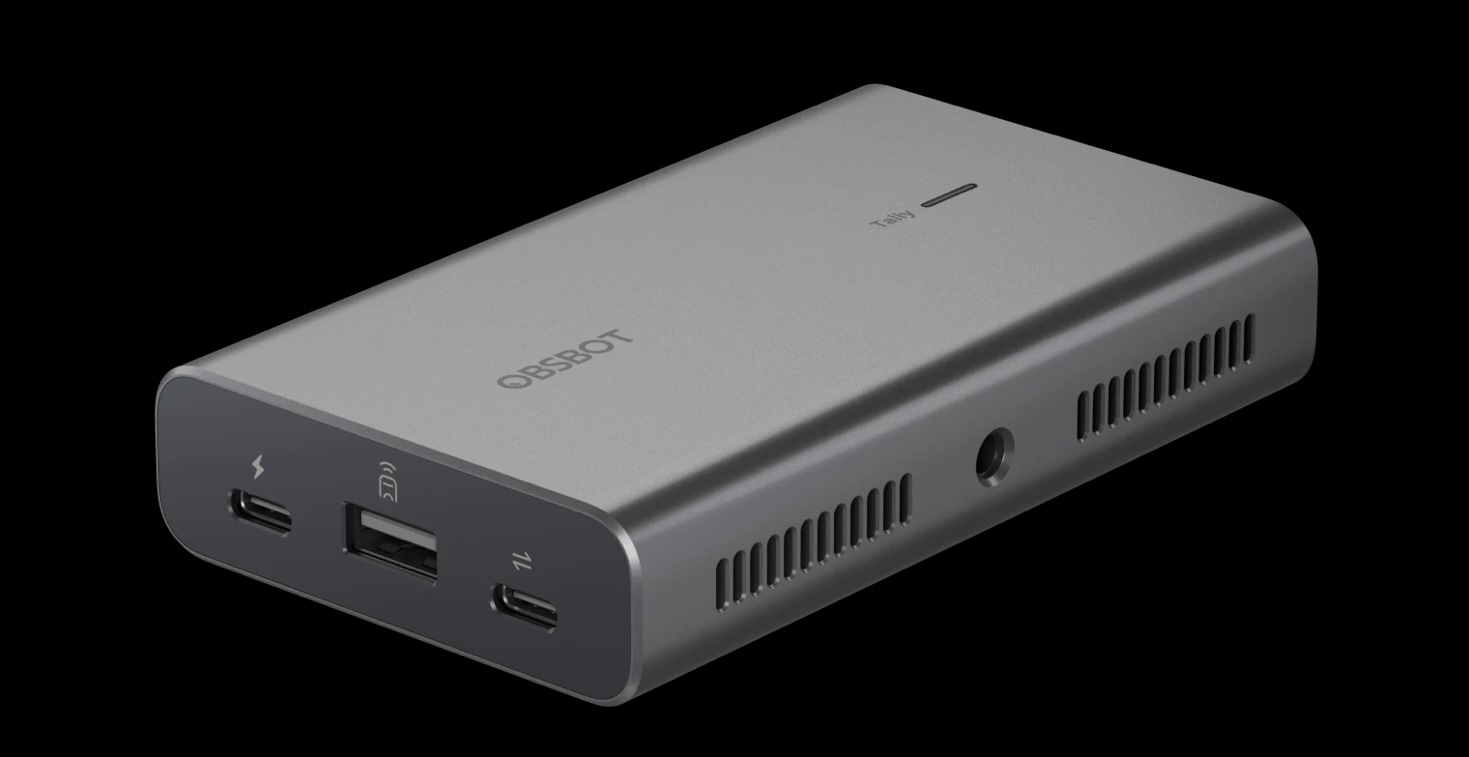

If you are not familiar with the wonderful NDI protocol, please see my many articles about it. If you have a situation where you need the camera to output NDI instead of USB-C, OSBOT offers the above US$299 converter called the OBSBOT UVC to NDI Adapter. I have not yet received one to test. It seems that this one can indeed support all of the traditional broadcast rates covered earlier in this article. Apparently, this can also work with some other UVC cameras too. However, the available framerates with other cameras will likely depend upon the particular model of UVC camera used.
Conclusions
At its price point of US$119 pretax, I find the physical offerings of the OSBOT Meet Flip to be a slam dunk. I greatly appreciate its general image quality and great offering of framerates, both for traditional broadcast television and for general webcasting. I am much less a fan of the quality of the internal microphones. However, I love the fact that the internal microphones can be completely deactivated, if desired. I greatly appreciate all of the multiple valuable features included in the OBSBOT Center software and I am so glad that the missing framerates are set to be added before the end of 2026.
Lee el este artículo en buen castellano
Reseña: Cámara UVC Meet Flip 4K UHD/1080p/720p de OBSBOT para televisión y reuniones internéticas
(Re-)Subscribe for upcoming articles, reviews, radio shows, books and seminars/webinars
Stand by for upcoming articles, reviews, books and courses by subscribing to my bulletins.
In English:
- Email bulletins, bulletins.AllanTepper.com
- In Telegram, t.me/TecnoTurBulletins
- Twitter (bilingual), AllanLTepper
En castellano:
- Boletines por correo electrónico, boletines.AllanTepper.com
- En Telegram, t.me/boletinesdeAllan
- Twitter (bilingüe), AllanLTepper
Most of my current books are at books.AllanTepper.com, and also visit AllanTepper.com and radio.AllanTepper.com.
FTC disclosure
None of the listed individuals or companies mentioned above has paid for this article. OBSBOT sent the Meet Flip camera to Allan Tépper to facilitate this review, but did not pay or influence the content within. Some of the manufacturers listed above have contracted Tépper and/or TecnoTur LLC to carry out consulting and/or translations/localizations/transcreations. So far, none of the manufacturers listed above is/are sponsors of the TecnoTur, BeyondPodcasting, CapicúaFM or TuSaludSecreta programs, although they are welcome to do so, and some are, may be (or may have been) sponsors of ProVideo Coalition magazine. Some links to third parties listed in this article and/or on this web page may indirectly benefit TecnoTur LLC via affiliate programs. Allan Tépper’s opinions are his own. Allan Tépper is not liable for misuse or misunderstanding of information he shares.