





Digital cameras deliver flawless sharpness, but they often strip a scene of its “soul”, so turning everyday footage into true cinema usually means spending hours on complex color grading and hunting for the perfect LUTs. Now there is a new solution according to Retouch4me: the company built a tool that “handles all the heavy technical lifting, leaving you with what matters most — pure creativity.” Thanks to this new plugin, the company claims, you can “stop spending hours on manual color grading.”
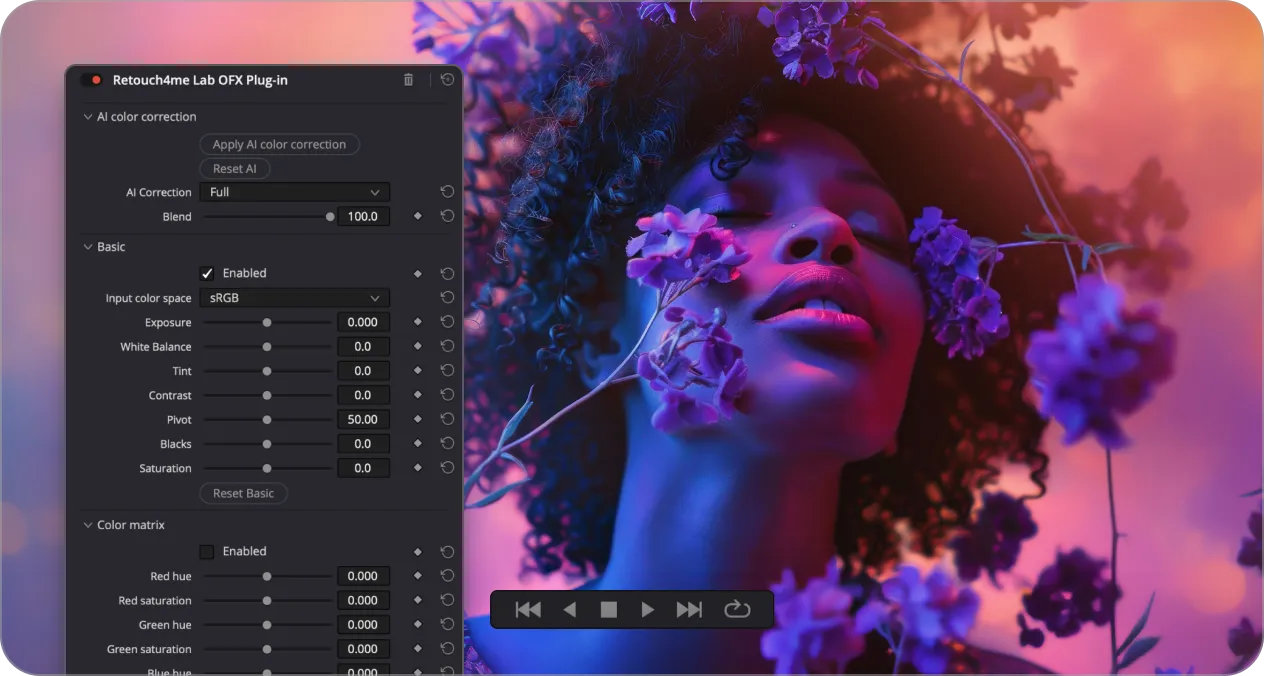

Retouch4me Lab is, according to the information available, a professional AI-powered OFX plugin designed to automatically transform your digital footage into a masterpiece with a genuine cinematic film aesthetic. Whether you are a wedding videographer, a YouTuber, or a commercial production studio, Retouch4me Lab solves the “sterile” digital look by analyzing every frame and applying sophisticated color science, film grain, and optical emulations instantly.
The new plugin works differently from static LUTs. Retouch4me says: “our AI analyzes your footage to build a harmonious, professional grade automatically.” Three key features of the new solution:
- Authentic Film Aesthetics: Achieve a true “film look” with organic grain and soft optical distortions that make your video feel alive.
- Faster Turnaround: Drastically reduce your post-production time and deliver high-end projects faster than ever.
- Consistent Style: Maintain a unified visual identity across different projects and lighting conditions with ease.

Here is how the plugin works:
- AI Color Grading
The AI analyzes every frame to deliver perfectly balanced, harmonious colors. Say goodbye to tedious manual base grading. - Cinematic Film Emulation
Infuses your footage with an authentic “film look” and a lively, organic character. - Film Grain & Optical Imperfections
Erases digital sterility by adding authentic film grain and subtle optical flaws for a truly organic texture. - Seamless OFX Integration
Works directly inside DaVinci Resolve 18+ and other OFX hosts — no need to round-trip or export to external software. - Flexible Results
Perfect as a final stylization tool or as a solid foundation for further creative grading.

The plugin is available for Windows (7, 10, 11 or newer) and macOS 10.15 or newer. The macOS plugin is compatible only with the DaVinci Resolve version downloaded from the official website, as App Store versions do not support OFX plugins.
The video above shows how Lab Video turns raw digital footage into a cinematic look in just a few clicks. Built, says Retouch4me, “for anyone who needs to deliver projects fast without compromising on a premium visual style”, the plugin is available under a perpetual license with free updates. All data processing happens locally on your machine — no cloud, no subscriptions. There is a trial version of Retouch4me Lab Video available on the company’s website.