


Currently only available for Premiere Pro, ShotNotes allows you to organize your thoughts and keep track of to-do items directly in Adobe’s video editor.
ShotNotes for Premiere Pro tackles one of the most persistent “low-tech” problems in NLE editing: keeping track of what you need to do! As a native Premiere panel, ShotNotes lets editors organize their projects by adding rich notes directly to their sequences. You can add timecode to the notes, link to other sequences, and even keep track of how long editing tasks take to do. It’s a powerful way of annotating your entire Premiere project.
The “paper cut” is a time-honored tradition, but syncing a physical notebook, a Word doc, or a stack of sticky notes to a shifting timeline is a recipe for headaches. These methods can work well, but in many cases, it’s not an efficient way of keeping track of editing notes, to-do lists, or other editing tasks you need to complete.
Unlike standard markers, which can get cluttered or lost in complex sequences, ShotNotes provides, Digital Anarchy claims, “an easy way to keep track of your thoughts and “to-do” items. It’s not just text… it includes clickable timecode, links to other sequences, web links, and more. It can even create markers to fit into a Marker workflow. The notes are exportable and can be shared with other users, printed, and backed up.”
ShotNotes also includes a built-in time tracker. Editors can log tasks, track how long each one takes, and export a detailed report. It’s an essential tool for freelancers needing to justify hours or any editor trying to track efficiency. You can export a report of tasks, how long they took to do, and a list of things you did while the timer was on. It’s, Digital Anarchy notes, “a powerful way of organizing your thoughts and keeping track of things that need to be done for your edit!”
Features at a glance: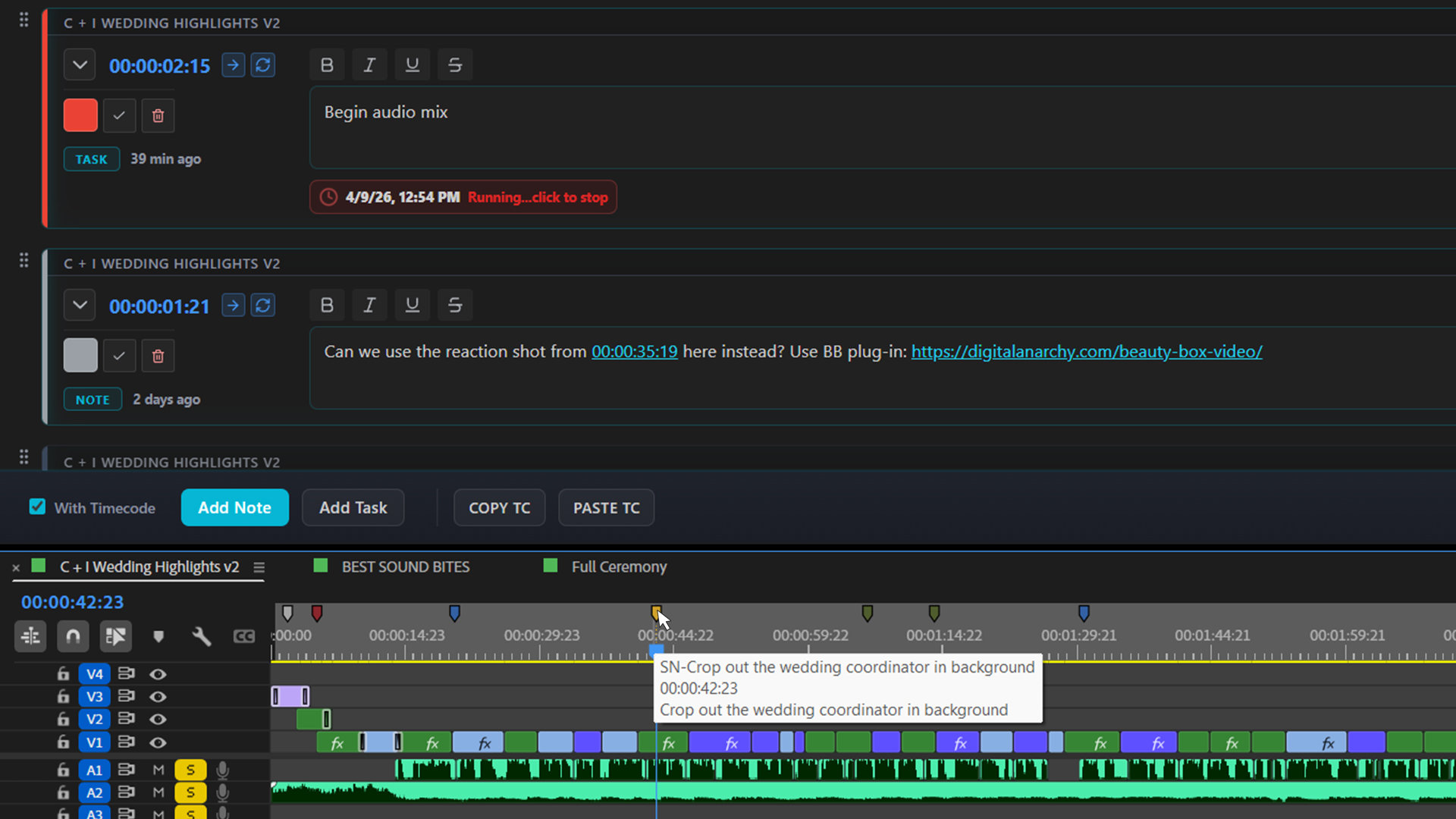

- Add notes and tasks directly in Premiere Pro.
- Eliminates the need for external apps or notebooks (or sticky notes)
- Notes support timecode, links to other sequences, and weblinks
- Use the clickable timecode to instantly jump to specific edit points in any sequence directly from your notes
- Creates markers for each note to fit into your Marker workflow
- Built-in time tracker logs how long tasks take and generates exportable reports
- Export to a variety of formats for sharing, printing, or backup
- ShotNotes is currently only available for Adobe Premiere Pro.
ShotNotes is available immediately and is priced at $129.00 USD. It’s available for $99 until May 15th. Follow the link to Digital Anarchy’s website for more information, download a free demo or to purchase ShotNotes.