


Avid Media Composer 2026.8 is out. If you’ve been following along, you already know that 2026.8 is the update with big changes to third-party storage support. This is such an important change that Avid has put together a detailed article on these third-party storage changes, including the $99 upgrade fee that will get the Media Composer Ultimate user to Enterprise.
I haven’t had a chance to dig into all of these features just yet, but here’s an update and a bit of kicking the tires on Media Composer 2026.8.
Shared Projects on third-party storage
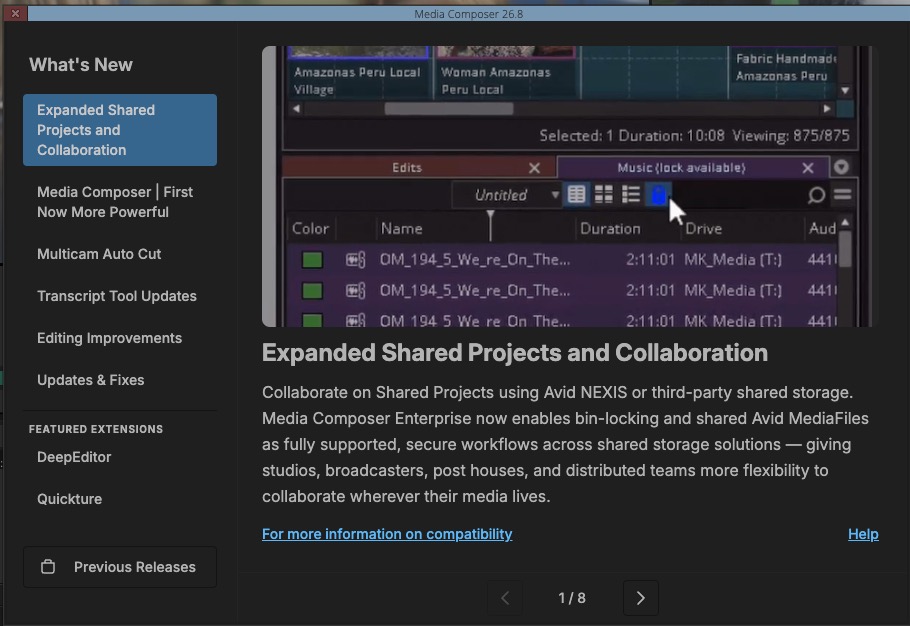

This is the big one. Media Composer now officially supports Shared Projects on third-party shared storage, NAS and SAN environments included, using Media Composer Enterprise. Multiple editors can work in the same project, share bins, and access media from a common storage location. Bin locking works as you’d expect: a green lock icon means a bin is available, a red one means another editor has it open (you can still open it read-only). I do wonder if there’s been an update to constantly being nagged about doing a Save As to locked bins but I digress.
It’s worth noting again that this official support of third-party storage requires a Media Composer Enterprise license. If you’re on Ultimate and using third-party storage with something like Mimiq for bin locking, you have a choice to make. You can stay on your current version and keep working as you have been (Avid says customers who don’t upgrade don’t need to take action), or move to 2026.8 and get an Enterprise license for the new supported workflow.
PhraseFind Multicam Auto Cut
This is a genuinely interesting one for anyone who edits interviews or panel discussions, and I was surprised to see this as a new feature. Many podcast auto-cut tools are available for other NLEs with easy plug-in architecture, but I haven’t really seen any for Avid having this built in will give editors editing podcast style interviews another choice.

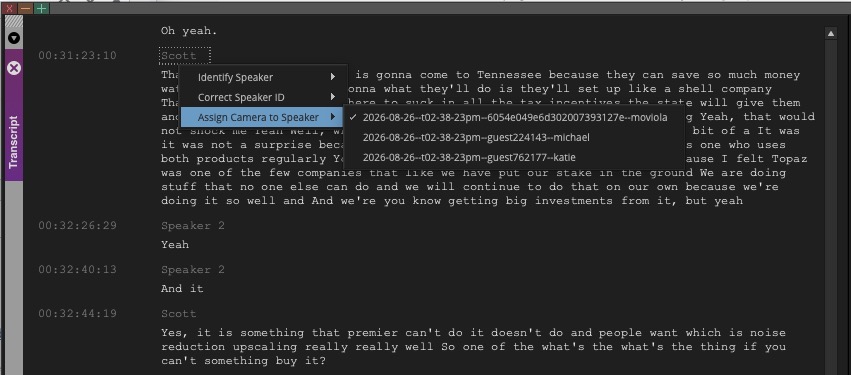
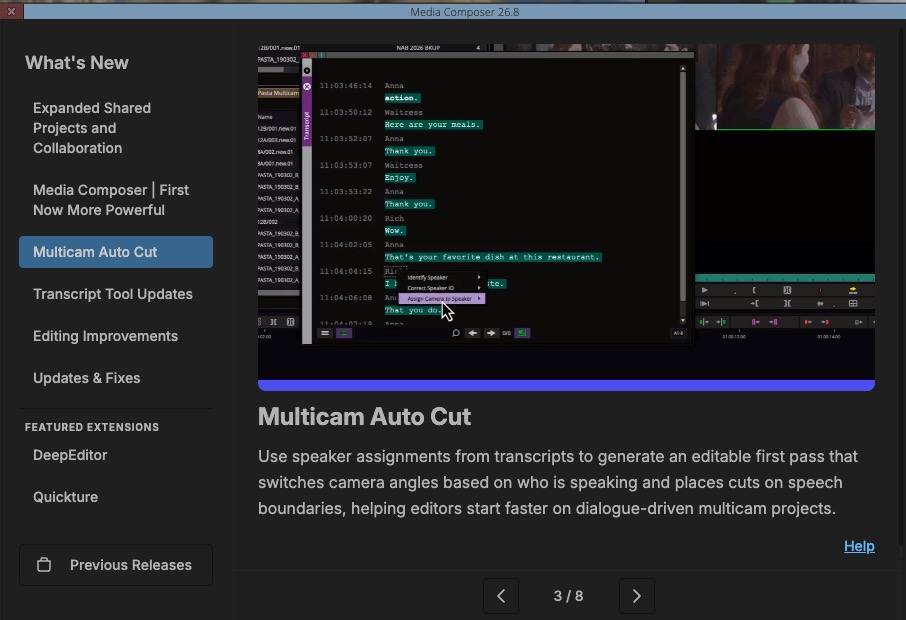
PhraseFind Multicam Auto Cut uses speaker assignments from PhraseFind AI transcripts to automate camera switching in group clips. You assign speakers to camera angles in the Transcript Tool, edit your group clip into a sequence, and then right-click and choose Auto Cut. Media Composer analyzes the transcript and cuts to the active speaker automatically. It’s important to transcribe the material first and I’ve had trouble with Media Composer transcription recently but I found this step-by-step walkthrough of how to get it running on a Mac when you get the Failed to connect to server error. It’s a relatively simple fix and it’s the one that worked for me.

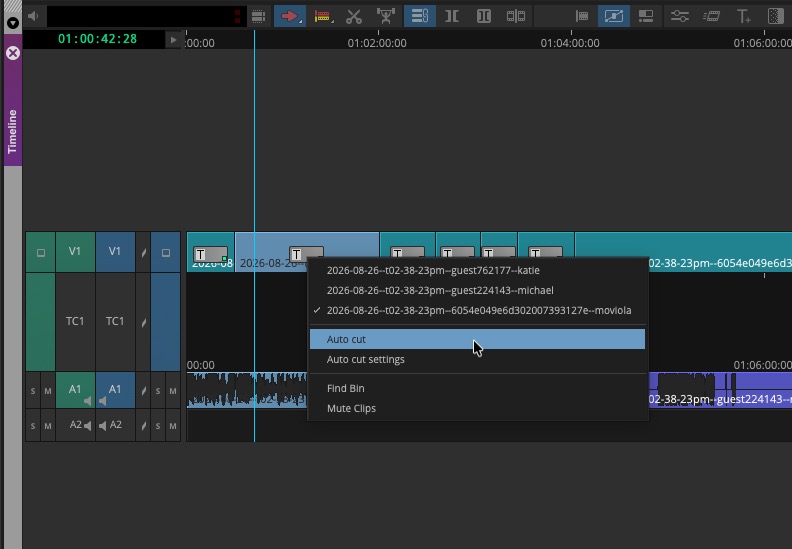
There are settings for timing offset, minimum speech duration, to refine the results. It’s not going to replace an editor’s judgment, but for a first-pass line cut on a talking-head or multi-cam interview, this could save real time. I don’t see Avid selling this as an AI tool, like a lot of the other AutoCut tools out there. But it is using built in transcription services. But beyond that, it seems a bit more of a mechanical feature. Set it up let it do an auto-cut and then do what editors do, go back and refine and make it good because it’s not going to see the motion in someone’s face great reactions from someone who’s not talking so let it do its thing and save some time and then dear editor jump in and do your thing
Transcript Editing and Versioning
The Transcript Tool gets some useful improvements here. Avid is adding versioning, so the original AI-generated transcript is saved and you can revert to it at any time, either the whole transcript or individual segments. That’s a smart addition given how much people are editing with transcripts these days.

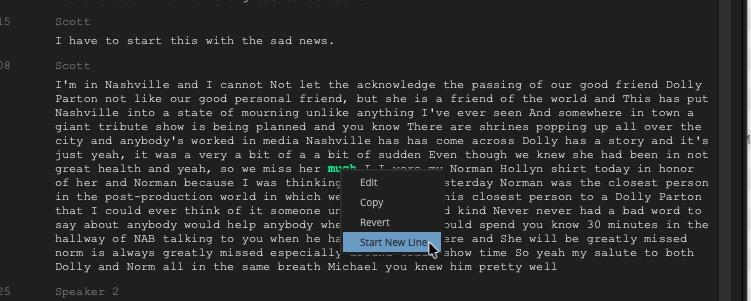
Other additions include the ability to split a segment into two (right-click, Start New Line), a Group Speaker Lines option to display back-to-back segments from the same speaker as a single paragraph, and a New Line After option that breaks transcripts into paragraphs based on duration (30 seconds by default). I like the New Line After option as I always feel like these automated transcript tools can just go on and on into one giant paragraph. And I’m always breaking them up myself
Change Source Track for Subclips
A nice workflow improvement for audio work. Previously, when you wanted to change source tracks on a subclip or group clip, you were limited to the tracks within that clip instance. With 2026.8, you can now look back to the original master clip and select any audio track from there directly, without having to match back to the source. Gain and volume adjustments carry over. It’s a small thing but the kind of small thing that saves a lot of back-and-forth in the timeline.
Choose Columns Filter and Navigation
The Choose Columns dialog gets a search field at the top, improved keyboard navigation (Tab and Shift+Tab between the search field and column list, arrow keys within the list), and support for vertical resizing. Useful for anyone working with bins that have a long list of available columns, which is most of us who have been doing this for awhile. Saved bin column displays FTW!
Keyframe Behavior Improvements in Titler+
Keyframes in Titler+ are now preserved more reliably when you trim, split, or duplicate clips. Previously this could mean losing animation work when you restructured a sequence. The updated behavior is applied automatically.
More capable Media Composer | First

Perhaps one of the most important parts of this update is a new, more powerful Media Composer | First. this is Avid’s free entry point and educational tool for students or aspiring video editors who want to learn Media Composer. it’s always been a valuable tool for education as learning Media Composer | First means you know the interface really well and it’s an easy step up to the full version. With 2026.8 Avid has removed some of the limits such as a limited number of video and audio tracks and restricting projects to just standard-def or HD. It’s the same keyboard shortcuts, bin setup and trim tools as the full-fledged Media Composer. So if you ever wanted to learn the tool, this is the place to begin for free.
That’s what’s in 2026.8. Avid is a lot of links that are worth digging in if you’re looking to update. My update when smoothly on a Mac Studio running Tahoe 26.6.2.
- What’s New for Version 2026.8 pdf link
- The ReadMe for Version 2026.8 has more details on all these features (and more features) plus a long list of bug fixes.
- Finally, the Avid Media Composer Editing Guide has been updated for 2026.8. This is the big one with over 1,300 pages to teach you all about Media Composer. Use my little giant pdf manual Gemini Notebook trick and you can ask this editing guide questions!
- There’s also a 762-page Avid Media Composer Effects and Color Correction Guide that has been updated as well.
Speaking of Media Composer and a bit of shameless self-promotion: if you are an editor in a situation where you need to make the shift from another editing application to Media Composer and you need some help, you might consider EditSwitch.com. I’d be happy to help if I can.
Happy editing!