


It was a busy day in the world of Apple product announcements, especially for video editors and content creators on the go, as Apple introduced new M5 MacBook Pros, including the M5 Pro and M5 Max chips. Also included was a new M5 MacBook Air, two new Studio Displays, the iPhone 17e, and an M4 iPad Air.
Preorders for all of these new products start at 6:15 AM PST on March 4, with availability starting March 11.
M5 Pro and M5 Max MacBook Pros

As usual, two sizes are available for the new MacBook Pro: 14-inch and 16-inch. It’s the full range of options across the three chips in the M5 family, ranging from a 10-core CPU in the M5 chip up to an 18-core CPU in the M5 Max. GPUs scale similarly, from a 10-core GPU in the M5 to a 30-core GPU in the M5 Max. Memory bandwidth has increased as well, and that can run all the way up to 614 GB/s, in a “maxed” out M5 Max MacBook Pro.
I always think the easiest way to get a quick overview of the new product line when these new Apple Silicon chips come along is just to take a look at the tech spec comparison from Apple’s website.


The image above shows specs for the 16-inch MacBook Pro, ranging from $2,699 for the M5 Pro on the left to $4,399 for the M5 Max on the right. The basic RAM spec starts at 24 GB and runs up to 48 GB unless you configure it to a different amount. That’s an increase in base memory, which is great to see. If you were to opt for the 14-inch model, the base configuration contains the M5 chip. While that base M5 chip does include dedicated video encode and decode engines (including ProRes encode and decode engines), if comparisons of other M series chips hold up, editors will want at least the Pro version, and preferably the Max version, for intensive video editing and media encoding.
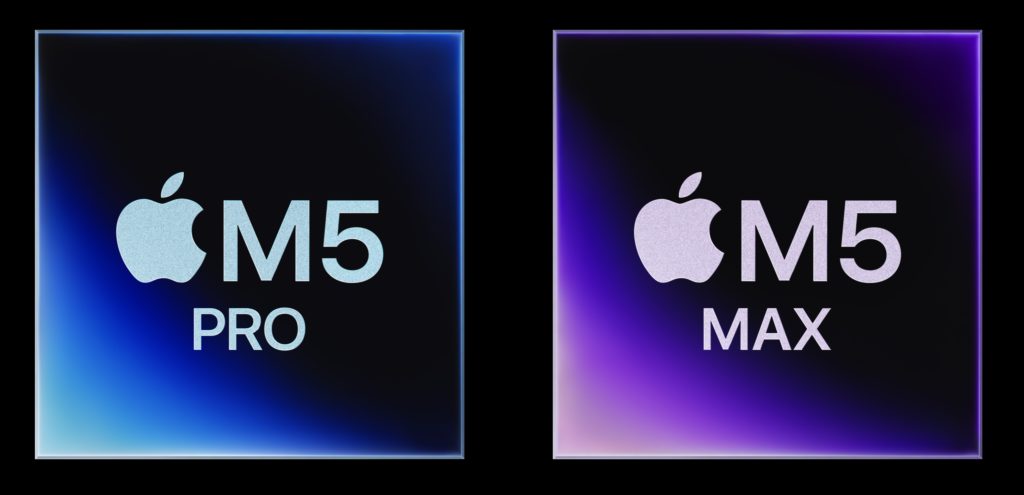

These M5 Pro and Max chips use a new build process called the “Fusion Architecture.” This process “combines two dies into a single system on a chip (SoC), which includes a powerful CPU, scalable GPU, Media Engine, unified memory controller, Neural Engine, and Thunderbolt 5 capabilities.” I don’t know if this is new or not, but the tech specs on these new chips say there is a Neural Accelerator in each GPU, which I’m sure will help with any and all AI processing, as Apple is pushing LLM performance in a lot of the specs for these new products.
New Studio Displays
Apple also introduced two new studio displays: an update to the regular Studio Display, as well as a new Studio Display XDR.


The new Studio Display retails for $1,599 and updates specs from the original Studio Display, such as:
- A 27-inch 5K Retina display
- 14 million pixels, 600 nits of brightness, and P3 wide color
- 12MP Center Stage camera with Desk View
- A Studio-quality three-microphone array and a six-speaker audio system
- Thunderbolt 5 connectivity with daisy chain capability to connect up to four studio displays
- Two USB-C ports
- Optional nano-texture glass
- Tilt-adjustable stand included, but they have a height-adjustable stand as an option.
The new Studio Display XDR replaces the Pro Display XDR and will retail for $3299:
- A 27-inch 5K Retina XDR display with 5120-by-2880 resolution
- Mini-LED backlight with 2,304 local dimming zones for increased contrast
- 2000 nits of peak HDR brightness
- 1,000,000:1 contrast ratio
- P3 and Adobe RGB wide color gamuts
- 120Hz refresh rate with Adaptive Sync supporting a continuously variable refresh rate between 47Hz to 120Hz
- 12MP Center Stage camera with Desk View
- Thunderbolt 5 connectivity and two USB-C ports
- Tilt and height-adjustable stand included
Both displays are compatible with an optional VESA mount.
The new studio display XDR looks to replace the old Pro Display XDR. That one is no longer available for purchase on the Apple Store. The new Studio Display XDR is smaller than the old Pro Display XDR because that was a 32-inch display and this new one is 27 inches. While the physical size goes down, peak HDR brightness goes up, as well as mini LED backlighting. Well, it is a smaller display. It’s big enough for a lot of edit suites, and the cost does go down by about $2,700. I’ll leave it to the color scientists and the pixel peepers to talk about what you get out of these displays versus buying something like an Asus display that might have similar functionality. But as one who regularly uses the old studio display, I have come to appreciate the quality of the image, the high-quality sound, as well as the built-in camera for just a lot of everyday monitor usage.