


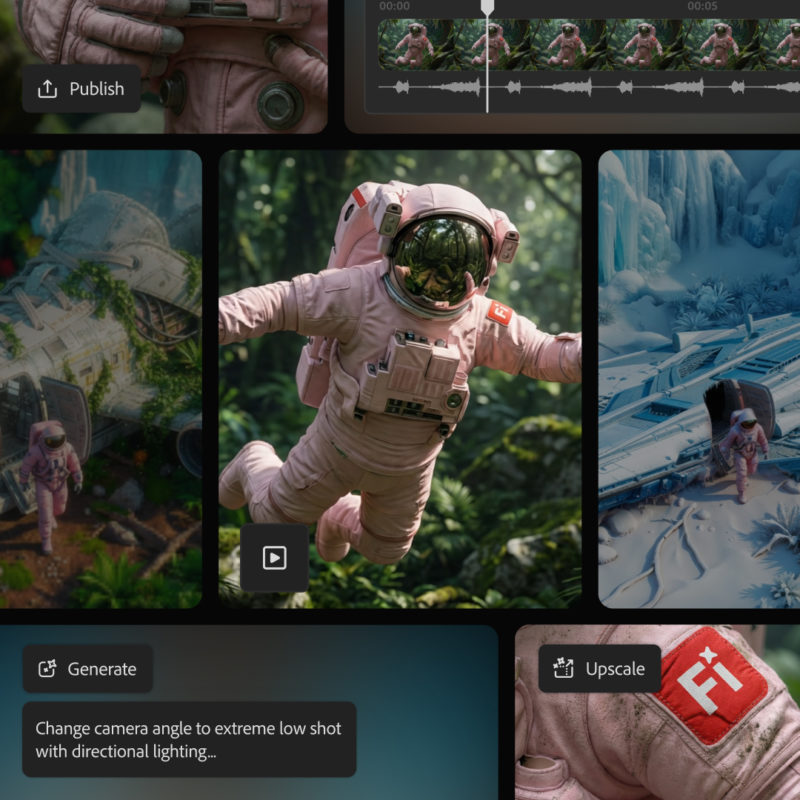
Adobe has updated Firefly, Adobe’s online suite of AI tools and generators. Adobe aims to give users a single place for the best, industry-leading models for creative projects, and then provide options to fine‑tune the results with the creative tools and controls built right into Firefly.
Today, Adobe is introducing new tools and features that give users even more control and choice over how they generate video. Creators get powerful new video tools that make precise edits and camera moves much easier to pull off. Adobe is also adding new video upscaling in Firefly Boards through the partner model Topaz Astra, and rolling out the full beta of Firefly video editor — the company’s new creative assembly space for generative storytelling.
In addition, Adobe is extending unlimited generations for Firefly’s video model and all image models — both Firefly and partner models — until January 15 for anyone on a Firefly Pro, Firefly Premium, 7,000‑credit, or 50,000‑credit plan. This gives editors and creators the freedom to keep creating with Firefly’s commercially safe image and video model and an ever‑growing lineup of partner models — including the new Google Nano Banana Pro.
What’s new in this end-of-the-year Firefly update?
Precise edits and camera motion for AI video
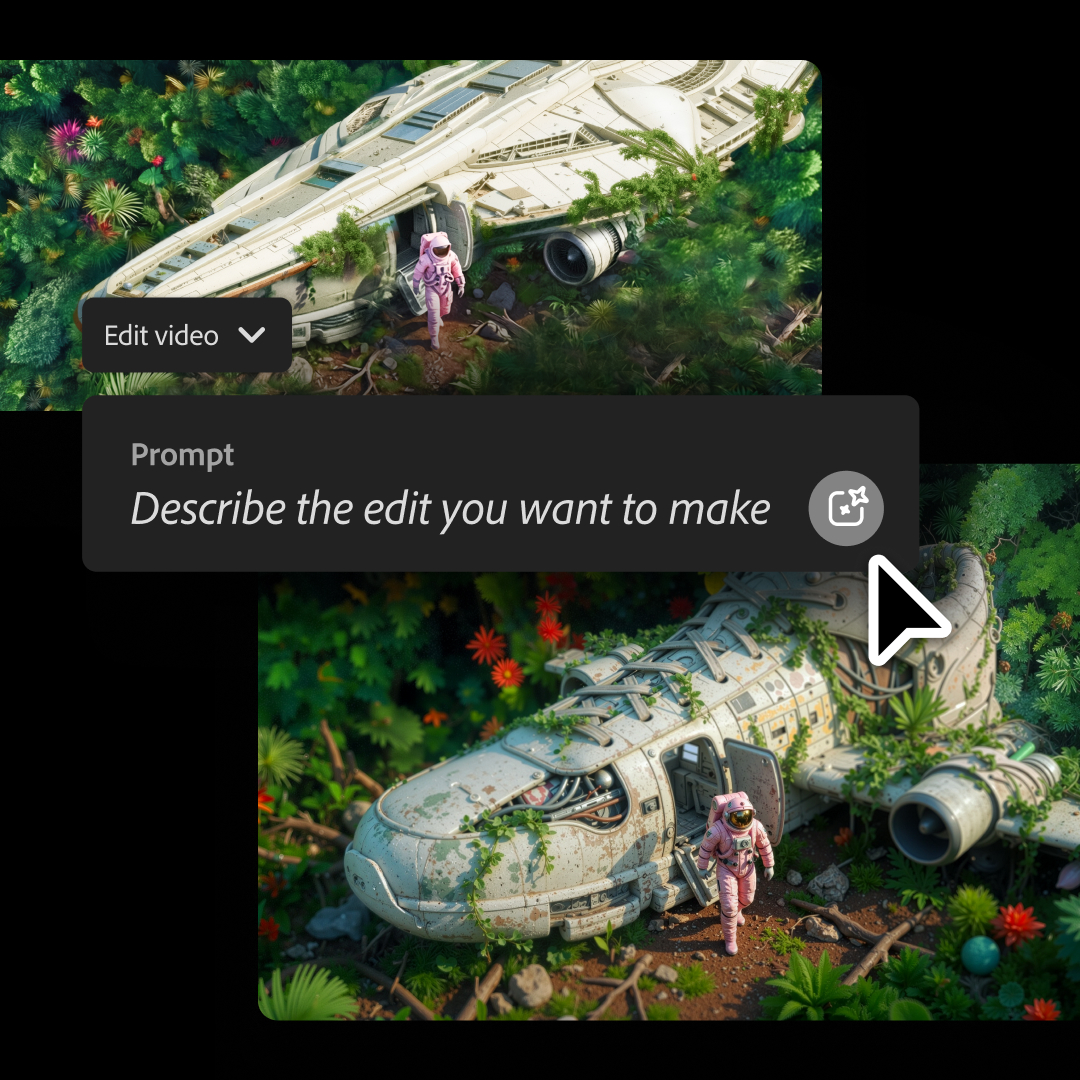

Many creators know the feeling of generating a coffee shop clip that’s almost perfect, except for one distracting cup on a table. In the past, they would have had to regenerate the entire clip, lose what worked, and spend time trying to get back to that “almost there” version.
New Prompt to Edit controls for video let users keep what they like and surgically fix what they don’t. They can generate a video in Firefly, then fine‑tune it using text instructions powered by Runway’s Aleph model, with prompts such as:
- “Remove the person on the left side of the frame.”
- “Replace the background with a clean studio backdrop.”
- “Change the sky to overcast and lower the contrast.”
- “Zoom in slightly on the main subject.”
Firefly applies those changes directly to the existing clip, so users no longer have to rely on a completely new generation every time. They can continue refining the clips by adding sound effects or music, and then keep editing inside Firefly video editor or Adobed Premiere on the desktop — all designed to give creators full control from first idea to final export.
Firefly also offers more control over camera movement within a scene. With Firefly Video Model, users can upload a starting frame along with a reference video that shows the camera motion they want to match. The result is cinematic camera movement that follows the reference and lands exactly where it needs to.
Enhance and upscale with Topaz Astra
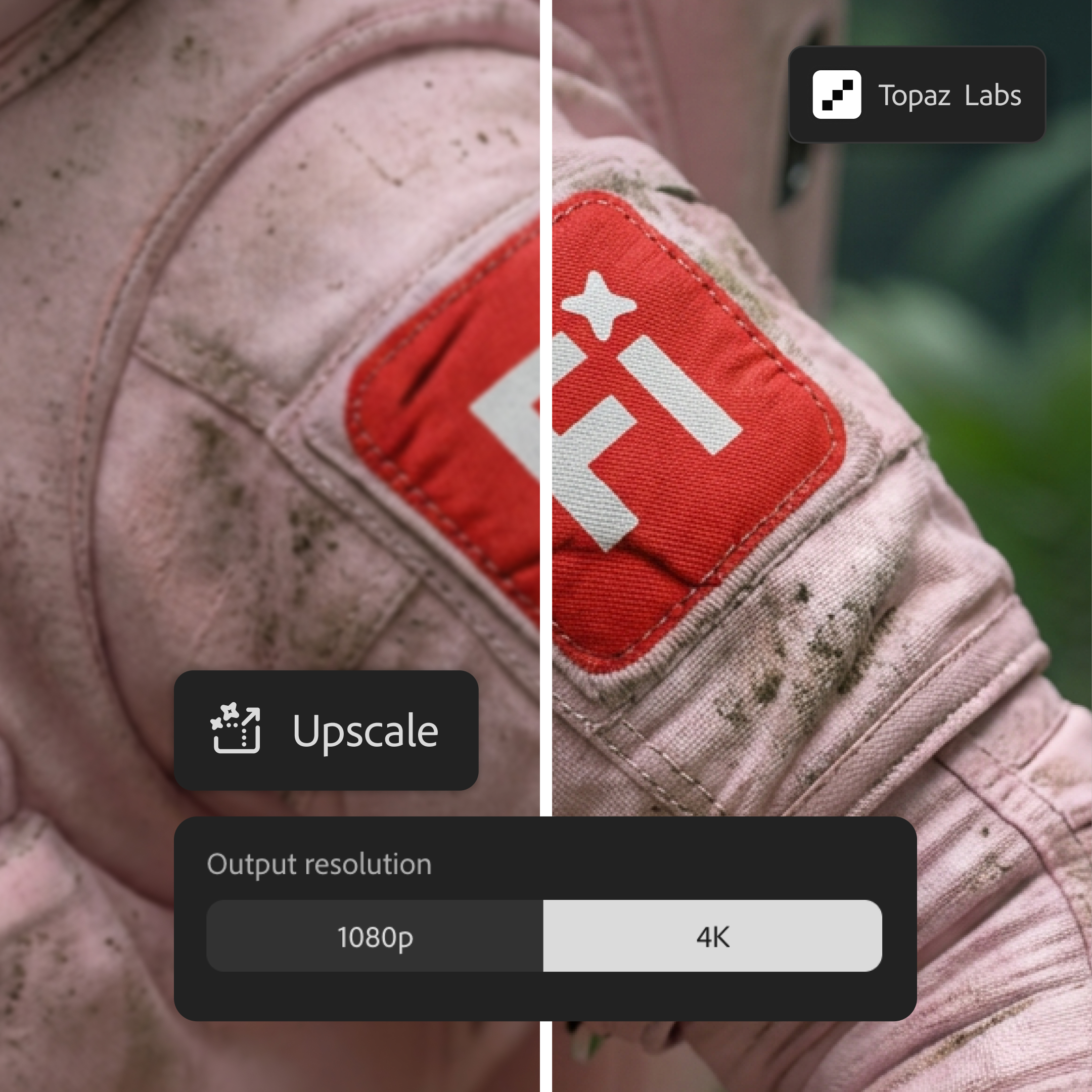

For Adobe, generative AI is not just about creating new content from scratch — it is also about providing tools that make existing content more flexible and ready to use across different workflows. With Topaz Astra now available in Firefly Boards, users can push their footage to 1080p or 4K. They can sharpen low‑resolution clips so they are ready for YouTube or revive older or lower‑quality footage by boosting clarity and detail.
Whether creators are working with archival brand content or personal clips, they can give important moments a second life in new edits and formats. While a video is being upscaled in Boards, users can keep working on other tasks — or queue up more clips to upscale — staying in the creative flow instead of waiting for renders to finish.
Adobe is also continuing to expand the range of industry‑leading image models available in Firefly. Users can now access FLUX.2, the latest image model from Black Forest Labs, which generates and edits images with highly photorealistic detail, strong text rendering, and support for up to four reference images. FLUX.2 is available in Firefly’s Text to Image, Prompt to Edit, and Firefly Boards, as well as in Photoshop desktop’s Generative Fill — and will arrive in Adobe Express in January.
Firefly video editor (beta): A generative story space


Creators can now bring everything together in Firefly video editor, a browser‑based editor where Firefly generations become finished stories. Firefly video editor is now broadly available in public beta.
With Firefly video editor, users can build complete videos right in the browser, combining generated clips, music, graphics, and their own footage in a lightweight, multi‑track timeline. This lets them move quickly from idea to shareable story without juggling multiple tools or leaving the browser. While not as full-featured as Premiere on the desktop, Firefly video features a robust set of basic video editing tools that will be exactly what many creators need.
Users can choose how they want to work:
- Edit by timeline when they want tight control over pacing, cuts, and layers.
- Edit by text when they are working with talking‑head or interview content, trimming or rearranging sections by editing the transcript text.
When projects are ready, creators can export in the formats they need — from vertical social content to widescreen formats.
Unlimited generations for eligible plans
To make it easier for customers to try everything new in Firefly, Adobe is running a limited‑time promotion: from now until January 15, customers on Firefly Pro, Firefly Premium, 7,000‑credit, and 50,000‑credit plans get unlimited image and video generations in the Adobe Firefly app. This promotion includes all image models — Firefly’s commercially safe image model, plus partner models such as Black Forest Labs’ FLUX.2, Google’s Nano Banana, and OpenAI’s GPT Image — along with unlimited video generations using Firefly Video Model.
With unlimited generations, customers have the freedom to experiment, push ideas in new directions, and refine concepts as many times as needed to get them exactly where they want them.
Visit Adobe Firefly to try these new updates for yourself.